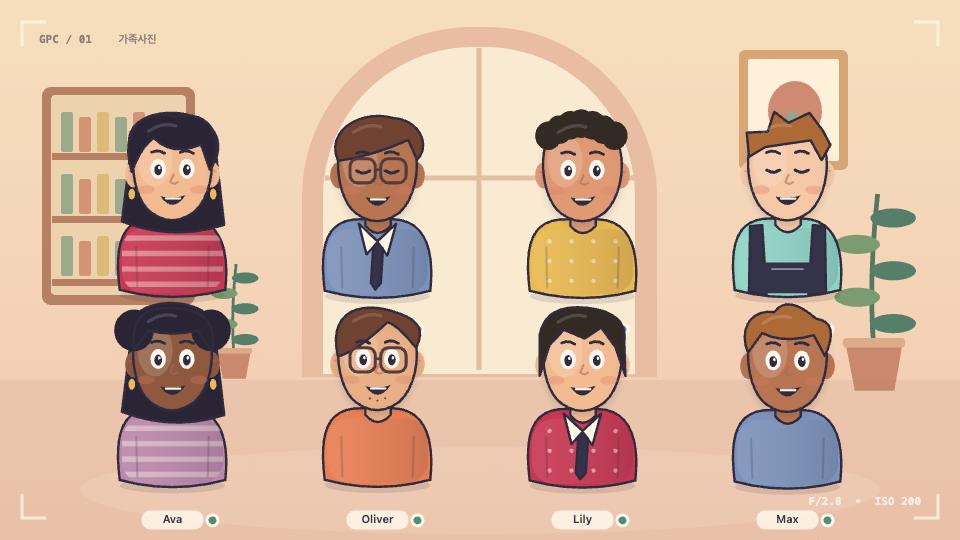
Catch the shared ready moment in an animated group portrait. A tested guide to timing, shutter delay, replay and reading the score.
- Brand
- Group Photo Chaos
- Tool languages
- en, ko
- Verified date
- 2026-11-05
Group Photo Chaos is a group photo game about the one person who blinks at exactly the wrong time. Watch an animated crowd, anticipate a shared ready moment and release the shutter. You do not upload a photograph or use your camera. The reward is a cartoon group portrait and a breakdown of what went wrong.
Play Group Photo Chaos on its separate website → · English and Korean interfaces are available. This library and the featured tool are projects by the same creator; this is an editorial guide, not an independent third-party endorsement.
Hands-on verification: November 5, 2026. Browser-based tests covered shooting, settings, pause, replay and both language interfaces. Scores below are individual game results, not averages or a study of real photographers.
In this guide
Key takeaways
- Start with Classic, three people and 0 ms delay. Change only one setting when comparing attempts.
- Read the four result counters before chasing 100. Open eyes carry half the available score.
- Use the same-pattern retry to practice observation; a new round changes what you are comparing.
- The daily challenge uses a UTC date. A local midnight does not necessarily start a new challenge.
- The game offers a local album and PNG/share controls. Advertising and hosting still involve third-party services.
What this group photo game actually does
Imagine arranging a family portrait: one guest looks at a phone, another yawns, someone slips out of frame, and the person beside them laughs with closed eyes. This group photo game turns that familiar frustration into a small coordination puzzle. The animated subjects have different rhythms, so the best instant for one face may be a poor instant for another.
This group photo game is useful when you want a short visual timing challenge, a lighthearted photography icebreaker or a concrete example of several conditions needing to align. It is not a blink-removal editor, an AI face retoucher, a webcam test or a camera exposure calculator. No real portrait is repaired, and the score should not be interpreted as a measurement of your reaction time.
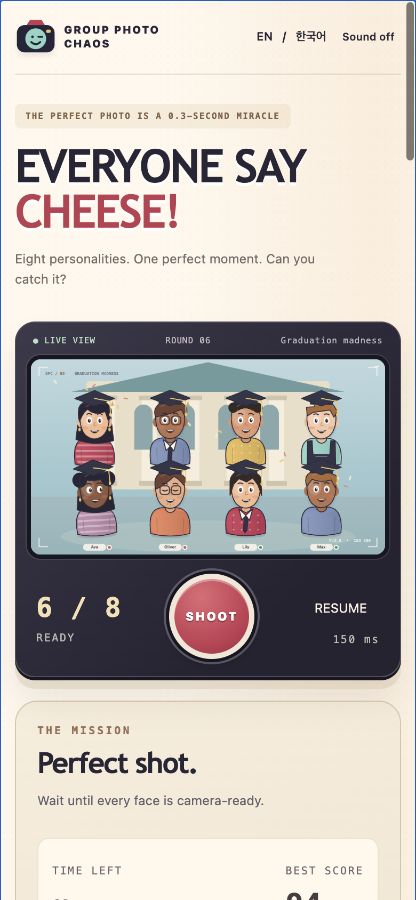
The central ready counter gives a quick group summary. Individual names and states underneath explain who is looking away, blinking or otherwise disrupting the shot. Watch both: the total is efficient for scanning, while the text makes a disappointing result easier to understand. A radar hint adds a warning before a distraction.
Group photo game modes, controls and scoring
The group photo game interface offers Classic, Time attack, The one person problem and Daily impossible photo. Classic has no countdown pressure. Time attack starts with 30 seconds; we checked the displayed timer and pause state, rather than claiming an exhaustive test of every end-of-round condition. The one-person option is described by the tool as giving one guest a recurring problem. Daily supplies a shared date-based setup.
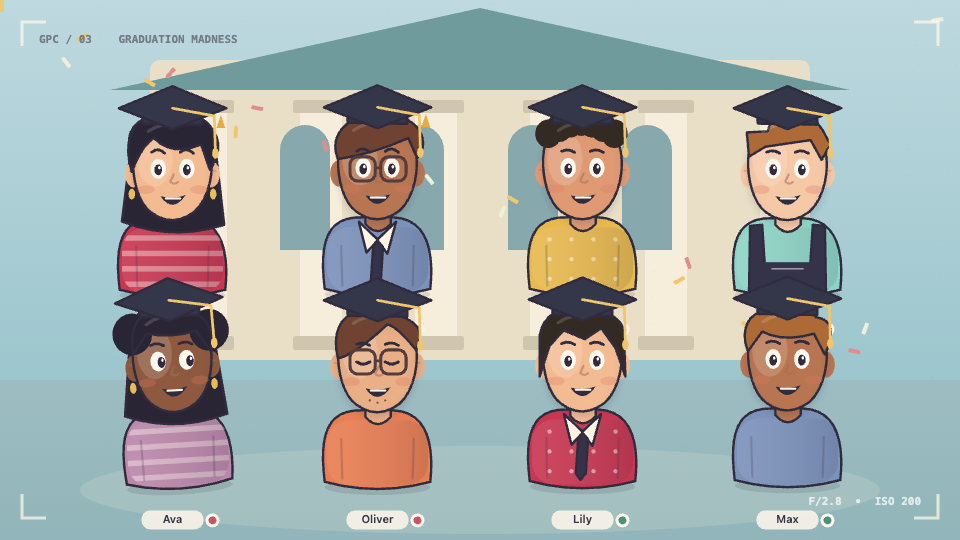
- Scenes: Family portrait, Wedding panic, Graduation madness, Office team and Tourist photobomb.
- Group sizes: 3, 4, 6, 8, 10 or 12 animated people.
- Shutter delay: 0, 150 or 300 milliseconds. This is a game setting, not a measurement of your device latency.
- Direction calls: Smile!, Look here! and Don’t blink! The tool explains that calls can also have unwanted effects.
- Results: a score, four condition counts, named problems, a last-three-seconds replay slider and retry controls.
According to the in-page scoring explanation, open eyes contribute 50 points, attention 20, natural expression 20 and staying in frame 10. Only a fully ready group receives 100. This weighting makes the game more interesting than simply counting happy faces: several perfect conditions can coexist with a substantial eye penalty.
Before interpreting a result, keep the displayed setup together with it. Eight people with a 150 ms delay and three people with no delay are different tasks. A higher score in the first does not establish that you played better, because the crowd pattern and sampling instant also matter. Likewise, the best-score display may contain an older attempt saved in the browser.
How to play this group photo game in 5 steps
- Choose a gentle baseline. Select Classic, three people and 0 ms. Keep the scene unchanged. You need no account or personal photographs to begin.
- Observe one cycle. Identify the person who most often breaks an otherwise ready group. Read the status line, then return your attention to the portrait.
- Try a single direction call if needed. Give its effects time to become visible. Repeatedly calling several instructions makes it harder to tell what changed.
- Take the shot. Use the red shutter or Space when the game has keyboard focus. At 150 or 300 ms, anticipate the capture rather than treating the current frame as the finished picture.
- Diagnose, then retry. Check eyes, attention, expression and frame counts. Use Try this pattern again for a comparable practice attempt; use New pattern or New round when you want a fresh puzzle.
Pause this group photo game with the on-screen control or P when you need to read instructions. Do not treat a paused practice frame as proof of a competitive achievement. On a small screen, scroll to the direction calls and results after shooting; the portrait and settings can occupy separate vertical sections.
Our hands-on test: why 83 is useful
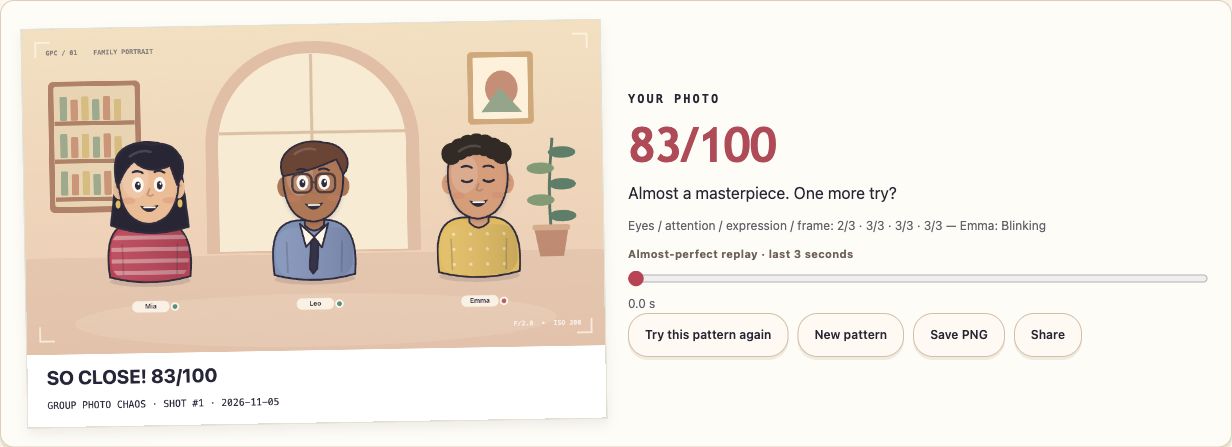
Our three-person Classic attempt used 0 ms delay and returned 83/100. The diagnostic line showed eyes 2/3, attention 3/3, expression 3/3 and frame 3/3, with Emma identified as blinking. That is an unusually clear teaching example: nearly everything was correct, but one closed pair of eyes still mattered.
Using the published weights, two of three open-eye contributions give approximately 33.3 of the 50 eye points. The remaining fully satisfied conditions contribute 50, making roughly 83.3 before the displayed integer score. This explains the observed 83 without inventing a hidden failure. It is a consistency check for that result, not a proof of every scoring edge case.
A separate eight-person attempt at 150 ms returned 84/100. Its result reported eyes 6/8, attention 8/8, expression 7/8 and frame 7/8, and named blinking, yawning and an out-of-frame guest. We did not repeat either setup enough to estimate success rates. Older 94 and 91 album entries were already present in another browser and are not results from this review.
We also changed the group size and delay, used the same-pattern retry and paused the animation. Daily showed UTC 2026-11-05 with Graduation madness, eight people and 150 ms. Both source language pages loaded. A 390-pixel browser viewport had no document-level horizontal overflow; this is a responsive browser check, not a claim that every physical phone was tested.
Group photo game strategy: better timing
The most useful strategy is to watch the limiting guest. If seven people are usually ready and one cycles through distractions, scanning all eight equally wastes attention. Observe the difficult guest first, then make a quick whole-group check before shooting. This is a suggested play method derived from the interface, not a measured guarantee of higher scores.
Change one variable at a time. Practice a fixed scene with a fixed crowd, then add 150 ms of delay. After that, increase the crowd size. Jumping directly to twelve people with 300 ms adds observation load and anticipation together, so a missed shot tells you little about which skill needs attention.
Use replay as a diagnosis aid. Look for a moment when the group was almost ready and identify the earliest failure. If an expression changes before attention wanders, another “Look here!” call may not address the actual problem. Prefer a specific hypothesis—“I pressed after Emma started blinking”—over an unhelpful label such as “bad reflexes.”
For informal challenges, agree on the mode, group size, delay and whether calls are allowed. A UTC-based daily setup helps provide a shared starting point, but the tool itself says calls alter an attempt. Matching the date alone does not make every sequence of player actions equivalent. There is no verified online leaderboard in this review.
Three practical ways to use it
A photography-club warm-up. Let people make one attempt, then explain which condition failed. The interesting discussion is about directing attention and checking a group, not about crowning the fastest clicker. If you later photograph real people, use clear instructions and check the faces before everyone leaves; the game cannot predict real blinking.
A classroom illustration. Ask why getting every subject ready is harder than getting one subject ready. The source uses an independent 95%-per-person example. Present that only as an assumed probability model: independence is a simplifying assumption, and 95% is not a measured blink statistic. The game is an approachable discussion starter, not experimental evidence.
A five-minute personal challenge. Take a baseline shot, read the failure, retry the same pattern, then stop after a small set of deliberate attempts. This gives each attempt a purpose. More clicks are not automatically more practice, and changing the scene every time prevents meaningful comparison.
For a club discussion, capture both the score and the condition line, not just the portrait. A cropped 83 badge cannot explain whether eyes, expression or framing caused the miss; the diagnostic context is the useful evidence.
Limitations and common mistakes
- A displayed delay does not isolate your monitor, browser, keyboard or network latency. Do not use the game as a calibrated reaction-time test.
- A cartoon smile is a game state. The tool does not judge real beauty, photographic composition, consent or accessibility needs.
- A direction call is not a guaranteed fix. Its trade-offs are part of the puzzle.
- Do not compare an old best-score badge with a new setup without checking the conditions.
- The replay and old result panel can remain visible after settings change. Confirm the active scene, crowd and delay before your next shot.
- Save PNG and Share are present, but this review did not verify a completed exported file or a share to another application. Check the saved file yourself before relying on it.
The browser-rendered portrait is not a real photograph. There is no verified upload-to-edit workflow here. If your aim is to repair a real group photo, choose an image editor with appropriate permissions instead. If your aim is to plan lighting, exposure or a darkroom print, this game does not provide those calculations.
Browser storage, privacy and accessibility
The source FAQ states that scores and up to six album images are stored in the current browser when storage is available, with PNG export performed on the device. It describes sharing as a user-chosen destination in the device share sheet. We observed album entries and a newly added result, but did not audit network traffic or test every browser-storage failure.
Local game storage does not mean a tracker-free website. The source is hosted through Blogger and displayed Google advertising during review. Its privacy note explicitly mentions advertising cookies and links to Google’s privacy policy. Treat hosting and advertising separately from the handling of generated game portraits. Do not input personal material expecting an independently audited offline application.
For accessibility, there are named shutter controls, keyboard shortcuts, textual per-person states and a radar toggle. These are useful alternatives to relying only on animated faces. The FAQ says reduced-motion preferences remove the border flash; we did not conduct a complete assistive-technology or reduced-motion audit. Animation and timing can still be demanding, so use pause and the untimed mode when helpful.
Related tools and useful next steps
If you enjoy making a visual prediction and checking it against a result, our 3-cushion simulator guide offers a different kind of browser experiment: anticipating a ball’s route. It does not help repair portraits or improve this game’s score; the connection is learning through a small repeatable simulation.
For how we distinguish a verified feature from a suggestion, read our editorial standards. The library guide explains the path from an introduction to the separate tool website. We have not added unrelated tools just to fill a recommendation list.
Frequently asked questions
Is this a free group photo game? The source presents it as free and requires no sign-up for the tested play flow. Advertising was visible. We did not encounter a purchase step during the tested interactions.
Why can an almost-perfect photo score only 83? In our three-person result, one subject blinked while the other three conditions were fully satisfied. Eyes have a 50-point weight, so that one missing contribution was substantial.
Can I play in Korean? Yes. The source includes a working Korean page with localized scene names, controls and instructions. Choose 한국어 in its navigation; changing language is different from changing the game’s difficulty.
Does it use my real camera? The tested flow uses animated characters. We did not need a webcam, a camera permission request or a personal photo upload to play.
Will my album move to another device? Do not assume so. The FAQ describes browser storage, not account-based synchronization. Clearing browser data or using a different browser can affect access to saved game images.
Does the daily challenge reset at Korean midnight? The source describes a UTC-date seed. In South Korea, UTC midnight falls at 9 a.m. local time. Check the UTC date shown in the game rather than assuming your local calendar day controls it.
Try one deliberate round
For your first deliberate round, choose three people and zero delay, watch one cycle, then take a shot and name the failure. Group Photo Chaos is strongest when you turn a near miss into a specific observation. You do not need a perfect score to understand why a crowd is difficult to photograph.
Open Group Photo Chaos and try a round → This opens the creator’s separate one-page game.
A RELEVANT NEXT STEP
Tools with a useful connection
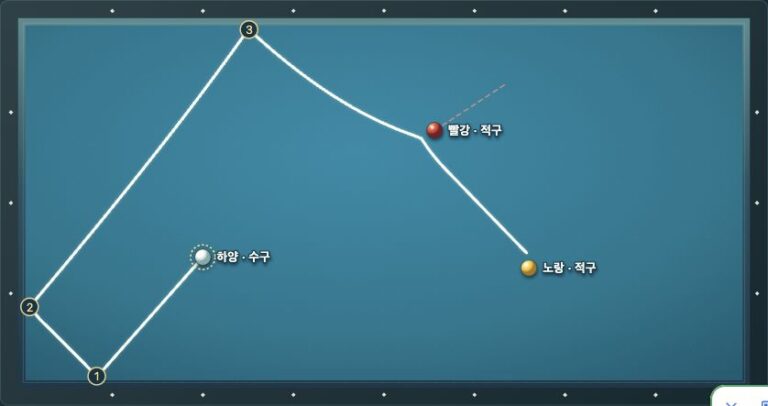
쓰리쿠션 길 안내소
3 Cushion Simulator: 7 Smart Practice Checks
Compare experimental three-cushion routes, save a position and calculate points per inning with 쓰리쿠션 길 안내소. Korean interface; actual table accuracy is unverified.
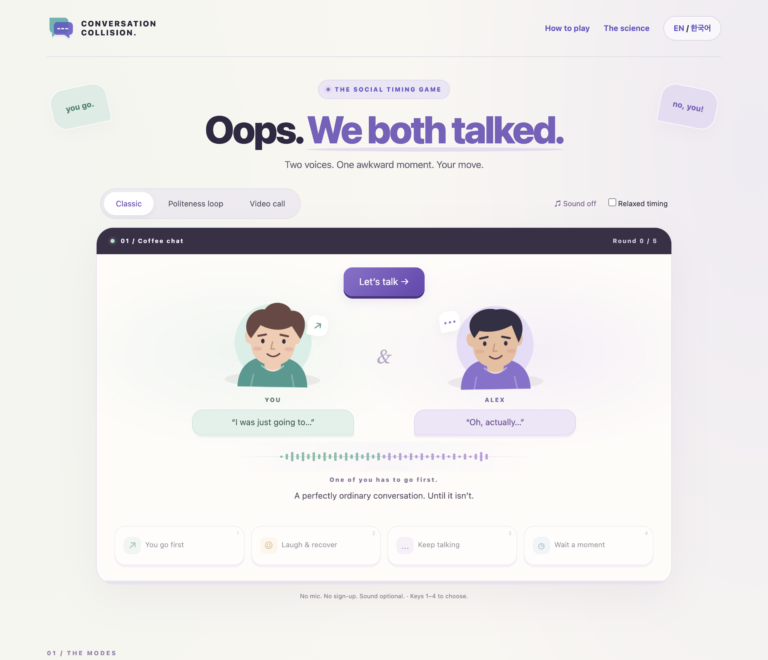
Conversation Collision
Conversation Collision: A Conversation Timing Game in 5 Steps
Explore overlapping speech through a five-round conversation timing game. Compare four responses, three modes and our matched English/Korean tests without treating scores as a personality assessment.
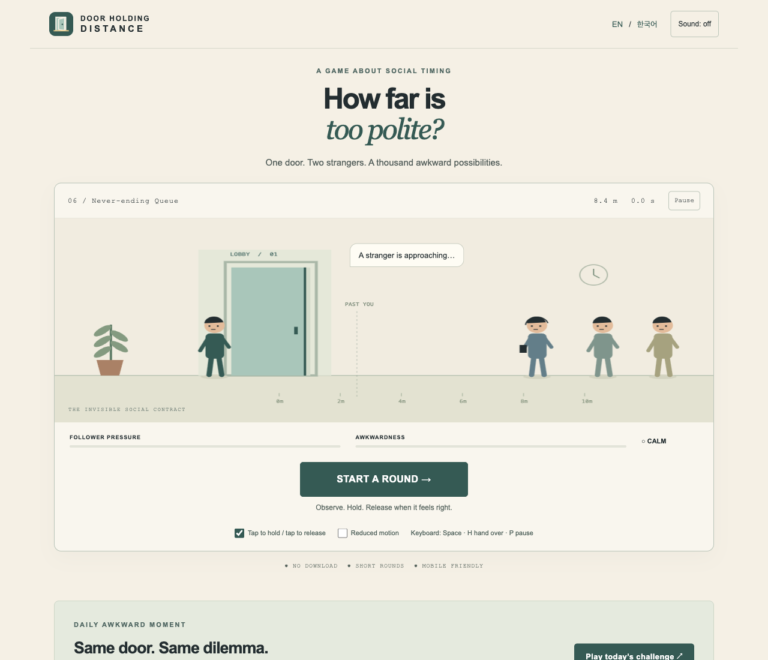
Door Holding Distance
Door Holding Game: 8 Fun Scenarios, Better Timing
Play with everyday courtesy in Door Holding Distance: eight scenarios, tap-to-hold controls and playful feedback. Read our real handover test, controls and limits.