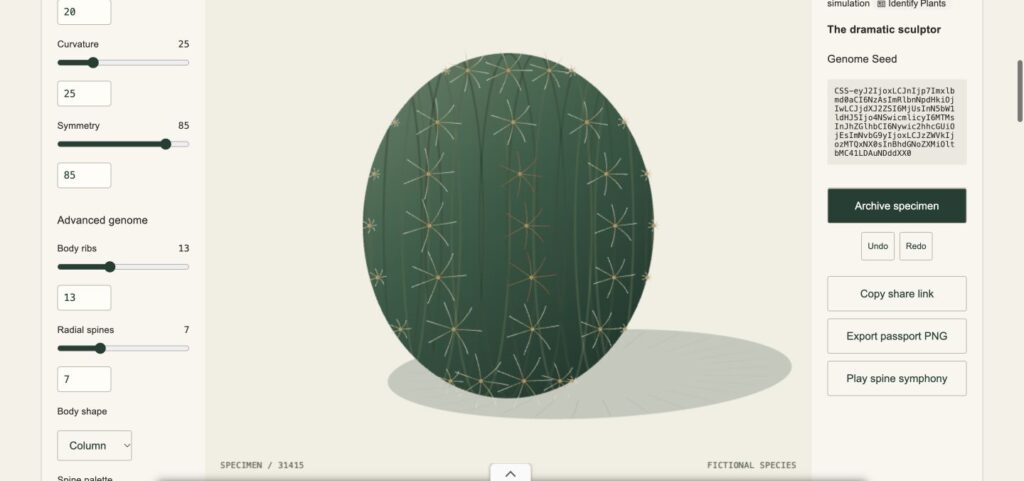
Create fictional cactus artwork with spine, body and painting controls. Compare descendants and restore a shareable recipe, with real tests and clear botanical limits.
- Brand
- Cactus Spine Studio
- Tool languages
- en, ko
- Verified date
- 2026-11-05
Cactus generator Cactus Spine Studio turns spine settings, body shapes and painted accents into fictional botanical artwork. This guide shows how to build a repeatable specimen, read mutation results and preserve the recipe, with actual browser tests and clear limits on what the simulation means.
Table of Contents
Key takeaways
- Make an imaginary plant, not a botanical claim. Cactus Spine Studio is a visual art tool with adjustable drawing parameters.
- Read the main controls after a mutation. Our Crimson Crown card showed Density 12 and Curvature 35, but the resulting values were 32 and 60 from a 20/25 parent.
- Keep a code as well as a picture. We restored the painted genome in a fresh shared-link tab and in the Korean interface. The default specimen name returned in the shared tab.
- Save before trying Thorn Paradox. In our test it changed length, density and radial-spine values, rather than merely hiding the drawing.
1. What this cactus generator is for
Cactus Spine Studio is an experimental botanical atelier for creating fictional cactus artwork in a browser. You adjust spine length, density, curvature and symmetry, then explore body shape, rib count, radial spines and palette. A passport panel displays a name, a playful personality label and a reproducible Genome Seed. The tested interface required no account.
The useful moment is when you want a controlled visual variation rather than another unrelated random image. Perhaps you are designing an imaginary greenhouse, planning a character silhouette or exploring how a sparse pattern reads against a dense one. This cactus generator makes those changes visible and gives you a way to return to a particular parameter set.
It does not identify a real plant, model genetic inheritance, predict growth or give cultivation advice. Solaris, Moonveil, Crimson Crown and Obsidian Spiral are fictional names in this studio. A Genome Seed is a drawing recipe, not a biological sample or evidence of a newly discovered species. The illustrated shadow is also stylized, not a light-transport or survival calculation.
| Creative task | Use the studio for | Do not infer |
|---|---|---|
| An imaginary greenhouse | A coherent collection of visual specimens | A collection of real botanical taxa |
| A silhouette study | Comparing body and spine patterns | A measured plant anatomy model |
| A repeatable design exercise | Saving and restoring a parameter code | A genetic experiment |
| An illustration reference | Studying rhythm, density and shape | Plant identification or care instructions |
2. Read the cactus generator controls as a design vocabulary
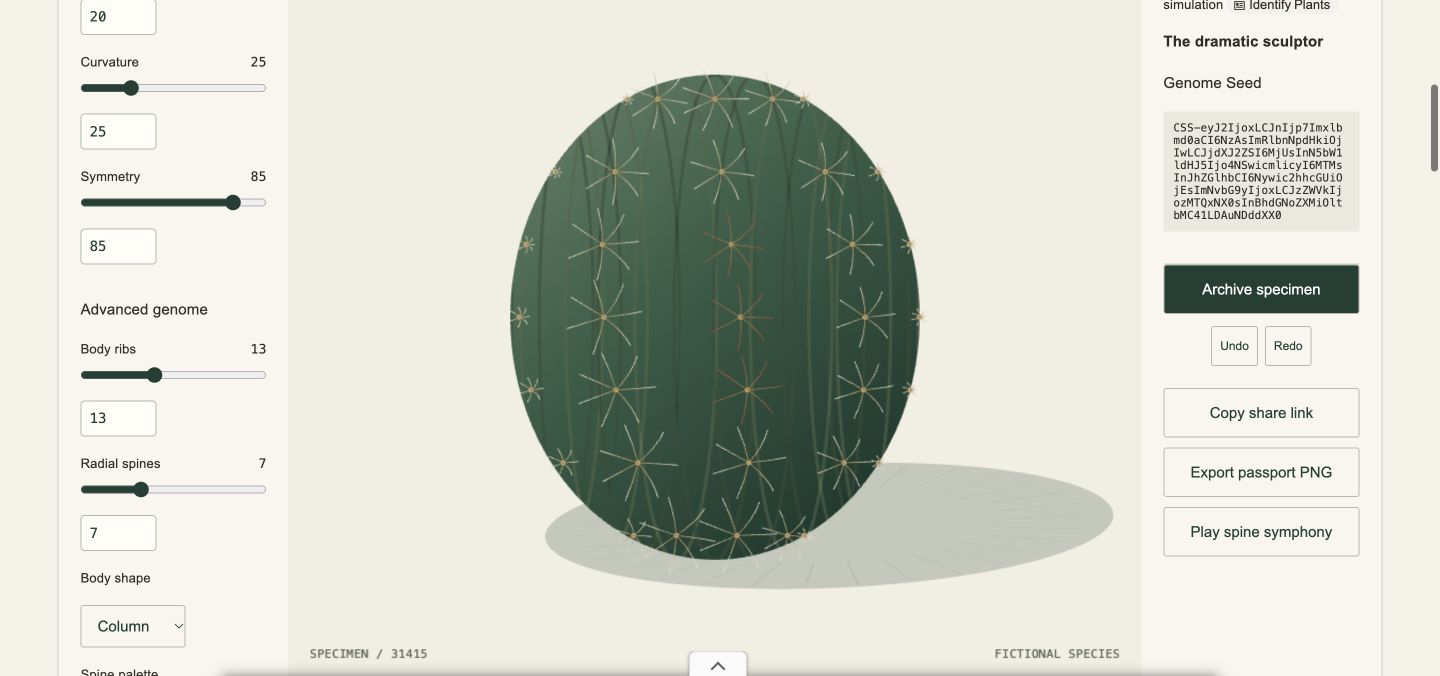
The four main controls are Spine length, Density, Curvature and Symmetry. The default readings we observed were 45, 55, 25 and 85. These are studio parameter values; the interface does not label them as millimetres, spine counts per square centimetre or measured biological percentages. Use them to compare versions inside the tool, not to describe a real cactus quantitatively.
Advanced genome opens Body ribs and Radial spines, with default readings of 13 and 7. Body shape offers Globe, Column and Flattened; Spine palette offers Solar gold, Moon silver and Terracotta. The drawing combines these choices. Changing a palette is an artistic decision, not a claim about pigments, minerals or light exposure in a living plant.
For an understandable first comparison, hold most settings still. Choose one question: does the silhouette feel quieter with lower density, or does curvature make a rigid form feel more animated? Keep the question separate from whether you personally prefer the result. A useful experiment can end with a rejected version if the change is easy to explain.
- Start with a body shape before adjusting many spine controls.
- Record the current four main readings before a large edit.
- Use the numeric inputs when a slider is difficult to position precisely.
- Recheck the visible reading after input rather than assuming typing committed it.
- Keep composition notes separate from botanical facts. “More dramatic” is a design description, not a species trait.
3. Use the cactus generator in seven steps
- Choose a creative brief. Describe the intended effect in one sentence, such as a sparse, tall specimen for an imaginary greenhouse label.
- Set the structure. Open Advanced genome and choose the body, rib setting and radial-spine setting. These are drawing controls.
- Shape the spines. Adjust length, density, curvature and symmetry one at a time, checking the main readings.
- Add a localized accent. The studio offers Spine Painter and Paint central region. We tested the central-region control, not every freehand painting interaction.
- Compare a descendant. Select Mutate species, choose one of three candidates and read the resulting controls. Undo and Redo let you revisit a tested parent and child.
- Save a named local specimen. Archive it before a large preset change. Then keep the Genome Seed or copied share URL outside the local collection as an additional record.
- Test the handoff. Open the shared URL or restore the code in the other language. Confirm the genome and keep any custom caption or name separately.
Our constructed example used length 70, density 20, curvature 25, symmetry 85, ribs 13 and radial spines 7, with Column and Moon silver. We then applied Paint central region. Those values are a reproducible interface case, not the best settings, a real species description or a horticultural recommendation.
The central painting step matters when saving a design. A short handwritten list of the major controls would omit that localized region. In our tests the complete visible CSS code was the useful comparison record. Matching a few sliders alone would have been a weaker test of restoration.
4. What our cactus generator tests actually verified
We tested the browser workflow in Chrome on 5 November 2026. The specimens and names used for testing were deliberately constructed. No living plant, biological DNA, physical lighting setup or plant-care outcome was tested.
| Action | Observed result | What it establishes |
|---|---|---|
| Set 70/20/25/85, Column, Moon silver; paint the centre | The drawing and displayed CSS code changed | Parameter editing and a central painted region were represented |
| Archive as Studio Test 2026-11-05 | A local restore card appeared | The browser collection accepted a named test specimen |
| Choose Crimson Crown from a 20/25 density/curvature parent | Main readings became 32/60; card showed 12/35 | Read candidate labels alongside the resulting main values |
| Undo then Redo | Undo restored the exact parent code; Redo changed it again | Parent/descendant history worked in this sequence |
| Restore the saved parent code | The complete displayed code matched, including the painted region | Code restoration worked in this session |
| Copy share URL and open a fresh tab | Main values and full visible code matched; name was Solaris No. 001 | The recipe reproduced, while custom naming was not preserved |
| Paste the same code in Korean | 70/20/25/85, Column and Moon silver returned; full code matched | Cross-language recipe restoration worked |
| Submit CSS-invalid | That genome code is not valid. appeared | An invalid-code message was shown |
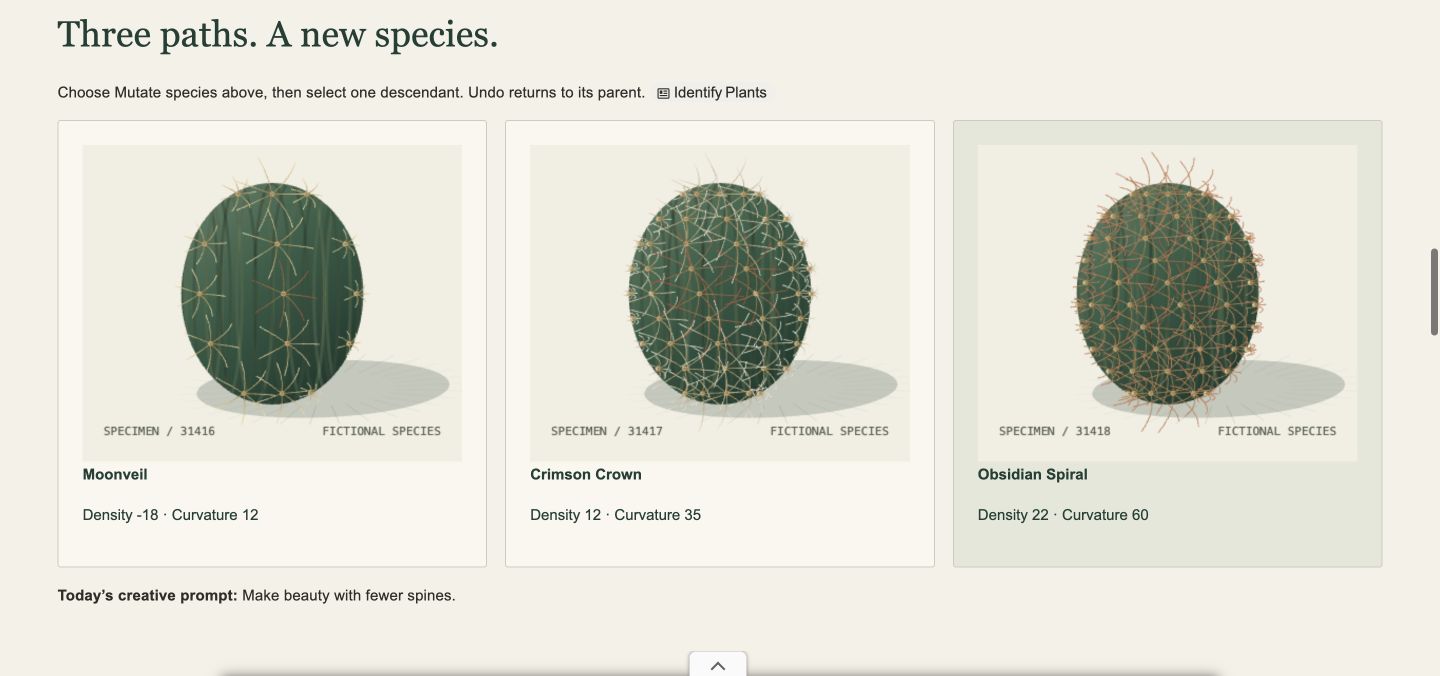
The Crimson Crown example gives a useful numerical check: 20 + 12 = 32 for density and 25 + 35 = 60 for curvature. That is what happened in this tested case. Do not read the card’s 12 and 35 as the final settings, or assume every extreme input behaves identically without trying it.
We also observed a status-message limitation. After a deliberately invalid code, restoring an archived card returned the saved name and genome while the earlier invalid-code status remained. Explicitly restoring the valid code then displayed Specimen restored. Check the actual controls and code as well as a status line; a stale message alone did not reliably describe the current specimen in that sequence.
5. Use the shadow garden without turning art into physics
The Shadow Garden offers Light direction and Thorn Paradox: remove spines. We moved the light control to its maximum displayed value, 100, and inspected the changed stylized shadow. The number should not be described as a calibrated illumination level or a physical angle: the inspected interface presents an artistic control without those units.
Thorn Paradox was more than a visibility switch. Applied to our restored example, the main readings became length 55, density 0 and radial spines 3. Save the current specimen before trying it, and inspect the result before deciding what to keep. Do not assume the earlier genome is unchanged beneath a temporary overlay.
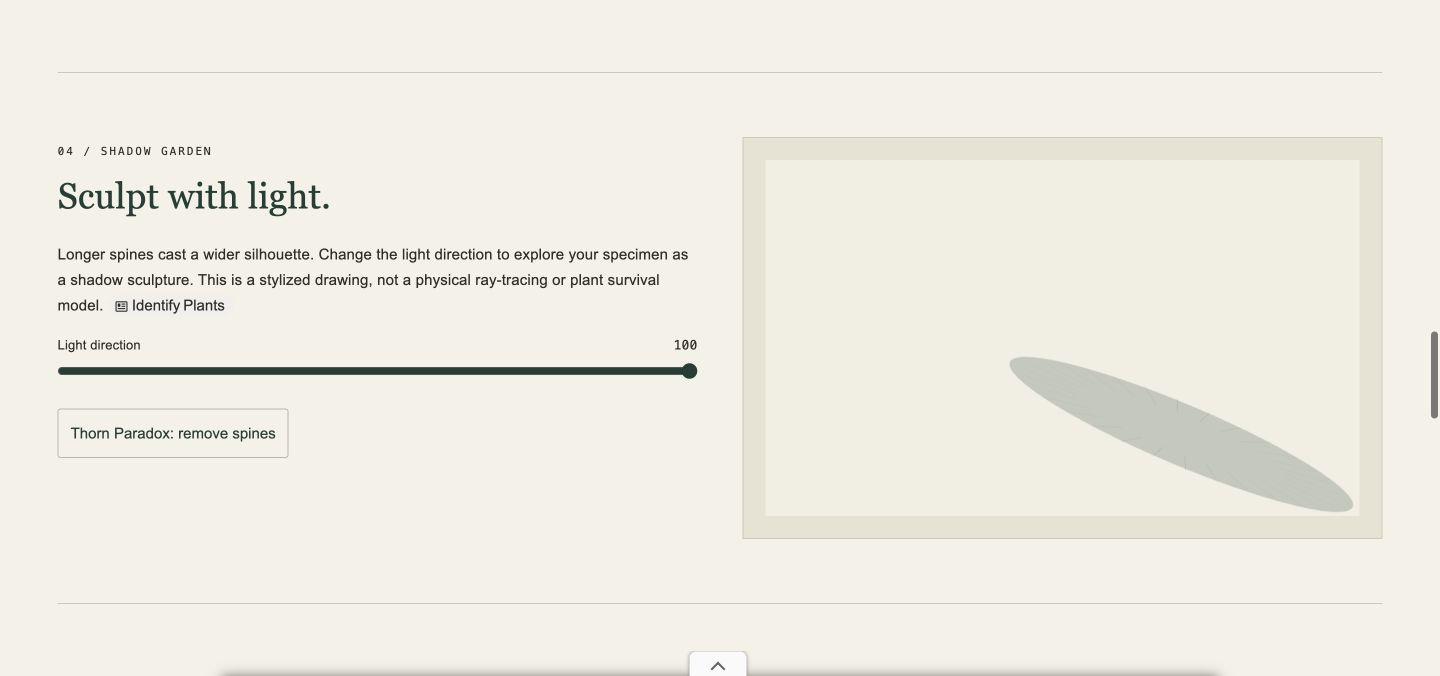
A useful artistic exercise is to compare the outline before and after the preset, then write what changed in the composition: a clearer body edge, fewer interruptions or a longer visual shadow. Keep that language about the picture. The tool does not establish how removing spines would affect a real plant.
The studio also presents Rotate, Zoom, Compare original, Reset view and Play spine symphony controls. We did not independently verify every view transformation, audio audibility or acoustic interpretation. Their presence should not be confused with a complete 3D botanical model or a scientific sonification of measured plant data.
6. Build a small visual study instead of an endless random collection
A three-specimen study is often easier to understand than a long series of unrelated mutations. Start with one parent, preserve it, then make two deliberate alternatives. Keep the same body and palette while changing density in one version and curvature in the other. This is a proposed exercise, not an additional experiment we claim to have executed.
| Study card | Keep stable | Change or record | Question to answer |
|---|---|---|---|
| Parent | Body, palette and initial recipe | A saved baseline code | What visual rhythm am I starting with? |
| Sparse alternative | Body, palette and curvature | Density, then its resulting code | Does the body remain readable with less detail? |
| Curved alternative | Body, palette and density | Curvature, then its resulting code | Does the direction of the spines change the mood? |
| Optional local accent | Chosen recipe | A painted region and full code | Does attention move toward the intended area? |
For an illustrator, the result can become a reference board for an imaginary environment. For a classroom or workshop, it can demonstrate the difference between an input, an observation and an interpretation. Neither use requires pretending the generated plant is real. A caption such as “fictional form study, density changed from A to B” is more informative than a fabricated botanical discovery.
Judge the study by a stated criterion: silhouette clarity, variation within a family, or whether a particular accent draws attention. The personality label is a playful response from the interface, not an objective assessment of visual quality. You can disagree with it and still use the tool well.
If the candidates all feel too similar, reconsider which parameter is relevant to your brief. If they feel unrelated, return to the parent and reduce the number of simultaneous changes. Keeping a code and a short reason for each choice makes this cactus generator a repeatable design exercise rather than a stream of disposable pictures.
7. Cactus generator storage, sharing and botanical limits
The archive says it can hold up to 30 specimens on this browser. We saved and restored one named test card; we did not stress-test the 30-item limit or long-term retention. Clearing site data may remove the collection. An archive card is local storage, not a cloud backup or an account-based library.
The copied share URL contains the encoded recipe in its genome fragment. Opening our generated URL in another tab reproduced the full visible code, while the specimen name showed the default Solaris No. 001. The direct Korean navigation initially opened its default specimen; pasting the saved code restored the tested recipe. Keep names, captions and viewing notes separately rather than assuming every aspect of your presentation is encoded.
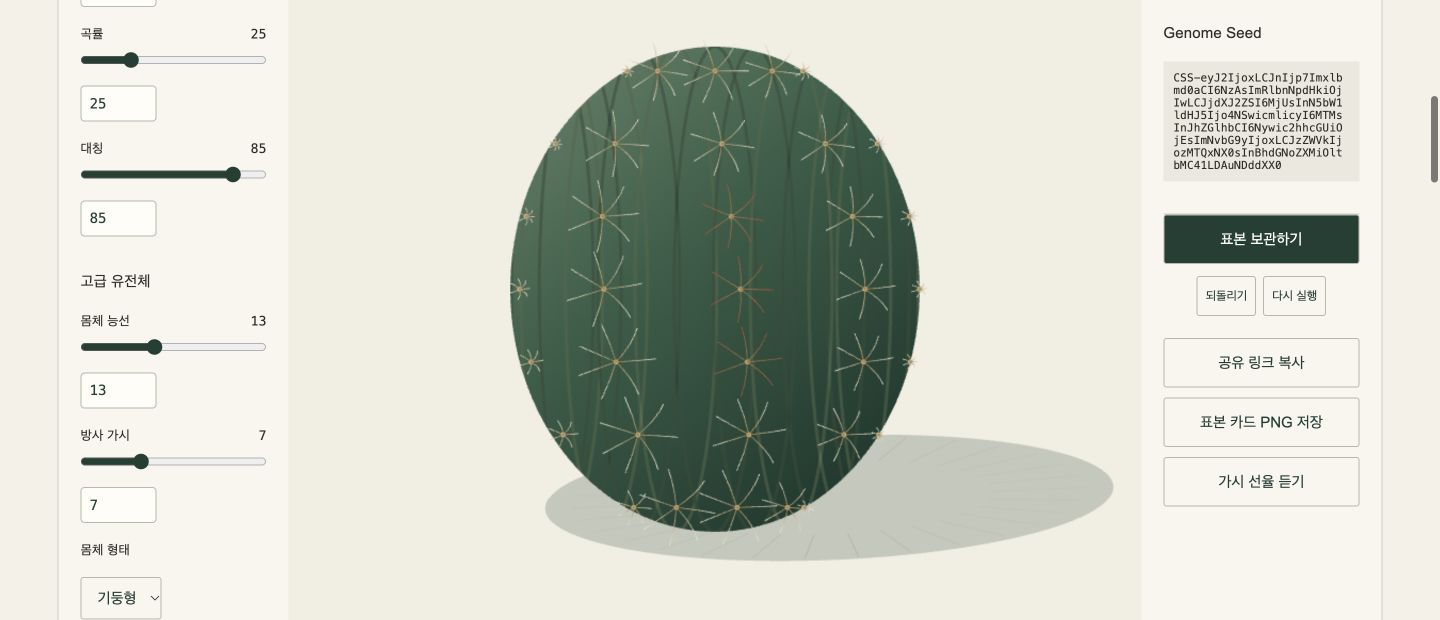
The site offers Export passport PNG and allows downloading and sharing generated artwork in its own notice. We did not validate the PNG bytes, resolution or print quality. A visual keepsake and an editable recipe serve different purposes: retain both when an important design needs to be revisited, and actually open a saved file before relying on it.
The privacy statement says specimens are not uploaded and the collection is local, while Blogger and Google advertising services may process data separately. We did not audit the entire source or network. A local collection should not be described as proof that the whole page makes no external requests, and an encoded share recipe is not a confidential storage mechanism.
For the real botanical distinction, Royal Botanic Gardens Sydney’s PlantNET description of Cactaceae places cactus spines and glochids at areoles. That is a reference for observing real structures, not validation of the studio’s fictional species or parameter system. Use botanical references for factual descriptions and label studio output as art.
Frequently asked questions
Is this an AI photo generator or plant identifier?
The inspected interface is a parameter-controlled fictional drawing studio. We did not verify an AI image model or identification service. Do not use its names as real taxonomy.
Does the Genome Seed contain real genetic data?
No. It represents drawing parameters and painted regions. Matching codes reproduced our tested recipe; that is not a biological inheritance experiment.
Does a share link preserve my custom name?
Not in our test. The recipe matched in a fresh tab, but the name returned to Solaris No. 001. Keep the name and caption separately.
Is Thorn Paradox just a temporary hide switch?
No. Our length, density and radial-spine readings changed after applying it. Preserve the recipe before experimenting.
Can I use it in Korean?
Yes. The Korean page provided localized controls, and restoring the same code reproduced our tested parameters. Direct language navigation did not carry the current specimen automatically.
Continue with a clear creative brief
At publication, this library had no closely related public cactus-art tool article to recommend. We do not substitute an unrelated tool merely to add a link. Our library guide explains the path from introduction to a separate tool site, and our editorial standards explain the boundary between interface tests and unverified outcomes. Start with one silhouette question and preserve the recipe you want to revisit.
Verified: 5 November 2026, South Korea. Tests covered parameter editing, central painting, mutation selection, Undo/Redo, named local archive, valid/invalid code restoration, share-link replay and Korean restoration. Actual plant behavior, PNG file quality, audio audibility, full source mobile operation and a complete privacy audit were not verified. This library and the original studio are projects by the same creator; this is not an independent third-party endorsement.
A RELEVANT NEXT STEP
Tools with a useful connection
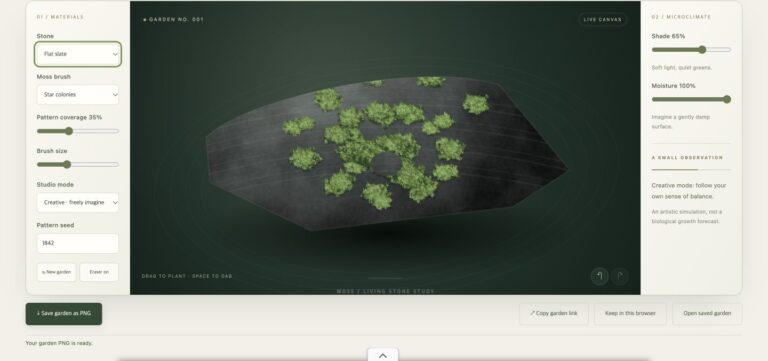
Moss Carpet Planner
Moss Carpet Planner: 7 Smart Design Checks
Design miniature moss-on-stone artwork with patterns and brushwork. Follow real tests of sharing, local restoration and imagined conditions, with clear botanical limits.
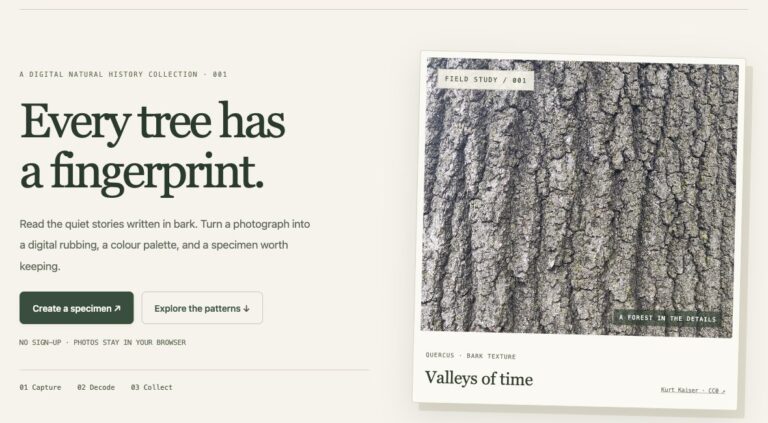
Bark Pattern Archive / Bark Fingerprint Lab
Bark Texture: 7 Essential Checks for a Beautiful Archive
Turn bark texture photos into digital rubbings and local observation specimens. Actual sample tests explain manual tags, palette changes, comparison, browser storage and the limits of identification and unverified exports.
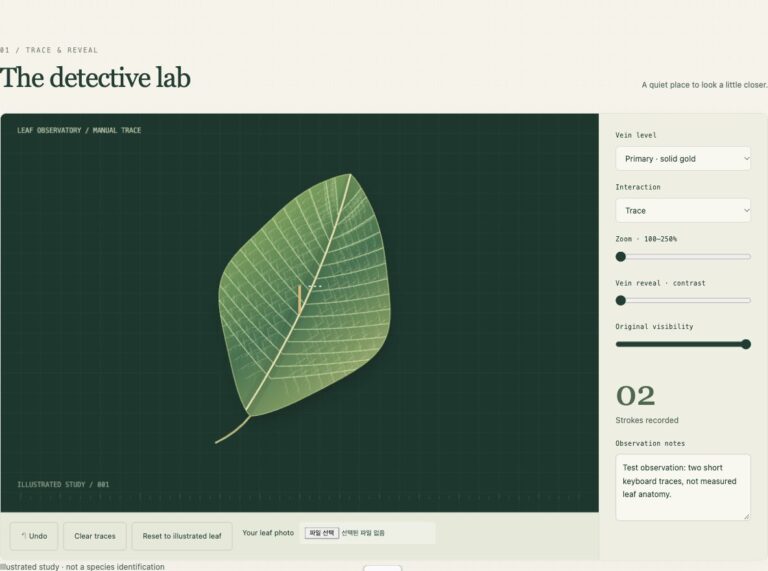
Leaf Vein Detective
Leaf Vein Detective: 7 Essential Checks for Better Notes
Trace leaf vein paths by hand in Leaf Vein Detective. Actual keyboard, image-input, saved-case and Korean mobile tests explain stroke counts, local storage, card styles and export limits.