Toy Survival Chart is a manual dog toy tracker for purchase dates, play minutes, prices and retirement notes. Compare what you recorded, keep a photo memory and revisit why a toy left use. Its charts do not test durability, detect damage or decide whether a toy is safe.
Checked 12 November 2026 in Chrome. We used two explicitly synthetic toy records, tested arithmetic, filters, retirement, image input and language continuity. No dog played with a product for this review. Our image fixture was an actual tool screenshot, not a toy photograph. This library and the original project share a creator; findings below separate direct observations from publisher statements.
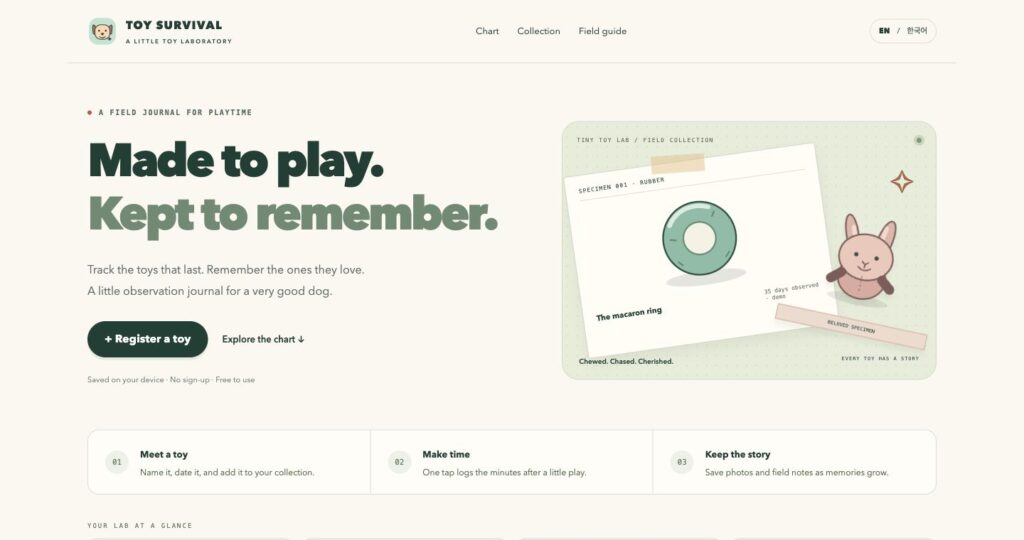
Keep a manual dog toy tracker for dates, play minutes, costs and memories. Actual synthetic tests explain inclusive days, $24→$18/hour, retirement, currency warnings and correction limits.
- Brand
- Toy Survival Chart
- Tool languages
- en, ko
- Verified date
- 2026-11-12
In this guide
Key takeaways
The useful distinction is between time owned and time actually logged in play. A toy sitting on a shelf can accumulate calendar days without accumulating exposure. Record both before considering a replacement purchase or describing one material as longer lasting.
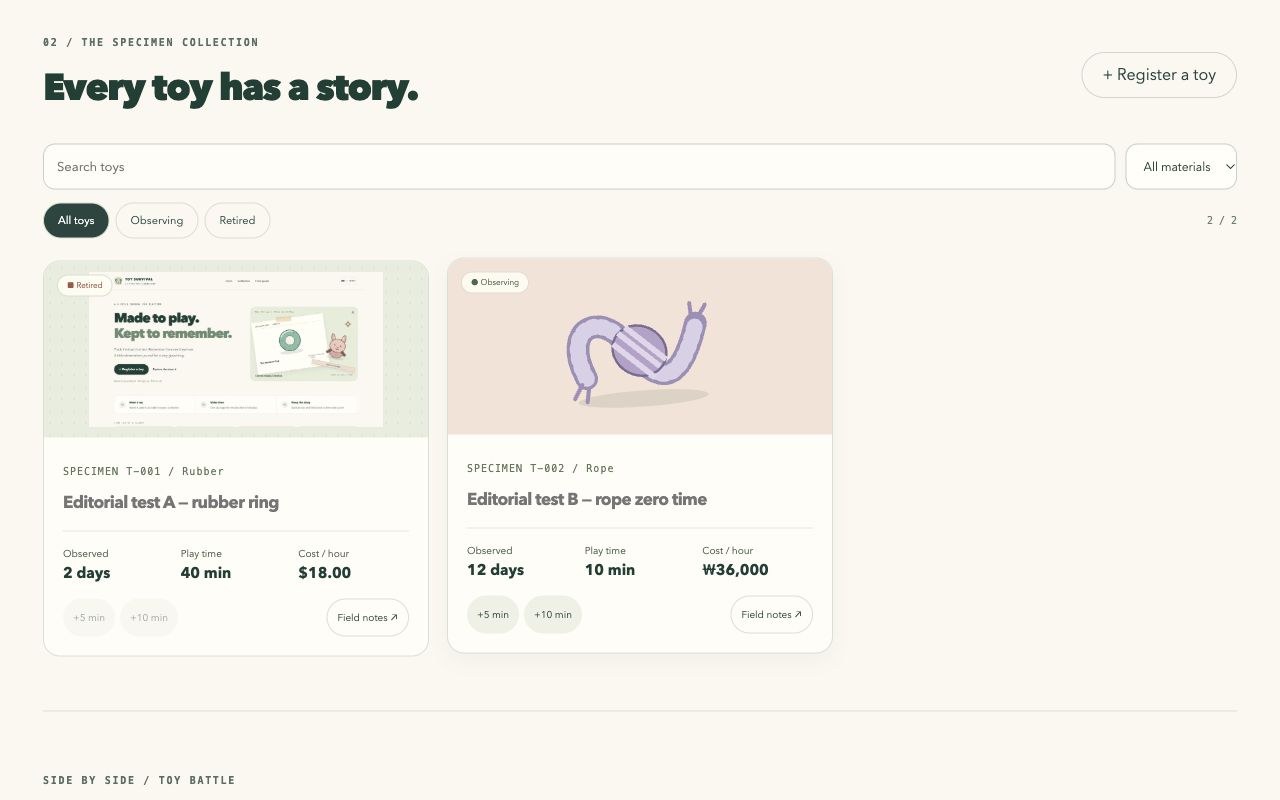
The first page initially showed fictional demo toys. Creating our first record switched the chart to My records. Check that label before treating the ring, bunny or rope illustrations as your own data or as evidence from a real product trial.
Our USD12 fixture displayed $24.00 per hour at 30 minutes and $18.00 at 40 minutes. A KRW6000 fixture with no logged time showed Unrecorded. These results validate the tested calculation, not value for money, safety or a universal ranking.
Two limitations deserve attention before routine use: Undo did not reverse our minute increments, and the most-played-material line paired Rubber with the overall hours total. Use individual entries to check minutes, and do not read that adjacent total as material-specific exposure.
What this dog toy tracker does
A household often remembers the dramatic last day of a toy but forgets the weeks of brief use beforehand. This dog toy tracker gives that memory a structure: name, purchase date, material, price and currency, accumulated play minutes, current status, notes and optional images. There is no automatic play timer in the inspected workflow. The owner supplies the time.
The page calls the collection a little laboratory. Its official browser title identifies Toy Survival Chart, while Tiny Toy Lab appears as a design label. The chart can show days observed, play time or cost per hour. Collection search and status/material controls narrow the cards. A two-toy table keeps material, status, dates-derived duration and logged exposure together. Retired entries remain in a museum rather than disappearing.
This is useful when the question is “What did we actually record about this particular item?” It is less suitable when you need a shared household account, automatic session detection, validated safety scoring or cross-device inventory synchronization. No account was required during our test; the page describes the tool as free. We did not test every browser or long-term storage capacity.
Prepare records that answer a useful question
Gather the purchase date and price from your own receipt or notes. Choose the currency in which the amount was paid; the menu offers KRW, USD, EUR and GBP. Write a distinct name for each physical item, especially if you buy the same model twice. “Blue ring — second purchase” is more useful than overwriting an earlier ring and mixing two histories.
Decide what a logged minute means in your household. For example, count supervised interaction rather than the whole afternoon in which a toy was available. This is an observation convention you choose, not an app-detected event. Keep uncertain time explicitly uncertain in the note instead of inventing precise exposure from memory. A named person or pet profile selector was not shown in the registration form, so do not assume the chart separates dogs automatically.
Prepare ordinary, non-sensitive photographs if you want a visual record. Save the originals separately. An annotated preview is a record of where you placed a marker, not an expert assessment of the object. Avoid faces, addresses and identifying paperwork in the frame. Inspect the physical toy rather than relying on a picture or a favorable cost figure.
7 checks for a dependable toy record
1. Separate the demonstration from your collection
Open the working root site and look for My records or Explore demo. The opening demo was clearly labeled fictional. Our initial statistics were zero even while four demonstration cards appeared, so the visible sample collection did not establish that four personal items had been saved. Registering a real entry is the start of your own journal.
2. Register one identifiable item
Choose Register a toy, enter its name and purchase date, then select Rubber, Plush, Rope or Other. Add the price and matching currency. Start with a plain note about the item and what you know. The material is a category for organizing your observations; it does not certify strength, suitability or an expected service life.
3. Enter the known play total in minutes
The registration and Field notes dialog have a logged-play-time field. Enter an accumulated total, not hours disguised as minutes. Thirty minutes is 30; half an hour is not 0.5 in that field. In our dog toy tracker test, a zero-minute item showed Unrecorded for cost per hour, avoiding a fabricated denominator. Confirm the card after saving.
4. Add a short session once
Active cards provide +5 min and +10 min controls. After one ten-minute addition, our 30-minute fixture became 40 and its cost per hour changed immediately. Tap once and read the updated value before adding anything else. If a session lasted a different duration, use Field notes to enter the correct total rather than rounding repeatedly just because two shortcuts exist.
5. Review an item with its context
Use search, material and status controls to locate the relevant card, then open Field notes. Check name, purchase date, price, currency and minutes together. Notes and the observation timeline provide context, but the timeline is not proof that a physical event occurred. Our synthetic retirement action appeared under the editing date even though we entered an earlier retirement date in its separate field.
6. Record why use ended
Select Retired and inspect the newly revealed reason and retirement-date fields. The reasons include Damage / safety, Lost interest, Lost, Stored and Donated. We used Stored to avoid presenting fictional damage as an observed event. Saving moved the item into the museum and disabled its quick minute buttons. A record can end without being worn out; preserve that distinction.
7. Compare, check and preserve
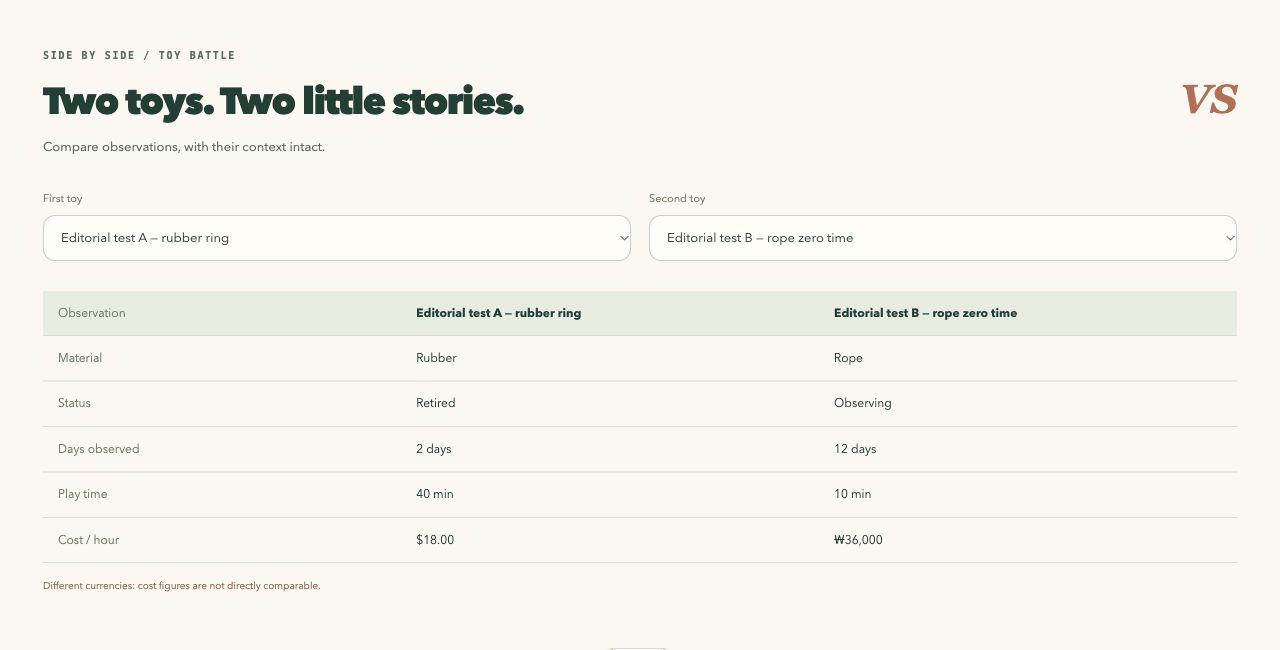
Choose different entries in First toy and Second toy. Read the status, observed days and minutes before the costs. The app warned when we selected the same item and when the currencies differed. Finish by checking the saved record and arranging a backup you can actually open. The export controls alone do not prove that you possess a recoverable copy.
Actual software tests and calculations
The following inputs were fabricated solely to test software behavior. Names such as “rope zero time” identify a fixture’s starting condition; the later screenshot shows that same record after increments. None of these values describes a real dog, purchase or durability experiment.
| Test | Entered action | Observed result |
|---|---|---|
| A: initial record | USD12, purchased 10 November; 30 minutes, checked 12 November | 3 inclusive days; 30 min; $24.00/hour |
| A: minute shortcut | One +10 min action | 40 min; $18.00/hour |
| B: missing time | KRW6000, purchased 1 November; zero minutes | 12 observed days; cost/hour Unrecorded |
| B: additions and Undo | Two separate +5 min additions; Undo clicked after each | Final total 10 min; ₩36,000/hour. Undo did not reduce the total; reload preserved it |
| A: retirement | Stored, retirement date 11 November | 2 inclusive days; museum card; quick additions disabled |
| Mixed-currency comparison | A USD versus B KRW | Warning that cost figures are not directly comparable |
| Reload and Korean access | Open saved records again | Both records persisted; Korean labels changed while English fixture names and notes remained |
| Image and marker | Import actual interface screenshot as current photo; press Enter on marker control | Manual centre marker appeared and remained after reload |
The core arithmetic is purchase price ÷ (logged minutes ÷ 60). Thus 12 ÷ (30 ÷ 60) = 24 and 12 ÷ (40 ÷ 60) = 18. For B after ten minutes, 6000 ÷ (10 ÷ 60) = 36000. Entering additional time lowers this ratio without changing the actual toy. It cannot establish a change in quality.
Compare exposure, currencies and retirement fairly
Days observed are inclusive calendar days between purchase and today, or between purchase and retirement. Our 10–12 November example displayed three days; ending it on 11 November displayed two. That is not a measured 72-hour or 48-hour duration. Time zones, future dates, invalid date combinations and boundary cases were not exhaustively tested, so verify unusual entries rather than assuming the software has corrected them.
The dog toy tracker displays an active item as ongoing. Its day count is not a completed lifespan. A stored or donated item may have ended for reasons unrelated to wear, so combining all retired entries into a “failure” dataset would misrepresent your own notes. Compare similar use and end reasons, and keep the original observations available behind any summary.
Cost mode explicitly says records are grouped by currency without exchange conversion. B appearing before A in a list did not make ₩36,000 better or worse than $18.00. Keep comparisons within one currency. If you maintain a separate converted-price analysis, record its exchange-rate assumption outside this tool; the inspected interface did not provide that calculation.
Correct minutes and read summaries cautiously
We clicked Undo immediately after a five-minute addition on B, then later repeated the test. The displayed minutes did not decrease. After reload the record still contained both additions, ten minutes in total. Treat this as an observed limitation in our session, not as proof that Undo always fails in every environment. Do not keep adding time to test recovery on valuable records.
For a mistaken total, open Field notes and inspect the accumulated minutes. The field is editable. Record the correct known total and save, then read the card again; retain a separate note of the correction if it matters. We did not validate a full edit/restore audit trail, so avoid assuming that every previous total can be recovered automatically.
The material summary also needs care. A had 40 Rubber minutes and B had 10 Rope minutes. The line identified Rubber as the most-played material, but showed 0.83 h beside that name: the overall 50-minute total rounded to hours. Rubber alone would be about 0.67 h. Use the card-level totals for material-specific calculations, and do not quote 0.83 h as Rubber exposure.
This matters when a family member asks which material a dog “prefers.” The largest recorded total can reflect availability, your logging habits or chosen play opportunities. It is an observation about entered minutes, not a behavioral diagnosis or a controlled choice experiment. More minutes and a lower calculated cost are not reasons to extend use of an unsuitable object.
Keep photos and manual markers in context
The form offers First photo and Current photo inputs, with a manual marking control for the current image. We imported a screenshot of this tool solely as an image fixture, then used the control’s Enter instruction to mark the centre. The image and dated marker returned after reload. We did not test every image format, maximum size, photo metadata handling or multiple-marker editing.
A manual mark answers “Where did I point?” It does not answer “What damage exists?” Keep the unmarked original, describe what you actually saw and distinguish it from a tentative concern. A default toy illustration can remain visible when no photograph is provided; do not mistake that illustration for a personal photo or an automatic rendering of your product.
Physical safety sits outside the calculation. The source links to VCA Animal Hospitals’ chew-toy guidance, which emphasizes suitable size, supervision and retiring damaged items. That guidance supports checking the object, not accepting a software score as clearance. Ask a veterinarian about concerns specific to your dog; this journal cannot evaluate teeth, swallowed pieces or an individual toy’s suitability.
A practical household review
Consider a weekly household review. One person logs a short supervised session immediately afterward; another adds a factual note such as “stored after the session” without estimating enjoyment. At the review, first read whether the item is still being observed, then the actual minutes, then the note and any image. Only after that consider the ratio in the same currency as the other item.
A useful note separates four things: the observed event, your interpretation, an action taken and uncertainty. For example, “five minutes logged; seam photograph saved; put away after inspection; earlier play time not known” is more useful than “best toy.” This is a suggested writing method, not a result from a real pet observation in this review.
A spreadsheet may suit a household that needs pet IDs, several currencies converted consistently, custom session rows or a shareable history. A photo folder is better for keeping originals. This dog toy tracker adds ready-made cards, local comparisons and a memory shelf with less setup. Those conveniences do not provide the collaboration or durable archival guarantees of a separate verified system.
Storage, backup and mobile limits
The publisher states that records and photos stay in the browser, that English and Korean share records on the same domain, and that there is no account or cloud synchronization. We directly verified reload persistence and access from the Korean page. We did not audit network traffic, storage eviction or access from another device, so this is not a claim that the surrounding page makes no external requests.
Blogger and advertising services have separate cookie and usage policies. Ads appeared and could cover parts of the desktop page during our visit. Avoid sensitive notes and identifying photos. Clearing site data, private browsing or changing devices can remove access to local records; keep important originals elsewhere and verify backups before a browser cleanup.
We activated Export JSON backup and Export CSV, but our browser download event did not return a received file. We therefore did not inspect file contents or test Import JSON, photo restoration, duplicate handling or a round trip. Do not assume CSV carries photographs or that a completed export message establishes recoverability. A backup check requires opening the received file and testing restoration on disposable data.
At a fresh 390 px width the Korean page stayed within the page width, retained the two records and applied the retired filter. This was browser viewport testing, not a physical-phone or comprehensive accessibility audit. The current-image control exposed a keyboard-centre marker instruction, which we used. Dialog focus, every keyboard path and all assistive technologies were not exhaustively evaluated.
Related tools for walks and memories
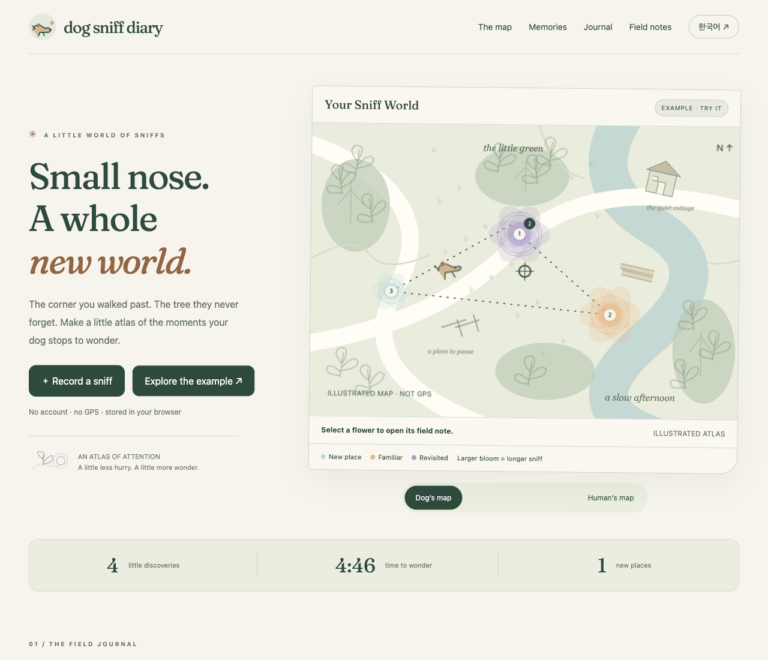
For a separate walk observation, Dog Sniff Diary records timed pauses and place nicknames in an illustrated journal. It can complement a toy notebook when you want different kinds of memories, but it is not GPS or a behavior assessment. No automatic transfer between the two tools was verified.
For a creative keepsake rather than a toy inventory, Sleeping Pose Museum offers a pet-postcard workflow. Its guide distinguishes illustrative pose labels, local discovery stamps and separately preserved photographs. Keep the original image and the factual toy record apart from a decorative postcard; neither tool certifies an animal’s health or emotions.
For a different enrichment-preparation task, Lick Mat Designer arranges amounts you have already chosen in a visual layout. Its guide separates painted area from entered grams; it does not recommend a serving or certify food suitability. Keep any layout notes separate from toy exposure minutes. No integration was verified.
Dog toy tracker FAQ
Does the dog toy tracker rank product durability scientifically?
No. It organizes user-entered dates, minutes, statuses and costs. Demo toys are fictional, active items have unfinished observation periods and end reasons differ. Our tests used synthetic fixtures, not physical products.
Why does an item with a price show Unrecorded cost per hour?
Our zero-minute record had no logged exposure denominator. It showed Unrecorded rather than an invented estimate. Enter only minutes you can justify; a low ratio obtained by exaggerating play time makes the record less useful.
Can I compare a won purchase with a dollar purchase?
The table shows both currencies and warns against direct comparison. Cost mode reports grouping without conversion. Choose same-currency items or keep a clearly documented separate analysis; list position does not supply an exchange rate.
Does retirement mean the item broke?
No. The form includes storage, donation, loss and loss of interest as well as damage/safety. Record the actual reason. Our fixture was retired as Stored, which is not evidence of material failure.
Can I rely on Undo and the material-hours summary?
Our two Undo tests left the increments in place, including after reload. The material line showed total hours beside the leading material. Check individual cards and correct known totals deliberately; neither shortcut should replace record review.
Start with one honest record
Start the dog toy tracker with one identifiable item and a known date. Save the price in its actual currency, log a defensible minute total and confirm the result. Use the museum to preserve why use ended, not to imply that every ending was failure. Keep physical inspection, original photos and a tested backup alongside the convenience of the chart.
Sources: Toy Survival Chart root interface, instructions and FAQ; Korean interface; linked VCA guidance. Actual interface captures and synthetic software tests: 12 November 2026. No product safety, animal behavior or durability experiment was conducted.
A RELEVANT NEXT STEP
Tools with a useful connection
Dog Sniff Diary
Dog Sniff Diary: A Dog Sniffing Journal in 7 Steps
Keep timed sniff observations, place nicknames and an illustrated diary. Our hands-on tests cover local records, filters, JSON recovery and abstract SVG postcards without treating them as GPS or health data.
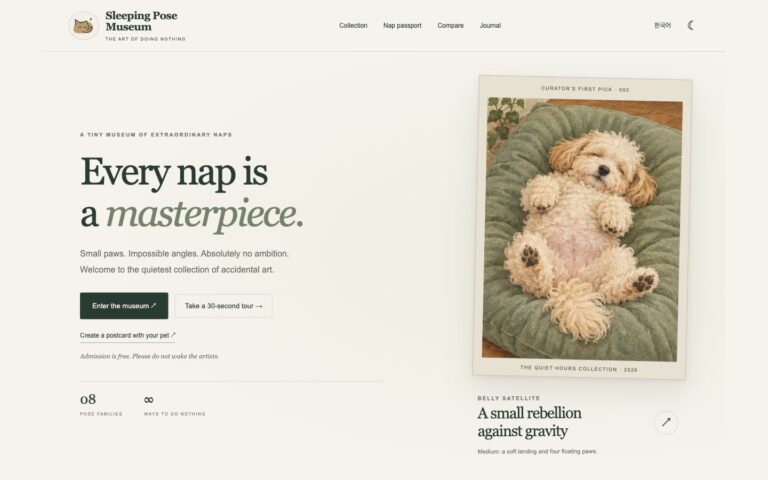
Sleeping Pose Museum
Pet Postcard: 7 Smart Sleeping Pose Museum Checks
Explore illustrated naps and make a personal pet postcard. Real stamp, comparison, image-import and reload tests explain the museum’s creative value and its file-preservation limits.
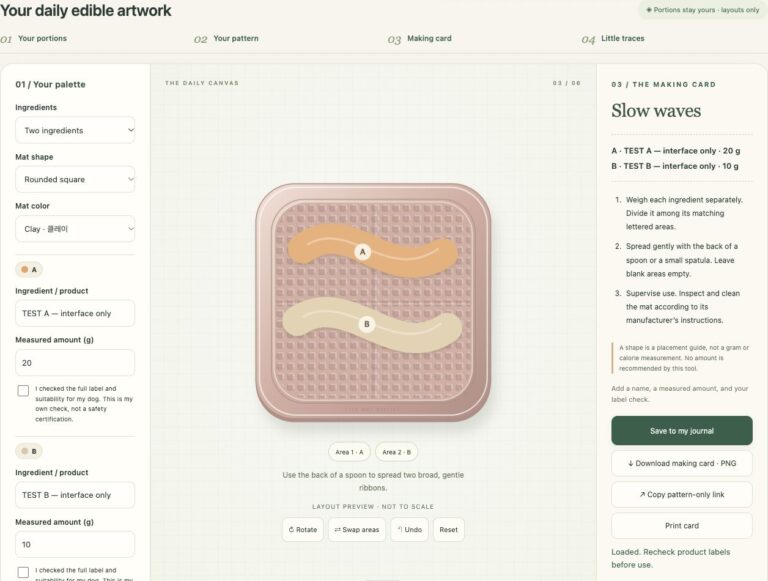
Lick Mat Designer
Lick Mat Designer: 7 Smart Checks for Better Layouts
Arrange one or two ingredients in Lick Mat Designer while retaining your entered grams. Actual synthetic tests explain A/B areas, Undo, layout comparison, journal reload and pattern-only sharing without implying a feeding recipe.