Driftwood Sink Diary is a browser-based driftwood diary for recording aquarium wood, buoyancy, visual water color and white surface film. Give each piece its own passport, follow dated notes and compare changes. It organizes what you enter; it does not predict a sinking date or assess aquarium safety.
Directly checked 12 November 2026, Asia/Seoul. We used a clearly named synthetic specimen to test creation, date offsets, note editing, certificate eligibility, view changes, reload and the Korean 390 px form. No aquarium, real wood or biological process was observed. This library and the original tool share a creator.
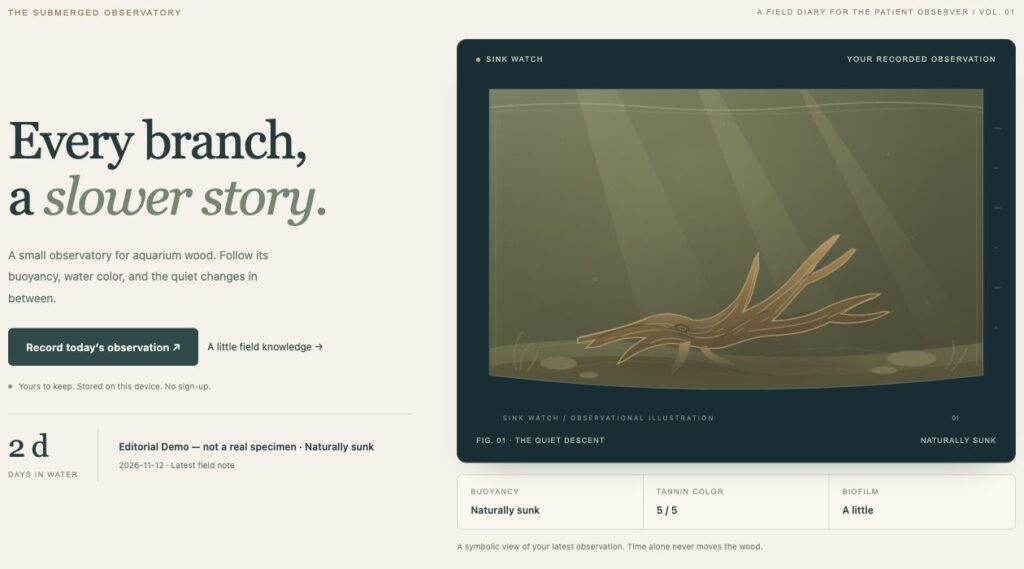
Keep a driftwood diary with specimen passports and separate buoyancy, visual color and film notes. Actual synthetic tests explain day0, anchored versus natural sinking, mobile saving and backup limits.
- Brand
- Driftwood Sink Diary
- Tool languages
- en, ko
- Verified date
- 2026-11-12
In this guide
Key takeaways
A specimen passport and a daily observation answer different questions. The passport stores identity, wood type, optional length and soaking start. Each field note stores a date, buoyancy, a 0–5 visual color value, film category and optional text or photograph. Keep the identity stable while adding evidence over time. A picture of the interface is not a photograph of your wood.
Anchored and independently sunk are separate states. Our synthetic anchored record left the certificate button disabled. Editing that same record to Naturally sunk enabled it and displayed the first recorded independent sink after two days. This confirms a software rule, not that any wood sank in two days. The certificate is a personal record of an entered observation.
English and Korean restored the same collection in this browser. The site describes device-local storage and JSON backups, without an account or cloud sync. Our export action produced a Last export prepared date, but we did not verify the downloaded file, restore a backup or inspect the certificate PNG. Preserve those boundaries when deciding how much to trust a storage workflow.
What a driftwood diary records
The official name is Driftwood Sink Diary, presented as The Slow Descent Lab. Its passport, chronicle, collection archive, field guide and data section form one small observation workspace. The wood selector contains Spider Wood, Mopani, Malaysian Driftwood, Manzanita, Cholla and Unknown. These are labels for organizing specimens; we did not find a species-based countdown that predicts when a particular branch will sink.
The note form offers Floating, Partially floating, Naturally sunk without weights and Anchored rather than independently sunk. Water color uses a slider from zero to five. White biofilm uses None, A little and A lot. Those separate controls are the most useful design choice: they stop one convenient conclusion from replacing three observations. The water illustration is explicitly symbolic, and the page says elapsed time alone never moves the wood.
Field notes show dated cards. Water color changes the view to recorded values, with a notice that gaps mean no observation and values are not interpolated. Photo comparison offers a place for optional images. Without photos, our test received a clear add-a-photo prompt. Specimen and note editing, removal controls, PNG certificate and backup controls are visible. We tested editing and saving; we left pre-existing collection entries untouched.
Prepare a repeatable observation routine
Start with a private, recognizable specimen name and a real soaking start date. A simple label such as Branch A lets you match the physical piece with its diary without exposing a room, address or personal details. Record the wood type only when you know it; Unknown is available and was used in our test. Optional length can help distinguish similar pieces, but the app does not measure an uploaded photograph.
Choose a repeatable observation context before choosing a number. Note whether you are looking at the same container, similar lighting and the same side of the branch. If you changed the water or moved the wood, put that event in the text field. A different water color after a water change cannot by itself establish that the wood released less color. The aim is a useful personal history, not a calibrated experiment.
Decide what you will leave unknown. A missed day can remain a gap. A white patch can be described rather than diagnosed. An untested backup can remain unverified. Keeping uncertainty visible makes the record more useful when you return later. It also prevents the attractive illustrated timeline from making weak evidence look more complete than it is.
7 checks for better records
1. Create a passport before entering a trend
Use Add a specimen, enter its name, choose a wood type and set Soaking started. Length and a photograph are optional. Save, then read the currently selected name and start date before adding a note. In our test, Unknown wood, 20 cm and 10 November were saved under Editorial Demo — not a real specimen. That name deliberately prevented synthetic data from being mistaken for an aquarium trial.
2. Keep the preview separate from a saved observation
Before the first note, the page offered Floating, Partial and Sunk illustration controls with a Preview, not a saved record label. We selected Sunk, then opened the observation form; its buoyancy still defaulted to Floating. A visual preview therefore did not create a saved sinking event in that test. Use the note form and Save observation when you intend to add evidence.
3. Enter the observation date, not the date you remember opening the app
Our baseline on 10 November appeared as DAY 00. A note on 12 November appeared as DAY 02. The start date is day zero, as the FAQ also explains. If you are transcribing yesterday’s observation, read the form date before saving. A missed observation is different from a negative result. The color view explicitly leaves gaps rather than filling intermediate values.
4. Describe support before selecting naturally sunk
Choose Anchored when a weight or tie is responsible for keeping the wood underwater. Use Naturally sunk only for your actual independent observation without that support. The app cannot see the container, know whether you removed a weight or verify the claim. We changed the category solely to test the interface. No physical action or real sinking was part of this review.
5. Record visual color and surface film independently
Move the water-color slider and choose the film category separately. Our first synthetic note used 2/5 with no film; the second used 5/5 with a little film. Neither combination is a concentration measurement. Put lighting, water changes or other relevant context in the note. Do not turn a high or low color score into a diagnosis or a statement that the aquarium is safe.
6. Review the saved card and correct the record carefully
After saving, read the date, buoyancy, color and film on the card. Edit note reopens that observation. We changed the 12 November card from Anchored to Naturally sunk, and the timeline retained two notes for our specimen. Opening today’s form again on mobile loaded the existing date’s values; saving unchanged kept those two cards. That is the observed path, not a claim about every duplicate-date edge case.
7. Verify preservation before relying on it
Reload the page and open the other language to check that the selected specimen and notes return. We confirmed that in the same Chrome profile. Then use the backup controls and verify that a real file exists in your chosen location. The export-prepared label is useful feedback but is not proof of a recoverable file. A complete migration check requires opening the backup on the destination and checking its contents after restore; that step remains untested here.
Actual interface test results
| Action tested | Observed result | Meaning and boundary |
|---|---|---|
| Create synthetic specimen | Unknown,20cm,10Nov;zero notes | Stored inputs,not physical measurements |
| Preview Sunk before first note | Form still defaulted to Floating | Preview did not save a note |
| Save baseline and later note | DAY00 and DAY02;2/5 and5/5 | Date offsets and values rendered |
| Save Anchored | Certificate disabled | Support state kept separate |
| Edit to Naturally sunk | First independent sink12Nov;2days;button enabled | Eligibility follows entered observation |
| Switch Water color | Both values;explicit no-interpolation notice | Visual record,not a chemical trend |
| Photo comparison without photos | Prompt to add a photo | Empty state tested;image processing not tested |
| Reload and Korean page | Same specimen and two notes restored | Same-browser collection sharing |
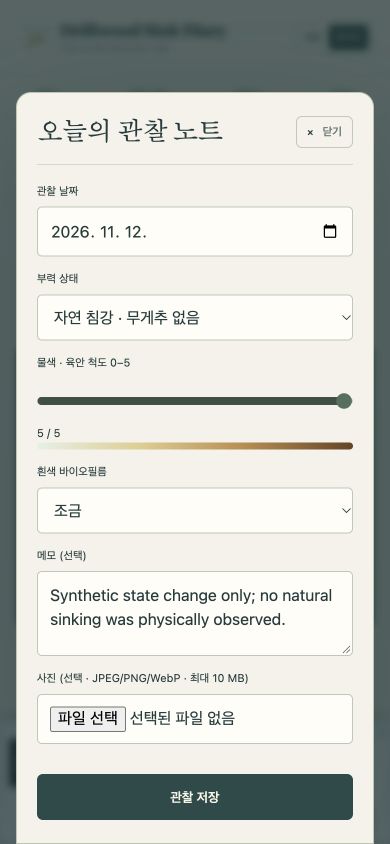
| 390px Korean form save | Existing values loaded;two cards remained | Responsive form path;no physical phone test |
| Export backup | Last export prepared12Nov appeared | File contents and restoration unverified |
These are actual software interactions with invented inputs. The two-day interval is arithmetic between entered dates. It is not a recommended soaking duration, a typical result for Unknown wood or evidence that the app accelerates sinking. We also did not measure how long a human takes to complete an observation; the site’s short daily-observation wording should be read as a convenience description.
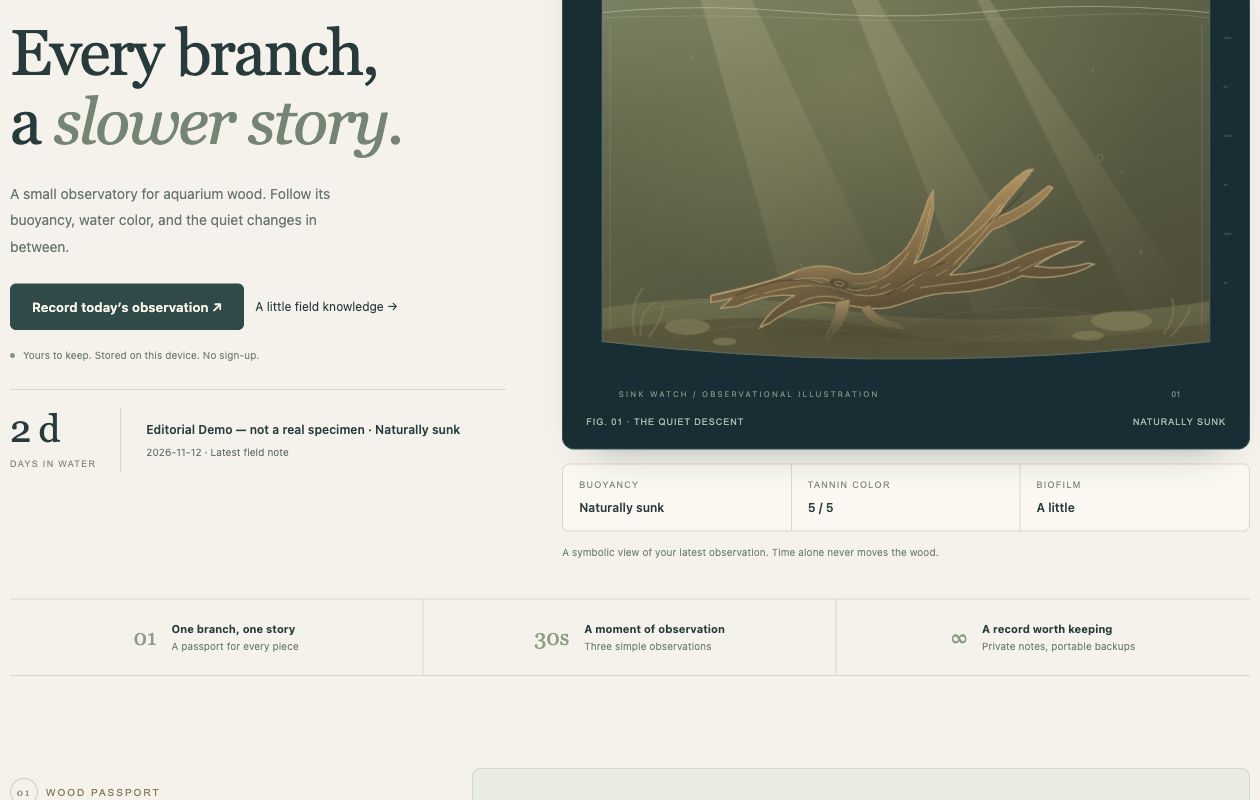
Keep buoyancy, color and film separate
Buoyancy concerns how the piece sits, color concerns what the observer sees in the water, and film concerns a visible surface change. A single status such as ready would erase those distinctions. The diary instead supports separate entries. Keep that advantage when writing notes: record a change, its context and what remains uncertain, rather than ending each card with an unsupported all-clear.
Fluval’s official driftwood FAQ attributes brown water to released tannins, explains that natural pieces vary in whether they sink immediately, and discusses white biofilm on new wood. We checked that primary reference. Its general guidance does not turn this app’s visual scale into tannin concentration or let a diary identify an unknown surface patch from a number. Use the record to organize questions, not replace the assessment you need.
The certificate has a narrower role than its formal appearance might suggest. The FAQ says it uses the first recorded independently sunk date and changes if that observation is edited. In our test, that category change immediately changed eligibility. A certificate can commemorate a personal entry. It cannot verify material suitability, prove that tannin release ended or establish conditions for a particular animal.
Compare photographs without inventing measurements
For a useful future photo comparison, keep the light, background, camera angle and framing as consistent as practical. Include a stable visual reference when appropriate. Save a short text explanation when you change the setup so that later you can tell an observation apart from a photography difference. These are recommended recording habits, not an image-calibration procedure we tested.
The source accepts optional JPEG, PNG and WebP photos and labels a 10 MB maximum in the form. It says saved photos are compressed. We did not upload photos, measure compression, compare image quality or test that size limit. Our screenshots show the tool and synthetic notes. They must not be read as evidence of two real photographs, color extraction, object recognition or automatic biofilm detection.
Text remains valuable when photos are absent. A clear description of a changed viewpoint can be more informative than two dramatic pictures taken under unrelated light. In Photo comparison, the empty prompt told us to add a specimen or field-note image and use the same light and angle. It did not fabricate a comparison. Do not create a missing-day observation merely to make the sequence look smoother.
Preserve the diary and understand privacy
The data section states that notes and compressed photos remain in this browser on this device, without account or cloud sync. It separately acknowledges Blogger and Google advertising cookies or usage processing. Reload and language sharing support persistence in the tested browser, but we did not conduct an independent network audit. Avoid describing the entire website as tracking-free or guaranteeing that all traffic stays offline.
Export backup and Restore backup are present. The FAQ describes JSON containing the collection and photos, merging by specimen ID and asking before replacing a matching specimen. We observed an export-prepared date after using export, but did not verify the final JSON, replacement prompts or cross-device recovery. A cautious workflow keeps the existing backup while testing a new one and checks names, dates and images on the receiving device before depending on it.
Browser clearing, private browsing behavior and moving to another browser can affect access to local records. The site explicitly warns that clearing browser data can erase the diary. Keep backups somewhere you can find and treat the contents as copies of your notes and photographs. Switching language within this domain is a shared collection view, not a separate private workspace or a transfer to another device.
At 390 px the Korean observation dialog showed its date, buoyancy, slider, film, notes and save control within the screen width. We saved existing test values and measured no document overflow. This was browser viewport testing, not a physical phone or screen-reader audit. During desktop investigation an advertisement interrupted navigation, and ads can obscure lower controls. We did not click advertisements or treat that interruption as a saved-data failure.
Choose a diary, spreadsheet or layout model
| Method | Useful when | What you still manage |
|---|---|---|
| Driftwood Sink Diary | You want specimen passports and separate buoyancy/color/film cards | Reliable observations,local preservation and separate aquarium assessment |
| Notebook or spreadsheet | You want flexible columns,units or a custom event log | Consistent names,date offsets,images and backup structure |
| Photo folder | You mostly need visual chronology | Lighting,date context and matching each image to its specimen |
| Aquarium layout model | You want to sketch where a structure blocks a view or route | Geometric assumptions;it does not establish sinking or water conditions |
Choose the simplest system you will maintain. A spreadsheet may be better if you need many additional fields; the diary is more focused when three repeated observations are enough. Neither a worksheet nor this interface creates evidence automatically. The useful upgrade is a consistent record you can interpret later, with missing information visible and a preservation method you have checked.
A useful next step for aquarium layouts
Once your separate material and aquarium decisions are addressed, an optional planning question is where a wood footprint might affect a layout. Our published Fish Sightline Mapper guide explains geometric sightline, occlusion and passability comparisons. It is a useful next reading step for a layout question, not a continuation of the diary’s measurements.
The mapper uses entered simplified structures and assumptions. It cannot establish that the actual branch will sink, determine its chemical effects or certify animal welfare. There is no verified automatic transfer between these tools. Keep the diary for real dated observations and a layout sketch for a clearly stated geometric question; return to the actual aquarium for decisions the models do not answer.
Frequently asked questions
Does the diary predict how long my driftwood will take to sink?
No tested control predicted a date. The day display is calculated from your start date, and the certificate uses your entered independent sinking observation. A wood-type name is not an individual forecast.
Why is an anchored piece not eligible for the same certificate?
The app distinguishes support from independent sinking. Our anchored card left the certificate disabled; changing it to Naturally sunk enabled it. The software trusts the category you enter.
Is water color5/5 a tannin concentration?
No. It is a visual note. Lighting and recording context matter, and the tool does not perform chemical analysis or a water-safety assessment.
Does changing language move my records to another device?
No. English and Korean shared this browser’s collection on the same domain. Cross-device movement uses a backup workflow that we did not validate end to end.
Did you verify photo uploads, the JSON restore or certificate PNG?
No. We tested the no-photo view, form controls, eligibility and export-prepared feedback. Final files, photo compression and backup restoration remain unverified.
Start one honest observation record
Start with one named specimen and one honest dated observation. Keep buoyancy, visual water color and surface film separate, explain changes in context, and leave missed days unfilled. Read each saved card and check a recoverable backup before treating the browser as your only archive. That routine is the value of this driftwood diary; it does not need a predicted finish date to be useful.
A RELEVANT NEXT STEP
Tools with a useful connection
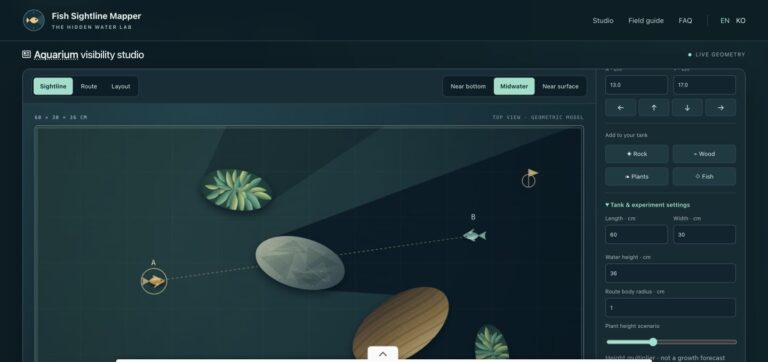
Fish Sightline Mapper
Fish Sightline Mapper: 7 Essential Aquarium Layout Checks
Compare aquarium sightlines with Fish Sightline Mapper. Our measured-input tests cover a 26.9% to 38.8% one-move experiment, depth and body-clearance changes, shared layouts and the model’s animal-care limits.
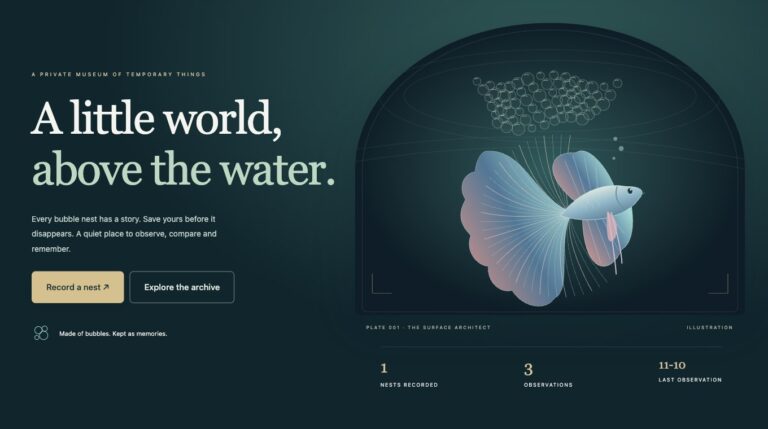
Betta Bubble Nest Journal / The Floating Archive
Betta Bubble Nest: 7 Essential Journal Checks
Keep dated betta bubble nest photos, manual outlines and missing-nest observations in a local journal. Actual synthetic tests explain image comparison, a water-change checkbox defect, privacy and unverified export limits.
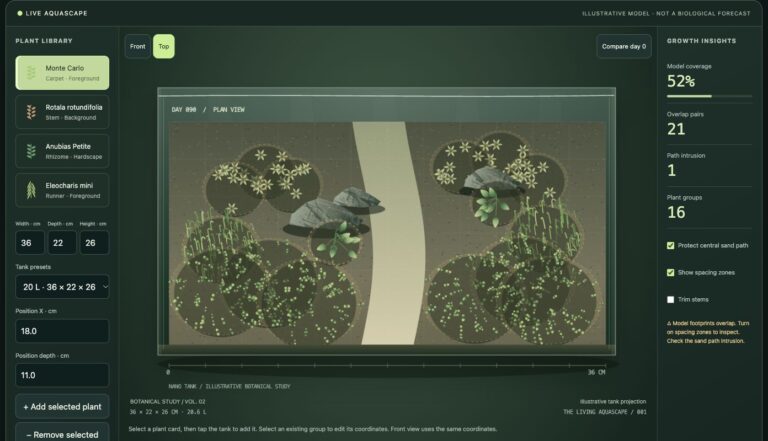
NANO TANK Plant Spacing Lab
Aquascape Planner: 7 Essential Checks for Better Spacing
Compare plant spacing, model coverage and a central sand path in NANO TANK. Actual tests explain geometric growth, grid estimates, local saves and mobile editing.