Sandcastle Last Stand is a browser sandcastle game in which you shape a beach, spend a sand budget and send waves at a central flag. Its useful loop is build, observe and revise. Start with one small change and inspect the damage report before trying to survive a whole sequence.
Directly checked 12 November 2026, Asia/Seoul. We tested keyboard construction, Undo, a completed wave, an unchanged replay, restored state and Korean controls at 390 px in Chrome. The numbers below are game outputs, not measurements of real sand or sea defenses. This library and the original game share a creator.
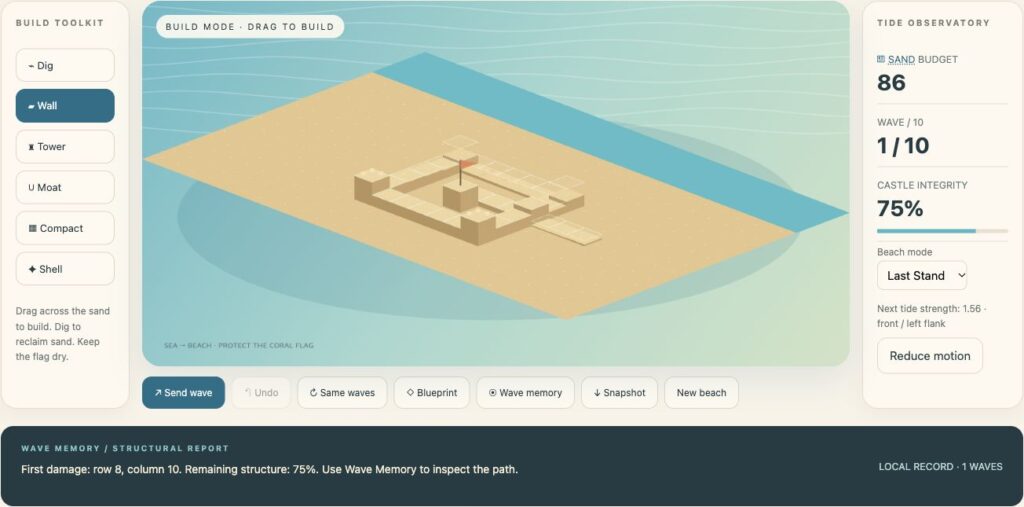
Build a sandcastle game experiment with Sandcastle Last Stand. Actual Wall, Undo, 75% replay and local-recovery tests explain fair comparisons, blueprint controls and model limits.
- Brand
- Sandcastle Last Stand
- Tool languages
- en, ko
- Verified date
- 2026-11-12
In this guide
Key takeaways
A single Wall action changed our budget from 100 to 98; Undo returned it to 100. After seven wall placements our budget was 86. One completed Last Stand wave left 75% integrity and reported the first damaged cell at row 8, column 10. That is an observed layout outcome, not a recommended castle design or a guaranteed score for every beach.
Same waves restored the starting blueprint, budget 86, wave 0 and integrity 100%. Sending the unchanged first wave again produced 75% and the same first-damage location; the report also displayed Previous test: 75%. This establishes a repeatable comparison in that session. It does not prove that every mode, date or shared device will produce identical conditions.
Blueprint is a comparison overlay, not a separate project file. Before our first wave it said to send a wave to capture a comparison blueprint. Snapshot is advertised as PNG export, but we did not verify a final downloaded file. Keep your conditions and result in a separate note when the comparison matters.
What this sandcastle game lets you change
The official name is Sandcastle Last Stand, with the subtitle The Tide Remembers. It offers a small construction grid, six tools, one-wave-at-a-time testing, a structural report and four beach modes. English and Korean pages are available. There is no account or photograph input in the tested play flow; your main input is a terrain edit.
The practical problem is deciding what to change after a defense loses material. A picture of a damaged castle alone does not isolate the cause. The report, water-path overlay and restored starting terrain give you a way to ask a narrower question: did one extra row, one altered trench or one compacted edge change the result under the same game conditions?
That makes this suitable for a short creative break, a design discussion or a simple exercise in controlled comparison. It is not a tool for sizing a seawall, choosing a real foundation or predicting coastal erosion. The original explicitly describes a simplified creative game. Treat the visual water as feedback from a rule system, not as calibrated evidence about a physical beach.
Read tools, modes and measurements
| Control | What it is for | What to check |
|---|---|---|
| Dig / Moat | Remove terrain or make a channel | A route toward the flag can be a poor design hypothesis; test its direction. |
| Wall / Tower | Add defenses with different shapes | Compare spending and position as well as visible height. |
| Compact / Shell | Additional terrain and placement tools | The guide describes packing as reinforcement; no isolated effectiveness test is claimed here. |
| Send wave | Advance one wave and show damage | Wait for build mode and the completed report before reading the result. |
| Blueprint / Wave memory | Inspect prior shape and water paths | An overlay does not restore terrain by itself. |
| Same waves | Restore the test starting state | Record the mode and starting design before revising it. |
Last Stand is the ten-wave challenge. Free Build removes the sand limit; we selected it and saw an infinity budget and 0 / infinity counter. Wave Lab is described as a fixed-sequence mode. Daily Beach is described as using a UTC date seed. We selected both, but did not complete their full sequences or compare Daily Beach across devices or dates.
Integrity is explained by the source as remaining built height relative to the terrain at the beginning of a test. It is not a count of untouched cells or a probability of surviving the next wave. Our 75% should be read alongside the first-damage location and the current wave. Local record is a device result, not evidence of a public leaderboard.
7 checks for a useful wave test
1. Choose a question and a mode
For a first test, use Last Stand and ask about a small feature, such as an added wall segment. Read the starting budget and wave counter before building. A mode change reset our current exercise, so do not switch modes halfway through a comparison and assume the terrain and history are unchanged. Use Free Build when exploring shapes without a spending constraint.
2. Learn a reversible construction action
Select Wall, focus the beach and press Enter. Arrow keys move the selected cell. We verified one action at a fresh position cost two budget units, and the Undo button restored the budget. This small check teaches focus and state before a long drawing. The source also supports mouse or touch dragging, but our recorded construction tests used keyboard input.
3. Keep an understandable starting layout
Add a short, deliberate feature rather than covering the whole grid. Record where it sits relative to the flag and sea, how many placements you made and how much sand remains. Our test added seven wall placements and left 86. That description is enough to explain the cost check; without a saved cell map it is not a portable winning-layout recipe.
4. Send one wave and wait for completion
Press Send wave and let the animation finish. While a wave was incoming, construction-related controls, Undo, Same waves and the mode selector were disabled. The report said the tide was testing the design. Those intermediate values are not the final outcome. Wait until build mode returns and a damage report replaces the running message.
5. Read damage in two ways
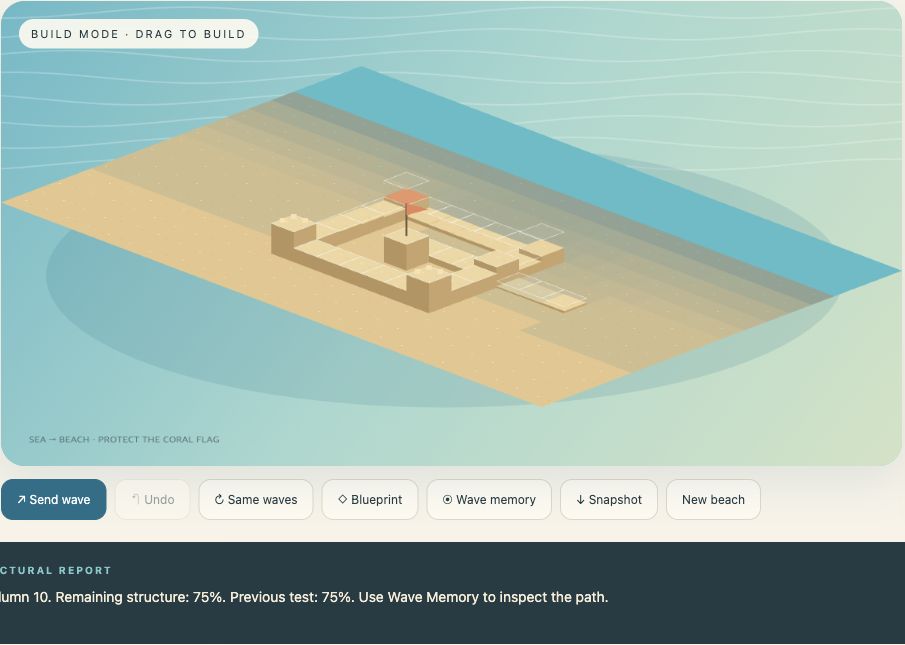
Write down integrity and the first damaged row and column. Then turn on Wave memory to inspect the displayed path. The first damaged cell is the beginning of reported damage, not necessarily the only weak location. Use it to form a testable next change rather than inferring that every other wall was safe. We captured the visible overlay and report after our repeated wave.
6. Restore before changing one feature
Use Same waves to return to the captured test start. In our session this returned 86 sand, 0 / 10 and 100% integrity. First repeat without editing as a control. Only after that baseline agrees should you alter one feature. Our unchanged replay matched at 75%; we did not run a separate reinforced-layout trial and therefore claim no measured improvement.
7. Record the comparison before leaving
Keep a note of mode, date, edits, budget, wave count, integrity and first damage. Include whether the result is a control replay or a changed design. A screenshot can preserve the drawing, but check the actual image if you export it. Local recovery is convenient, not a substitute for a record you can still interpret after a reset.
Actual construction and replay results
| Action tested | Observed result | Scope of the evidence |
|---|---|---|
| One Wall action; Undo | 100 → 98 → 100 | Keyboard placement and reversal worked. |
| Seven wall placements | Budget 86 before the wave | The tested additions consumed 14 units. |
| First completed Last Stand wave | 75%; first damage row 8, column 10 | One result on our layout. |
| Same waves | 86 budget; 0 / 10; 100% | The test starting state restored. |
| Unchanged first-wave replay | 75%; same location; Previous test 75% | One controlled repeat matched. |
| Reload after the replay | 86 budget; 1 / 10; 75%; local record 1 | State returned, while the report text returned to a ready message. |
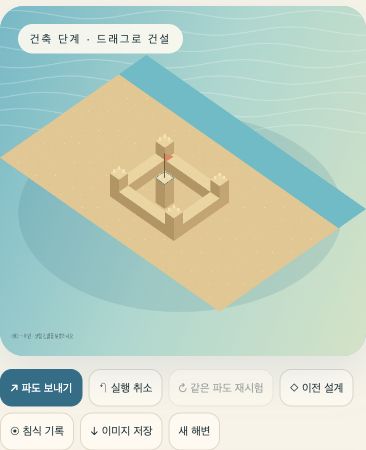
| Korean 390 px | Wall budget 98; Undo 100; reduced-motion button pressed | Responsive keyboard interaction, not a physical-phone touch test. |
The reload difference matters: a retained integrity number did not mean the detailed damage report had been retained too. We saw the generic ready message after reopening. Capture the report while it is present if its coordinates are part of your evidence. Do not reconstruct a missing history line from memory and present it as a new result.
Turn one attempt into a fair comparison
A useful comparison has an input you name, conditions you hold and an output you record. For example, your next experiment could compare an unchanged blueprint with one extra wall row. That is a proposed exercise, not an improvement we measured. Hold the mode, initial terrain and wave count steady; record the extra sand spent so a stronger result is not silently attributed to shape alone.
Separate two questions. Under a fixed budget, ask which arrangement uses the same resources more effectively. With different budgets, ask whether additional material changed the outcome and at what cost. Both are valid game questions, but they answer different things. A high remaining percentage from a larger initial structure also deserves inspection of flag protection and damage path.
Use a simple paper log with columns for version, one changed feature, initial budget, first-wave integrity and first damage. Preserve the original row before revising it. If you later test wave two, compare wave two with wave two. Comparing a first wave in one run with a later, stronger tide in another run hides the condition you meant to hold fixed.
Try to predict the outcome before sending the wave. A prediction such as water will enter this channel is more informative than this looks stronger. Afterward, describe what the overlay actually shows. If the result contradicts you, revise the explanation before adding several new structures. The value of the lab is that a failed idea can be examined without buying materials or risking a real shoreline.
Troubleshoot the next attempt
If Enter does nothing, check that the beach has focus and that a wave is not running. A selected tool button and a focused grid are different states. Move with an arrow key and try one construction action rather than repeatedly pressing keys on an unrelated control. The canvas label explains keyboard selection and building, but it does not expose a textual description of every terrain cell.
If Undo is disabled after a wave, that matched our observation. The source describes it as reversing the last construction stroke, not rolling back water damage. Use Same waves for the captured starting terrain. Similarly, pressing Blueprint toggles an inspection layer; it is not a promise that a second editable project has been saved under a name.
If a tower falls or a channel seems to guide water inward, treat the source field guide as a hypothesis generator. It suggests wider foundations, layered defenses and attention to trench direction. We did not independently measure every tool combination. Compare one change under repeatable conditions before declaring a universal best wall, moat or tower strategy.
Blueprint, saving and the snapshot limit
The source FAQ says terrain, tools and best results are saved in local browser storage when available, and language links share that save. Our first Korean opening showed Free Build selected after we selected it in English. A later fresh Korean mobile reload showed a default Last Stand exercise. These observations do not establish a reliable cross-language backup or a cross-tab synchronization contract.
Keep one active editing tab when continuity matters, and inspect the mode, terrain and counters after a language change or reload. We verified same-page reload recovery for the completed English attempt. We did not audit storage transactions, retention or competing-tab behavior. Clearing browser data can remove progress, so do not treat the local record as an account-based archive.
Snapshot is described as downloading a PNG scene. We verified the button and source explanation, not the completed file. The editorial images here are actual browser screenshots. A scene image should not be assumed to include every setting, the detailed report or data you can import to resume a project. No such portable restoration was verified.
Mobile, privacy and model limits
At a freshly loaded 390 px Korean viewport the page width stayed within 390 px and the canvas measured 366 px across. Keyboard Wall and Undo worked, and the reduced-motion control showed its pressed state. We did not test touch dragging, every tool on a physical handset, screen-reader play or audible output. The Korean canvas accessibility label remained English, and the narrow toolbar can require additional scrolling.
The FAQ states that drawings are not uploaded and game data stays on the device. That is a source statement, not an independent network audit. Blogger and advertising services may process cookies or service data separately. We observed advertising inserts and did not click them. Local game storage does not mean the whole hosted page makes no third-party connections.
No real wave force, grain size, material strength or coastal safety calculation was validated. We did not finish ten waves, test a global daily competition or verify all loss and victory screens. The observed 75% is a software indicator on one design. It cannot establish that a real sandcastle, embankment or building would withstand water.
Related games for another experiment
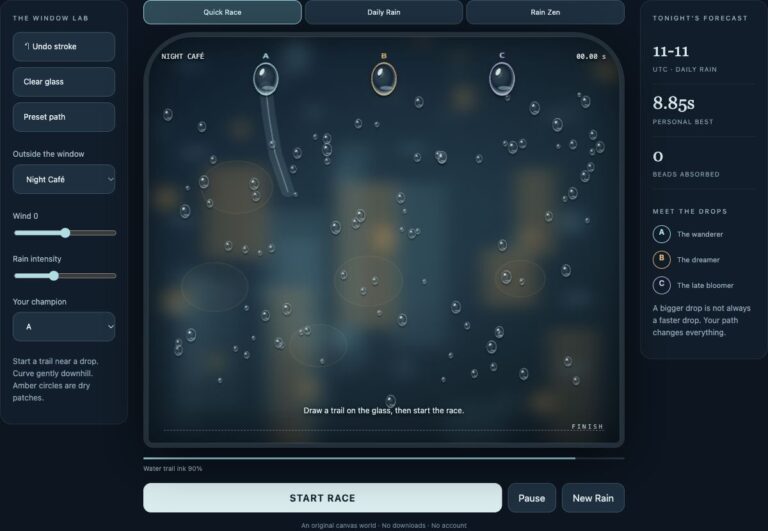
For another environment-editing game, read the published Window Raindrop Race guide. There you draw wet trails before drops race; here you alter terrain before a wave. Its guide explains why a shared course was not an identical replay in the tested session. That is a useful reminder to verify repeatability rather than assume it from a familiar button name.
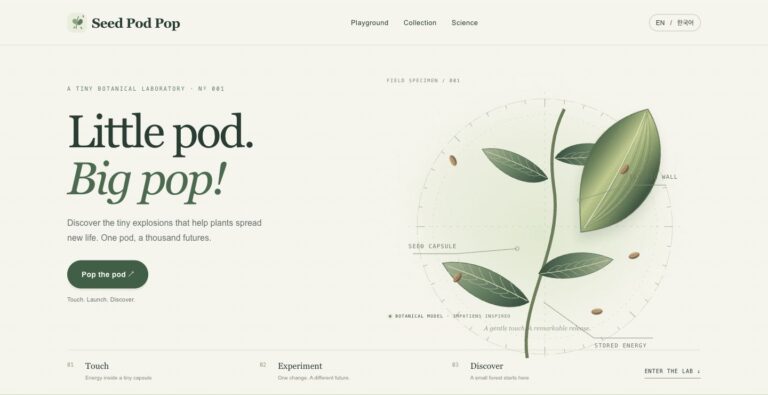
For an explicit parameter-and-baseline exercise, the published Seed Pod Pop seed-dispersal guide covers fixed-random launches and changing wind. Move there when your question is how one numerical input affects a model output. Neither related tool imports a sandcastle design, and none is a substitute for field measurements.
Frequently asked questions
Is this sandcastle game free?
The tested game flow required no payment, account or upload. Advertising was visible. This describes the inspected flow, not a guarantee about future hosting or service changes.
Does Blueprint save a separate castle file?
We observed an overlay toggle. Before a wave it asked us to send the first wave to capture a comparison blueprint. Same waves performed the actual starting-state restoration in our test. We did not verify a project-file export or import.
Does 75% mean the flag is safe for ten waves?
No. It was remaining structure after one completed wave on our layout. Later tides, damage location and the active mode matter. We did not complete the ten-wave challenge.
Can I compare a new beach with my old result?
You can describe both attempts, but changing the beach can change the conditions. For a controlled design comparison, preserve the test start and use the repeat controls. Record a new baseline after any mode or starting-terrain change.
Is the daily challenge a worldwide leaderboard?
The source describes a UTC date seed shared by players and records stored on the device. We did not verify a remote leaderboard, identity system or cross-device score synchronization.
Can I use the game for real coastal planning?
No. It is explicitly a simplified creative model. Its percentages and drawings are useful for questions about the game rules, not engineering decisions or real-world flood safety.
Build one small test before chasing ten waves
Start with one reversible wall placement, then build a small feature you can explain. Send one wave, keep the report and repeat unchanged before revising. A recorded comparison teaches more than an unexplained high score. When you change something, name it before watching the sea answer.
A RELEVANT NEXT STEP
Tools with a useful connection
Window Raindrop Race
Raindrop Race: 7 Smart Checks for Better Courses
Draw wet trails in Window Raindrop Race. Actual preset, pause, replay and shared-course tests explain ink, winner statistics and why a copied course may not reproduce the same result.
Seed Pod Pop
Seed Dispersal: 7 Smart Seed Pod Pop Experiment Checks
Explore seed dispersal with Seed Pod Pop. Repeated launches, wind comparisons, replay, a grass target and pine humidity tests show how to read this educational model without treating it as a field forecast.
쓰리쿠션 길 안내소
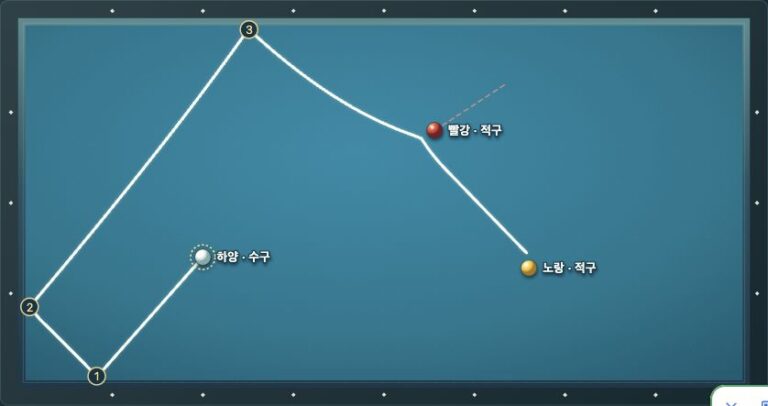
3 Cushion Simulator: 7 Smart Practice Checks
Compare experimental three-cushion routes, save a position and calculate points per inning with 쓰리쿠션 길 안내소. Korean interface; actual table accuracy is unverified.