Paper Curl Studio is a browser artwork for exploring how a stylized sheet changes with moisture, fiber direction and time. Paint a virtual surface, pause a shape and save a gallery preview. It suits creative exploration and classroom questions about paper curl.
Tested 11 November 2026. We used the English root, dedicated English page and Korean interface in Chrome, including a 390 px responsive layout. The readings below are software outputs. We did not wet real paper or measure physical deformation. This library and the original tool share a creator.
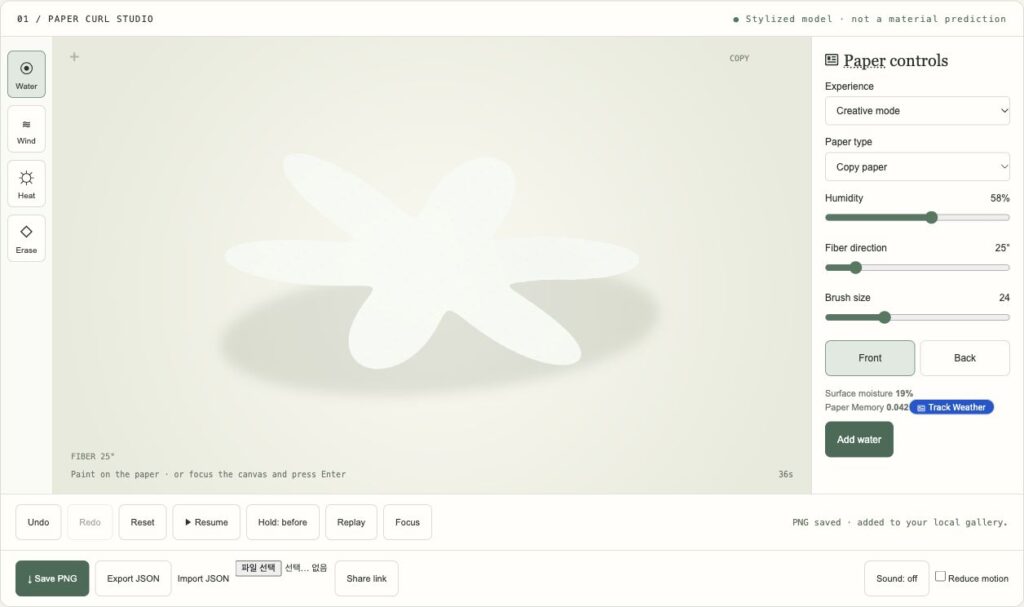
Explore paper curl with water, fiber angle and drying history. Actual tests explain pause, Undo, two saved previews, illustrative material presets and unverified file/link transfer.
- Brand
- Paper Curl Studio
- Tool languages
- en, ko
- Verified date
- 2026-11-11
On this page
Key takeaways
Use it to explore a question. Water, front/back selection, humidity, paper presets and grain angle create a manageable visual experiment. Creative mode amplifies deformation; Science mode is also an illustrative approximation, not a calibrated material model.
Pause before comparing. A live scene changes with its history. Record the displayed clock, selected face, mode and inputs together. Our Undo returned an earlier 10-second state with different moisture and memory, so it was more than simply deleting a visible brush mark.
A gallery card is not a project backup. Two saved previews survived a language-page reload in the same browser. We did not verify completed download files or JSON restoration. Share link displayed a success message, but the clipboard retained an earlier unrelated address in this session; we could not confirm share reproduction.
What Paper Curl Studio does
The official name is Paper Curl Studio, presented as “paper curl.” and The Living Paper Atelier. Its main workspace combines a simulated sheet with Water, Wind, Heat and Erase tools. Front and Back choose the face being treated; sliders control ambient humidity, fiber direction and brush size. A free sheet, six-petal paper bloom and spiral ribbon provide different starting shapes.
The problem it solves is modest but useful: starting a paper-art or material-observation exercise without building a physical setup first. You can ask where to apply a gesture, how to keep a comparison fair and which moment is worth preserving. The tool does not calculate cutting dimensions, choose a commercial paper stock or tell a conservator how to flatten a damaged document.
The paper choices are Copy paper, Hanji, Kraft paper and Watercolor paper. They are named artistic presets. No grammage, measured expansion coefficient or particular brand was established by our test. Selecting Hanji means choosing the program’s Hanji behaviour; it does not authenticate a sheet or establish how every handmade paper responds.
English and Korean dedicated pages provide the same visible control families. The Korean interface localizes the surface-moisture label and actions such as pause, undo and water addition. No account or payment was needed for our tested session. Advertising was visible, including overlays that could cover part of the controls.
Prepare a small moisture experiment
Pick one question before beginning. “What changes when I treat the other face?” is easier to interpret than simultaneously changing paper type, humidity, mode and brush width. For a first record, note Copy paper, 58% humidity, 25° fiber angle, brush size 24, the selected face and the starting shape. Add the display mode and whether time is running.
The humidity slider exposes 0–100, fiber direction 0–180° and brush size 8–60. The brush-size number is a program control, not a demonstrated millimetre measurement. Ambient humidity is an input to the simulation, not a reading from a room sensor. A surface-moisture percentage is likewise a model readout; it does not establish actual water content by mass.
Have a place for notes separate from the gallery. Useful columns are shape, paper preset, mode, face, gesture, humidity, angle, displayed time, moisture and memory. Keep any physical observation in a separate column. A note reading “the software displayed 19%” has a clear meaning; “the paper contained 19% water” would claim a measurement we did not perform.
Seven checks for a useful paper curl study
1. Pause and define the starting state
Open the English studio and press Pause before applying a controlled gesture. Check the clock and inputs. In our initial Science-mode sequence, a paused state at 10s made it possible to inspect the readings without continued time evolution. Pause did not prevent water input. It is useful for setting up a scene, rather than a lock that stops all editing.
2. Choose the surface and apply one gesture
Select Front or Back and use Add water, or focus the canvas and press Enter. We exercised both the accessible water button and the canvas Enter interaction. The active Back button was visibly selected during the surface test. Write down the face before applying more water; a single average reading cannot describe the whole distribution over both sides.
The canvas also invites painting with a pointer. Wind, Heat and Erase are available tool choices, but our recorded numeric sequence centred on water. We did not validate every brush response. For repeatable classroom notes, a counted button press is easier to describe than an unrecorded freehand stroke. A wide stroke and several overlapping strokes need not represent the same experiment.
3. Let time advance, then pause again
Resume the scene briefly and pause to record a second state. Our Science-mode reading moved from a 10s state with 8% displayed surface moisture and 0.000 Paper Memory to a 19s state with 12% and 0.002. These are observations of one edited sequence, not a controlled drying-rate measurement or a physical forecast for nineteen seconds after wetting paper.
The source explains that the grid approaches ambient humidity while moisture also spreads and a memory term accumulates. Consequently, a rising readout is not automatically evidence that the drying tool failed. Read the ambient input, face and preceding gestures together. Avoid assigning a real-world rate from only two displayed averages.
4. Use Undo and Redo to inspect history
Undo returned our clock from 19s to 10s, surface moisture from 12% to 8%, and Paper Memory from 0.002 to 0.000. Redo restored the later 19s state. This is useful evidence that history matters. Before judging a new branch, check whether you restored an earlier scene as well as an earlier gesture.
Replay and Hold: before are also present. We did not validate complete replay fidelity or a held comparison across every edit. Treat those controls as options to inspect in your own session, not as independently verified archival formats. A clear written baseline remains useful even when the interface provides a history viewer.
5. Compare one mode or preset at a time
Creative mode is intended to amplify shape changes. Science mode does not become engineering software simply because of its name. Keep the selected mode consistent across a comparison. If you switch from a rectangular sheet to Paper bloom, call it a new shape study rather than claiming the material alone changed the result.
We selected Paper bloom, used five Add water presses and ran the scene in Creative mode. At our final paused 36s state, the display read 19% moisture and 0.042 Paper Memory. The visible result was a six-petal form. The screen recording establishes a working preset and changing model state; it does not establish measured petal height or a real paper flower opening time.
6. Preserve the moment, then check the gallery
Press Save PNG when you have a useful frame. We saw a saved message and a new preview in the local gallery. A rectangular-sheet preview and the later flower preview were both present afterwards. Reopening the Korean page in the same browser retained those two cards, while the live experiment controls began from their defaults.
That distinction matters during a workshop: a saved picture can help explain what a student saw without necessarily reopening the editable experiment. We did not find a verified gallery-to-live-project restoration flow in this test. Record your settings and keep a confirmed editable file separately if you need to continue exact work later.
7. Verify any transfer before depending on it
Export JSON and Import JSON are visible, but our export attempt did not yield a completed download event within an eight-second observation window. We did not inspect the file or test reimport. That does not prove every browser download fails. It means this review cannot certify the exported state or a successful round trip.
Share link showed a copied-success message in both tested languages. The clipboard and a direct UI paste still contained an earlier unrelated address. We therefore did not open that address as a Paper Curl experiment or claim a successful reproduction. After sharing your own work, inspect the copied address and open it in a separate tab before sending it onward.
What our browser tests actually showed
| Test | Observed result | What the evidence supports |
|---|---|---|
| Science-mode water/time sequence | 10s:8%, Memory 0.000 →19s:12%,0.002 | Dynamic model readouts, not physical measurements |
| Undo / Redo | Undo 10s/8%/0.000; Redo 19s later state | Earlier experiment state restored |
| Paper bloom in Creative mode | Five water additions; final 36s,19%, Memory 0.042 | Preset and visible six-petal artwork |
| Save PNG / gallery | Saved message; two preview cards; retained on Korean reload | Same-browser preview persistence |
| Korean 390px layout | Hanji selected; humidity 1%; water addition gave 3% at 0s | Responsive controls and input feedback |
| JSON export | No completed download event within 8s | File contents and import remain unverified |
| Share link | Success message; actual clipboard unchanged in our session | Reproduction not confirmed |
The tests above were interface checks. We did not compare copy paper against Hanji in a matched physical experiment, rank papers by curling strength or measure an accurate drying duration. A numeric display makes an observation easy to record, but does not by itself increase the model’s scientific validity.
Moisture, fiber and Paper Memory
The model note describes a small grid storing moisture on both faces, spreading it between neighbouring cells and moving towards ambient humidity over time. Curvature uses the front–back difference, fiber angle, selected paper preset and a slowly accumulated memory term. This explains why the final input settings alone may not fully describe a scene with a different wetting history.
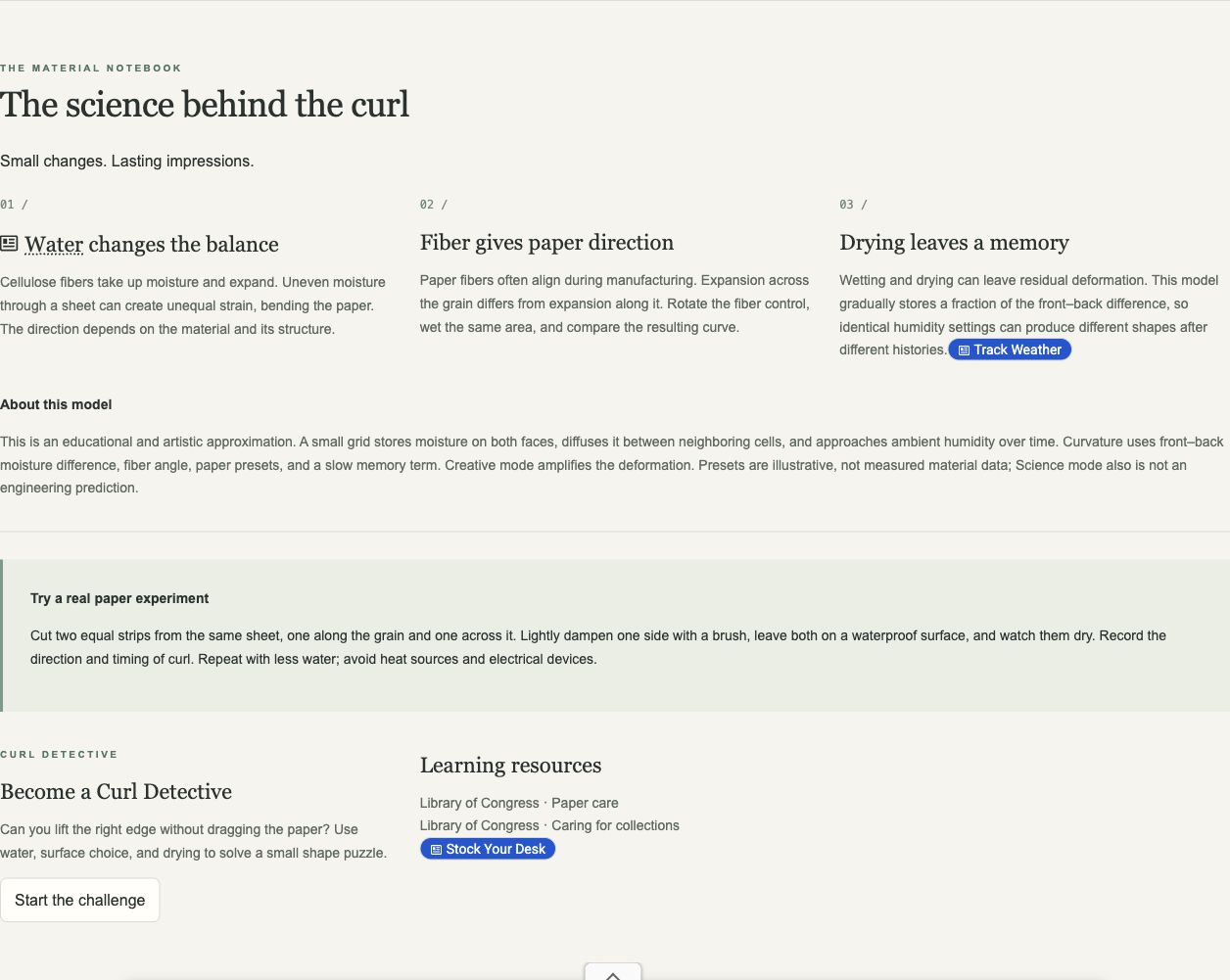
Paper Memory is a program quantity. We observed 0.000,0.002 and 0.042 in different recorded states, but the interface did not establish a physical unit for those numbers. Do not report 0.042 as a measured strain, bend angle or percentage of permanent damage. The useful question is whether history is being represented, not whether the last decimal describes your real sheet.
Likewise, a selected fiber angle is an imposed modelling condition. The tool is not analysing a camera image to discover the grain of a real object. If a lesson includes a real strip test, label that evidence separately and document the paper, cut direction, wetting method and observation time. Our review did not carry out that physical extension.
Gallery, PNG, JSON and share link
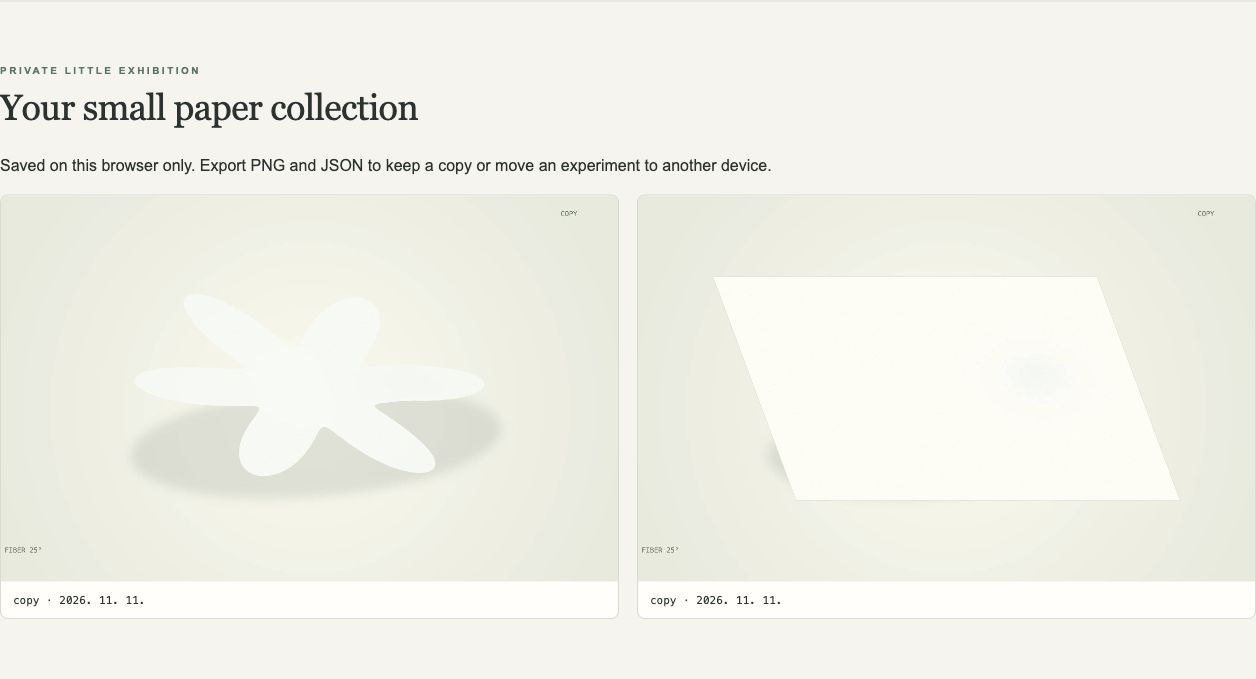
Gallery: a convenient visual notebook on the current browser. The publisher says it keeps up to six previews; we tested two, not the six-item boundary. We did not verify long-term storage, another browser profile or another device. Seeing a card after reload establishes persistence for that check, not a backup guarantee.
PNG: intended as a still-image output. A saved message and gallery addition were observed, but the completed downloaded image was not independently inspected. Keep this narrower than a claim about final dimensions, file integrity, transparency or suitability for print. A still image also cannot contain a time-evolving editable experiment in the same way as state data.
JSON: intended as experiment data, with a matching import control. File receipt, field contents, compatibility and restoration remain unverified here. Before clearing a valuable session, confirm that your own exported file exists and reopens as expected using a nonessential copy. The gallery screenshot does not demonstrate that round trip.
Share link: intended to contain experiment state according to the publisher. Our clipboard result could not confirm the feature, so this guide does not provide a purportedly reproduced example link. A success notification should be followed by checking the actual output; it is not interchangeable with observing restoration.
Practical projects and comparison tips
A twenty-minute classroom observation
Use a disposable digital study first: one shape, one mode, one face and a small number of water inputs. Ask learners to predict a direction of change, pause and write what the model displayed. Then ask which parts of the conclusion are observations and which are explanations. This separates useful reasoning from simply treating an attractive animation as proof.
A quiet paper-art composition
Choose the flower or spiral as a composition prompt. Work in short batches and pause to evaluate silhouette and empty space. Save a frame when it communicates the idea, rather than adding more gestures only to increase a moisture readout. If you change the mode to exaggerate a shape, include that in your notes instead of presenting it as a different physical material.
A comparison that can be explained
Hold mode, shape, angle and timing consistent, then change only the question-relevant input. With a live simulation, even identical visible sliders can follow different histories. Reset or restore a documented starting state when you need a clean comparison, and confirm what the reset actually changed. We did not characterize every reset and template interaction.
For a physical follow-up, use sacrificial scraps rather than valuable artwork. The source suggests equal strips cut in different grain directions, lightly wet on one face and observed on a waterproof surface without heat sources. That is a proposed activity, not something we completed. Keep its photographs and timings separate from the software’s clock and artwork.
Limitations, privacy and mobile use
This is not a paper-conservation treatment guide. The Library of Congress guidance on works on paper emphasizes careful handling and stable storage, with professional conservation help for condition problems beyond basic care. Use that context to distinguish an art experiment on scraps from treatment of an original print, document or drawing.
The publisher states that artwork is processed in the browser, no sign-up is required and the gallery is local. Our saved-card persistence is consistent with local continuity in the same browser. We did not perform an independent storage, network or security audit. The privacy note separately identifies Google AdSense and its cookies or data use, so local artwork processing does not mean the whole page has no third-party services.
At 390px we selected Hanji, set humidity to 1%, applied water and observed 3% front moisture at a paused 0s state. The controls wrapped into a mobile arrangement. Advertising overlays could cover part of the viewport. This was desktop browser responsive testing, not a physical-phone touch, orientation, battery or performance study. Use the explicit input and pause controls if precise freehand placement is difficult.
Reduce motion and sound controls are provided, but we did not evaluate their full accessibility or speaker output. Keyboard Enter on the canvas was exercised. We also encountered periods of slow browser interaction on source tabs; a freshly opened dedicated English page remained usable for the recorded flower and gallery checks. We did not establish a general performance rating.
Related tools for another creative direction
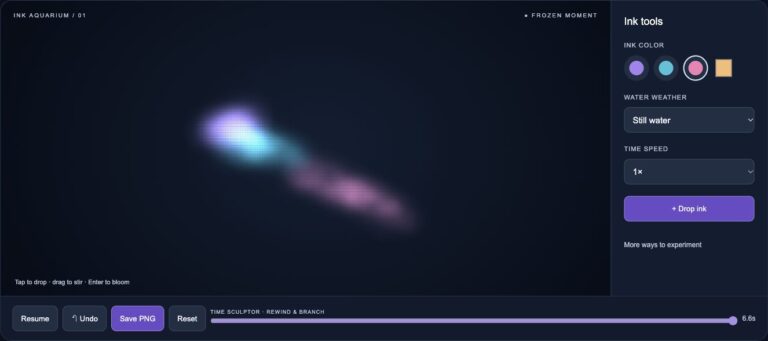
For another time-based visual medium, read Ink Bloom Lab’s ink-in-water guide. Its practical connection is choosing and preserving a fleeting composition. It explores colour and modelled flow instead of bending a sheet; it is not a paper simulation upgrade or a verified import destination.
For gesture-built branching patterns, try the published Ice Crack Studio guide. For a short musical gesture with visual ripples, use Tea Ripple Piano’s recording and replay guide. These are alternative creative exercises. We confirmed no automatic file transfer or combined project workflow with Paper Curl Studio.
Frequently asked questions
Is Science mode physically accurate?
The source explicitly says it is not an engineering prediction. Presets are illustrative rather than measured stock data. Use the mode for a model-based explanation, not to predict a commercial sheet’s bend radius, drying time or conservation outcome.
Can I keep editing while paused?
Yes, water additions worked in our paused state. Pause gave a stable displayed clock; it did not disable every edit. For a comparison, record whether you changed inputs while time was stopped before resuming.
Does Paper Memory measure permanent damage?
No physical unit or damage calibration was established. It is a model term reflecting history. The values in our tests should not be converted into a percentage of damage or a bend angle.
Can I resume a gallery picture as a project?
We verified two retained preview cards, not an editable restore operation from a card. JSON import and export are offered separately, but their round trip was not verified. Keep a picture, settings notes and confirmed project backup conceptually separate.
Did the shared link reproduce the artwork?
We could not verify that. The site displayed a copied message, but the actual clipboard retained a prior unrelated URL. Check the address and a new-tab result in your own session before relying on it. Do not mistake a successful notification for a tested transfer.
Make one experiment worth keeping
Begin with one face, one paper preset and a few water additions. Pause, note the clock and memory, then save a useful visual reference. Paper curl becomes a richer learning exercise when you can explain the starting conditions and the limits of the result.
A RELEVANT NEXT STEP
Tools with a useful connection
Ink Bloom Lab
Ink in Water Simulator: 7 Essential Bloom Lab Checks
Create fleeting ink art with Ink Bloom Lab. Tested drops, Science Lab, rewind and browser gallery explain how to choose a frame, preserve a moment and distinguish PNG, thumbnails and DNA.
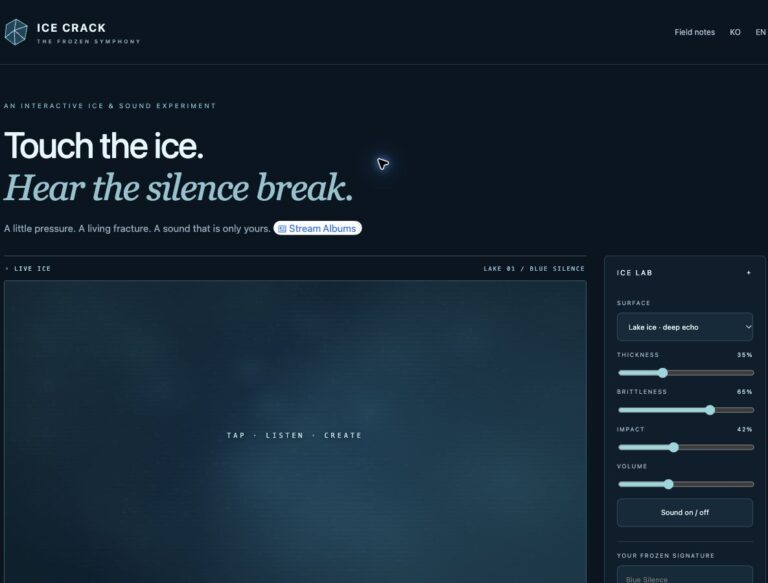
Ice Crack Studio
Ice Crack Studio: 7 Creative Steps for Beautiful Patterns
Ice Crack Studio turns touches into branching virtual ice and synthesized sound. See our Composer, Daily Fracture and replay tests, plus the settings a shared pattern does not restore.
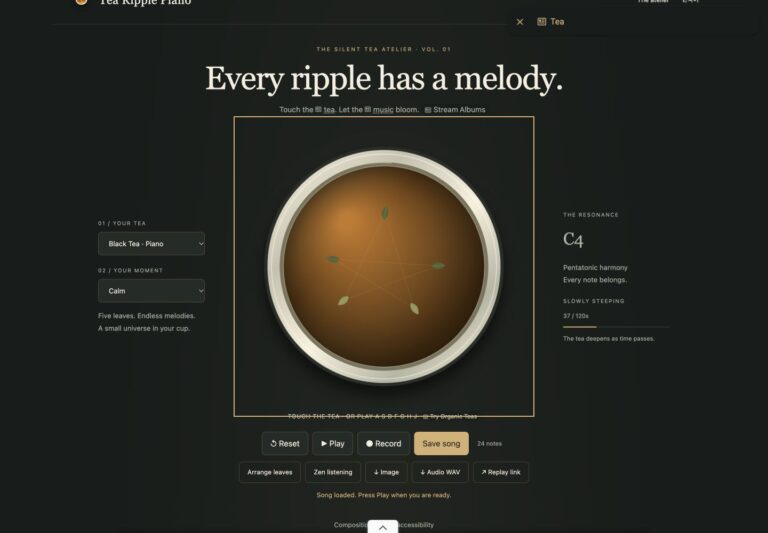
Tea Ripple Piano
Tea Ripple Piano: 7 Smart Recording and Replay Checks
Create short melodies by playing a virtual tea cup. This guide tests recording, local restoration, replay links and live layers, and explains which output preserves your next idea.