MEETING.EXE is a meeting escape game about getting out of a fictional office discussion. Choose a response, watch patience and follow-up debt, and complete the exit checklist. It suits a short reading-based comedy break. The decisions and reports belong to a game, rather than your real workplace.
Tested 11 November 2026 in Chrome. We completed an English Actual Clock-Out and a Korean email ending, checked copied reports, three hints costing patience, a number-key choice and a 390px layout. The images below are genuine captures. Only two of the twelve advertised endings were played.
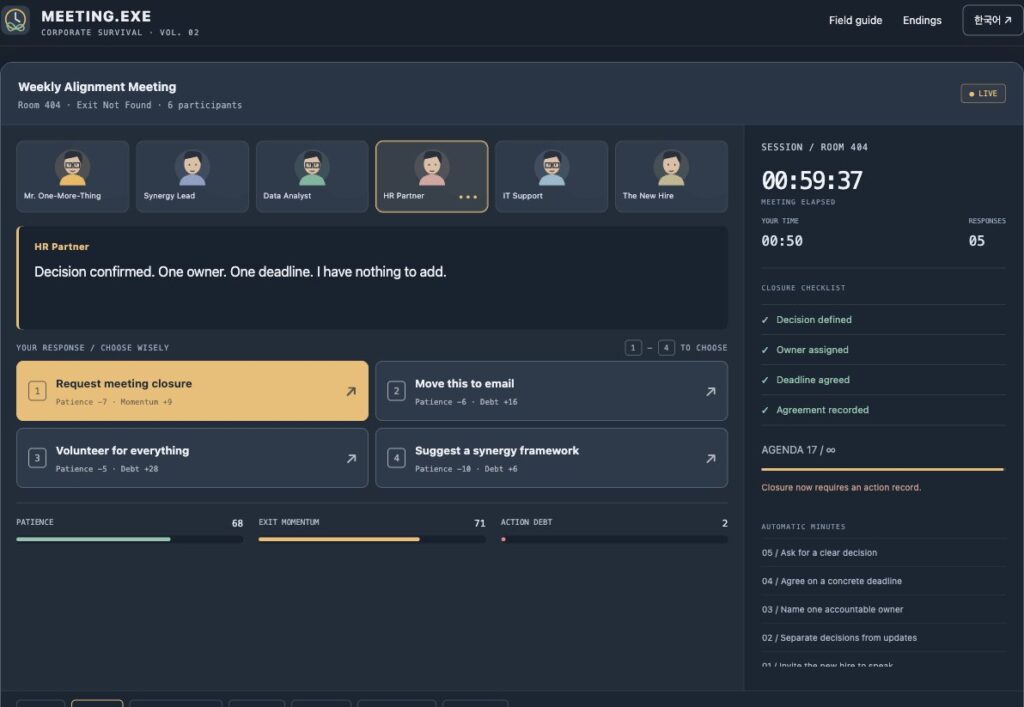
Play MEETING.EXE with a clear plan: our actual six-choice exit and Korean email ending explain patience, action debt, hints, copied reports and Continue-based session recovery.
- Brand
- MEETING.EXE
- Tool languages
- en, ko
- Verified date
- 2026-11-11
Table of Contents
Key takeaways
The useful distinction is between ending a discussion and escaping its consequences. Our six-choice exit finished with action debt 2. Repeatedly moving the discussion to email ended after three choices with debt 48. Both produced an ending, but they told very different stories about the work left behind.
Read all three meters and the four-item checklist together. Exit momentum can rise while obligations accumulate. The response cards show patience cost and a main resource change; they are not a complete ledger of every effect. Follow a response label when it reappears, because its numbered position can change.
The interface provides English and Korean, button choices, number keys 1–4, Pause, Focus, optional sound, reduced-motion controls and hints. Three hints cost eight patience each in our test. The archive and best result survived language changes and reloads, and Continue restored a saved active run after reopening the English page.
What this meeting escape game does
The official brand is MEETING.EXE, with the English heading The Never-Ending Meeting. A cast of six fictional colleagues keeps an office conversation alive. You answer with one of four prepared responses while the dialogue, minutes, agenda counter and resources update. It is an office-comedy choice puzzle with an ending archive and survival report.
The problem it addresses is a recreational one: you want an amusing, understandable interaction during a break, rather than a large game to install or a blank conversation to improvise. Choosing who should speak, distinguishing a decision from an update and naming an owner turn familiar meeting frustrations into explicit game moves. You do not need to supply actual colleagues, company information or meeting notes.
Automatic minutes in this interface record fictional game actions. There was no tested workflow for recording audio, transcribing a call, scheduling an appointment or generating real business minutes. Similarly, a high grade does not establish facilitation skill. The useful experience is seeing how this particular satire responds to choices, with enough visible feedback to understand why one ending feels different from another.
Before entering the room
Choose the language before beginning. The root site presented English during our visit; its navigation also provides dedicated English and Korean game pages. Both were playable. Start with the language in which you can read the response descriptions comfortably. Switching languages later preserved the ending archive in our browser, and we later restored a saved English run with Continue. We did not test restoring that same unfinished run in Korean.
Read How to play once, then locate the checklist and response cards. The help explains the four number keys, repeated-tactic reactions, the quiet colleague clue and the hint budget. No sign-up or payment was required in the tested route. Sound was initially off. We did not evaluate audio quality, every motion setting or every assistive-technology path.
If you want an unspoiled puzzle, stop before step 3 and the route table below. If you want to learn the feedback first, use the labels as a worked example. Keep a small note of response, patience, momentum, debt and checked items. A total score alone will not tell you whether you built a decision or simply moved the obligation somewhere else.
Three meters and four exit conditions
| Display | Initial value | How to use it |
|---|---|---|
| Patience | 100 | A limited resource spent by responses and hints. |
| Exit Momentum | 18 | Progress toward leaving; read alongside the checklist. |
| Action Debt | 0 | Follow-up obligations can grow even as momentum rises. |
| Exit checklist | Four pending items | Decision, owner, deadline and agreement are separate conditions. |
The checklist is more concrete than a single progress bar. In our successful route, a decision appeared first, then an owner and a deadline; a clear agreement completed the fourth item. Completing those items did not itself display the ending. We still selected Request meeting closure as a sixth response. That distinction helps explain a common apparent stall: the room may be ready to end before you have actually asked to close it.
There are also two clocks. Your Time is the play-time readout used in the ending report. Meeting elapsed began at a fictional 00:58:47, a joke about a meeting already running long. Do not read that large meeting clock as time you personally spent on the site. Our report showed 00:50; the session included reading and a pause, so it is not a minimum completion time or a speed comparison.
How to play in 7 deliberate steps
1. Enter the fictional meeting
Use Enter meeting, then inspect the highlighted speaker, current line and four responses. The game brought its play area into focus during our route. Before making a choice, identify the three resource values and the four pending checklist items so you can recognize what changes afterward.
2. Read the whole response card
A response combines a tactic, a patience cost and a main resource effect. Do not choose only by the largest positive number. In the worked example, asking for a clear decision displayed a debt change but also raised momentum. The short card is a preview, while the resulting meters provide the fuller observed state.
3. Invite the overlooked colleague
In our English route, Invite new hire was followed by patience 96, momentum 28 and debt 0. The help also points toward the quiet colleague. This is a spoiler for the tested route, rather than proof that every possible starting situation has one universal answer.
4. Build a usable decision record
We separated decisions from updates, named one accountable owner, agreed on a concrete deadline, then asked for a clear decision. After these four additional responses all checklist items were complete. Read the wording and the checklist after each move instead of treating the route as a fixed series of button numbers.
5. Request closure and inspect the ending
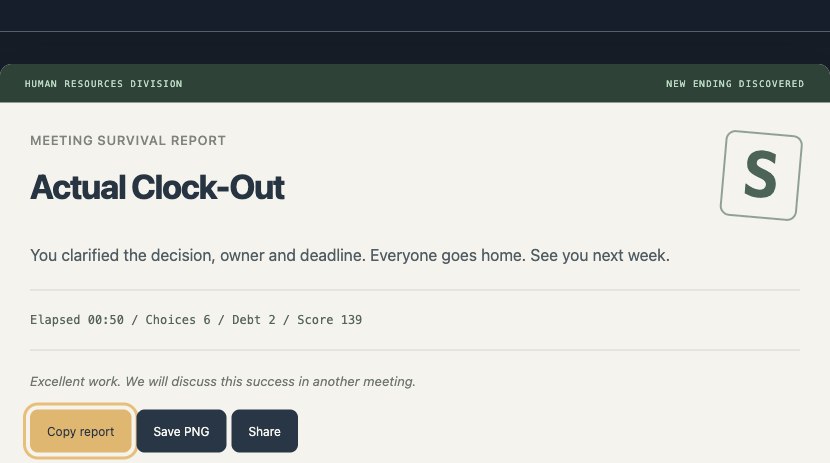
With all four items complete, Request meeting closure produced Actual Clock-Out. Our final live resources were patience 61, momentum 80 and debt 2. The report showed S, six choices and score 139. These are fictional game results; they are not a measurement of real meeting efficiency.
6. Use hints and Pause deliberately
In a separate new run, the first hint reduced patience from 100 to 92 without adding a response. Three hints brought it to 76 and disabled another hint. Pause opened a dialog explaining that the game clock was paused, and Back to meeting resumed the view. We did not independently time the pause interval.
7. Preserve the result you actually need
Copy report worked in both languages and included the ending, grade, time, choice count, debt and source URL. The visible numeric score was absent from the copied text. Save PNG was activated without an inspectable completed download in our test. Check your own file before relying on that output.
Our actual six-choice exit and email ending
Route spoilers follow. This table records one completed English run without hints. It is a record of actions and visible states, not an independently audited account of the scoring formula. Option locations can change, so use the labels rather than copying a number sequence.
| Chosen response | Patience / momentum / debt | Checklist change |
|---|---|---|
| Invite new hire | 96 / 28 / 0 | None yet |
| Separate decisions from updates | 90 / 40 / 0 | Decision |
| Name one accountable owner | 84 / 50 / 0 | Owner |
| Agree on concrete deadline | 78 / 60 / 0 | Deadline |
| Ask for clear decision | 68 / 71 / 2 | Agreement; all four complete |
| Request meeting closure | 61 / 80 / 2 | Actual Clock-Out; S; 139 |
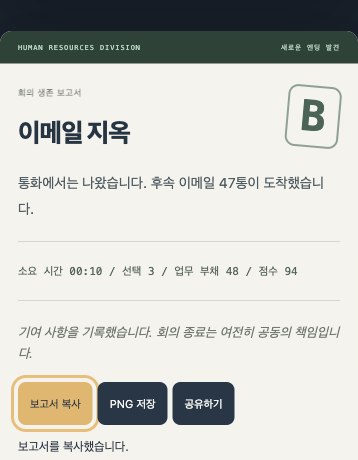
On the Korean 390px page we instead selected 이메일로 넘긴다, meaning hand the discussion to email, three times. The response appeared in positions 3, 4 and 2 across those turns. Debt rose 16 → 32 → 48, momentum 32 → 46 → 60, and patience fell 94 → 88 → 82. None of the four checklist items had been completed.
That run ended as 이메일 지옥, or email hell: B, 00:10, three choices and score 94. The story referred to 47 follow-up emails. This was fictional ending text; the game did not send or receive those emails. The language and route differed from the English run, so the two scores are descriptive examples rather than a controlled English-versus-Korean test.
Read the trade-off before choosing again
A promising-looking resource can conceal a different outcome. In the email run, momentum rose by 14 on every observed choice, yet the decision record stayed empty and debt grew. In the closure run, progress involved both the checklist and momentum. This supports reading the whole state; it does not prove a hidden threshold for every ending or establish the best possible score.
A useful replay question is “What changed when I repeated this tactic?” rather than “How do I press the same number faster?” The same email label moved to a different position, and the guide warns that repetition can produce a new reaction. Read the speaker and response again after every choice. A remembered shortcut number without its current label can choose a different action.
For a personal comparison, record the tactic labels, hint count, final debt, checklist and ending name. Change one planned tactic on a later run if you want to explore a different story. This is a suggested method, not an additional test we performed. We played two endings out of the twelve shown in the archive and do not supply invented routes for the remaining ten.
What the report actually contains
| Output | Actually verified | Practical implication |
|---|---|---|
| Report screen | Ending, grade, elapsed time, choices, action debt and numeric score | Capture the screen if the numeric score matters. |
| Copied report | Ending text, grade, time, choices, debt and language-page URL | Our copies omitted 139 and 94, the visible numeric scores. |
| Save PNG | Control activated; no inspectable completed download within the observed wait | File content, dimensions and successful delivery remain unverified. |
| Share | Control visible; not submitted | No claim about share destination, preview or delivery. |
Copying is useful when you want a simple personal record without assuming that it is a screenshot substitute. Paste into a note and compare it with the report while both are available. Keep the ending and route context next to the grade. In particular, debt 2 and debt 48 explain much more about these two fictional outcomes than the bare letters S and B.
Privacy, records and Continue-based recovery
The source privacy disclosure says sessions, discovered endings, best scores and preferences use localStorage on the device, and game choices are not sent to a game server. This is the publisher’s statement, not a network or security audit we conducted. Our hands-on evidence is narrower: after both endings, the same browser showed an archive count of 2/12 and best score 139 across language pages and reloads.
Current-run recovery needs an explicit action. After a fresh English run used three hints and one number-key response, the initial view after reload showed patience 100, momentum 18, debt 0 and zero responses. Reopening the dedicated English page exposed a “Your meeting is still waiting” banner with Choice 1, Continue and New session. Continue restored patience 72, momentum 28, debt 0, one response and the exhausted hint control. The initial view alone was not the recovered state.
If you expected the values to reappear automatically, inspect that banner before choosing Enter or starting again. Continue and New session express different intentions. Our restored run retained its response and hint state; we did not audit every timer detail or recover on an independent device. A copied result or screenshot is still useful when you want a record outside the browser.
The disclosure separately mentions Blogger and Google AdSense cookies and usage data. Advertising and an interstitial appeared during our visit. Therefore, local game processing should not be expanded into a claim of no third-party data processing or no advertising. We supplied no personal details in the tested flow, did not clear browser storage and did not test cross-device synchronization or private-browsing retention.
Mobile, keyboard and interruption checks
A fresh Korean page at 390×844 had a 390px document width with no page-wide horizontal overflow. We completed the three-choice email ending and copied its report in that view. This verifies the tested narrow browser layout and button path. It does not establish touch performance on a physical phone or guarantee that every advertisement and every long ending fits every screen.
For keyboard input, pressing 2 selected Invite new hire in the separate English hint run. Patience moved from 76 to 72, momentum to 28 and responses to one. The help advertises keys 1–4; our direct number-key check covered that one selection. Visible controls also include Focus, sound and reduced motion. Their presence is not a full keyboard, motion-sensitivity or screen-reader certification.
If Pause is disabled on a fresh page, make a real choice before expecting an active session to pause. If the screen seems unchanged after a control, read its status before pressing another response. Ads can draw attention away from the play area; use the game’s labels and ordinary ad-close control when available. Avoid treating an unrelated install or event-planning ad as part of the game.
Choose another short game by interaction
For another awkward-social-scene comedy, the published Elevator Silence guide explains a short ride where reacting or waiting leads to separate internal-panic and room-awkwardness results. Choose it when you prefer waiting and brief reactions to reading a chain of meeting decisions.
The Gift Opening Theater guide suits readers who want to direct a puppet’s expression and gratitude line through a staged exchange. Its sliders and act timing offer a different interaction from four-choice tactics. The Perfect Staple guide keeps the office theme but changes the task to positioning and angle feedback. These are separate games, without a demonstrated transfer of saves, scores or data.
Frequently asked questions
Is MEETING.EXE a real meeting assistant?
No such workflow was demonstrated. The tested page is a fictional choice game. Its automatic minutes log game actions, and its survival report describes a comedy ending. It did not ask for an actual recording, calendar or workplace transcript.
Can I play in Korean?
Yes. We completed the Korean 이메일 지옥 ending and copied its report in a 390px browser view. English and Korean are dedicated source pages. The same browser retained the ending archive, but we did not test Korean recovery of the same unfinished English run.
Why can momentum rise while the ending gets worse?
Momentum and action debt describe different parts of the game state. Three email handoffs increased both in our test while leaving the checklist incomplete. Read debt and the decision record as well as the apparent progress toward leaving.
Are hints free?
They cost patience. Three uses reduced the fresh value from 100 to 76, with each costing eight and another use disabled. Hints did not add a response to that run. This is a game resource cost, not an observed money payment.
How do I resume a saved meeting?
Look for the waiting-meeting banner and choose Continue. We restored one English run with patience 72, momentum 28, one response and all three hints already used. New session is a different action. Recovery was tested in the same browser, not across devices or in every state.
Why is my copied report missing the score?
Our English and Korean copies included grade, time, choices, debt and source URL but omitted the screen’s numeric scores 139 and 94. That difference is confirmed for those two outputs. Keep a screenshot if you need the numeric total too.
Try a decision-led exit
Start with the language you read comfortably, follow the quiet-colleague clue, and watch how a decision becomes owned, dated and agreed. Once you have an ending, compare the report with the path you actually chose. MEETING.EXE works well as a small piece of office satire when you read its consequences as carefully as its jokes.
Evidence: original English/Korean game pages, How to play and privacy/accessibility disclosures inspected 11 November 2026. Actual tests covered two endings, clipboard differences, three hints, one numeric shortcut, Pause and the Korean 390px layout. Full ending coverage, downloaded PNG content, Share delivery, physical-phone gestures and network/storage implementation were not verified.
A RELEVANT NEXT STEP
Tools with a useful connection
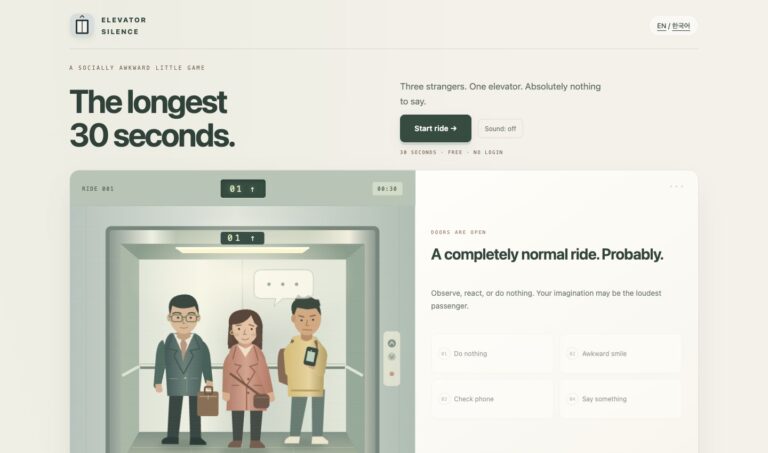
Elevator Silence
Elevator Silence: 7 Smart Ride Checks
Play Elevator Silence with clear expectations. Three actual rides, keyboard and Korean mobile checks explain fictional panic, hidden room awkwardness, one-choice events and report limits.
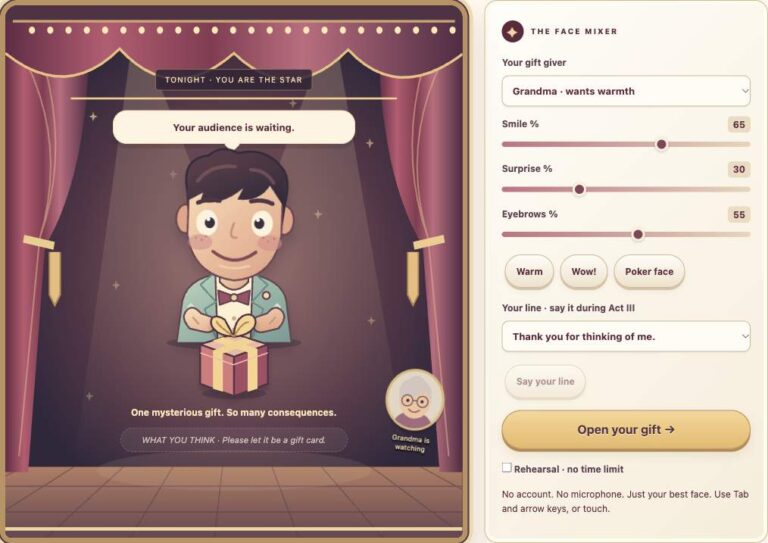
Gift Opening Theater
Gift Reaction Game: 7 Smart Checks for Awkward Gifts
Play a manual puppet gift-reaction comedy in timed or rehearsal mode. Actual 91/99-point rehearsals, the final-reply wait and an inspected PNG ticket explain timing, output differences and limits.
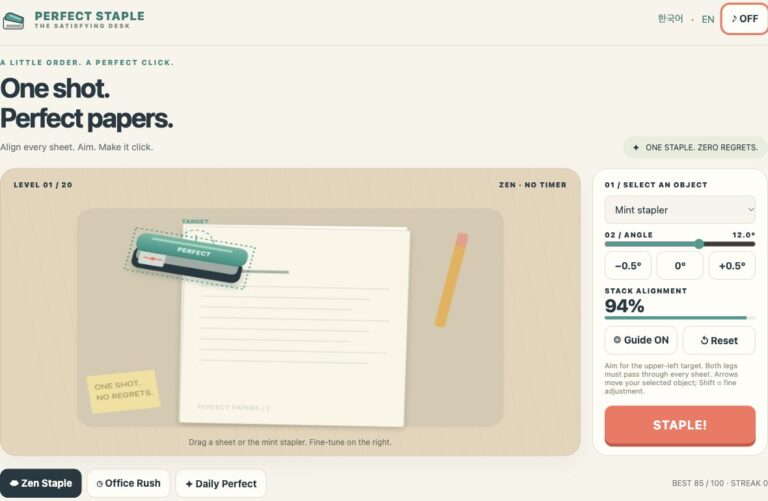
Perfect Staple
Stapler Game: 7 Essential Perfect Staple Checks
Play Perfect Staple with a clear plan: compare position, angle, penetration and fold scores. Our actual 32→42→85 trials explain the controls, daily practice, timer and local-record limits.