Ink Bloom Lab is an ink in water simulator for making abstract color art in a browser. Add drops, change modeled currents, pause a composition and explore earlier recorded states. Its most useful feature is the ability to choose a fleeting frame instead of accepting whatever the animation happens to look like when you stop.
Key takeaways: use a small number of gestures; pause before judging a frame; rewind restores settings as well as a scene; a gallery thumbnail, PNG and DNA serve different purposes. Tested November 11, 2026. Download receipt and DNA import were not verified. This library and the original tool share a creator.
In this guide
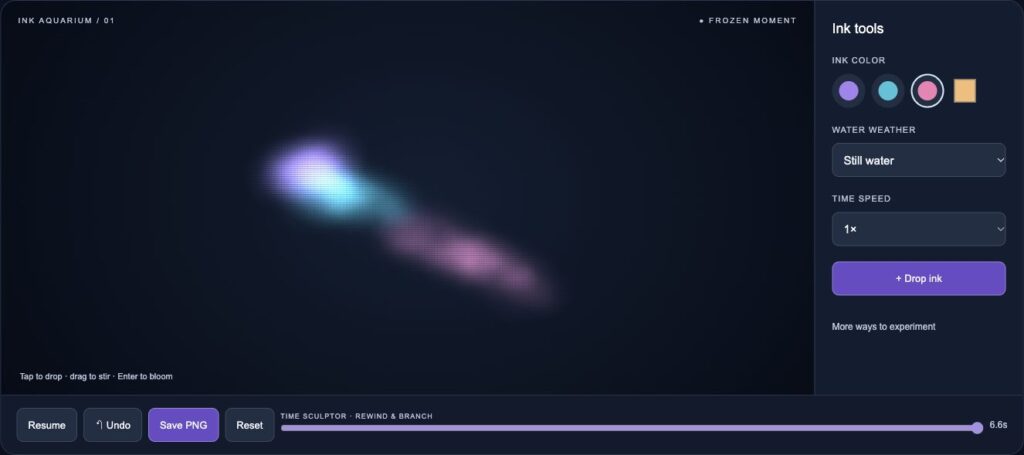
Create fleeting ink art with Ink Bloom Lab. Tested drops, Science Lab, rewind and browser gallery explain how to choose a frame, preserve a moment and distinguish PNG, thumbnails and DNA.
- Brand
- Ink Bloom Lab
- Tool languages
- en, ko
- Verified date
- 2026-11-11
What this ink in water simulator does
The official Ink Bloom Lab studio and guide identify this digital art tool as Ink Bloom Lab, an experiment by ImporInfo. The page presents a dark aquarium, three named color buttons, a custom color control and four water presets. A drop becomes a cloud of particles; time and modeled flow change its shape. You can use the buttons or interact with the aquarium, then freeze a moment for closer consideration. No account or installation was requested during our review.
It solves a modest creative problem: making an interesting color gesture without assembling a large painting project. A static editor gives precise control over layers and individual marks. Here, much of the appeal comes from seeing a gesture develop and deciding when it has become a composition. Use it for abstract visual sketches, a short creative exercise or a discussion about visual models. We did not test therapeutic, educational or productivity outcomes.
The tool offers Still water, Gentle current, Whirlpool and Chaos storm. Its guide describes slow blooms, ribbons, central rotation and changing currents respectively. Advanced controls expose drop size, diffusion and swirl, while Science Lab displays modeled flow direction. These are controls for an artistic particle approximation. They do not turn the page into a calibrated experiment in real water or pigment chemistry.
Prepare a small visual experiment
Begin with one visual question: do you want a compact cluster, a stretched ribbon or a view of the modeled flow? Choose a small palette and avoid changing every control together. The first session is easier to understand if you add one color, observe it, add a second and then pause. You can explore more dramatic settings after learning which action changed the picture.
Keep the distinction between image and continuation clear from the beginning. The source offers PNG for a picture and Ink DNA for a versioned particle-state file. A browser gallery is convenient for looking back, but it is not an independent backup. Before resetting or closing a valuable session, attempt the appropriate export and check that the resulting file actually reached your device. Our interface messages alone did not establish completed file receipt.
Open the English or Korean interface from the language links. Our first view was frozen and offered Resume; the guide says reduced-motion preferences pause initial animation. We did not diagnose the browser preference as the cause of that starting state. If the image is still, read the pause/resume control before assuming that a current preset has failed.
7 checks for a useful first artwork
1. Start with a deliberate palette
Choose Violet, Cyan or Pink, or use Custom ink color. We selected all three named colors and used the drop button after each selection. The pressed color button tells you which named color is active. Treat the custom color square as another input, not as a guarantee that a physical paint with the same screen color will mix the same way. We did not test a custom-color export.
2. Add a few drops before changing the water
Use + Drop ink for a straightforward first input. The aquarium also advertises tap-to-drop, drag-to-stir and Enter-to-bloom interaction; our completed tests focused on the visible drop buttons. The initial three-color run produced visible violet, cyan and pink clouds. Additions and pauses are easier to reason about when you leave enough space to see each cloud rather than filling the entire aquarium immediately.
3. Choose the water and time speed
Use Water weather to choose a flow preset and Time speed for 0.5×, 1× or 2×. We selected Whirlpool and 2×, then confirmed those selected values in the interface. That verifies selection, not a measured doubling of frame rate or an accurate physical vortex. Resume the scene when necessary and observe the composition. A preset label is a starting condition for an artistic result, not a specification for a real tank.
4. Open the advanced panel for a clear reason
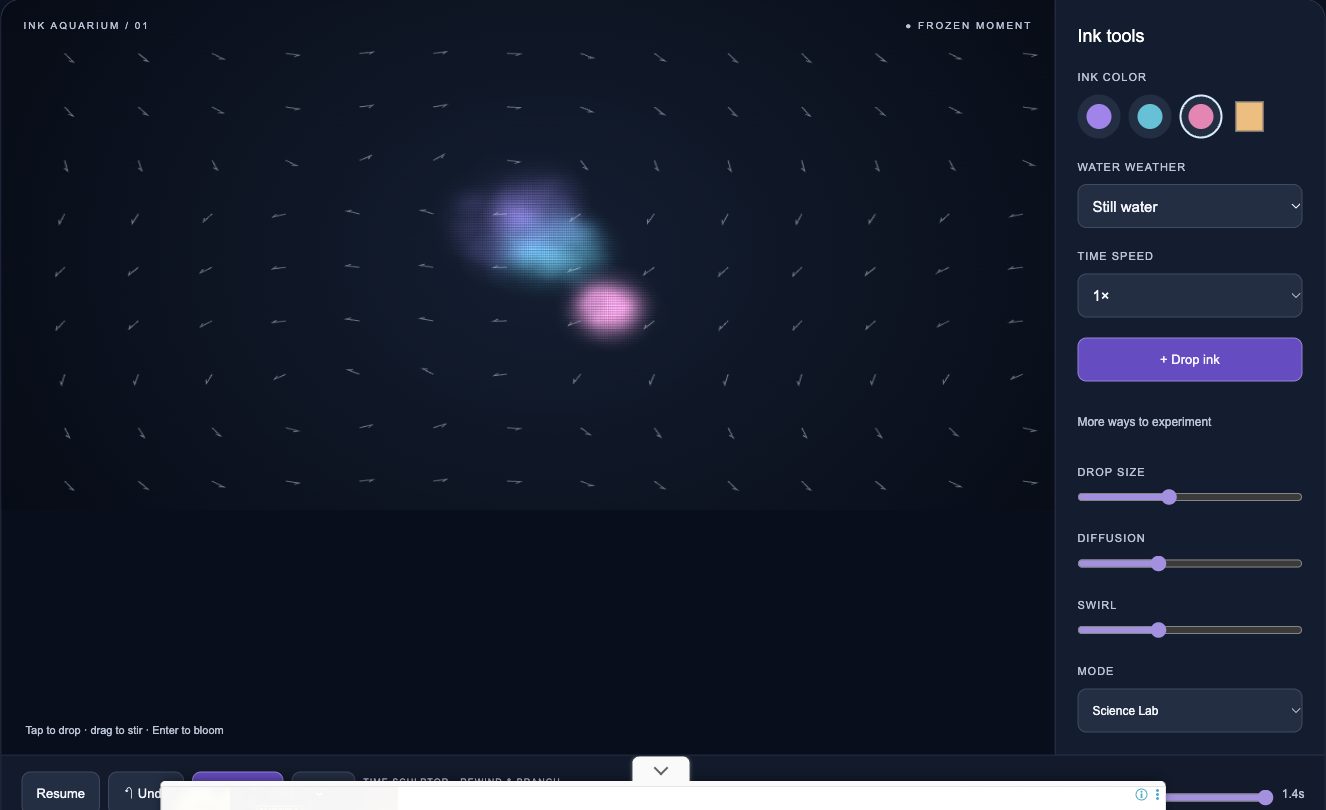
More ways to experiment contains Drop size, Diffusion, Swirl and Mode. In our view the sliders initially showed 30,35 and 35; the visible ranges were 10–60 for size and 0–100 for the other two. We did not systematically benchmark those sliders. We selected Science Lab and saw directional arrows over the artwork. Switch back to Zen Bloom when evaluating a clean composition; decide separately whether arrows are useful in a teaching screenshot.
5. Pause and use the timeline deliberately
Pause changes the view to FROZEN MOMENT and exposes a stable frame for consideration. Move Time Sculptor to an earlier recorded state, then read the settings again. In our first rewind, Home returned the timeline from 24.6s to 3.6s and the previous Whirlpool/2×/Science Lab selection became Still water/1×/Zen Bloom. The status said the state was restored and invited a new branch. Rewinding therefore changes more than the visible particles.
6. Keep the three-drop exercise honest
Start challenge clears the working aquarium and displays a counter. In Korean we observed 0/3, then 3/3 after three additions. A fourth addition was accepted and the counter reached 4/3. Saving that frame still created a gallery entry. Use the three-drop requirement as a self-imposed composition exercise; the observed counter did not enforce a hard cap or prove completion of an exactly-three-drop challenge. Restart if you add too many.
7. Save, then verify the kind of result
Press Save PNG after choosing a frame. We saw a saved-to-gallery/download-started message and a gallery thumbnail. Separately, Export DNA produced an exported notification, but waiting for a completed download timed out in this environment. We did not inspect a received full-resolution PNG, receive and import a DNA file, or establish a cross-device round trip. Check your downloads before treating a success message as a complete backup.
What the actual browser tests showed
| Action tested | Observed result and boundary |
|---|---|
| Named color buttons and drops | Violet, Cyan and Pink produced visible clouds. No physical color-mixing validation. |
| Preset, speed and Science Lab | Whirlpool,2× and Science Lab selected; directional overlay visible. No numerical flow benchmark. |
| Time Sculptor Home | Earlier timestamp and settings restored; a later challenge rewind returned to 0.0s and 0/3. |
| Korean challenge | Counter reached 4/3 and save created a gallery entry. Exact-three rule needs manual care. |
| Save and reload | Thumbnail remained after reload and appeared in the other language view. This was one same-browser test. |
| Export DNA | Export notification shown; completed receipt timed out. Import and continuation unverified. |
| Fresh 390 px Korean view | Document width stayed 390 px. Drop, current selection and pause worked. No real-phone performance measurement. |
These observations were made in Chrome on November 11, 2026. The screenshots are actual interface captures, not generated representations. The comparison is qualitative: we did not measure particle count, conservation of fluid quantities, deterministic reproduction, battery consumption or export image fidelity. Exact timings describe our recorded session and are not a recipe that guarantees the same picture.
Rewind a state and create a different branch
Think of the timeline as a recent-state selector. The source says it retains about 30 seconds while the page is open. Pause, choose a recent state and resume to let that state develop in another direction. Our test confirmed restoration feedback and the return of prior settings. It did not establish an unlimited editing history, a saved project archive or recovery after a browser crash.

A useful branch comparison starts by preserving a picture of the first direction, then returning to an earlier frame and changing only one factor. Read Water weather, Time speed and Mode after the rewind because they may have returned to earlier values. Without that step, you might attribute a visual change to your new gesture when the restored settings also changed. This is a suggested comparison method, not a claim that we completed a controlled physics experiment.
Undo is also present, but its full history semantics were not tested. Do not assume Undo means the same thing as choosing a recorded timestamp. If an artwork matters, secure the relevant files before exploring either control. A recent timeline can help you find a moment during a session; it should not be the only place where you expect that moment to remain.
PNG, gallery and Ink DNA preserve different things
| Keep this | Use it for |
|---|---|
| PNG control | A still image of the canvas, according to the source. Confirm actual file receipt and dimensions yourself. |
| Private gallery | Quick same-browser thumbnails. Our saved image element was 360×223 pixels; this is not evidence of a full-resolution backup. |
| Ink DNA v 1 | The documented particle state and settings for continuation. It is a JSON workflow, not an ordinary picture; import was untested. |
| Time Sculptor | Recent states during the open page. It is not a substitute for a received export. |
The gallery image we inspected was 360×223 pixels, while the working canvas element reported 1000×620 intrinsic pixels. The desktop display box was wider and the mobile box used a different visual proportion. Those are observed page dimensions, not independently inspected export dimensions. A gallery link should not be mistaken for proof that you have saved the full canvas file. Open and inspect the actual downloaded image before planning a print or a high-resolution layout.
The gallery survived a reload and was visible in the Korean/English views within the same browser. That establishes useful local continuity, not account synchronization. The source warns that clearing browser data removes the gallery. We did not clear stored artwork, test storage quotas, restore a private-browsing session or confirm that multiple open tabs merge their saves safely. Working in one studio tab reduces unnecessary ambiguity.
Practical composition and comparison tips
For a small abstract header: build a limited-color composition, pause before clouds fill all available space and evaluate the picture at the size where it will appear. Keep a calm area if a later layout needs text. This is a design suggestion; the studio does not provide a verified text-layout, crop-to-platform or typography workflow. You will need a separate editor for those decisions after you receive a usable image.
For a guided exercise: set a simple constraint such as three drops with one current. Ask which change came from an added drop and which came from time. Science Lab can reveal the modeled direction field, but the answer should describe the screen model rather than claim to measure actual diffusion. Count the drops yourself, given the 4/3 result, and keep the exercise about observation rather than scores.
For comparing two directions: note palette, water, speed, mode and the selected timestamp. Pause each scene before assessing it, and keep the chosen stills outside the temporary working state. This record helps explain your choices even if the simulation is not deterministic. Avoid promising another person an identical result from settings alone: we did not test repeatable DNA restoration or a fixed random seed.
Common mistakes include judging a motionless scene without checking Resume, changing several settings and forgetting which mattered, rewinding without rereading the restored controls, and assuming a gallery item is a complete project. Another mistake is planning image conversion before a file has actually been received. A tool chain is only useful when each handoff has a real output that you can open.
Scientific, privacy and mobile limits
The source explicitly calls this an artistic particle-flow approximation, not a calibrated fluid solver. Screen colors use additive mixing and do not reproduce real pigments. Water labels, diffusion controls and arrows can inspire exploration, but they do not establish viscosity, concentration, real experimental units or scientific accuracy. Use an appropriate numerical solver or physical experiment when the answer depends on those properties.
The source says artwork is processed on-device and is not uploaded to a public gallery. It separately discloses Blogger and Google advertising cookies. We observed ads that could cover the workspace and did not audit network traffic. Local artwork processing should not be read as a claim that the whole page makes no external requests. Use an ad’s own dismissal control if needed and return to the actual studio controls.
A freshly loaded 390 px Korean view had no document-level horizontal overflow. We added a drop, selected Whirlpool and paused successfully; the tools stacked below the aquarium. This was a narrow Chrome viewport test, not a physical touch-device, accessibility certification or prolonged performance benchmark. The source describes keyboard and reduced-motion support; our complete keyboard coverage and drag-to-stir behavior were not independently tested.
Related tools for the next stage
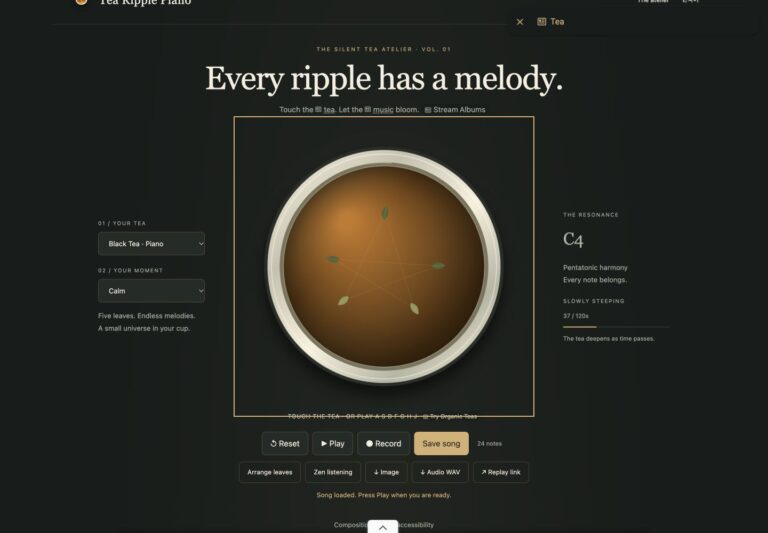
For another gesture-led creative experiment, the published Tea Ripple Piano guide explains recording and preserving a short musical idea in a virtual cup. It is a related way to explore fleeting input and saved states, not a way to import Ink DNA or add sound to this canvas.
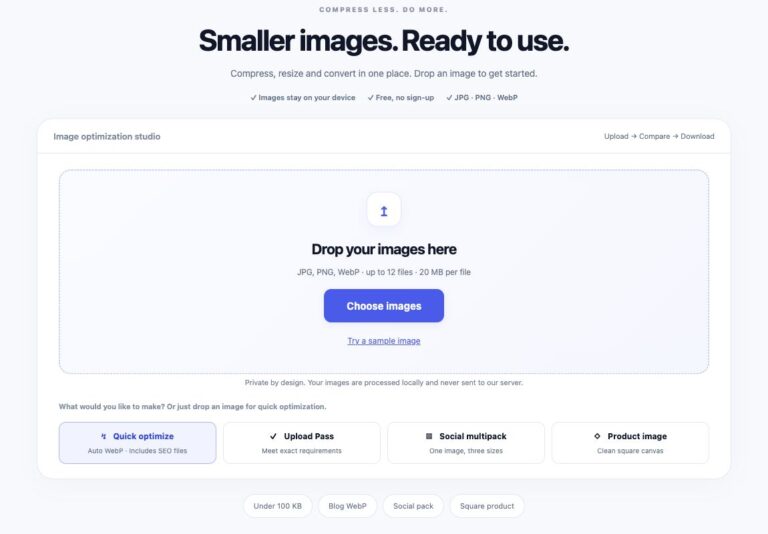
After you have actually received an image, the PixelFit Studio image preparation guide covers exact pixels, file-size conditions and crop decisions. The WebP Studio guide offers another conversion-and-quality comparison route. Check the exported file first; no direct integration with Ink Bloom Lab was verified.
Frequently asked questions
Is this a free ink in water simulator?
The source describes it as free, with no account or installation required, and we reached the studio without signing in. Advertising is present. This review does not promise that pricing or access will never change.
Why does the canvas start frozen?
Read Resume/Pause and the FROZEN MOMENT label. Our initial view was paused. The source says reduced-motion preferences pause initial animation, but we did not establish the specific reason for our initial state.
Can I keep exactly three drops?
Yes as a manual creative constraint. The challenge counter reached 4/3 in our Korean test, so it did not prevent an extra addition. Restart and count carefully rather than relying on the counter to enforce the rule.
Will a gallery entry continue the simulation?
The visible gallery is a picture collection. The source assigns continuation to Ink DNA. We confirmed thumbnail persistence, not a gallery-to-simulation restoration or a successful DNA import.
Does an export notification prove the file is backed up?
No. Our DNA notification appeared, but completed receipt timed out. Confirm the file in your downloads and test it in the intended application. The unverified download boundary is a limitation of this review environment, not proof that every user’s download fails.
Make one moment worth keeping
Start with a small palette, add a few drops and choose a frame deliberately. Check restored settings when rewinding, distinguish a thumbnail from a continuation file and verify any export before clearing your work. The value of an ink in water simulator lies in choosing and understanding a moment, as well as creating it.
A RELEVANT NEXT STEP
Tools with a useful connection
Tea Ripple Piano
Tea Ripple Piano: 7 Smart Recording and Replay Checks
Create short melodies by playing a virtual tea cup. This guide tests recording, local restoration, replay links and live layers, and explains which output preserves your next idea.
PixelFit Studio
Image Upload Optimizer: 7 Essential PixelFit Checks
Prepare exact upload dimensions and file-size conditions with PixelFit Studio. Actual sample and JPEG tests explain PASS/CHECK, crop versus contain, social totals, copied HTML and the limits of unverified file receipt.
WebP Studio
WebP Studio: 7 Essential Checks for Better Batch Images
Use WebP Studio’s English interface to compare image quality, keep dimensions or resize a batch. Actual tests reveal smaller JPGs, larger outputs and a rounded zero-saving total.