두뇌마실 offers Korean brain games with large pictures, hints and self-paced choices. This hands-on guide explains the controls, retries and daily record for players and English-speaking family helpers.
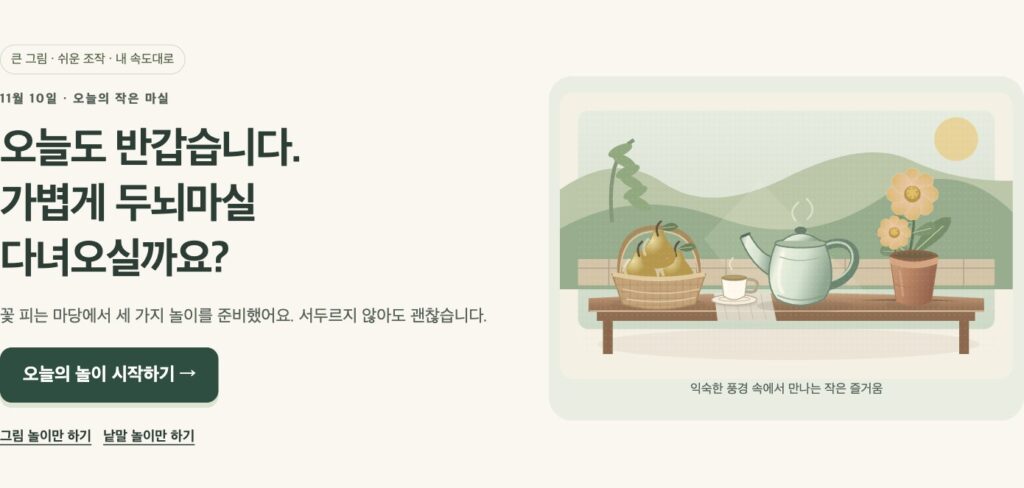
Self-paced Korean picture, matching, shopping-memory and word games. A tested guide to hints, retries, daily dates and the Korean controls.
- Brand
- 두뇌마실
- Tool languages
- ko
- Verified date
- 2026-11-10
In this guide
Korean brain games: key takeaways
- Four activities are available: picture differences, matching cards, shopping memory and Korean word completion. The daily course contains three of these; matching is a separate activity.
- There is no compulsory countdown in the interactions we tested. You decide when to hide the shopping items and when to cover an unmatched pair.
- The interface is Korean. We found no English switch; this English article does not change the language of the original games.
- Hints and retries support relaxed play. Completion is not a validated measure of memory, brain age or health.
- Verified on 10 November 2026 in Chrome. The examples below include deliberate mistakes and assisted answers, not a cognitive-performance experiment.
What 두뇌마실 actually does
The official name is 두뇌마실. At brain.imporinfo.com, it presents short visual, recall and language activities in a browser. The home screen combines a daily route, individual game buttons, a larger-text switch and a calendar called 나의 마실 수첩. No account or identity information was requested during our session.
The useful problem it solves is practical: a family member wants an approachable activity without installing an app, navigating a crowded game catalogue or racing a timer. A helper can open a single page, explain a few Korean labels and let the player choose the pace. It is especially useful when the activity itself matters more than a score. Familiarity with Korean words still matters in the proverb round, so the four activities are not interchangeable for every reader.
Four activities, three stops on the daily route
- 큰 그림 틀린그림찾기: compare two illustrations and find three changed areas. Hints and a larger-picture layout are available.
- 생활 물건 짝 찾기: reveal cards and match identical pictures. Choose three, four or five pairs. The tested mismatch remained visible until we used the cover button.
- 장바구니 기억하기: study three, four or five items, then identify them among distractors. The study phase ends when you choose to continue.
- 속담 · 생활 낱말 완성: complete a Korean expression by choosing a supplied word. You do not need to type Korean characters.
Today’s route was picture differences → shopping memory → word completion. Do not look for a matching-card stage inside that route. If someone wants only matching cards, use its individual home-screen tile. Finishing a different activity later on the same date did not create another completed date in our calendar.
Prepare a comfortable session
Open the original page on a screen where both the drawings and the Korean labels are comfortable to read. Have a mouse, trackpad or touch input ready. You do not need to prepare photographs, personal data or an uploaded document. A quiet setting and a willing player are more useful than a complicated setup.
Before starting, agree on the type of help wanted. One person may want the button names translated but no clues; another may prefer to solve the pictures together. Either is a reasonable way to enjoy the activity. If you intend to compare later visits, remember that hints, repeat puzzles, item count and help from another person change the task. A completed day alone does not preserve those circumstances.
For an English-speaking helper, keep these labels nearby: 글씨 더 크게 means larger text; 힌트 보기 means show a hint; 다음 놀이 하기 means next activity; 오늘은 여기까지 means stop here today. The larger-text control changes to 기본 글씨로 when the larger setting is active. These are editorial translations of controls we observed, not an English mode supplied by the site.
Seven steps through the games
1. Choose a route instead of assuming every button does the same thing
On the home screen, 오늘의 놀이 시작하기 opens the daily course. 그림 놀이만 하기 and 낱말 놀이만 하기 offer narrower starting choices, while the individual tiles identify the four activities. For a first visit, the course provides a clear sequence. For a player who dislikes word questions, the picture or matching tile is a more direct choice than starting a course and expecting every stage to be visual.
2. Adjust text and picture presentation
Use 글씨 더 크게 before play if the labels are difficult to read. We saw the larger-text preference carry into a second tab in the same browser, and restored the default after testing. In the picture activity, 그림 크게 보기 changed the desktop illustrations from side by side to a larger vertical arrangement. More scrolling is a normal consequence of larger content; it is not evidence that the second picture has disappeared.
3. Find three picture differences, using hints deliberately
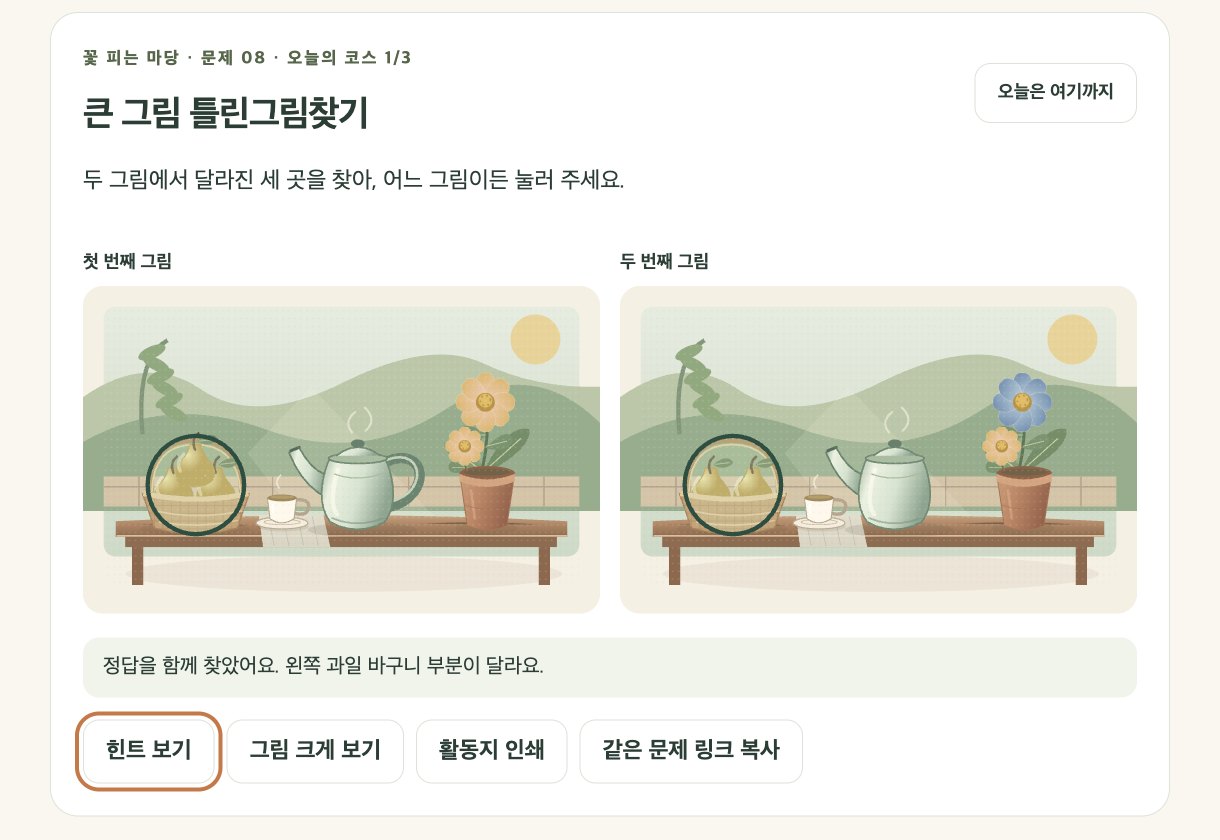
Compare the same region in each illustration rather than scanning the entire page at random. You can act on either picture. In our problem 08 test, the first hint directed attention toward the lower-left fruit basket. Three hint presses in total revealed and circled that one difference; they did not solve all three differences at once. We then used the labelled region controls for the remaining two, and the interface confirmed that all three had been found.
The pictures expose labelled targets such as 그림 왼쪽 아래 살펴보기, 그림 가운데 살펴보기 and 그림 오른쪽 위 살펴보기. These made keyboard activation possible in our test. That verifies an alternative interaction, not a full screen-reader or accessibility audit. Once the completion message appears, choose 다음 놀이 하기 to continue, or stop if the player has had enough.
4. Study the shopping list, then choose the remembered items
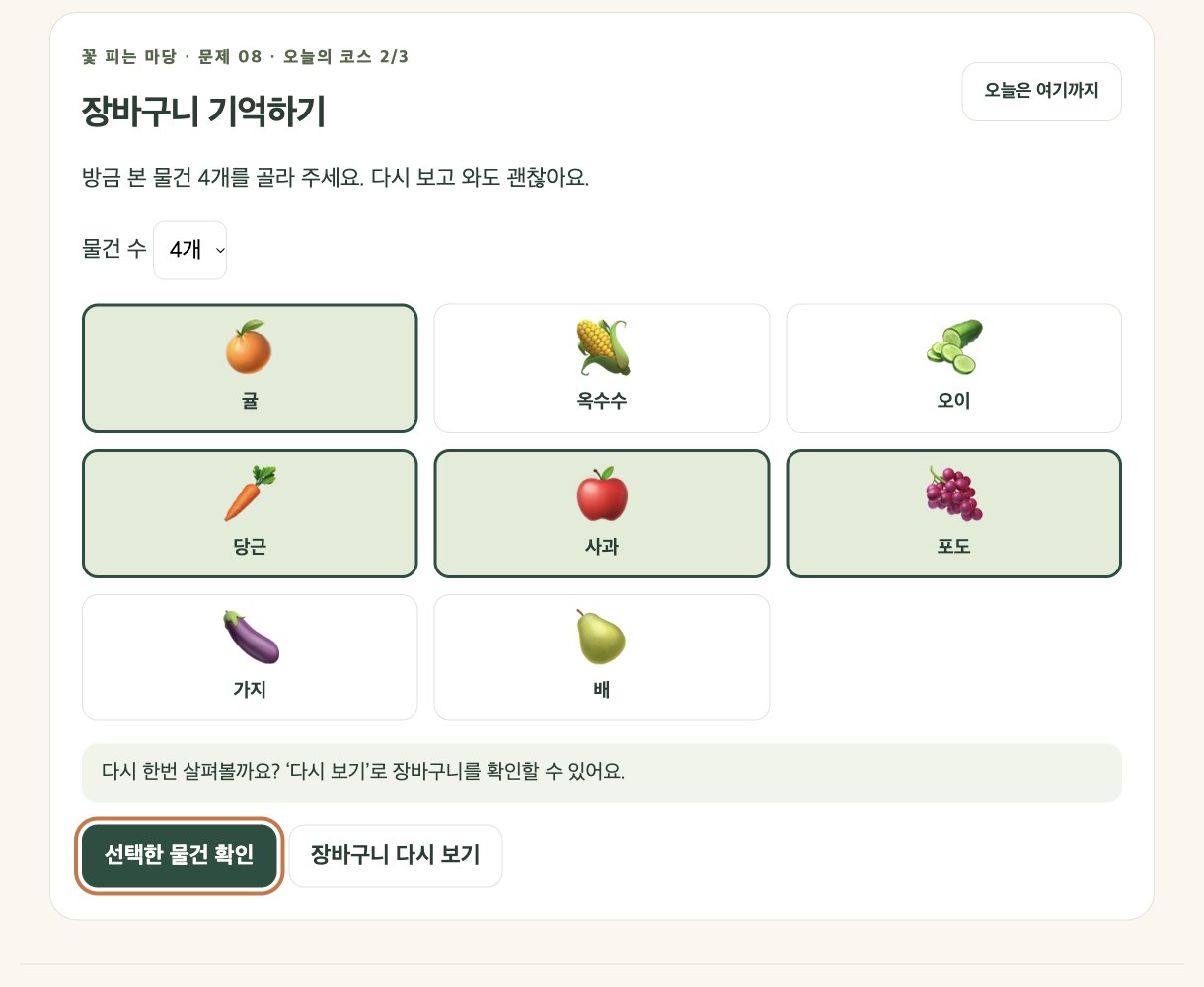
In 장바구니 기억하기, set 물건 수 선택 to three, four or five items. Look at the displayed objects for as long as you want, then press 다 봤어요. 물건 고르기 to move to the choices. In our four-item example, the study list was pear, grapes, carrot and apple. The choices included those objects plus distractors, so recognising a familiar food was not enough: it had to belong to the displayed list.
Select the intended objects and use 선택한 물건 확인. We deliberately chose tangerine instead of pear, alongside carrot, apple and grapes. The page invited another look rather than ending the session. 장바구니 다시 보기 reopened the study phase; going forward again cleared the old selections in our test. Recheck all four choices after a retry rather than assuming the earlier correct ones remain selected.
5. Complete a Korean expression using the answer choices
Our word question was 하늘의 [ ] 따기. Choosing 달, “moon,” produced a gentle invitation to try another word. The hint said the answer started with 별, “star,” and selecting 별 completed the expression. The idiom refers to something very difficult to obtain. An English reader may need help with the expression even when every button is technically easy to press; language knowledge is part of this particular round.
No Korean keyboard was necessary because the words were buttons. If the player wants a visual activity rather than a language question, return to a separate picture or matching activity next time. A helper can read the choices aloud if requested, but supplying the correct answer changes what the player is doing. Describe that as shared play rather than an independent result.
6. Try matching cards separately, with a manual reset
From the home screen, choose 생활 물건 짝 찾기. We selected three pairs and the topic labelled 꽃과 부엌 물건. Our six cards actually contained apple, flower and pear pairs, so the topic label should not be treated as a guarantee that every card is a kitchen object. Open two cards and compare them. A correct pair stays matched; an unmatched pair can be covered with 열린 카드 다시 덮기.
In our test, a flower and a pear remained open until that control was activated. This gives the player time to look at their positions before continuing. It also means that waiting for an automatic flip may feel like a frozen game even though the page is waiting for a decision. We matched all three pairs successfully after covering the mismatches and trying again.
7. Finish intentionally and check what was recorded
At the end of the daily route, 오늘의 마실 마치기 returned us to the home screen. The calendar marked 10 November and reported one visit for the month. A later separate matching round still left one completed date. Reloading the root page preserved that mark. Use the notebook as a light reminder of completed days, not a count of every attempt or a clinical progress chart.
If you want to repeat a picture, use 지난 문제 다시 하기 and select a numbered entry before 선택한 문제 시작. If you want another person to open the same problem, use the copy-link control and paste it into a place you choose. Copying alone does not send a message. Printing is offered through 활동지 인쇄, but our checks did not include the browser print dialog or a saved PDF.
Our actual play-through results
We tested the interactions manually on 10 November 2026. The following observations describe the interface response, not the player’s ability. Several answers were deliberately wrong, and the picture completion used hints and labelled targets. Those conditions make the examples useful for learning the controls but unsuitable as a memory baseline.
- Picture round: problem 08, 꽃 피는 마당, accepted three found targets and displayed its completion message. Repeated hints disclosed one target before the other two were activated.
- Shopping round: changing from three to four objects produced pear, grapes, carrot and apple. A wrong four-object set triggered retry feedback. Reviewing and selecting the correct four completed the round.
- Word round: 달 was rejected gently, the hint pointed to 별, and 별 completed 하늘의 별 따기.
- Matching round: three pairs were completed. Mismatches remained visible until manually covered, confirming that the reset control mattered.
- Record and link: the completed date survived a root-page reload. A copied problem-08 link opened the same course problem in a fresh tab, starting at stage one.
- Responsive view: at a fresh 390 × 844 browser viewport with larger text, document width stayed at 390 pixels and the two pictures stacked vertically. This was browser emulation, not a physical-phone test.
Helping without taking over
A useful helper’s role is to remove interface friction while keeping the player’s choices intact. First explain where the continue and stop controls are. Then ask whether a hint is wanted before pressing it. Leave time to inspect a mismatch or revisit the shopping list. The manual controls are most helpful when the second person does not rush through them.
For a short shared session, try one picture, talk about the changed object, and stop. For variety, choose matching cards on another visit. There is no need to finish all four activities or repeatedly complete the same day to make the notebook look fuller. If the task becomes frustrating, lower the item or pair count, change activities, or finish for the day. These are comfort choices, not a prescribed training programme.
For an English-speaking relative, translating a control and translating a proverb are different jobs. A short control glossary can make the shopping and picture rounds approachable; a proverb still needs cultural and language context. Avoid presenting a missed Korean expression as evidence of poor memory. Likewise, a correct answer after a revealing hint is a successful assisted interaction, not proof of unaided recall.
Dates, repeat puzzles and sharing
A completed date is not a session counter
The notebook’s unit is important. One full route and one separate matching activity on the same day still produced one marked date for us. We did not test consecutive days, a month boundary or a clock change. The site describes browser-based storage for completed dates and preferences. We verified a reload in the same browser, not recovery after clearing site data or transfer to another device.
Numbered pictures repeat predictably
The previous-problem selector showed 30 entries across five themes, with six variants per theme: neighbourhood market, home kitchen, flower yard, autumn fruit shop and an afternoon cup of tea. The source says these checked picture sets rotate and the same number always gives the same problem. We opened entry 01 successfully, but did not complete all 30. Repeating a known picture can be enjoyable; it should not be confused with a fresh, unseen challenge.
A shared puzzle link is not a shared record
The copied address in our session was this problem-08 course link. A fresh tab opened that problem at the first course stage. We did not observe it transfer a completed result, a calendar or someone’s identity. Reloading a page entered through that link reopened the linked activity, so use the root home page when you want to inspect the notebook instead of expecting the link to resume a finished session.
Limitations and privacy
Korean-only interface: no English language option was found. Large text does not translate the questions. The visual activities reduce typing, but labels and the word-completion task still need Korean comprehension.
Privacy has two layers: the site says it stores play settings and completed dates on the device’s browser and does not request names, birth dates or diagnoses. We saw no such form during play and confirmed local persistence across a reload. We did not inspect network traffic, storage implementation or every third-party request. Home-screen Google AdSense advertisements and an anchor advertisement were visible, including an overlay persisting into play; this is not an ad-free or independently verified offline service.
Printing remains unverified: the source describes separate question and answer pages and provides an activity-sheet print button. We did not run print preview, print on paper, save a PDF or inspect page boundaries. Check those outputs yourself before preparing a group session. Do not assume the button exports an image, translates a worksheet or guarantees a particular paper layout.
No medical interpretation: the site does not offer a validated brain-age or dementia-risk result in the activities we checked. We measured no change in cognition or health. A comfortable game session, a hint-assisted completion and a marked calendar day are the actual outputs described here. They should not be repurposed as diagnosis or treatment evidence.
Accessibility scope: labelled picture targets, a larger-text toggle and a stacked narrow-screen layout worked in our browser tests. We did not certify keyboard access across every control, screen-reader announcements, contrast compliance or touch behaviour on a physical phone. In the narrow view, expect vertical scrolling between pictures and check that advertisements do not obscure the control you intend to use.
Useful next tools
If the Korean word round is the main obstacle, choose a different kind of activity rather than forcing a translation test. Soap Bubble Lab offers a creative bubble scene. Its quiet-composition approach is a different use case from choosing a correct proverb; check the guide’s modes before assuming every mode has the same pace. Neither guide establishes a cognitive-health benefit.
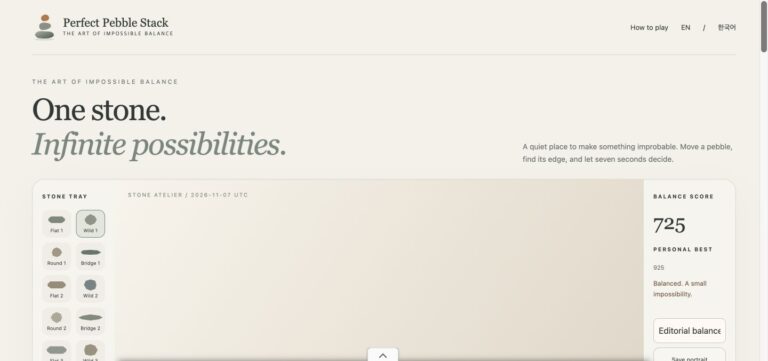
For object placement with less dependence on proverb knowledge, try Perfect Pebble Stack, especially its Zen Garden mode. That mode avoids the competitive countdown described for other modes. It is a digital balance-themed game, so do not read its stack result as an engineering or ability assessment.
If a relative repeatedly asks which Korean button to press, a clearly annotated instruction image may help. FrameMint Studio is a possible next step for preparing a screenshot explanation. Capture only the relevant controls and label them plainly. This is a manual communication workflow, not an automatic translation or worksheet feature inside 두뇌마실.
Frequently asked questions
Are these Korean brain games available in English?
We found Korean controls and no English switch on the original site. This guide explains those controls in English, but the game remains Korean. Picture and matching activities can be easier to share across languages than a proverb question, provided someone can explain the labels.
Does pressing hints count as failing?
The tested page allowed repeated hints and continued play. Three presses revealed one picture difference; we then completed the rest with labelled targets. There was no failure screen in that path. If you are keeping your own notes, record that assistance was used rather than comparing it with an unaided attempt.
Why are the wrong matching cards still open?
Use 열린 카드 다시 덮기 to cover the unmatched cards. In our test the page waited for that action. It gave us time to inspect the positions; waiting alone did not reset the pair.
Why did another game not add another calendar mark?
Our full course and later matching activity took place on one date, which remained a single marked day. Treat the notebook as completed dates, not a tally of individual games. Long-term date handling was outside this test.
Can I share today’s result with another device?
The copied link reproduced the problem and started the course at stage one in a fresh tab. We did not verify result transfer or calendar synchronisation. A family member can receive the puzzle address, but should not expect your completion record to appear with it.
Do I need to finish everything in one sitting?
The interface provides a stop-for-today control and separate activity entry points. You can choose a short round. We did not establish a saved-progress resume feature; a shared course link reopened the first stage in our test, so do not promise that it will return to an unfinished later stage.
Start a relaxed round
Start with one activity and make the controls comfortable before aiming for a complete route. Use hints when wanted, let wrong choices become a reason to look again, and treat the notebook as a small reminder of a pleasant visit. For English-speaking helpers, keep the Korean labels visible and explain them without turning shared play into a test.
Hands-on verification: 10 November 2026. Source: the live 두뇌마실 interface, its on-page usage and privacy explanations, and the assisted tests described above. Screenshots are actual captures. Print output, all 30 picture sets, physical-phone behaviour and long-term record retention were not exhaustively tested.
A RELEVANT NEXT STEP
Tools with a useful connection
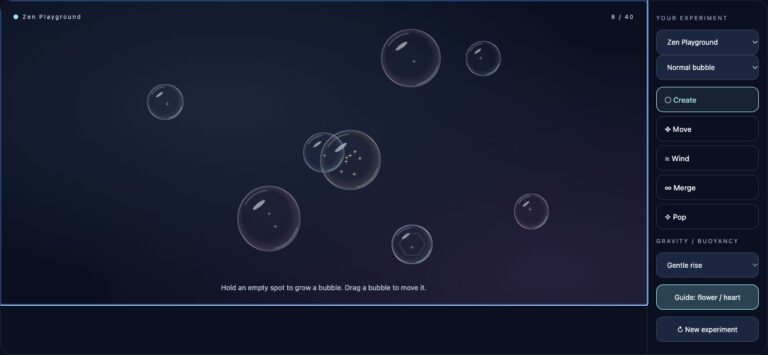
Soap Bubble Lab · The Fragile Universe
Bubble Game: 7 Smart Soap Bubble Lab Checks
Create a tiny bubble universe, explore four modes and keep a picture plus layout DNA. Real merge, daily-limit, Domino, museum and PNG tests explain what Soap Bubble Lab saves and what its fantasy physics cannot prove.
Perfect Pebble Stack
Perfect Pebble Stack: 7 Smart Balance Checks
Build a digital stone sculpture with preview placement, 1° rotation and three modes. Our hands-on guide explains settling, Undo, local portrait storage and the limits of this artistic physics game.

FrameMint Studio
Screenshot Editor: 7 Smart FrameMint Studio Checks
Frame screenshots, add manual masks and build captioned stories in FrameMint Studio. Real import, order, recovery and size tests explain what to check before sharing.