Bark texture becomes easier to discuss when a photograph has a consistent crop, a clear rendering and an honest note. Bark Pattern Archive, whose workbench is named Bark Fingerprint Lab, turns a bark photograph into a digital rubbing, five sampled colours and a locally kept specimen. It provides English and Korean interfaces at bark.imporinfo.com.
Verified 10 November 2026 in Chrome, including a fresh 390 × 844 Korean viewport. The examples use the site’s public oak sample, not a field visit or a species-identification trial. Screenshots show actual operations. Downloaded PNG contents, EXIF removal and JSON restoration were not independently verified.
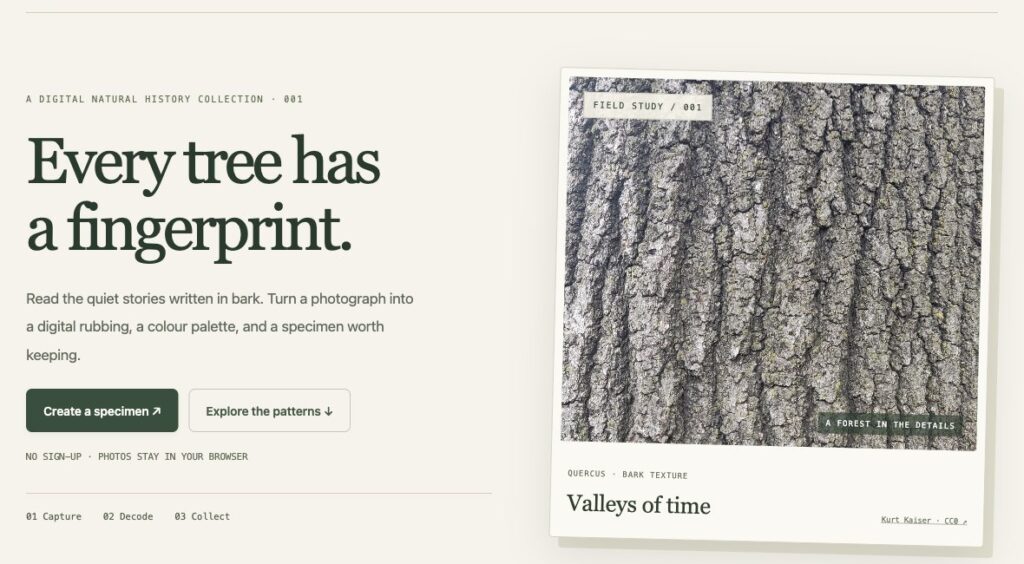
Turn bark texture photos into digital rubbings and local observation specimens. Actual sample tests explain manual tags, palette changes, comparison, browser storage and the limits of identification and unverified exports.
- Brand
- Bark Pattern Archive / Bark Fingerprint Lab
- Tool languages
- en, ko
- Verified date
- 2026-11-10
Table of Contents
Key takeaways
- Four renderings help you examine a photograph: Photo, Mono, Rubbing and Edges. They change its presentation, not its biological identity.
- Save a name, date, weather, note and manually selected texture tags. Our two DEMO records survived a reload and appeared in both language pages in the same browser.
- Opening two saved specimens reveals processed images and their original crops. Keep the framing fixed when comparing rendering choices.
- The archive is local. Keep originals separately and test your backup before clearing browser data. This lab does not identify species, estimate tree age or diagnose health.
What this bark texture lab does
The tool solves a small but familiar problem: a folder of close-up tree photographs is hard to compare or describe. A photo labelled “tree 3” may be visually interesting, yet tell you little about where to return, what you noticed or which editing choice created the final image. This workspace adds a repeatable square crop, alternative visual treatments and observation notes around that image.
The archive is useful for a nature journal, a classroom texture exercise or a creative reference collection. It also encourages a productive pause before naming a tree: describe the grooves, flakes or raised areas that you can actually see. The eight selectable tags are an observation vocabulary. They are not predictions produced by an identification model, and selecting more tags does not increase any identification confidence.
Inputs include a JPEG, PNG or WebP photo, crop and contrast controls, a specimen name, an observation date, weather and a field note. The page states a 15 MB maximum; we did not test the boundary or every supported format. Outputs visible in our review included a 600 × 600 preview canvas, five hexadecimal colour buttons, saved specimen cards and a two-record comparison. PNG and JSON controls are present, but their files need a separate verification step.
Prepare a useful observation
Keep the unedited photograph before making a specimen. Choose a patch with enough visible structure to describe, rather than the most dramatic shadow. Include a second wider photograph in your own folder if you will need to relocate the patch later. The lab’s square crop cannot preserve every surrounding landmark from a tall phone image.
For a repeat visit, write down an approximate height, viewing direction and recognisable nearby feature. Use a stable private code such as T03 rather than a precise home address in a specimen name. Record the actual capture date, not automatically the day you happen to edit the image. The date field opened with the current date during our test, so an imported older photo needs deliberate correction.
A photograph taken in hard side light can make shallow features appear pronounced. Rain, glare and different framing can also change how a texture looks. Treat “same tree, different light” and “different tree, same light” as different comparison questions. If the purpose is a fair before-and-after journal, keep those capture conditions as similar as practical and note what changed.
7 steps from photograph to specimen
1. Open the right language and load a photograph
Use the English root page or the Korean link in the header. Start with Try the oak photo when learning the controls. In our test it loaded a real oak photograph and displayed a status naming Kurt Kaiser, CC0 and the absence of species analysis. For your own image, choose a bark photo in one of the stated formats. Do not treat the sample’s default date as a historical field observation.
2. Establish a reference crop before applying an effect
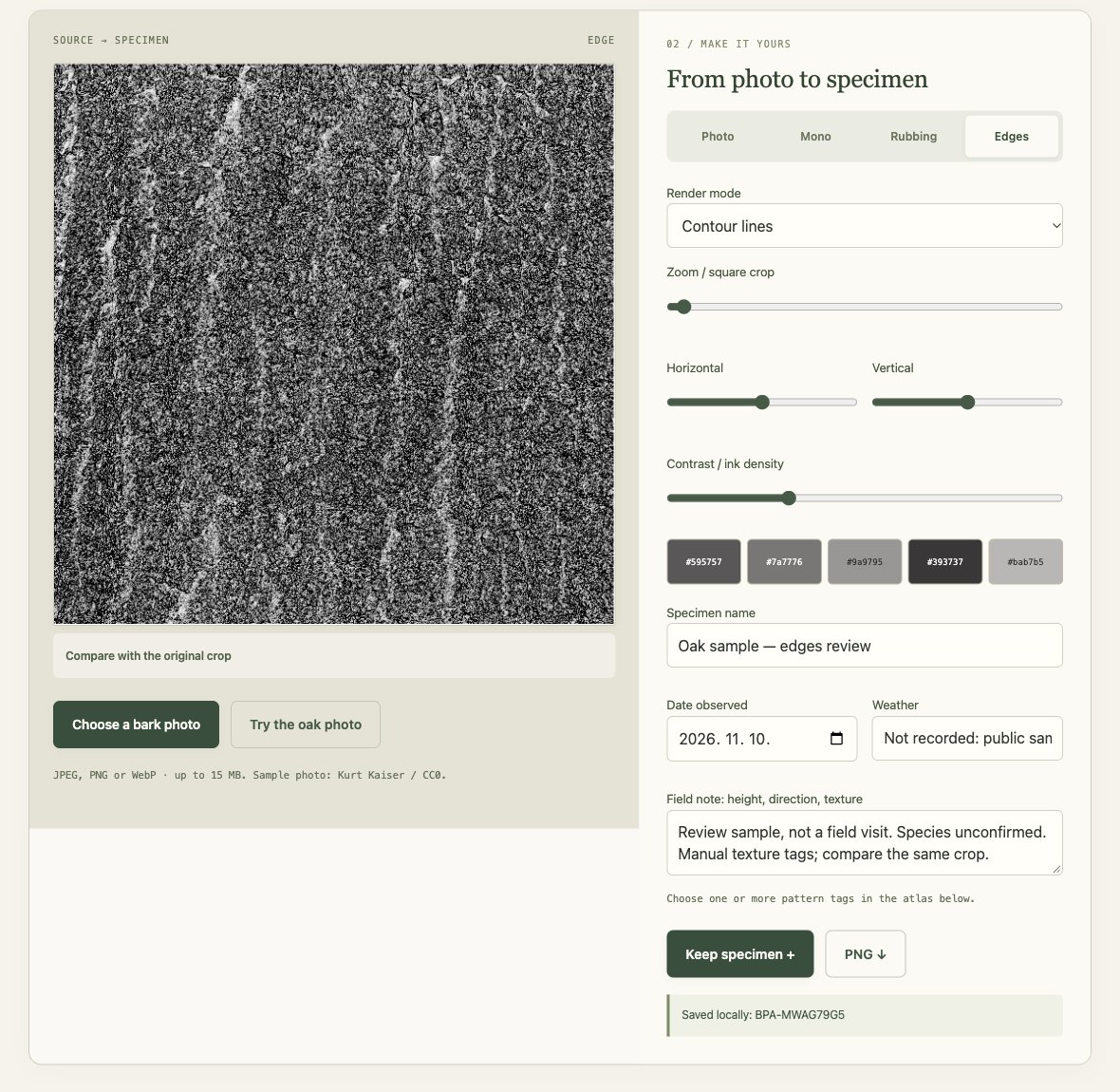
Begin in Photo mode. Zoom / square crop ranges from 1 to 3 in the inspected interface, with a 0.05 step. Horizontal and Vertical reposition the square. Make the feature you want to discuss visible without cropping away all context. We moved zoom from 1 to 1.05 and kept both position controls at 50 for the paired examples. This is a documented test setup, not a recommended universal crop.
3. Compare a rendering against the original
Try Mono to remove colour distraction, Rubbing for an ink-like graphic treatment, or Edges for contour detail. The Render mode list names these Monochrome, Ink rubbing and Contour lines. Open Compare with the original crop whenever the effect seems to reveal a new feature. A strong black line may be an image-processing boundary; it is not a measurement of crack depth.
Contrast / ink density ranged from 50 to 220. Our example changed 100 to 101. Start with a small adjustment and inspect the broad ridges before increasing it further. An attractive print and a faithful descriptive reference are different goals; keep the original available so the viewer can tell which image is an interpretation.
4. Read the five colours as a visual palette
The colour buttons show hexadecimal values and offer a copy-colour action. At the default sample crop we saw #595756, #7a7776, #9a9795, #bab7b5 and #393737. After changing the crop, the first displayed value became #595757 and the order also changed. That small difference is a useful reminder that the palette depends on the selected image region. It is not a calibrated description of the tree’s true surface colour.
5. Add a name, date and useful uncertainty
Name the specimen so it can stand alone in the archive: for example, “T03 — north side — dry light,” if those details are true. Enter the real capture date and known weather. In the note, separate observation from interpretation: “long vertical grooves visible” is stronger evidence than “old, unhealthy oak.” If the species is not established, leave it unconfirmed. Our review records explicitly say public sample and no field visit.
6. Select tags and keep the specimen
The atlas offers Smooth, Furrowed, Scaly, Plated, Peeling, Fibrous, Warty and Lenticelled. More than one tag can be selected. We assigned Furrowed and Plated manually to the rubbing record, then kept a second edges record with Furrowed alone to test filtering. These choices were review inputs, not independently validated botanical classifications. Use Keep specimen + and check that a card actually appears before leaving the page.
7. Compare, filter and protect the record
Open / compare on two saved cards places their processed images and original crops in the comparison area. Filter by pattern narrows the gallery, while Sort offers newest, oldest and name. Export a JSON backup before treating the archive as a lasting collection, then confirm a restoration in a suitable separate test context. A download button or a “saved locally” message is not proof of a recoverable off-device backup.
Actual bark texture test results
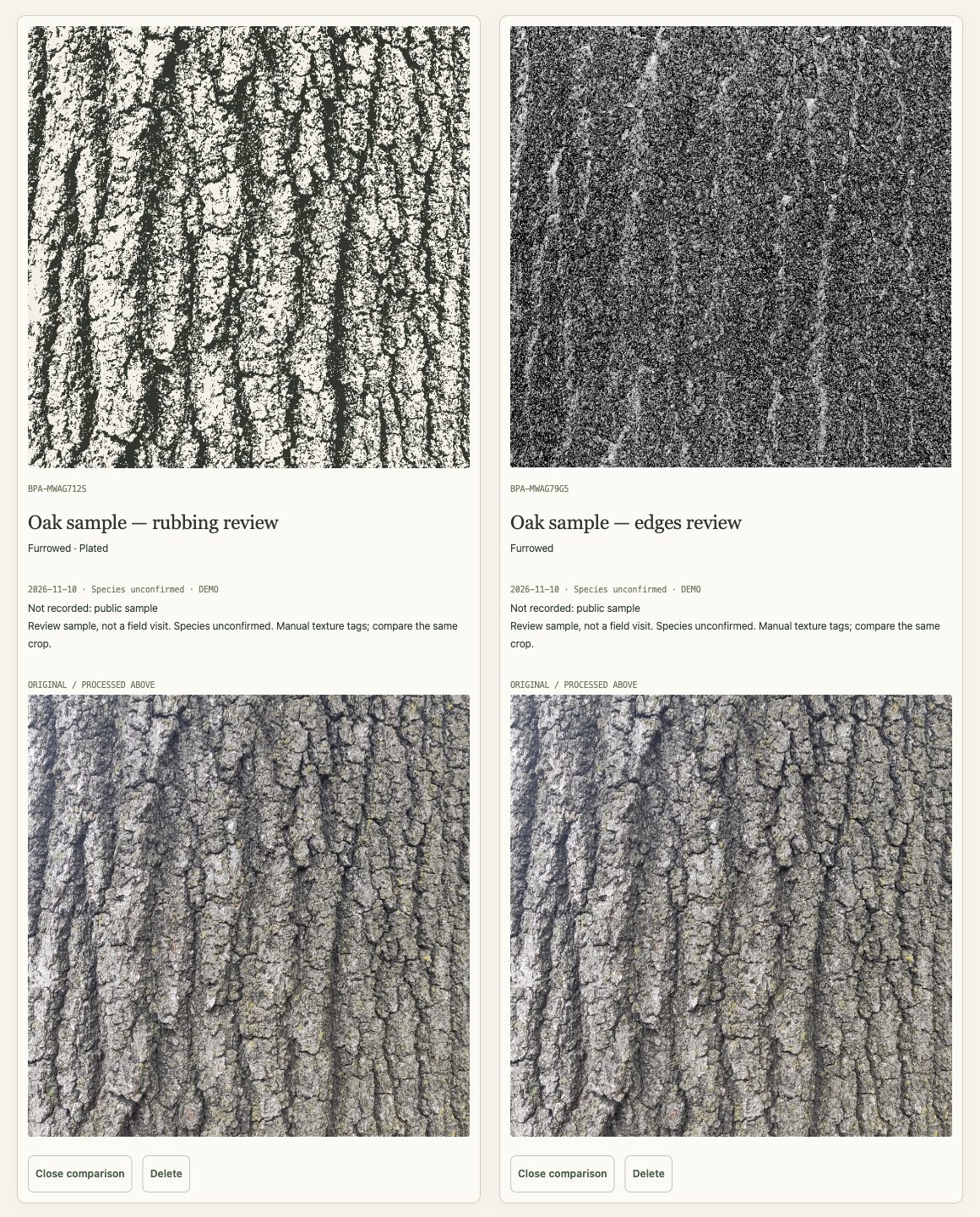
We used the same public oak sample twice on 10 November 2026. The first record, “Oak sample — rubbing review,” used Ink rubbing; the second, “Oak sample — edges review,” used Contour lines. Both used zoom 1.05, centred crop controls and contrast 101. Weather was recorded as unknown for a public sample. The note stated that this was a review and the species was unconfirmed.
The rubbing emphasised broad dark-and-light shapes. The contour rendering showed much denser fine detail. Their original crops looked the same in the comparison view, which let us attribute the visible difference to the rendering choice rather than pretending we had photographed two trees. The sample records also displayed DEMO, a helpful distinction from genuine field records.
The gallery reached two specimens. Selecting Plated left only the first gallery card because we had deliberately given that tag to one record. The total still read two specimens, so do not interpret the archive total as the number currently passing the filter. We selected Name sorting; with only two similarly named records, this verifies the control selection rather than a large-collection ordering benchmark.
After reloading the English page, both saved cards remained. Opening the Korean page showed the same two names and translated texture labels in that browser. This demonstrates same-browser continuity across the site’s language pages; it does not establish synchronisation between devices or browsers. The quiz accepted Furrowed for its long-grooves question and returned feedback focused on structure rather than a species name.
Activating PNG did not produce a download event that our review could capture. We therefore make no claim about the saved file’s dimensions, appearance or metadata. JSON export/import file contents, storage limits, large-photo performance and a full restoration round trip remain untested. A reader who needs reliable portable records should verify those steps before relying on this archive alone.
Read the renderings without overclaiming
The most useful distinction is between a display transformation and new evidence. The lab can make an existing boundary easier to notice. It cannot establish why that boundary exists or whether it indicates a particular species or condition. If a tiny feature appears only after a strong effect, return to Photo and the original crop before writing it into your observation.
For a texture drawing, the rubbing’s larger masses may offer a clearer starting point than the busy edges view. For a journal description, the original image keeps colour and surface context. For a palette study, hold the crop constant before comparing colours. Those are editorial recommendations drawn from the observed interface, not claims that one mode is objectively more scientifically accurate.
A two-column comparison can support a useful classroom discussion: ask learners to write only visible differences first, then list questions that need another photograph or a field guide. A speculative species name belongs in that second list. The archive’s value grows when it preserves what remains unknown as carefully as what has been observed.
Build a repeatable field-to-archive workflow
Use a simple naming plan across your own photo folder and specimen notes. A code such as T03-20261110-A can connect a square specimen with a wider context photograph and a separate leaf image. The site does not create that folder relationship for you. Keeping it yourself avoids expecting a local specimen card to serve as a complete field database.
For repeated observations, save a reference note describing the intended patch and capture conditions. Make the next photograph before adjusting the rendering, then use the same broad framing. If you change crop and contrast together, record both changes. Otherwise a visually striking “difference” can be an editing decision rather than a change in the tree.
For a creative collection, keep a second interpretation record with its effect in the name, just as our rubbing and edges review records did. That preserves a clear path back to the original crop. Do not label an edited card as an untouched photograph when sharing it. Credit a public sample and use images you have permission to reproduce.
Before a lesson or a long walk, test one complete cycle on the actual device: load, keep, reload, export and open the exported result. Our review confirmed the first three steps only. If export or restore does not work for you, retain originals and notes in a separate folder or document and treat this workspace as a temporary visual study.
Limits, privacy and mobile use
Local processing is the site’s stated design. Its FAQ describes Canvas image processing and IndexedDB specimen storage, with no account or cloud sync. Our persistence test is consistent with local storage, but we did not audit network traffic or inspect the implementation. The source also says PNG cards are redrawn without copying original EXIF; we did not validate that claim in an exported file. Do not use the lab as a verified metadata scrubber.
Local does not mean that visiting the page is invisible. The site is hosted on Blogger and displays Google advertising; normal visit and cookie processing may occur under the relevant policies and consent choices. We encountered an interstitial and a bottom advertisement. We closed the interstitial with its labelled close button. An overlay can interrupt a keyboard workflow, so check which control has focus before continuing a text entry.
In a freshly reloaded 390 × 844 Korean viewport, the page width matched 390 pixels without horizontal overflow, the sample loaded and the rubbing control selected successfully. This was a responsive Chrome check, not a physical-phone performance test. Large photographs, browser storage quotas, private browsing and cleared site data can change the practical experience. Save a backup and retain your source images.
There is no verified automatic species, age, disease or risk assessment. The preview canvas size does not establish print-ready output resolution. The manual tags are broad descriptors, and the sampled palette is affected by lighting and crop. For identification work, the University of Wisconsin–Madison Extension tree-identification guide explains the value of multiple features such as habitat, leaves, bark and buds. Its regional examples need an appropriate local guide when used elsewhere.
Related tools and alternatives
If a phone photograph needs resizing or a supported copy before import, read our published WebP Studio guide. It explains quality-versus-dimension choices and why conversion can make a file larger. Keep the original photograph, inspect the converted copy and import it manually; there is no verified automatic handoff between these tools.
A normal image editor offers more detailed masking, tonal control and export inspection. A folder plus a spreadsheet offers a more portable observation log. A regional field key helps answer identification questions. Bark Pattern Archive’s advantage is combining a small set of visual treatments with quick specimen notes and a manual texture vocabulary on one page. Choose it when that combination saves work, and use another method for needs it does not cover.
For Korean controls during image preparation, the separate WebP 공방 guide covers another batch converter with quality and longest-edge settings. Choose either converter according to the interface you prefer; sending a photograph through both is unnecessary. Always inspect a converted copy before using it as your observation source.
For a classroom summary or a public observation post, PostPack Studio can arrange a title, a short explanation and an optional image into several publishing layouts. Supply your own reviewed image and label a rubbing as an edited interpretation. This is a manual sharing step, not a transfer of the editable specimen archive or an automatic species report.
Frequently asked questions
Does Bark Fingerprint Lab identify a tree from a photo?
No. The source explicitly excludes species analysis, age estimation and health diagnosis. “Fingerprint” is a creative metaphor. A manually chosen tag or a sample named oak is not a species-identification result.
Do I need to remove bark to make a rubbing?
No physical rubbing is required. The tool works from a photograph. Leave bark in place and avoid scratching or disturbing the tree. You can learn the interface with the public sample before taking your own picture.
Will switching English and Korean erase my collection?
Our two review specimens appeared on both language pages in the same browser after saving. That result does not promise cross-browser transfer. For another browser or device, the site offers JSON backup and restore; we did not complete that file round trip.
Why does the filtered gallery show one card but say two specimens?
In our test the overall count stayed at two while the Plated filter showed one matching card. Read the total as the saved archive size and inspect the visible cards for the filtered subset. Clear the filter when a specimen seems to have disappeared.
Can the five colours measure seasonal colour change?
They are useful creative swatches, not calibrated measurements. Our small crop adjustment changed a displayed value. Control lighting and camera settings for your own comparisons, keep the original files and avoid treating a hex-code difference alone as a biological change.
Is a PNG enough to preserve the editable collection?
A shareable image and an archive backup serve different purposes. The site offers PNG and JSON separately. Check the actual exported files and a successful restore before deleting anything. Neither a control label nor this review guarantees the integrity of an untested download.
Start with one carefully labelled specimen
Start with one bark texture photograph and a modest goal: describe what you can see, preserve an original crop and keep uncertainty in the note. Compare a rubbing with contours only after fixing the framing. Then verify that your saved specimen survives a reload and that your own backup really opens.
Review and screen captures: 10 November 2026. Sample photograph: Kurt Kaiser / CC0, Wikimedia Commons. Supporting botanical reference: UW–Madison Extension, Tree Identification. Test records are labelled public DEMO material; no field trip or botanical identification was performed.
A RELEVANT NEXT STEP
Tools with a useful connection
WebP Studio
WebP Studio: 7 Essential Checks for Better Batch Images
Use WebP Studio’s English interface to compare image quality, keep dimensions or resize a batch. Actual tests reveal smaller JPGs, larger outputs and a rounded zero-saving total.
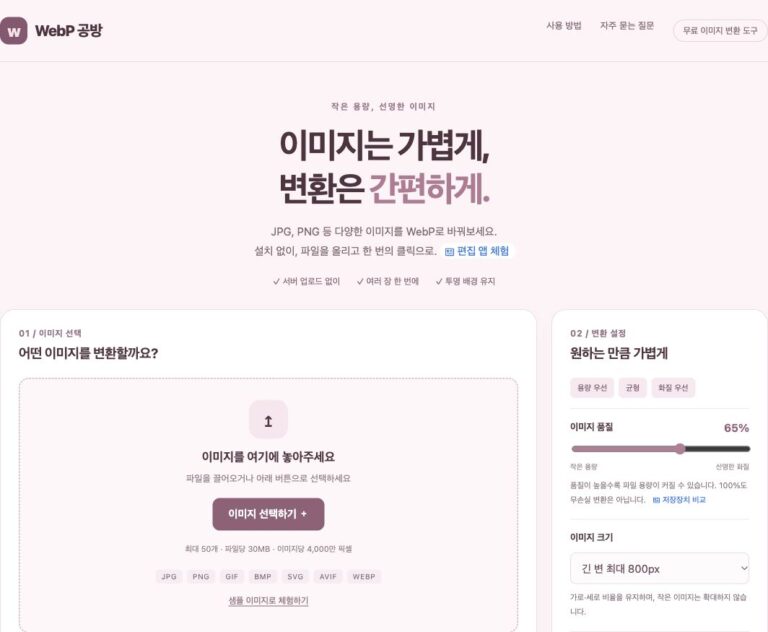
WebP 공방
WebP Converter: 7 Essential Checks for Better Images
Convert and resize images in WebP 공방’s Korean interface. Actual PNG,JPEG and SVG tests explain quality choices, file growth, batch results and download limits.
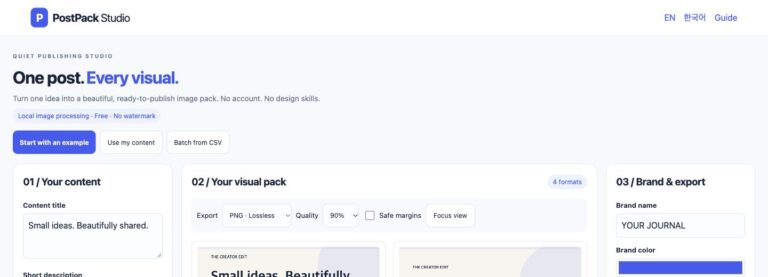
PostPack Studio
Image Pack Maker: 7 Smart Checks in PostPack Studio
Create four template-based blog and social layouts from shared text and an optional image. Our guide checks platform copy, CSV generation, brand persistence and metadata while separating editor results from unverified downloaded files.