Zipper repair starts with a clear observation. ZIPTOMY helps you describe a chain that separates, fabric caught in a slider, or another common symptom. Its interactive diagrams and question paths can make the next conversation more useful, but they cannot inspect your garment or confirm a replacement part.
Reviewed on 13 November 2026. We operated the English and Korean interfaces in Chrome using hypothetical observations. We did not repair a physical zipper. This guide separates the tested browser behavior from decisions that require examining the real item.
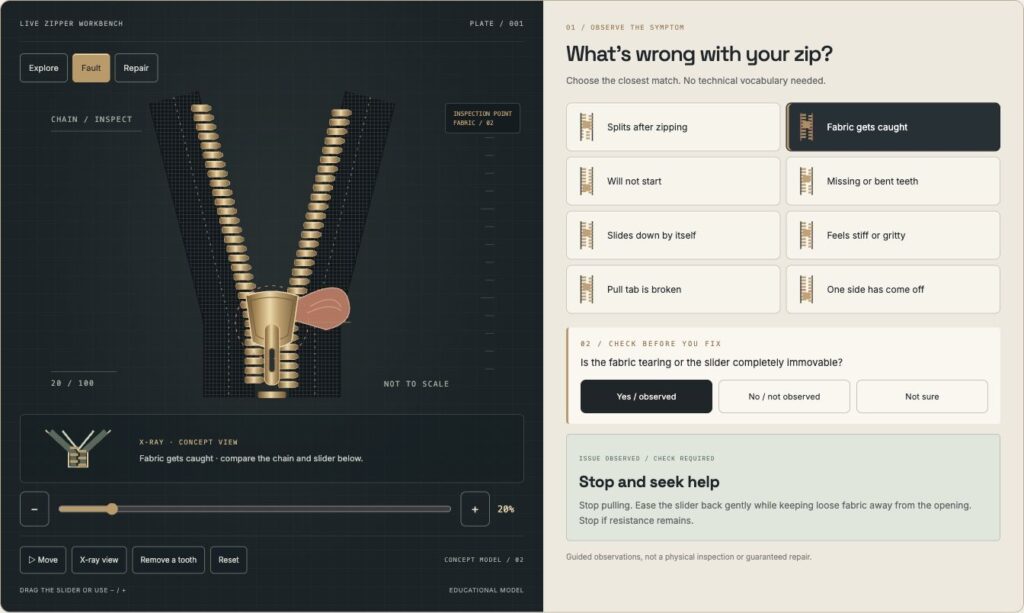
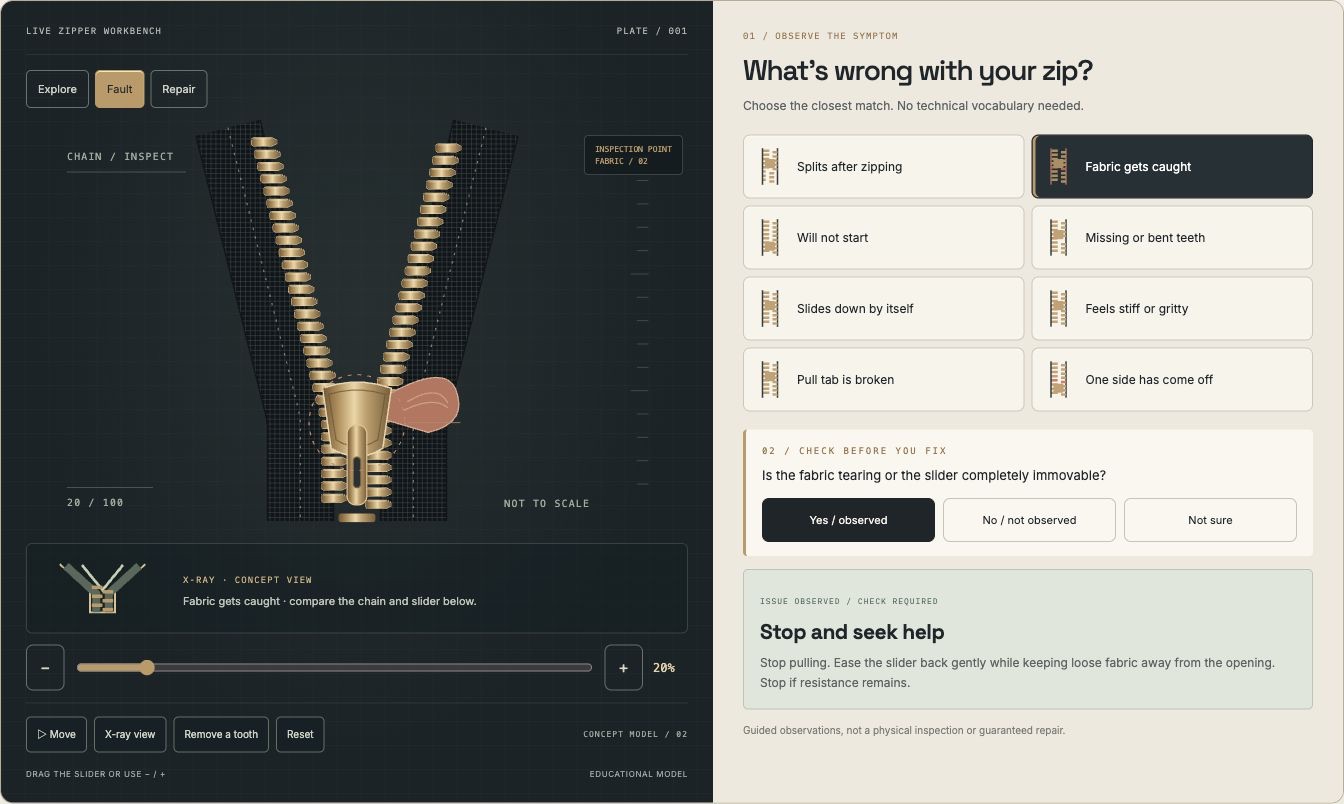
Inspect zipper symptoms with a guided question tree, compare a conceptual mechanism, and copy a dated observation passport before deciding what needs professional attention.
- Brand
- ZIPTOMY
- Tool languages
- en, ko
- Verified date
- 2026-11-13
In this guide
Key takeaways
Choose the symptom first, then read the exact question. A “Yes” on visible tooth damage means something different from a “Yes” on whether fabric trapped in the zipper is tearing. Use “Not sure” when you cannot see clearly; uncertainty is valuable information, not a failed inspection.
Explore, Fault and Repair are illustration modes. Repair restores a reference picture, while the recorded concern can remain. Copy produces a dated text passport. Explicit local saving restored the symptom and answers in our test, but did not restore every setting on the workbench.
What ZIPTOMY does
The official name is ZIPTOMY — The Interactive Zipper Lab. The one-page site combines an eight-symptom selector, a conceptual zipper mechanism, guided observations, component explanations and a small zipper rescue passport. English is available at the main address; the source also provides a Korean page.
Its strongest use is preparation: turn “the zip is broken” into a precise statement about what happens, what you can see, and when you stopped. It is particularly useful before contacting a repair shop, teaching the names of parts, or comparing how a slider and chain interact. There is no photo-recognition input in the interface we inspected.
The problem before the repair
A bag that closes and then opens behind the slider presents several possible questions. Are teeth visibly damaged? Does separation happen only while the bag is under sideways strain? Is the component actually a separating closure? Buying a slider before answering those questions can leave you with a part that does not address the observed problem.
ZIPTOMY organizes that conversation. It does not establish which explanation fits the zipper. The practical benefit is a better inspection record and a clearer stopping point. Keep the real item nearby in good light, but treat the screen as a reference. Moving a screen control supplies no evidence that the zipper hardware can safely move the same way.
Features that change the inspection
| Area | What you can do | How to interpret it |
|---|---|---|
| Symptom paths | Choose among eight problems, from splitting to a broken pull tab | An entry point for questions, not a diagnosis from a photograph |
| Mechanism and A/B view | Move a shared slider and compare reference with fault | Conceptual comparison; the model is not to scale |
| Guided steps | Read a three-step sequence with preparation checkboxes | The checklist is a reminder, not an enforced safety gate |
| Anatomy and materials | Explore five components and metal, coil or moulded plastic references | Learn vocabulary; do not infer compatibility from appearance alone |
| Notebook and passport | Choose chain/construction notes; copy, save or access print controls | The copied and saved records have narrower contents than the whole interface |
The eight listed symptoms are splitting after zipping, fabric getting caught, failure to start, missing or bent teeth, sliding down by itself, stiffness or grit, a broken pull tab, and one side coming off. We directly exercised the splitting and fabric-caught branches. The presence of the remaining choices was verified, but their complete question paths were not exhaustively tested.
7 checks before touching a zipper
1. Prepare an observation, not a repair experiment
Place the item where you can examine it without loading the closure. Note whether it is a jacket, bag, tent or another product, and look for the maker’s care information. Record what happened before opening the site. Do not pull harder merely to reproduce an alarming symptom for the animation.
2. Select the closest symptom
Pick what you actually observed. “Splits after zipping” is more specific than “will not start.” For mixed problems, make separate notes instead of treating one branch as a complete assessment. A broken pull tab and damaged teeth can coexist; the interface cannot rule out a second problem you have not described.
3. Read the whole question before answering
In the splitting branch, we first saw a question about missing or visibly distorted teeth. Answering No led to a follow-up about separation with the item relaxed and without sideways strain. That sequence matters: selecting Yes on a different question can change the meaning of the same short answer label.
4. Keep uncertainty visible
“Not sure” produced “Further observation needed” in the first splitting question. Use that path when lighting, dirt, fabric or access prevents a confident observation. A clear photo and a written description can be prepared separately for a technician. ZIPTOMY itself did not provide an upload field for that photo.
5. Compare the mechanism without interpreting it as a result
Use Explore for the reference, Fault for the selected problem and Repair for a restored illustration. The paired views share a model position. If the screen looks normal in Repair but the passport still says to stop, that is expected: the picture is not a measurement of your item or proof that the fault has been resolved.
6. Write the parts information separately
The notebook lets you choose Metal, Coil or Moulded plastic, plus Closed-end, Separating or Two-way construction. Leave Unknown when appropriate. We selected Coil and Separating, then copied the passport; those two notebook selections did not appear in the copied text. Add them to your own worksheet if they matter to the enquiry.
7. Copy, save and verify the record
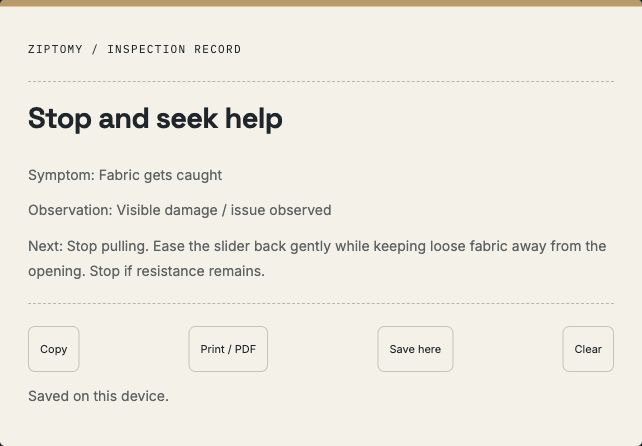
Copy the passport into a plain text note and check its symptom, answers and suggested next action. Use Save here explicitly, then reload once if you need to confirm persistence on this browser. Keep a separate durable copy before clearing browser data or moving devices. A saved acknowledgement should be checked against the current zipper record, not treated as proof that every recent change is stored.
Our browser test results
These are observed interface outcomes from 13 November 2026. Inputs were chosen for testing; they are not reports of a successfully repaired jacket. We did not evaluate every symptom, every material or every browser.
| Test input / action | Observed output | What it establishes |
|---|---|---|
| Splits: first answer No, follow-up Yes | Possible slider wear | A conditional suggestion after two observations |
| Splits: visible damage Yes | Teeth or tape damage | A different headline from the first question |
| Splits: Not sure | Further observation needed | Uncertainty is supported |
| Fabric caught: tearing or immovable Yes | Stop and seek help | This branch provides a stopping result |
| Switch that case to Repair mode | Reference illustration restored; stopping result remained | The model and observation record are separate |
| Slider Home, then Close zipper | 10 became 20; End then ArrowLeft gave 89 | Keyboard and button input work; values are model positions |
| Next with preparation 0/3 | Step 1/3 advanced to 2/3 | Unchecked reminders do not block progression |
The “Remove a tooth” experiment displayed an artificial missing-tooth warning without changing our fabric-caught diagnosis record. Treat that control as an illustration experiment. It is not an instruction to remove teeth from an actual chain. The force illustration likewise stated that it shows a risk rather than a calculated outcome.
A useful repair-shop handoff
Suppose a jacket closes and then opens behind its slider. A useful first note is not “slider definitely worn”; it is “the chain separates behind the slider, I cannot see missing teeth in this light, and it still happens without pulling the jacket sides.” That matches the kind of two-stage observation we tested, while leaving the cause open.
Copy the resulting passport, then append the zipper and product details yourself. Include the product model if known, whether it separates at the bottom, the location of the problem and a photograph taken independently. If a detail was not inspected, label it unknown. A technician can work with explicit uncertainty more easily than an unsupported claim that the screen has diagnosed the hardware.
| Handoff field | Useful entry | Avoid |
|---|---|---|
| Item and construction | Jacket; separating bottom; maker/model if known | Assuming all jacket sliders interchange |
| Observed symptom | Opens behind slider when item is relaxed | Calling the cause confirmed |
| Visible condition | No damage noticed in current lighting / uncertain | Writing “undamaged” without inspection |
| Next action | Stopped; asking for inspection and compatible options | Treating reference Repair mode as completion |
| Separate parts notes | Coil selected provisionally; verify with technician | Expecting notebook fields in copied passport |
This record also helps prevent a lost detail when you return later. Store the note with the date and the original photograph, rather than only a cropped animation. A copied result is a snapshot of the selected answers; update it if a new inspection changes an answer.
Advanced inspection and record tips
Use the anatomy panel to improve your descriptions. Clicking Slider opened the “02 / Slider” explanation in our test, including its Y-shaped guiding role. Distinguish the pull tab you hold from the slider body that guides the zipper chain. “The pull broke” and “the slider no longer joins the sides” describe different observations and may require different professional assessment.
Keep a two-column note: observed on the real item, and demonstrated on the screen. Put “fabric is trapped near the opening” in the first column only if you saw it. Put “fault animation shows a gap” in the second. This simple distinction prevents an attractive diagram from becoming false evidence about a product you have not examined.
For parts enquiries, do not buy solely from the notebook label. A supplier or repairer may need the maker, series, chain dimensions, orientation, locking behavior and bottom assembly. ZIPTOMY does not certify that a named zipper material or a similar-looking slider will fit. Its notebook is a prompt for better questions, not a catalogue with verified stock matching.
The casebook contains illustrative jacket, suitcase, tent and denim scenarios. Use them to notice different contexts, not as customer success stories. A tent closure, a loaded suitcase and a garment can have different construction and care requirements. Do not transfer a physical procedure between them just because the screen presents the same symptom name.
What saving actually preserves
| State before Save here | After reload in our test |
|---|---|
| Splitting symptom, No, follow-up Yes | Restored, with Possible slider wear |
| Slider moved to 89 | Returned to 60 |
| Notebook Coil + Separating | Returned to Unknown + Closed-end |
| Preparation boxes 3/3 | Returned to 0/3 |
This is observation persistence, not a complete workbench backup. The Korean page in the same Chrome origin also restored the saved splitting observation. We did not test cross-device synchronization, another browser profile or storage after browser-data deletion. Do not assume those work merely because one reload succeeded.
Copy worked and produced dated text including the symptom, observed answers, next action and a warning that it was not a confirmed diagnosis. Print/PDF was visible but we did not verify a generated file, and Clear was not tested. If you need a shareable record today, the copied zipper text is the output we actually confirmed.
How it compares with other approaches
Compared with a generic repair video, ZIPTOMY offers a structured way to decide what to observe before choosing a procedure. Compared with asking a repairer directly, it cannot inspect wear, measure dimensions or handle the item. A practical sequence is: collect observations here, consult product-specific care guidance, then ask an appropriate repairer when the condition remains uncertain.
YKK Korea’s zipper-use guidance discusses damage from forcing an unsmooth slider, strain on an overfilled bag and trapped cloth. This supports a cautious observation-first approach; it does not validate ZIPTOMY’s question tree as a diagnostic instrument.
Rab’s zip-care and repair guidance addresses cleaning and product-specific repair steps. Read instructions for the relevant item and construction. A procedure shown for a particular zipper should not become a universal rule for every slider, stop or chain.
Limits and privacy
The model is explicitly not to scale. Its slider values are not repair percentages, force measurements or dimensions for ordering parts. We have no evidence for diagnosis accuracy rates, repair success rates or material longevity. We performed no lubrication, squeezing, tooth removal, disassembly or physical replacement test.
No login or photo-upload input was observed. Local observation saving was demonstrated, but we did not audit network traffic. The source references Blogger and Google advertising, so “saved on this device” should not be expanded into a promise that the entire page makes no external connections or collects no data.
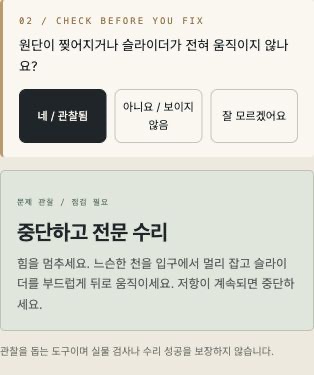
On a fresh 390 × 844 Chrome viewport, the Korean symptom, question and result fit without horizontal overflow. We selected the fabric-caught answer and Repair comparison successfully; the stopping result remained. This verifies that viewport scenario, not every handset, browser or accessibility technology. On a small screen, scroll through the full question before answering.
Related tools for separate jobs
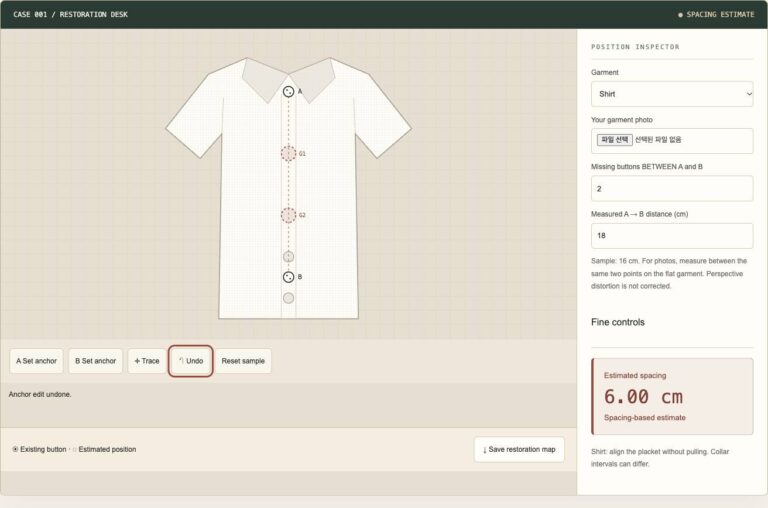
If the same garment also has a missing button, BUTTONTRACE’s button-spacing guide addresses placement between manual anchors. It solves a separate fastening problem; it does not identify replacement zipper parts.
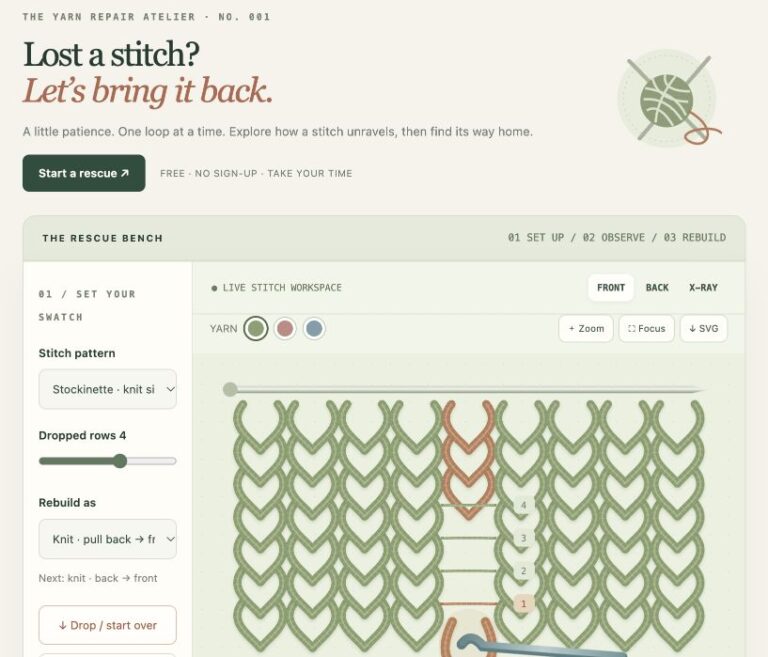
If the item also has a dropped knitted stitch, use the Loop Rescue Lab guide to study loop order. Its stitch model is separate from zipper tape and teeth. For a clearer illustrated repair enquiry, FrameMint Studio’s screenshot guide explains manual framing and annotations; keep your original evidence and do not mistake annotations for diagnosis.
Frequently asked questions
Does ZIPTOMY repair the zipper?
No. It organizes observations and illustrates a mechanism. Repair mode restores a reference picture. We verified that a stop-and-seek-help observation can remain after switching that picture to Repair.
Can it choose the correct replacement slider?
We found material and construction notebook choices, not certified part matching. Verify the actual zipper chain and manufacturer information with a supplier or repairer before ordering anything.
Why did my checklist and notebook reset?
Our explicit save/reload restored the symptom and question answers, while those other controls returned to defaults. Keep a separate note for settings you need later; do not assume the whole screen is saved.
Should I apply oil, graphite or squeeze the slider?
This browser test establishes no physical treatment for your item. Follow its maker’s guidance and stop when fabric is tearing, resistance remains or the condition is unclear. The site’s animated explanation cannot determine which material treatment is suitable.
Is the passport a confirmed diagnosis or a cloud link?
Neither was established. The verified Copy output is dated plain text with conditional guidance and a diagnostic limitation. It did not include our notebook selections. We verified local observation saving, not a cloud sharing service.
When to use ZIPTOMY
Use ZIPTOMY when you need better words, clearer observations and a record before making a repair decision. Its most useful outcome may be deciding to stop and ask for help. Keep the passport, add the missing zipper and product details yourself, and treat physical compatibility and repair completion as separate checks.
A RELEVANT NEXT STEP
Tools with a useful connection
BUTTONTRACE
Button Spacing Calculator: 7 Essential Repair Checks
Estimate missing button positions between measured anchors with BUTTONTRACE. Tested 18 cm / two-button arithmetic, manual traces, saved-note reload and Korean mobile layout, with clear photo and export limits.
Loop Rescue Lab
Dropped Stitch: 7 Smart Steps for Better Repairs
Practise dropped stitch order and knit/purl reconstruction with Loop Rescue Lab. Actual four-row, wrong-direction, timeline and SVG tests explain this schematic’s useful teaching role and limits.

FrameMint Studio
Screenshot Editor: 7 Smart FrameMint Studio Checks
Frame screenshots, add manual masks and build captioned stories in FrameMint Studio. Real import, order, recovery and size tests explain what to check before sharing.