SILHOUKEY is a browser studio for key tag design. Give a small set of tags distinct outlines and private aliases, compare geometric overlap, then prepare print or cut settings. Use the screen to shortlist a design; check physical scale, touch and attachment separately after making a prototype.
Directly checked 12 November 2026, Asia/Seoul. We edited a three-tag family, tested duplicate outlines and reassignment, completed five functional lab rounds, reloaded saved fields and used the Korean 390 px editor. Lab selections followed accessible names; they were not a human recognition study. No physical tag or final exported file was tested. This library and the original share a creator.
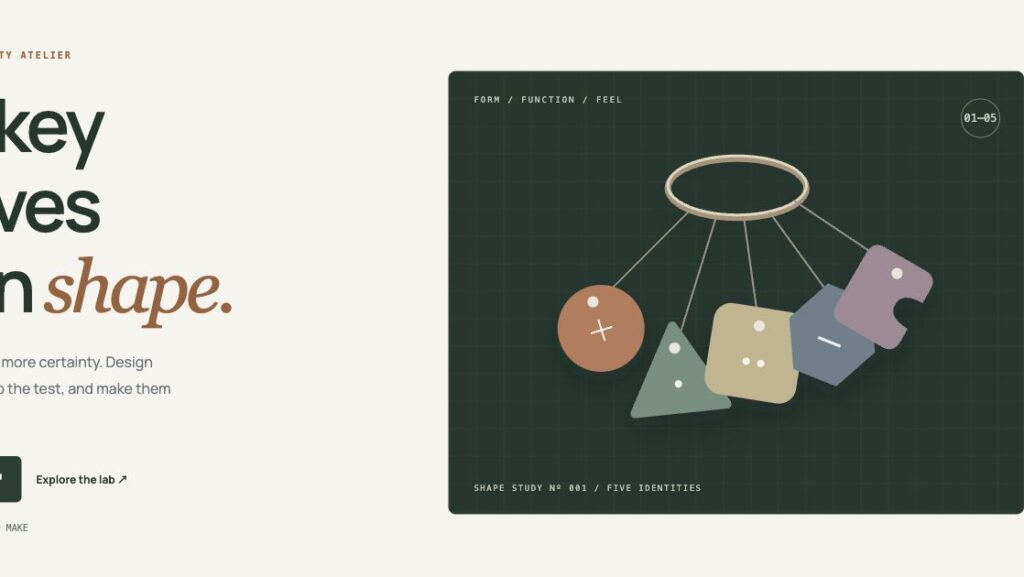
Plan key tag design with SILHOUKEY. Actual 100% to 72% overlap, Undo/Redo, saved dimensions and mobile tests explain shape choice, output settings and physical prototype limits.
- Brand
- SILHOUKEY
- Tool languages
- en, ko
- Verified date
- 2026-11-12
In this guide
Key takeaways
Shape comes before decoration. Setting the first tag to Triangle created a duplicate with Star and a 100% maximum outline overlap. Changing only its color left that value at 100%. Reassign distinct outlines changed the set to 72%; Undo returned 100% and Redo returned 72%. Those are observed geometry indicators, not a measured increase in everyday identification success.
The displayed size is a design box, not a promise that every outline has that exact physical contour. We changed Orbit from 30 to 42 mm and the attachment hole from 3 to 6 mm. The UI still required verification after making. It did not establish material strength, connector fit, print scaling or tactile accessibility.
Saved design and current output settings behave differently. Reload restored Orbit, its 42 mm design box, 6 mm hole and two-dot setting. The output controls returned to A4, paper/laminate and aliases included after we had selected Letter, cut outlines and no aliases. Recheck the output controls each time; a restored design is not proof that the last print configuration was restored.
What key tag design in SILHOUKEY changes
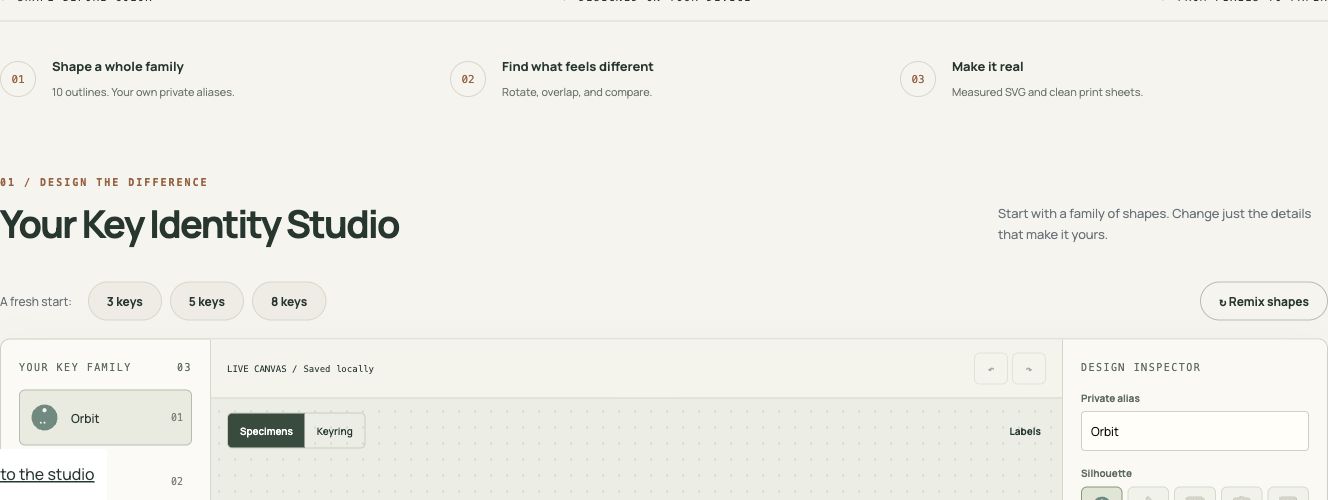
The official tool name is SILHOUKEY. Its main areas are the Key Identity Studio, Distinction Lab and Print & Cut Workshop. English and Korean interfaces are available. The page offers three-, five- and eight-tag starting sets, individual additions and a stated family range of three to ten. We tested three tags; Remove selected tag was disabled at that minimum.
The editor has ten named outlines, private aliases, ten color cues, zero to three visual dots, a design-box slider and an attachment-hole slider. Specimens and Keyring views, label visibility and rotation controls are present. These are identity-tag design controls, not a camera tool for reading a real key or a model of a lock mechanism. No key photograph was needed for the tested workflow.
The practical problem is distinguishing a family, not making one attractive label in isolation. Two tags can look different in color yet remain similar when turned, overlapped or viewed without color. The tool puts that comparison beside the editor. It can help you choose which candidate to prototype, while leaving real handling, durability and the person’s own recognition needs for separate checks.
Plan a private family of identifiers
Use short aliases that you can associate privately with the intended key. Our test used Orbit, Cedar and Star; these names do not describe actual access locations. An address or a detailed door label makes the object communicate more than you may intend if it is misplaced. The tool itself recommends aliases rather than addresses. This is a labeling choice, not a security certification.
Before editing, decide what would make a successful set: a different silhouette for each item, a manageable overall size, readable optional text and an attachment that suits the actual ring. Record those as questions. A design may meet one and fail another. A large circle that is easy to see can still be bulky in a pocket; a small printed dot can be visible without being raised enough to identify by touch.
Keep the starting set small enough to learn. Study the mapping between each alias and outline before the lab. If you change a silhouette, revisit that mapping rather than comparing a familiar arrangement with an unfamiliar one as though only geometry changed. Add more tags after the first group works for its intended user. We did not test all ten-tag combinations or establish a universally best set.
7 checks for a better key tag set
1. Choose a family and rename one tag
Select a starting set and then a tag in the family list. Replace the private alias with a short name you understand. We selected three tags and renamed the first Orbit. Check the visible family count and active editor before making more changes. Preset creation changes the family, so inspect the settled state rather than assuming every quickly issued click landed on the intended new element.
2. Compare outlines before color
Choose an outline and look at the whole family. Our first Triangle duplicated Star and produced a 100% overlap warning. A different color did not change that result. Use color as an additional cue after the outlines are meaningfully distinct. Reassignment is a candidate generator; inspect what it changed and use Undo if the new mapping is less suitable for your project.
3. Set dimensions as prototype inputs
Adjust the design box and attachment hole separately. The UI states a 24–42 mm design range and 2–6 mm hole range. We moved the first tag to the upper values and verified their labels. A 42 mm box does not mean a 42 mm width at every point of every silhouette. The top-band attachment estimate is a prompt for a physical check, not a pull-test result.
4. Decide what text and dots should do
Visual dots can provide a second visible cue, but printed marks are flat. They are not automatically tactile dots or Braille. Optional aliases can help while learning the mapping; they can also reveal information on a finished tag or in a backup file. Review the output alias checkbox separately from the studio’s Labels view, since a screen display choice is not the same as a print choice.
5. Use the lab for a scoped comparison
Try No color, Low light and Pocket chaos one condition at a time when you want to understand a difference. We also tested all three together as a functional stress condition. Start the five-round exercise and select the requested tag. An incorrect selection kept the same round active. Keyboard activation progressed correctly when overlapping targets made automated pointer selection land on another tag.
6. Reopen and inspect the state
After a useful edit, reload and check the alias, shape, dimensions and dot count. Our design returned in the English and Korean pages, while lab statistics and output options reset. Do not assume every screen control is part of the saved project. If a printable copy matters, select the intended paper, preset and privacy options again before exporting or opening print.
7. Make and measure a separate prototype
Use the output area to prepare a paper trial, then measure the source’s 50 mm calibration reference on the actual print. The tool says to use 100% scale and matching paper rather than fit to page. We checked the controls and instructions, not a final PDF, SVG, PNG, cut object or printer. Record the physical result only after performing that check yourself.
Actual editor and lab results
| Test | Observed result | Meaning and boundary |
|---|---|---|
| Three-tag preset and alias edit | Orbit, Cedar, Star; minimum removal disabled | Editor and family constraints responded. |
| Duplicate Triangle and color change | 100% remained 100% | The geometry indicator excludes color. |
| Outline reassignment | 72% maximum overlap | One new candidate set, not human recognition evidence. |
| Undo then Redo | 100% then 72% | The reassignment was reversible. |
| Design and hole sliders | 42 mm box; 6 mm hole | Displayed parameters, not measured material. |
| Five-round exercise | Completed 5/5 after wrong selections and keyboard recovery | Functional progression using accessible labels; no performance benchmark. |
| Letter / cut / no aliases | Those controls selected before reload | Final export contents were not inspected. |
| Reload and Korean opening | Orbit, 42 mm, 6 mm and two dots returned | Same-browser design persistence; output controls returned to defaults. |
| Korean 390 px drawer | Opened, changed dots to three, closed and undid | Responsive editor interaction; no page overflow. |
The round counter advanced only after accepted selections. The final screen also showed accuracy and mean time, but our interaction included an intentional wrong answer, automation delays and overlapping pointer targets. We therefore use 5/5 only as completion evidence. We do not report the displayed speed or percentage as evidence that someone can identify these tags in a real pocket.
Read overlap without inventing recognition evidence
The source defines outline overlap as a geometric intersection-over-union estimate using 40×40 silhouette masks, sampled with 45° rotations and mirror flips. Color, holes and text are excluded. Higher values mean more sampled outline overlap, not better design quality. The 100% duplicate result and unchanged color result matched that stated scope in our test.
The 72% value after reassignment is not a 28% improvement in usability, nor a 72% success probability. A coarse sampled metric can shortlist pairs worth inspecting, but does not include touch, learning, visual acuity, actual material, background or the complete handling situation. Compare the named pair and actual outlines before deciding whether a change is useful.
The displayed pairs after reassignment were Orbit/Star at 72%, Cedar/Star at 65% and Orbit/Cedar at 63%. They show why a family-level view is useful: changing one member can affect several pairings. Preserve a note of the old mapping before replacing a shape. A lower worst-pair estimate can still create an unfamiliar or inconvenient tag for the intended user.
Prepare output and verify physical scale
The output area offers A4 and Letter plus paper/laminate and cut-outline presets. We selected Letter, outlines only and aliases off, and saw a three-tag range of 30–42 mm. After reopening, the controls showed A4, paper and aliases on. This is an important preflight issue: read the currently selected output options rather than relying on the settings you remember from an earlier session.
Print / Save PDF uses the browser print dialog according to the source. SVG and PNG controls are also present. The page describes PNG as a preview image and SVG/PDF as the measured-output route. We did not open a final file, use a printer or compare exported units. Do not treat the on-screen canvas, a resized screenshot or a PNG preview as a verified actual-size cutting template.
The design box is a layout reference. The actual outer contour differs by shape, and hole size alone does not establish the remaining material around it. A top-band estimate of at least 2 mm was visible in our 42 mm / 6 mm setting. It did not measure tear resistance, fatigue, connector clearance or edge finish. Check the made object and intended connector independently.
Before spending material, review a copy with the paper setting, output preset, alias choice and dot choice written beside it. Measure the calibration line on that copy. If the reference is wrong, solve the scale problem before judging whether the tag feels too large or too small. This is a proposed review workflow; no completed physical print or material selection is claimed in this article.
Keep screen, paper and pocket tests separate
Separate three records. The screen record describes the selected controls and lab observations. The paper record describes a measured print and cut prototype. The pocket record describes the complete set on the actual ring and the person’s own use. Passing one record does not fill in the others. The source’s four-check list is available, but we left its real-world checks unchecked because no physical prototype was made.
For a first comparison, you could keep the aliases and size fixed while replacing the most confusing outline. Make two paper sets, label their versions privately and compare them under the same conditions. That is an example for a future trial, not a result we measured. Ask the actual user about confusion and comfort rather than equating the app’s numerical overlap with their experience.
Check touch only after making the tags. Raised features, material thickness, edge shape and the way items overlap on a ring are physical properties that the displayed dots do not reproduce. The source explicitly says it provides no accessibility, strength or security certification. We did not test Braille, blindness-related use, attachment strength or machine cutting, so the guide should not be read as certifying those uses.
Saving, privacy and mobile limits
The source FAQ says aliases and settings are stored in this browser, and that no design data or key photographs are sent to its server. It also identifies Blogger, Google Fonts and advertising as separate page-visit services. Our reload test supports local design recovery, not a complete network audit or a cloud backup. We observed advertising and an interstitial during navigation and did not click the advertisements.
Export JSON and Import JSON are available as backup controls. The FAQ notes that the file contains aliases. We did not verify a JSON round trip or the contents of a downloaded file. Treat a backup as another copy that needs private handling, and do not assume clearing a browser save removes files you have exported elsewhere. Browser cleanup or private mode may remove the saved copy according to the source.
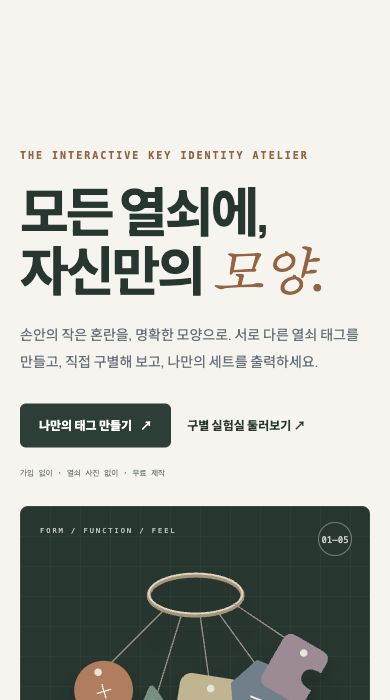
At a freshly loaded Korean 390 px viewport, editing moved into a drawer opened by Tag edit. We changed the dot selection, closed the drawer and used Undo. The page width stayed at 390 px. Narrow controls and advertising may require extra scrolling. We did not test every touch gesture, screen reader or browser. In the overlapped lab, keyboard activation was a useful recovery path in our automation; this does not establish every user’s experience.
A related paper-material experiment
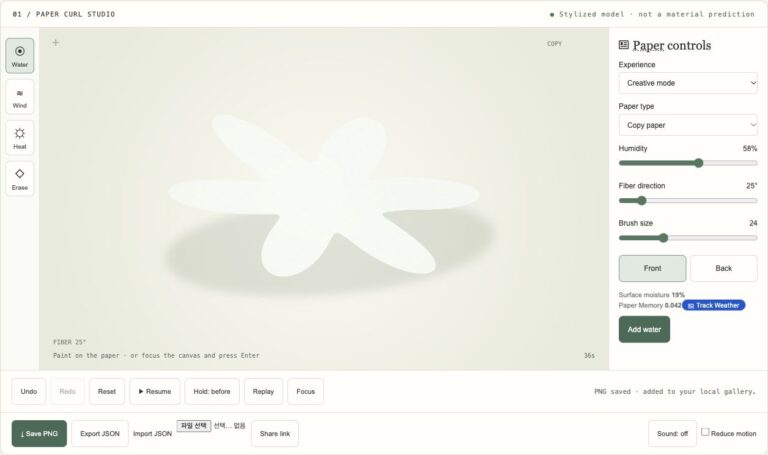
If the paper-prototype stage raises questions about moisture and sheet behavior, the published Paper Curl Studio guide explores water, fiber direction and drying history in an illustrative model. It can help frame a separate paper-material question; it does not predict the durability or water resistance of a SILHOUKEY tag. Neither tool transfers a calibrated material specification to the other.
Use the two tools for different decisions: SILHOUKEY shortlists identity shapes and output settings, while Paper Curl Studio supports a visual material experiment. A final keyring still requires the actual prototype. There is no reason to route a tag through another simulator merely to collect another score or assume that a screen material preset validates your chosen paper.
Frequently asked questions
Does key tag design here require a key photograph?
No photograph was required in the tested workflow. We used private aliases and virtual outlines. The tool does not inspect a real key’s cut pattern or certify which lock it fits.
Is 72% a good recognition result?
It is a geometric overlap estimate, not a recognition rate. Read the named pairs and inspect the shapes. A real person’s visual or tactile recognition needs a separate test.
Do printed dots make Braille or tactile labels?
No. The source calls them visual dots and says printed marks are flat. Any physical raised feature and its suitability require separate making and user testing. We did not certify tactile accessibility.
Will all print settings survive reload?
They did not in our observation. The design returned, but Letter/cut/no-alias choices returned to A4/paper/aliases on. Recheck the current controls before every output attempt.
Can I send an exported drawing straight to a cutter?
We did not test a cutter or final export. An outline is not a verified machine job. File units, material, attachment design and the particular machine workflow still need their own review.
Did the completed five rounds measure a person’s speed?
No. Selections followed accessible names and included recovery from pointer overlap. Completion confirms the interaction flow, not human reaction time or real-world identification ability.
Start with three shapes and one clear question
Choose three private aliases and learn their shapes. Compare one questionable pair, keep a note of the change and recheck output options when you reopen. Move to a measured paper prototype before treating a design as something ready for everyday use.
A RELEVANT NEXT STEP
Tools with a useful connection
Paper Curl Studio
Paper Curl Studio: 7 Essential Checks for Better Art
Explore paper curl with water, fiber angle and drying history. Actual tests explain pause, Undo, two saved previews, illustrative material presets and unverified file/link transfer.
FELTATLAS
Felt Pad Designer: 7 Essential Checks for Better Fit
Compare four furniture contact shapes and felt pads, inspect geometric coverage and prepare labelled cutting-pattern previews. Includes real fit tests, print calibration and local-save limits.
BENDATLAS
Cable Routing Planner: 7 Essential Checks for a Better Desk
Sketch desk cable routes and compare length allowance, sampled bend radius and standing-desk travel. See real BENDATLAS tests and what its model cannot establish.