Plan bookbinding signatures and impose a manuscript PDF in FOLDATLAS. Actual 17-page tests explain sheet counts, blank slots, scaling, CSV order and the limits of digital verification.
- Brand
- FOLDATLAS
- Tool languages
- en,ko
- Verified date
- 2026-11-18
FOLDATLAS is a bookbinding signature planner and PDF imposition tool. It divides book pages into nested groups of folded sheets, previews the front/back page order and arranges a manuscript PDF into landscape two-up print sides. Use it to distinguish a logical book page, a printed side and a physical sheet before starting a handmade book.
Verified 18 November 2026, KST. We tested 68- and 69-page plans, signature strategies, thickness, grain and sewing guidance, flip/fold controls and Korean mobile operation. We created a synthetic 17-page A5 PDF with explicit test labels, loaded it and inspected the downloaded ten-side PDF and page-order CSV. All output sides were rendered; source labels 1–17 appeared once each. No physical printing, folding, sewing, trimming or finished binding was tested.
On this page
Key takeaways for bookbinding
The 17-page bookbinding test produced five physical sheets, two signatures of three and two sheets, three logical blank pages and ten output PDF sides. Those are four different counts. A three-page blank requirement did not mean three extra blank PDF pages at the end: blank half-sheet slots were distributed through the imposed output according to the fold order.
Actual size / 100% in the print dialog applies to the generated file. It does not undo scaling already applied inside that file. With 10 mm outer margin and zero center gap, our A5 test pages were embedded at approximately 90.48% scale. The tool preserves page proportions while fitting them into the available area. Check source-size requirements before assuming an A4-to-A5 label guarantees original content at full size.
What this bookbinding signature planner does
The official name is FOLDATLAS, branded The Digital Bindery · Studio 02. Its English and Korean workbenches combine signature arithmetic, a schematic Fold Theater, paper and sewing notes, a page-order table, troubleshooting prompts and a manuscript-PDF workflow. The inspected use was free and required no account. The source says calculations and manuscript processing stay in the browser.
A sheet folded once supplies four logical book pages: two on each face. Several folded sheets nested together form a signature. FOLDATLAS offers maximum group sizes of two, three, four, five, six or eight sheets, with Balance thickness or Fill each signature strategies. A4-to-A5 and Letter-to-Half-Letter layouts are available; our completed PDF test used A4 output.
Manual page planning works without a manuscript. Create print PDF remains disabled until a source PDF is selected. Planning guides and CSV are separate from the imposed manuscript output. This distinction matters in bookbinding: a numbered worksheet can describe what to print without containing any of the manuscript artwork or text. Choose the output that matches the task you intend to perform.
Prepare a useful bookbinding test
Prepare a PDF in normal reading order, with every intended page included. Covers count if they are in that file. Use a copy and decide whether existing margins, page dimensions, forms or annotations matter. The source documents encrypted PDFs and form fields as unsupported, and states that annotations, attachments and interactive elements are not retained. Our simple text-and-line test did not exercise those cases.
For a first bookbinding trial, make a small numbered dummy file rather than using an important manuscript. Our seventeen A5 pages carried PAGE 01 through PAGE 17, a TOP marker, a border and an explicit synthetic-test note. This made order, orientation and duplication visible. The test file was created for verification; it was not a customer document or a physically bound example.
Write a short bookbinding recipe: source page count and size, maximum sheets, strategy, output paper, thickness assumption, outer margin, center gap and marks setting. Keep the desired physical page size separate from the paper menu. A proportional fit may reduce existing source margins and artwork together; the printer’s later 100% setting cannot recover their original dimensions.
7 essential bookbinding checks
1. Plan the bookbinding count without a file
Start with a manual page count to understand the arithmetic. At 68 pages and maximum four sheets, Balance thickness gave 4+4+3+3+3 sheets; Fill each signature gave 4+4+4+4+1. Both used seventeen sheets and five signatures with no blanks. This compares distribution, not a measured judgment about which finished binding feels better.
2. Select the source PDF and wait for detection
Choose the manuscript and wait for its detected count. FOLDATLAS recognized our seventeen-page file and changed the plan to five sheets, two signatures and three blanks. An attempted arrow increment while that PDF was loaded returned to seventeen. Read the completed detection state before interpreting a transient number left in an input.
3. Choose the bookbinding strategy and paper
Keep the maximum sheet count and strategy explicit. Our seventeen-page balanced plan used three sheets followed by two. The output sheet was landscape A4 with two portrait source slots per side. We did not verify Letter output or every maximum group size. A menu option being present is different from a completed output test.
4. Inspect each sheet in the Fold Theater
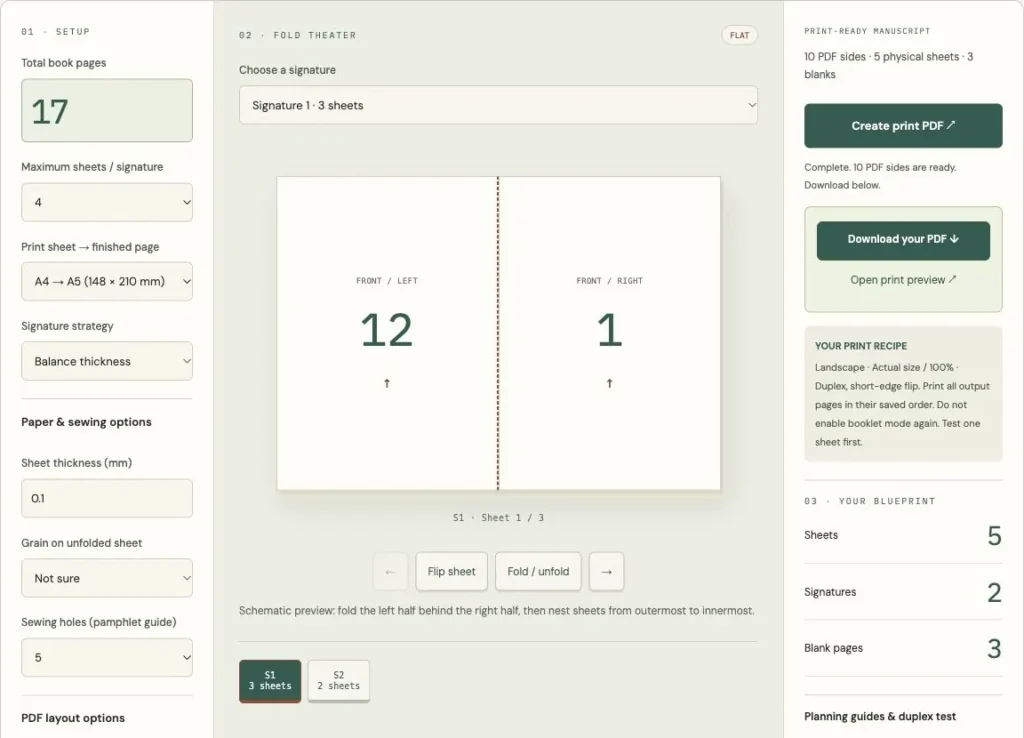
Select a signature and move through its sheets. Flip sheet changes front to back; Fold / unfold changes a schematic presentation. The first twelve-page group showed 12|1 on the first front and 2|11 on its back. The second group began BLANK|13. The theater is a conceptual aid, not a preview of your manuscript artwork.
5. Review paper and layout assumptions
Enter measured sheet thickness where appropriate, inspect grain guidance and choose the pamphlet-guide station count. Review outer margin, center gap and fold marks before generation. Our output test used 10 mm margin, zero gap and marks enabled. A displayed creep allowance is not proof that production artwork has received calibrated compensation.
6. Generate, then download the manuscript output
Click Create print PDF and wait for completion. The tool then provides Download your PDF and Open print preview links. Generation itself did not automatically download the file in our test; we used the explicit download link. Keep the saved output separate from the source so it is clear which file already contains imposition.
7. Check the bookbinding files and test one physical sheet
Inspect page count, orientation, labels and order against CSV. Print the generated file in its saved order using landscape, Actual size / 100% and the stated duplex recipe. Do not apply booklet mode again to an already imposed file. Test one physical sheet before a full run; we verified files only and did not validate a particular printer’s duplex behavior.
Actual bookbinding calculations and file results
| Controlled test | Observed result | Practical meaning |
|---|---|---|
| 68 pages, maximum 4, balanced | 17 sheets; 5 groups: 4+4+3+3+3; 0 blanks | A more even group distribution |
| 68 pages, maximum 4, fill | 17 sheets; 5 groups: 4+4+4+4+1; 0 blanks | Same totals, different final group |
| 69 pages, balanced | 18 sheets; 5 groups: 4+4+4+3+3; 3 blanks | Capacity rounds up to 72 logical pages |
| 68 pages, thickness 0.1→0.2 mm | Block 1.70→3.40 mm; maximum creep 0.30→0.60 mm | Input-based approximations |
| Five sewing stations, A5 | 15 / 60 / 105 / 150 / 195 mm from head | Evenly spaced guide positions |
| 17-page synthetic manuscript | 5 sheets; 2 groups; 3 blanks; 10 PDF sides | Completed file workflow |
| Reload after PDF work | No manuscript selected; 68-page defaults | Working session was not recovered |
The generated PDF had ten landscape A4 pages, approximately 841.89×595.28 points. All seventeen numbered source labels appeared once each in extracted text, and the rendered sides showed the TOP markers upright. We inspected every output side, not just the first preview. This validates the simple tested manuscript; it is not a guarantee about all PDFs, fonts, page boxes or interactive content.
Logical blank pages versus physical print slots
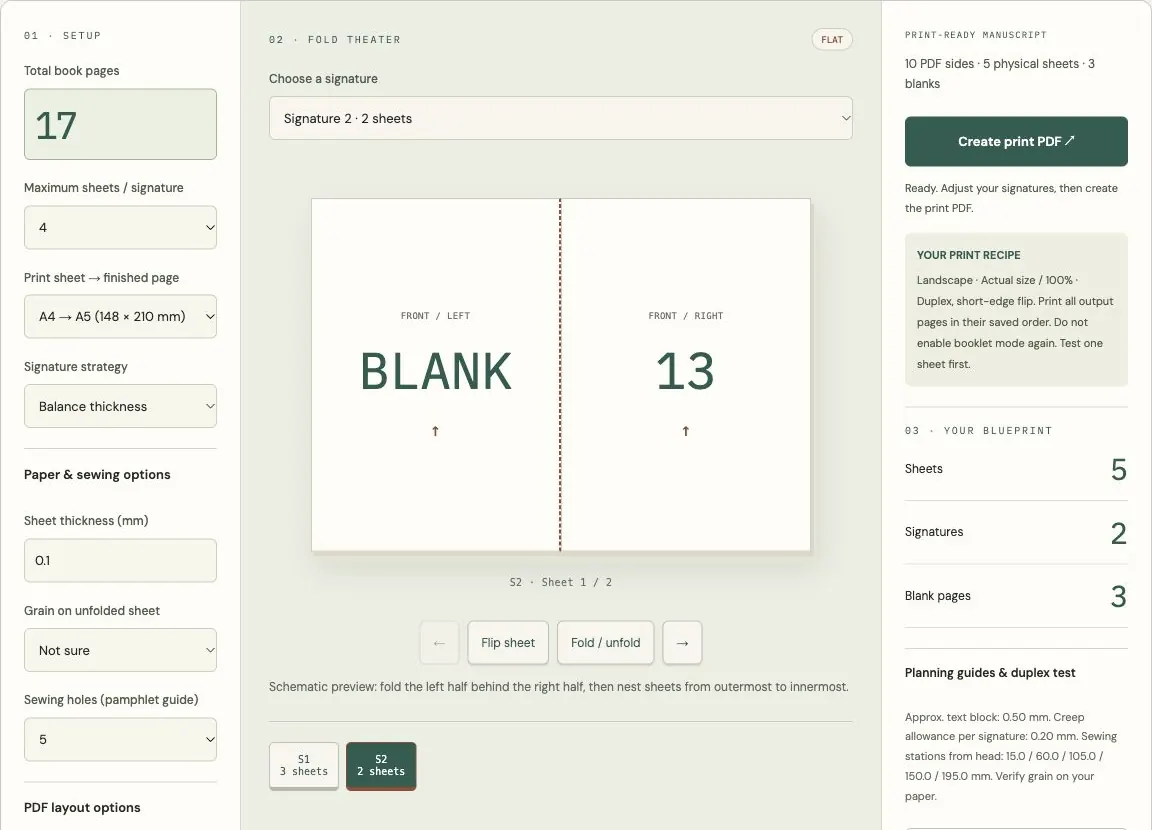
The five CSV rows describe physical sheets. Each row contains front-left, front-right, back-left and back-right positions. For a seventeen-page source, the bookbinding capacity is twenty logical pages. Positions 18, 19 and 20 are blank, but those positions do not become three standalone output sides. Imposition separates them across the last signature’s fronts and backs.
| Signature / sheet | Front left | right | Back left | right |
|---|---|---|
| S1 / 1 | 12 | 1 | 2 | 11 |
| S1 / 2 | 10 | 3 | 4 | 9 |
| S1 / 3 | 8 | 5 | 6 | 7 |
| S2 / 1 | BLANK | 13 | 14 | BLANK |
| S2 / 2 | BLANK | 15 | 16 | 17 |
The saved PDF followed front, back, next front, next back order for each sheet. The final PDF side contained source pages 16 and 17, while blank slots appeared on earlier sides in that group. Do not remove those slots because they look like wasted space: doing so changes the fold relationships. Confirm the recipe with a numbered physical dummy before deciding how the final book should be assembled.
Why 100% printing can still contain reduced pages
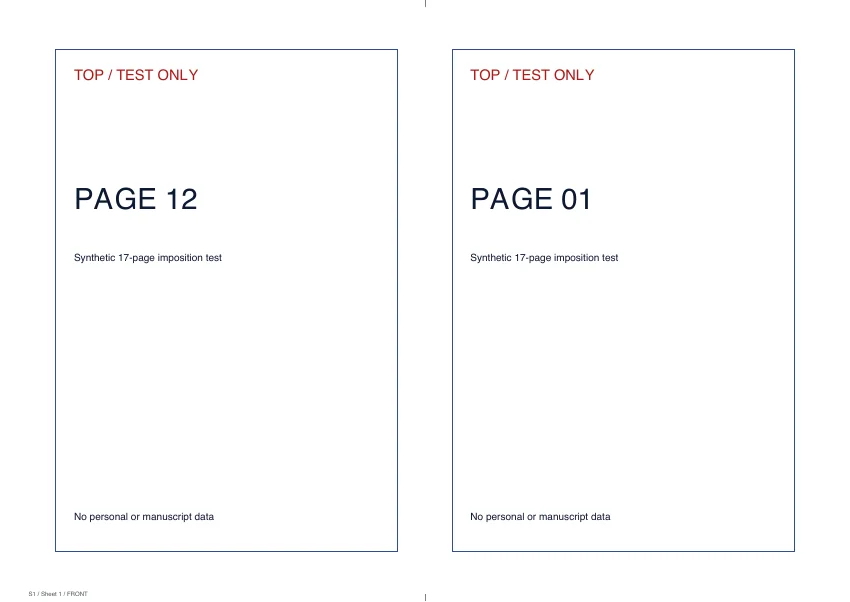
FOLDATLAS fits source pages proportionally inside the available half-sheet area. In our A5 source test, the PDF embedding transform was 0.904761906 in both axes. With source height 210 mm and 10 mm top and bottom allowance, 190/210 gives approximately 90.48%. We verified that scale in the generated file. It was not inferred from the screenshot or measured on paper.
This creates two distinct scaling steps. The website first fits the source into its output layout; the printer can then scale that generated sheet again. Actual size avoids the second scaling step but does not undo the first. If original-size drawings, measured sewing marks or size-critical artwork are embedded in a manuscript, inspect their output size rather than assuming the page menu preserves them.
The tested output retained extractable text from the simple source. That supports the inspected text workflow, not an unconditional claim that every complex manuscript is reproduced perfectly. Existing source margins remain part of the page being fitted. Review the output border, text and page boxes, and keep an untouched source file so a layout revision can be regenerated.
Thickness and creep are planning estimates
At seventeen sheets and entered thickness 0.1 mm, the manual 68-page plan estimated a 1.70 mm text block. Changing only thickness to 0.2 mm changed that estimate to 3.40 mm. The maximum four-sheet signature allowance changed from 0.30 to 0.60 mm, following the displayed rule (sheets−1)×thickness. These numbers describe the input assumptions, not a caliper measurement of a sewn book.
For the five-sheet, seventeen-page plan at 0.1 mm, the block estimate was 0.50 mm and the three-sheet maximum group allowance was 0.20 mm. Glue, sewing swell, covers, pressing and real paper behavior are not established by this arithmetic. The source calls creep a rough planning allowance, so we did not interpret it as calibrated displacement applied to each output page.
Balance thickness changes how sheets are divided among signatures; it does not change the stock’s stiffness or grain. The difference between a one-sheet final group and several three-sheet groups may matter at the bench, but our software comparison did not establish a superior physical construction. Choose a bookbinding method with the actual material and make a folded dummy before trimming.
Grain and sewing-station guidance
Selecting long-edge grain for the unfolded A4 sheet produced a warning that grain crossed the spine. The source explains that folding A4 or Letter into the intended portrait book places the fold parallel to the original short edge. The dropdown reports your input assumption; it does not inspect the actual paper. Confirm grain and folding behavior with your stock rather than treating the warning as a sensor reading.
Five stations on A5 were displayed at 15, 60, 105, 150 and 195 mm from the head. Three stations initially gave 15, 105 and 195 mm. These are evenly spaced positions between fixed head and tail margins for a simple pamphlet guide, not a Coptic or kettle-stitch instruction. We inspected the numerical guidance but did not physically pierce paper or verify the separate printed worksheet.
Keep the right bookbinding outputs
Keep three kinds of bookbinding record separate: source manuscript, imposed print PDF and page-order CSV. Our CSV contained a header and five sheet rows matching the preview. It did not contain the manuscript artwork. The print PDF contained the arranged source content and sheet labels. Neither should be mistaken for an editable project archive that automatically reopens every setting.
After reloading, the source selection was cleared and the 68-page defaults returned. Save outputs and a written recipe before closing the workbench. Planning worksheet and duplex-test buttons are present, but their completed outputs were not verified in this review. Use the actual manuscript generation path when the goal is arranging the PDF you selected.
Mobile operation and reload behavior
At a fresh Korean 390×844 viewport, we entered seventeen pages without a PDF and obtained five sheets, two groups and three blanks. Flipping the first sheet showed back positions 2|11; folding changed the schematic state. The document width remained 390 pixels without page-wide overflow. This verifies basic calculation and theater controls, not physical-phone file selection or every assistive-technology combination.
The mobile page presents the same concepts in a stacked layout. Keep an eye on whether a manuscript is actually selected and whether a control is showing a front or a back. A changing schematic number is not a rendered view of the source artwork; inspect the completed output PDF for that. We did not claim that a fold animation proves correct physical nesting.
PDF support, privacy and physical limits
The PDF chooser states a 50 MB and 1,000-page maximum. The manual page field exposed an upper attribute of 2,000; this is a different planning input and does not extend the stated PDF limit. We did not test either maximum. Encrypted/form-containing sources and retained annotations are documented limitations, not compatibility tests completed with our synthetic file.
The source says manuscripts and calculations are processed locally without a server upload or account. It separately discloses Blogger and Google advertising data practices; an interstitial appeared and was closed during testing. We did not audit network traffic, security or offline behavior. Local manuscript processing does not establish that the complete advertising-supported webpage uses no external services.
The Mistake Lab offers possible causes for inverted backs, wrong reading order, stiffness and clipped inner margins. We changed these choices and saw guidance about duplex settings, grain and a folded dummy. It does not examine a photograph of your failed print or diagnose a particular machine. No physical printer feed, paper grain, sewing tension or trimmed book was validated in this review.
Related tools for a handmade bookbinding workflow
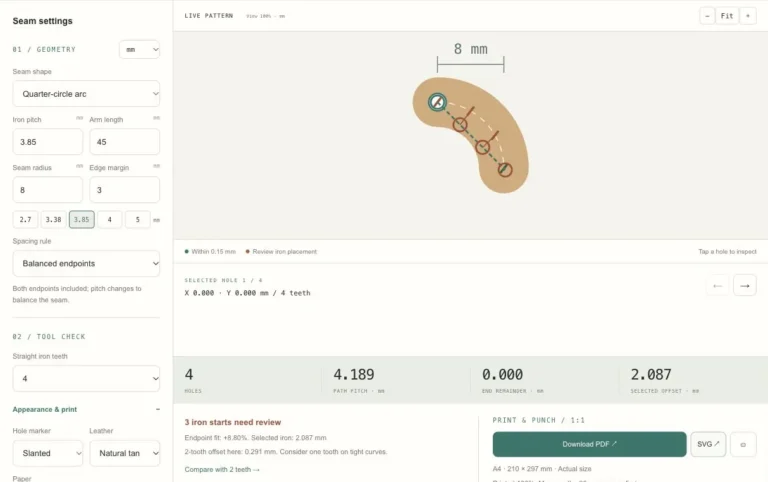
If a handmade book includes a separate leather-cover seam, the published StitchArc Lab leather stitch planner introduction explains center spacing and rigid-iron offsets. Measure that cover’s stitch line separately after deciding the paper block. FOLDATLAS’s pamphlet stations are not interchangeable with leather-iron spacing, and neither tool supplies a complete cover construction pattern.
This is a manual bookbinding workflow, not automatic file integration: plan paper signatures here, inspect a physical dummy, then study any separate leather seam with its own measured assumptions. For a simple book, an ordinary booklet-print workflow may be sufficient; FOLDATLAS adds explicit group distribution, page-order inspection and a saved two-up manuscript output. This review did not test another application’s booklet settings or compare competing tools end to end.
Frequently asked questions
Must my source have a multiple of four pages?
Not for the tested workflow. Seventeen source pages were padded to twenty logical positions, giving three blanks and five physical sheets. The blanks were imposed into slots, not added as three blank output PDF pages.
Why did Create print PDF not immediately download?
It generated a result and then exposed Download your PDF and a print-preview link. We used the download link to receive the tested file. Wait for the completed state before looking for an automatic download.
Does Actual size preserve the original manuscript page size?
It preserves the generated sheet at printer output. The source can already be reduced inside that sheet: our 10 mm-margin A5 example used about 90.48% embedding scale. Inspect the file and test physically.
Is the creep value automatic press compensation?
The source describes a rough planning allowance. We verified the displayed arithmetic, not calibrated press compensation or physical trimming results. Keep safe margins and inspect a folded dummy.
Can I recover the selected PDF after reload?
In our test reload cleared the file and returned the 68-page example. Preserve the original, generated output, CSV and recipe separately. No portable editable-project recovery was verified.
Did you print or bind the seventeen-page example?
No. It was a synthetic PDF verification study. We inspected all ten output sides and page order, but did not physically print, fold, sew or trim it. Printer-specific duplex behavior remains a physical test.
Start with one verifiable bookbinding recipe
Start with a numbered dummy and a written bookbinding recipe. Check group distribution, every imposed side and the difference between internal page fitting and printer scaling. Save the actual files, then use one physical test sheet to connect the digital plan with your printer and paper.
A RELEVANT NEXT STEP
Tools with a useful connection
StitchArc Lab
Leather Stitch Planner: 7 Essential Checks for Better Curves
Compare leather stitch path pitch, endpoint balance and rigid iron offsets in StitchArc Lab. Actual arc and straight-line tests explain partial placements, units and inspected PDF/SVG output.
Tassel Atelier
Tassel Designer: 7 Essential Steps for Better Patterns
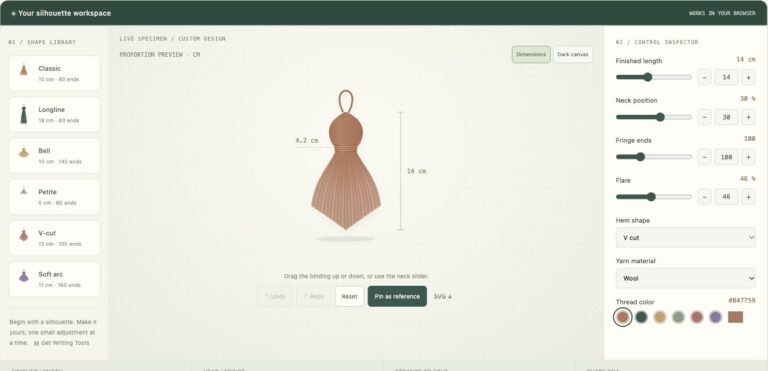
Compare tassel proportions and plan a batch with Tassel Atelier. Real A/B, yarn arithmetic, link restoration and mobile tests explain what to trust and what needs a handmade sample.
BUTTONTRACE
Button Spacing Calculator: 7 Essential Repair Checks
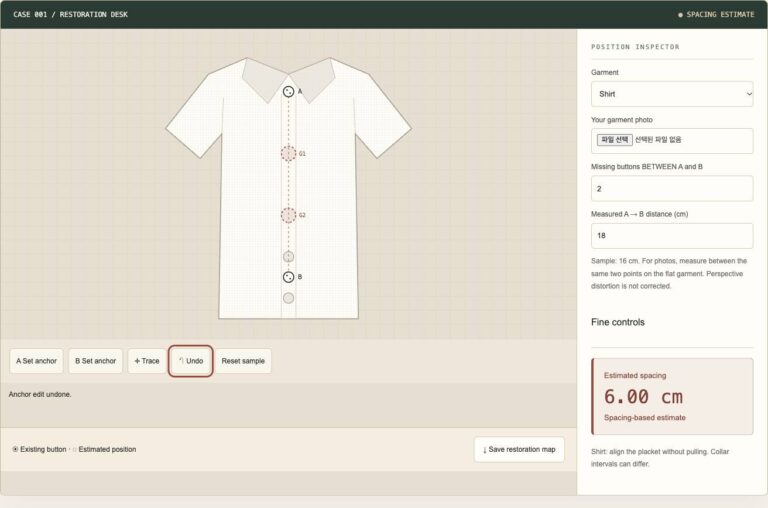
Estimate missing button positions between measured anchors with BUTTONTRACE. Tested 18 cm / two-button arithmetic, manual traces, saved-note reload and Korean mobile layout, with clear photo and export limits.