VOIDSCAPE helps you design aquascape negative space: the open areas between rocks and planting groups. Draw a protected opening, compare growth assumptions and inspect the silhouette. Our direct tests explain what the percentages show, why protection permits overlap and what remains outside this front-view planner.
Verified 10 November 2026 in Chrome, including a fresh 390 × 844 Korean viewport. Images are actual tool captures of vector compositions. All growth dates and percentages refer to the interface model, not a living-aquarium experiment. Downloaded files and physical aquarium performance were not validated.
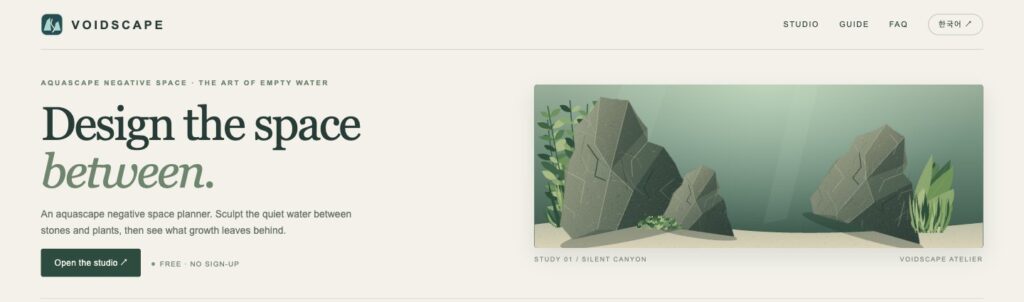
Plan aquascape negative space in VOIDSCAPE. Actual tests explain77→64→73% model openness, protected-corridor overlap, before/after comparison and local recovery.
- Brand
- VOIDSCAPE
- Tool languages
- en, ko
- Verified date
- 2026-11-10
Table of Contents
Key takeaways
- Plan one opening before filling the scene. A useful question is whether the intended corridor remains readable after a particular edit or growth assumption.
- The default scene showed 77% open area on Day 1, 64% at Month 3 with no pruning and 73% with weekly pruning. These are comparative model outputs, not a pruning schedule for real plants.
- Moving Rock 4 into the protected corridor reduced protected clearance from 100% to 10%, while Connected water remained 100%. Those measures answer different visual questions.
- Protect voids locks the void itself; it does not stop rocks or plants entering it. Use the conflict outline and report to decide what to change.
What VOIDSCAPE does with negative space
The official name is VOIDSCAPE. It is a browser studio for a two-dimensional front-view composition, built around editable void strokes rather than a catalogue of real aquarium products. You can add rocks, plants and wood, move or erase elements, inspect position, size and rotation, and compare Natural, X-Ray and Growth views. The page also offers Valley, Island and Triangle starting compositions.
The concrete problem is overfilling a layout while losing the opening that made it attractive. A central route may look clear on the first sketch but become crowded when a foreground stone moves or an assumed planting silhouette expands. This tool makes that intended empty area explicit. Its value is a recorded design question and a controlled comparison, not a numerical declaration that a tank is beautiful or suitable for fish.
Void types are Open water, Sand path, Visual gap and Focal breathing room. Plant forms are Stem, Rosette, Moss and Grass with broad speed labels. These are simplified drawing categories. Choosing a form is not selecting a verified species profile, and naming a void Open water does not measure a three-dimensional swimming volume. The source repeatedly distinguishes visual heuristics from biological prediction and animal-welfare assessment.
Start with a composition question
Write a short goal before editing: preserve a route between two stone groups, keep an interval around the main rock, or retain a quieter side of the composition. Decide which opening matters most and which object you expect to threaten it. This preparation gives the percentages context. Otherwise it is easy to improve a number by making a less useful picture without recognizing that the original design question has changed.
Keep a reference sketch and any real dimensions you need for a later build separately. The tank choices are 60 × 36, 45 × 30 and 90 × 45 cm, but this studio represents front-view proportions. It does not provide the missing depth dimension, construction details, material quantities, circulation analysis or livestock requirements. No physical measurements or aquarium setup were performed for this review.
For a fair first comparison, keep the tank choice, view, growth stage, pruning setting and protected strokes unchanged while moving one object. Record those settings with the result. If you change the pruning assumption and stone position together, the new report may be informative, but it cannot isolate which change caused the difference. Our numeric examples below separate the unchanged default-scene comparison from the later rock-overlap experiment.
Read the four visual measures
- Open area is an approximate 2 D openness measure from silhouette sampling. It is not litres of usable water, and an apparently open front view can conceal objects behind it.
- Connected water is a visual connectivity measure. We observed 100% even when the chosen protected opening was mostly crowded, so it should not be used as a substitute for clearance.
- Left / right mass describes the visual distribution between the two sides. A near-equal split is not automatically better than a deliberate asymmetric layout.
- Protected void clear reports the opening’s approximate clearance. It helps identify a conflict with the user-defined void; it does not validate structural stability, fish passage or water flow.
Read the composition insight beside the measures. In the crowded experiment it asked us to move the coral-outlined object or reduce its scale. This is a useful editing prompt, but still a prompt about the model. We did not independently validate the sampling algorithm, edge cases or the precise interpretation of every rounded percentage. Small changes should be judged with the visible scene as well as the labels.
7 checks for a deliberate aquascape
1. Identify the opening
Open the studio and inspect the current scene before replacing it. Choose the intended void type and a width appropriate to your drawing, then use Void and drag inside the tank. We created a second editable stroke, listed as Void 2. The line is a design annotation with a width control; it is not an excavation plan or a promise that real plants will respect that boundary.
2. Keep the drawing and the material separate
Enable protection when you want the opening fixed during an editing comparison. Use Move for materials and the object list to select a specific element. We found numeric controls disabled for a selected protected void, while a rock remained editable. If you need to reshape or remove a protected stroke, deliberately turn protection off first and confirm what is selected.
3. Give the scene a readable silhouette
Use Natural for the illustrated composition and X-Ray to inspect the simplified mass without relying on plant color or stone texture. Move, resize or rotate a selected material through the inspector. A dramatic texture can make a crowded layout feel detailed; the silhouette view helps ask whether the opening itself still reads. That is an editorial use of the view, not an aesthetic test conducted by this article.
4. Establish a Before snapshot
Use Set before while the baseline is still the one you want to compare. Record the tank framing and growth assumptions as well. Our default scene returned 77% open area, 100% connected water, a 61/39 mass split and 100% clearance before the rock experiment. A snapshot and an independently saved project have different purposes; do not treat the comparison button as a backup system.
5. Change one thing and compare
Select an object by name, adjust one placement and toggle Before / After. Our later test placed Rock 4 at X 500 and Y 525, retaining size 1.55 and rotation−12. The report became 73% open,100% connected,53/47 mass and 10% protected clearance. These coordinates belong to the editor, not centimetres in a real tank. The Before view returned the baseline report.
6. Stress-test the growth assumption
Return to a known scene before comparing Day 1, Month 1 and Month 3, then compare pruning assumptions. In the unchanged default scene, Month 3 with None showed 64% open area; Weekly showed 73%. This is a model sensitivity check. It does not tell you how often an actual species must be trimmed or what light, nutrients and CO₂ will produce that outline.
7. Save and check the reusable record
Use Save locally for an explicit browser save and keep a project JSON for the editable copy described by the source. Export PNG for a visual reference of the rendered view. Reopen and inspect any downloaded files before relying on them. We confirmed local recovery, but did not inspect downloaded JSON or PNG or validate an Open JSON round trip.
Actual interface tests and results
- Default Day 1 / None: open 77%, connected 100%, left/right 61/39 and protected clearance 100%.
- Default Month 3 / None: open 64%, connected 100%, mass 63/37 and clearance 100%.
- Default Month 3 / Weekly: open 73%, connected 100%, mass 62/38 and clearance 100%.
- Day 1 rock-overlap experiment: Rock 4 moved from X 220/Y 475 to X 500/Y 525 at size 1.55 and rotation−12. Open 73%, connected 100%, mass 53/47 and clearance 10%.
- Before / After: toggling the stored Before view returned 77/100/61–39/100. The after scene and the before scene were visibly distinguished.
- Drawing and recovery: a native drag created Void 2. Save locally and reload retained the edited geometry and second stroke. Removing it after unprotecting returned the object list to one void.
- Mobile keyboard check: in the Korean 390 px viewport, selecting Plant 1 and pressing Right moved X 135 to 137. Undo and reselecting it confirmed X 135 again.
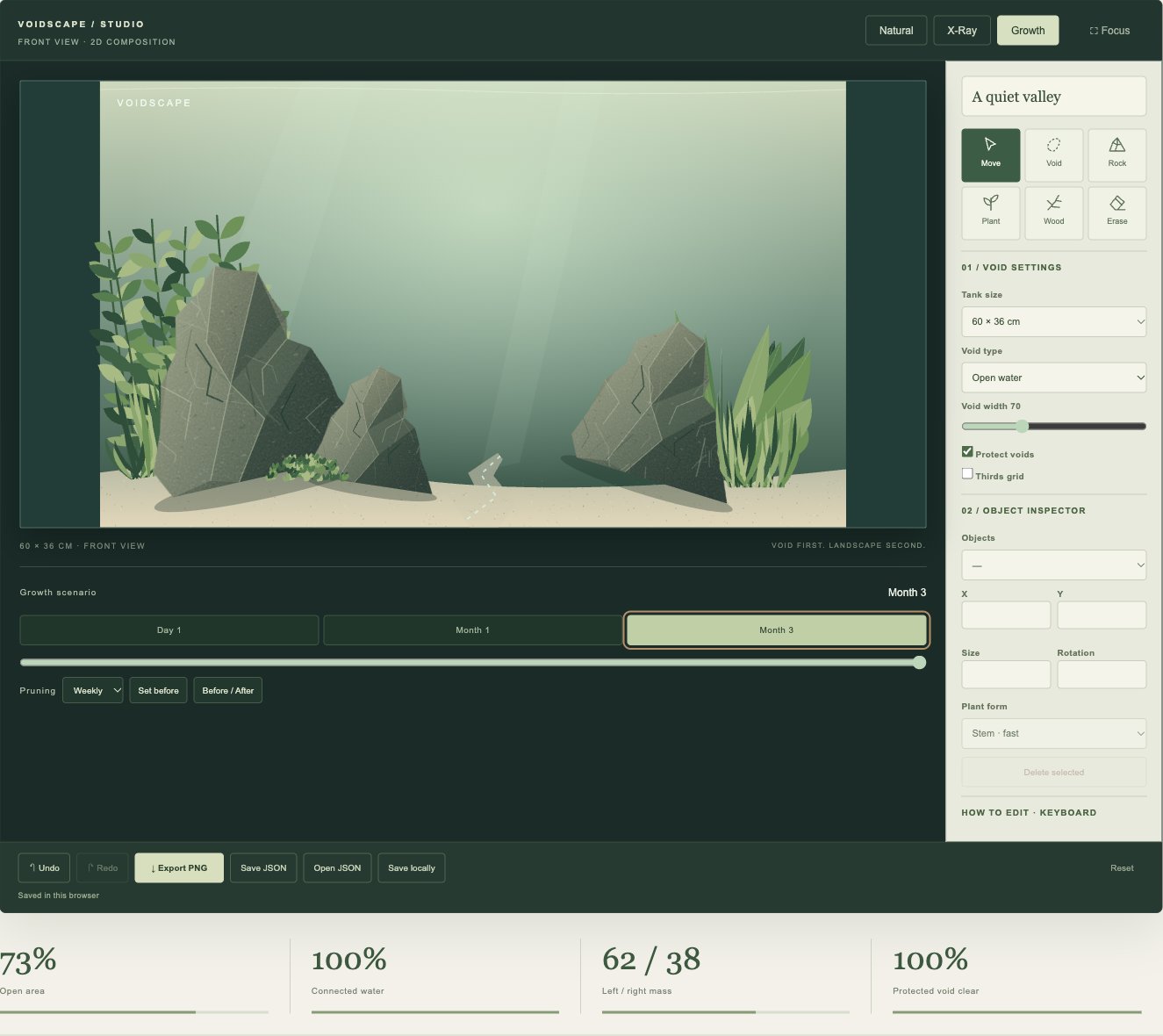
The screenshots show different controlled states. The growth image uses the restored default geometry; the X-Ray image below uses the moved rock with only the original protected stroke. Our added Void 2 was a separate drawing-and-recovery test and was removed before these final comparisons. This distinction matters because a new protected region changes the clearance question itself.
Interpret growth changes in percentage points
The change from 77% to 64% is 13 percentage points, not a 13% relative reduction. Relative to the initial open fraction,13 divided by 77 is about 16.9%. The change from 64% to 73% is 9 percentage points. These are independent arithmetic interpretations of displayed values; they are not additional biological observations or a precision audit of the tool.
A larger open fraction can be useful when preserving a corridor is your goal, but the number does not identify where that openness sits. Two drawings can retain similar total emptiness while placing it differently. Inspect the selected void and silhouette rather than optimizing area alone. The rock experiment made this visible: connectivity remained 100%, while the intended protected corridor had only 10% reported clearance.
The timeline offers named scenarios rather than a calibrated growth forecast. The source says actual growth depends on species, light, CO₂, nutrients and maintenance. The plant-form categories and pruning choices simplify that complexity. Use them to ask whether a composition is fragile under a larger assumed plant mass; use real husbandry information separately when establishing a living aquarium.
Protection is a design constraint to review
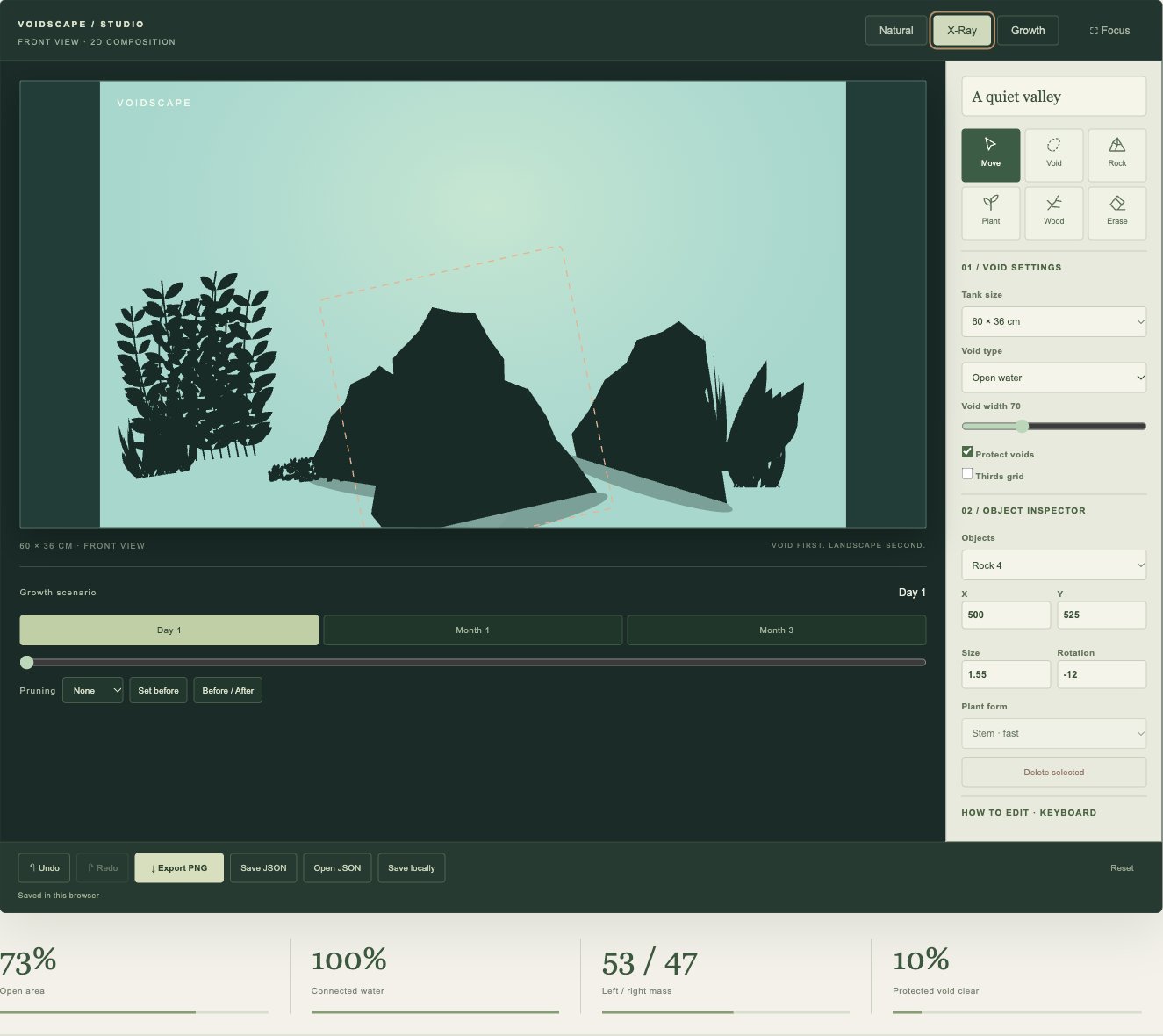
Protection fixes the void, not every object around it. We deliberately moved a rock into the corridor while Protect voids remained checked. The move succeeded and the interface showed the crowded-state message. The source describes a coral outline for overlapping elements; it gives the designer a conflict to resolve rather than automatically selecting a safe or attractive alternative placement.
For troubleshooting, select the relevant material and inspect position or scale. If the void itself needs editing, turn protection off intentionally, make the change and review the new goal before protecting it again. Avoid drawing an extra protected region merely to make a clearance average look better. Changing what you measure can conceal the original conflict without improving the original opening.
Compare one change with Before and After
A useful comparison has an explicit hypothesis: moving the foreground rock away should reopen this corridor while retaining the intended left-heavy arrangement. Save the baseline, move that rock, inspect X-Ray and toggle the two states. Then decide whether the visible route improved. The report can support the comparison, but cannot choose the preferred design on your behalf.
Keep a short revision note outside the tool if you need a design history: purpose of the change, which object moved, stage/pruning assumptions and which file holds the result. The interface has a composition title and a Before snapshot; we did not establish a persistent multi-version history or collaborative review system. Do not assume earlier snapshots remain available after browser-data loss.
Tank proportions and model coordinates
At 390 px width, the Korean tank drawing measured about 328 ×196.8 pixels for 60 ×36 framing. Selecting 90 ×45 changed it to 328 ×164, and the SVG viewBox changed to 960 ×480. That is consistent with a change in front-view aspect ratio. We did not treat it as evidence that material geometry had acquired verified physical dimensions or that usable tank volume was calculated.
Inspector coordinates are drawing values. Our mobile Right-key nudge changed a plant’s X by 2, while numeric fields support direct positioning. A number such as X 500 must not be read as 500 cm. Before building anything, separately establish real depth, clearances, substrate, equipment and material support. The planner’s front view cannot establish what is hidden behind the visible silhouette.
Save an editable design and a visual reference
Local saving, JSON and PNG serve different jobs. Local saving resumes a browser-held working scene when storage is available. JSON is described as an editable exported project. PNG is described as the current rendered view, so view mode and before/after state deserve attention before export. We activated the export controls but did not verify file contents, raster size or import recovery.
After Save locally, reload restored our edited scene and Void 2. The Korean page on the same domain also loaded the shared design, consistent with the source’s statement that language pages share local storage. That is not cross-device synchronization. Browser data may be cleared, and neither a screenshot nor a saved local scene replaces an independently tested portable copy.
Mobile controls and privacy
The root page is English and the Korean studio is at /p/voidscape-ko.html. A fresh 390 ×844 Korean viewport had 390 px document width without horizontal overflow. The drawing remained above the tool panels, and inspector-based editing worked. This was a responsive Chrome and keyboard check; we did not test a physical phone’s drawing gestures, every browser or a mobile export workflow.
The source states that studio designs stay on the device, with no studio login or design upload required. The surrounding site uses Blogger and Google services with their own privacy practices. We did not audit network traffic or prove offline operation. Read the linked Google Privacy Policy for those services; local design storage does not establish that every page request is local.
Limits and common mistakes
- A protected area is crowded: protection is not a placement barrier. Inspect the outlined material and the clearance measure rather than repeatedly toggling the lock.
- An element is difficult to drag: choose it from Objects and edit through the inspector. Focus mode hides the tool drawer; leave it when you need those controls.
- A number seems unexpectedly good: check growth stage, pruning, view and which voids exist. Different assumptions are different experiments.
- A drawing looks spacious: do not translate 2 D openness or connectivity into circulation, swimming volume, filtration capacity or animal suitability.
- A browser project disappears: local storage is not permanent or shared across all devices. Keep and test an editable backup; imported files and storage-failure recovery were not validated here.
Related tools for the next layout question
If your next question is plant-group spacing or how a layout reads from above, see the published NANO TANK Plant Spacing Lab guide. It covers front/top views, model overlap and a separate spacing estimate. VOIDSCAPE emphasizes explicitly drawn negative space; the related tool offers another geometric question rather than proof that either layout is suitable for a particular aquarium.
A practical manual route is to define the main opening here, record the scenario and screenshot, then examine a separate spacing study. Keep the assumptions visible and do not compare raw percentages as if the two tools share one validated measurement scale. We did not test project transfer, automatic integration or consistent numeric calibration between them.
Frequently asked questions
Does 100% connected water mean a safe swimming route?
No. It is a 2 D visual measure. In our test it remained 100% while the protected corridor clearance fell to 10%. Animal requirements and real tank geometry need separate assessment.
Does protecting a void prevent overlap?
No. We moved a rock into it with protection enabled. The lock concerns the void itself; a conflict outline, clearance output and message help you review the placement.
Are Month 3 and Weekly real growth instructions?
No. They label simplified assumptions. We compared their outputs without growing plants over three months or testing a real pruning regimen.
Were exported files and restoration fully validated?
Local scene recovery was observed. JSON/PNG controls were activated, but downloaded contents, Open JSON recovery and physical implementation remain unverified.
Keep the opening intentional
Choose one opening, one scene and one deliberate change. Compare the silhouette and the relevant measures, keep the assumptions with the saved design and carry the unresolved physical questions into the next planning stage.
A RELEVANT NEXT STEP
Tools with a useful connection
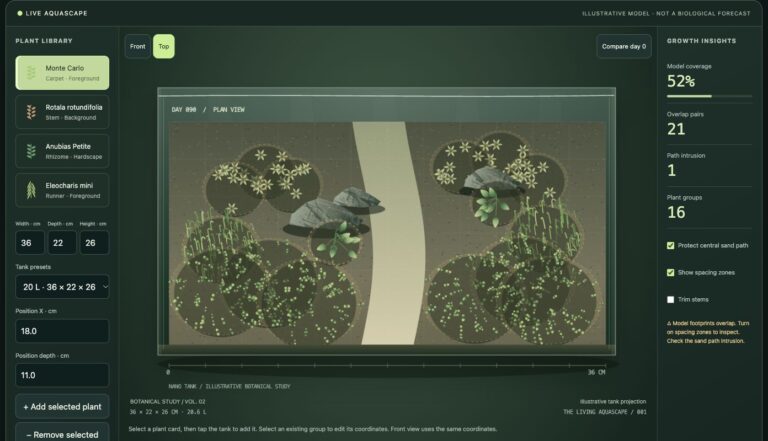
NANO TANK Plant Spacing Lab
Aquascape Planner: 7 Essential Checks for Better Spacing
Compare plant spacing, model coverage and a central sand path in NANO TANK. Actual tests explain geometric growth, grid estimates, local saves and mobile editing.
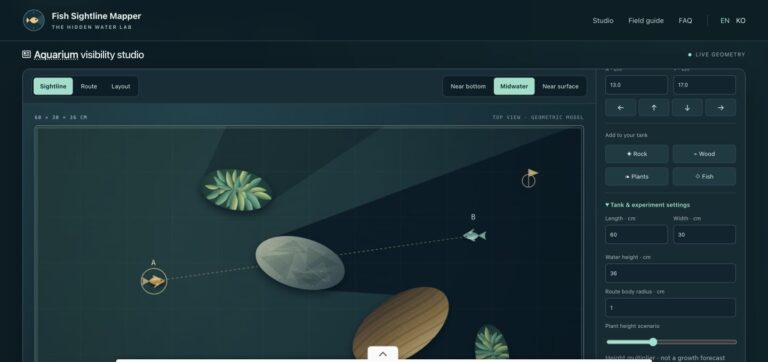
Fish Sightline Mapper
Fish Sightline Mapper: 7 Essential Aquarium Layout Checks
Compare aquarium sightlines with Fish Sightline Mapper. Our measured-input tests cover a 26.9% to 38.8% one-move experiment, depth and body-clearance changes, shared layouts and the model’s animal-care limits.
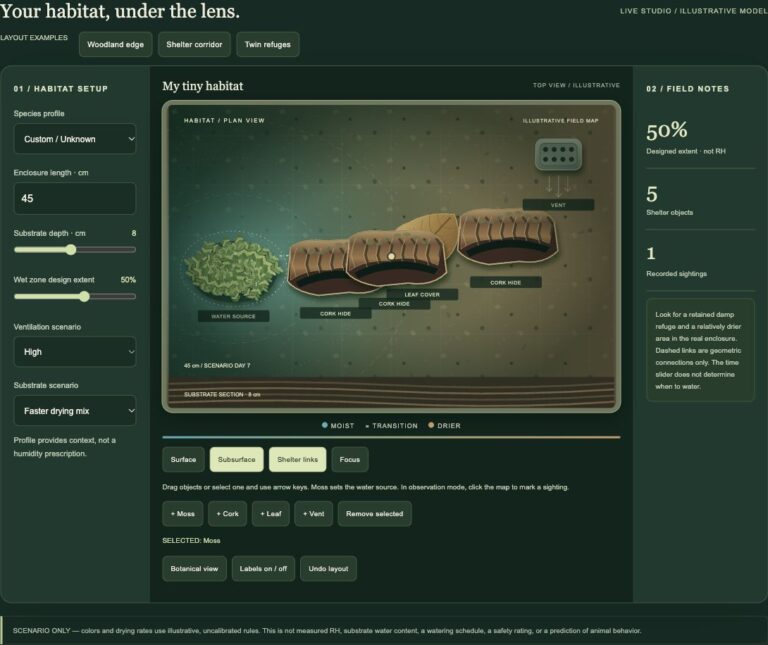
Microclimate Atlas — Isopod Moisture Gradient Planner
Isopod Layout Planner: 7 Essential Checks for Better Notes
Plan a virtual isopod habitat, compare illustrative drying scenarios and keep observation notes. Our tests separate design percentages from measured humidity and verify local reload behavior.