Magnet Marble Maze is a browser puzzle about moving a magnet instead of dragging the ball. Guide the marble to a mint exit, compare attraction and repulsion, and use pulse or rewind when a route goes wrong. It suits a short spatial-control challenge or a small experiment with the game’s rules.
Hands-on review: November 7, 2026. We tested dragging, arrow keys, pause, polarity, pulse, rewind, level selection and Maker sharing in Chrome. We completed the initial empty Maker board, then reopened its generated link and edited a wall. We also tested Korean controls at 390 pixels. We did not complete the 24-level campaign or Daily Challenge. This library and the original tool share a creator; the article reports observed behaviour rather than an independent third-party endorsement.

Move a magnet to guide a marble through a 2D puzzle. Our guide tests polarity, pulse, rewind, Maker completion and sharing, while separating game outputs from real magnetic measurements.
- Brand
- Magnet Marble Maze: The Polarity Paradox
- Tool languages
- en, ko
- Verified date
- 2026-11-07
On this page
Key takeaways
- You move the magnet, not the marble. Positioning the force slightly ahead of the ball is a different task from drawing a route or steering the ball directly.
- Polarity Core uses a fictional fixed-N rule: S attracts and N repels it. Steel Ball is described as attraction-only for either pole. Select the intended mode before comparing attempts.
- Rewind restored four displayed seconds in our paused test. One active pulse reduced the displayed energy from 99% to 87%; pressing P while paused did not produce that change.
- Maker sharing unlocked after our empty-board completion and locked again when we edited the design. A reopened link loaded the layout as a new attempt rather than replaying the win.
- The source describes browser-local records and a UTC daily puzzle. There is no claimed global leaderboard, and the physics is a simplified game model rather than a calibrated field calculation.
What Magnet Marble Maze does
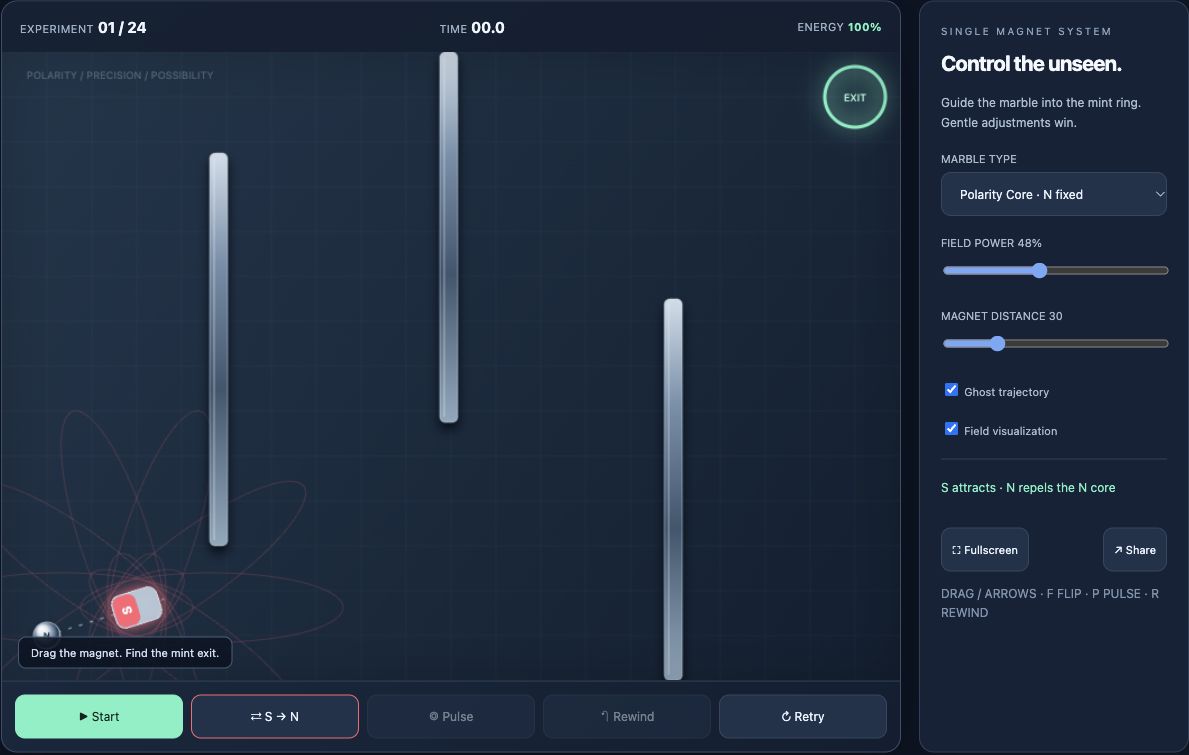
The official title is Magnet Marble Maze: The Polarity Paradox. A ball starts near one part of a 2D board and must reach a mint ring. Walls constrain the route, while a single movable magnet supplies the force. The interface combines a timer and energy display with two marble types, field controls, optional trajectory/field visuals and recovery controls.
The problem is overshoot and indirect control. Placing the magnet at the destination does not mean the ball immediately arrives there. Momentum, wall contact and the changing direction of the force can make a seemingly obvious route difficult. This makes the puzzle useful for practising a small observation loop: choose a nearby target, move the force, watch the response and adjust.
There are three ways to start: choose one of 24 experiments, open a Daily Challenge or build a custom board in Maze Maker. No account or payment was required during our visit. The English and Korean pages were both available. Treat the simulation as a playful model; its decorative field lines and percentage controls do not measure a real magnetic assembly.
Before playing: choose the marble and a fair baseline
Start with Experiment 1 to learn the interface, or use an empty Maker board to isolate movement without campaign walls. Select the marble type deliberately. The core is a fictional constrained N-oriented object designed to make attraction and repulsion easy to control. The Steel Ball option follows the attraction-only rule described in the source guide. These are two different game conditions, not merely different ball skins.
Record the level or layout, marble type, pole, field power and distance when comparing attempts. The default controls we observed were Core, 48% power and distance 30. The two sliders expose values from 10 to 100, but the distance number is not labelled as a real-world length unit. A trial with higher power and a shorter distance is a different setup, so do not compare its score as though nothing changed.
Keep the sound off if you prefer a quiet session. We left it off and did not verify audio output. Fullscreen is offered, but our checks used the regular page and a mobile viewport; we did not validate fullscreen behaviour. Focus the board before using keyboard shortcuts, especially after interacting with a slider or a text field.
Controls and outputs at a glance
| Control | Action | Useful distinction |
|---|---|---|
| Drag or arrow keys | Move the magnet around the board | The ball responds to force; it is not directly draggable |
| Space or Start/Pause | Begin, pause and resume the attempt | Pause lets you inspect a position without treating it as a timed benchmark |
| F or the pole button | Switch the active pole | Meaning depends on the selected marble type |
| Power and Distance | Change the force conditions | Relative game controls, not measured field strength and physical separation |
| P / Pulse | Spend energy on a brief boost while playing | Our paused P test did not spend energy |
| R / Rewind | Return through available recent history | Up to four seconds is not an unlimited undo archive |
| Ghost and field checkboxes | Show or hide visual aids | A conditional path is not a promise about a future move |
How to play: 7 smart magnet-control checks
1. Read the route before pressing Start
Locate the ball, the mint exit and the openings between walls. Choose one opening as the next target rather than trying to solve the whole board in one movement. Experiment 24 was selectable in our test, but selecting a layout is not evidence that we completed it. Begin with a manageable board so you can explain what a change actually did.
2. Confirm mode and pole together
Check Marble Type and the pole button. In the source rules, S attracts the N core and N repels it; Steel Ball is attracted to either. We guided Steel Ball with the N pole during our completed custom run. In a separate Core/N check the ball moved toward the board boundary away from a nearby magnet. This is observed game behaviour, not a physical-material experiment.
3. Start, then move the magnet a little ahead
Press Start or focus the board and use Space. Drag on the board or use arrow keys to reposition the magnet. Small intermediate targets make it easier to tell whether the ball is catching up or overshooting. If a move has already gone wrong, pause before adding another correction; rapidly moving the force can make the cause of the new motion harder to understand.
4. Change power or distance one at a time
Use the observed default 48/30 as a baseline if you want a repeatable starting point. Reduce abrupt corrections near a narrow opening and inspect the response after each change. Our empty-board completion eventually used power 100 and distance 10, but that was an interface test with no walls, not a recommended setting for every campaign route or a proof of the best control strategy.
5. Read the ghost path as a conditional estimate
The source describes the prediction as assuming the current magnet remains still. Moving the magnet or changing the pole, mode or sliders changes the conditions behind that path. It is useful for asking where the current setup might lead. It cannot guarantee a route after you make a different movement. We also switched both visual aids off successfully during the custom run.
6. Use pulse and rewind for different problems
Pulse is a boost, while rewind is a way to revisit a recent position. In our paused test the timer moved from 23.7 to 19.7 after R. During active play a pulse changed displayed energy from 99% to 87%. Do not interpret those observations as an unlimited fuel or replay system. The available history and current playing state matter, so test the controls before relying on them near a difficult corner.
7. Read the finish, then check what sharing preserves
Our empty Maker board ended with Escaped, two stars, 57.8 seconds, 84% energy and zero collisions. Share became available. Because this run included pauses, rewind and a wall-free design, it is not a campaign performance benchmark. If you want to compare your own attempts, keep the layout, mode and assistance choices consistent and note any recovery actions.
What our actual tests showed
| Test | Observed result | What it does not prove |
|---|---|---|
| Start, drag and arrows | The magnet and ball moved; Space paused and resumed | Equal response on every input device |
| Core/N and Steel/N | Different directional responses; Steel/N used in our completion | Measured forces or real-material behaviour |
| Paused rewind | 23.7 → 19.7 displayed seconds | A full-session replay or unlimited undo |
| Active pulse | 99% → 87% energy in one test | A universal score or endurance formula |
| Empty Maker completion | 57.8s, 84%, 0 collisions, two stars | Completion of any campaign wall layout |
| Share and fresh open | CUSTOM at 00.0/100%; Core and 48/30 controls | Restoration of our Steel/N/100/10 playing setup |
| Edit design and add a wall | Time reset; Share disabled | That the modified board was solved |
| Experiment 24 and Daily | Layout 24 selected; UTC 2026-11-07 daily opened | Completion of either challenge |
| Korean 390-pixel page | Start, drag, pulse and pause responded; no document overflow | A physical-phone or full accessibility audit |
Our test coverage is intentionally specific. We did not complete all 24 experiments, solve the daily puzzle, validate every custom layout, test malformed share links exhaustively or audit local storage and network traffic. A visible score is a game output. It should not be relabelled as a measured physics skill, cognitive score or calibrated experiment.
Maze Maker: solve the exact design before sharing
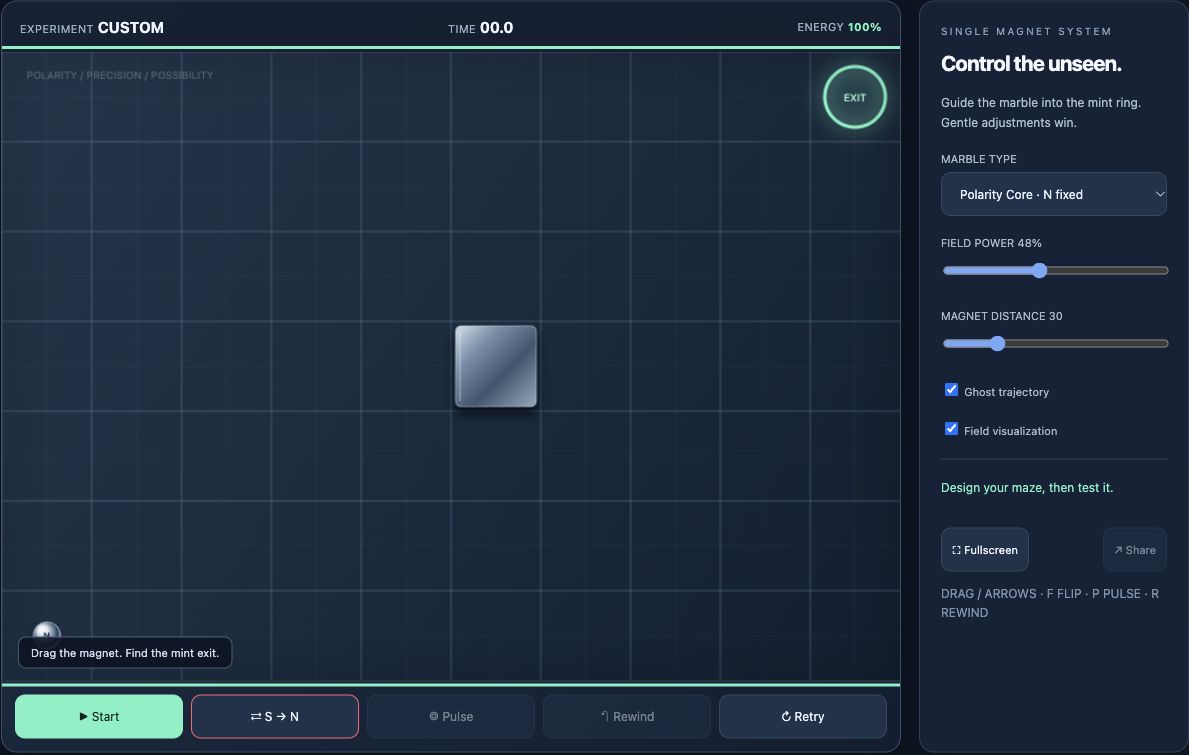
Select Maze Maker and tap cells to toggle walls. The source says the start and exit are protected. We first used its empty board to learn movement and verify the completion/share path, then used Edit design and added one wall. The modified board returned to an uncompleted state with sharing locked. That sequence is more informative than assuming an editor automatically produces a tested puzzle.
The generated text from our completion contained a link to our empty test layout. Opening that exact link in a fresh tab produced CUSTOM, time 00.0, energy 100%, Core, power 48 and distance 30, with an instruction to solve before sharing again. The link reproduced the layout, not the successful run, the stars or our final control settings.
A useful caution emerged after editing: the older share text remained visible even though the current Share button was disabled. Do not treat old text as proof that the modified design is the one you solved. Finish the current design, generate a fresh link and open it once before giving it to another player. This article links the original game as its main action; the empty-board link above is only a documented test example.
Campaign, Daily and Maker serve different purposes
| Mode | Use it for | Keep in mind |
|---|---|---|
| 24 experiments | Practise routes through prepared layouts | A selected level is not the same as a completed level |
| Daily Challenge | Return to the puzzle labelled with a UTC date | The source describes a deterministic daily seed and local records, not an online leaderboard |
| Maze Maker | Isolate one control problem or build a small board | The exact current design must be solved to unlock sharing |
For a short study session, begin with an empty Maker board, add a single wall only after movement is understandable, and then try a campaign opening. For a daily routine, note the UTC date shown on screen. Our Daily label was 2026-11-07. We verified that it opened, not that every visitor received an independently compared board or that a score was sent to a public ranking service.
A practical exercise: diagnose overshoot without changing everything
This is an editorial practice plan, not another completed test. Suppose your ball passes an opening and sticks against a wall. Stop adding rapid corrections. Pause and identify whether the magnet is pulling into the wall, whether its position has moved too far ahead, or whether an earlier boost is still relevant to the motion. Choose one explanation to test instead of changing every slider and pole together.
| Question | Controlled next attempt | Useful note |
|---|---|---|
| Was I moving the force too far ahead? | Keep the sliders fixed and use shorter intermediate targets | Where the ball began to lag |
| Was the correction too abrupt? | Keep the route and mode fixed; change one field control | Which opening became easier or harder |
| Did I change the rules accidentally? | Repeat with the same marble type and pole | Mode and pole before starting |
| Am I comparing unequal attempts? | Record pauses, pulse and rewind as part of the attempt | Layout, assistance used and final output |
The goal is an explanation you can reproduce, not simply a lower time. An empty board is useful for isolating control, but its result should not be compared directly with a walled campaign board. Likewise, a rewound timer is not an external stopwatch. Keep an observation about the route separate from a judgement about how skilled the player is.
Advanced tips for a useful magnet-maze session
- Watch the ball as well as the magnet. A force position that looks close to the target may be too far from the ball to give the correction you intended.
- Use pause to inspect a mistake, then label that attempt as assisted if you compare times later.
- Keep the prediction condition in mind. A path drawn for a stationary magnet does not describe a later moving-magnet manoeuvre.
- Build small custom problems. One wall and one question are easier to analyse than a crowded board with several unknown causes.
- Reopen a generated link before relying on it. Our reopened custom board reset the playing conditions, so a shared layout needs accompanying instructions if mode matters.
- Copy only non-sensitive layout information. A share URL is a way to distribute a design, not a private notebook or a recording of every action.
- Use the number of collisions as a clue about that run, not a scientific measure of a person’s coordination or understanding.
Limitations, privacy and interface cautions
Physics: the source explicitly uses a simplified 2D game with softened distance-based forces, damping and circle-wall collisions. Polarity Core is fictional. The source physics guide explains the intended rules. Do not use the decorative field display or slider percentages to size a real magnet, predict physical forces or validate an engineering design.
Mode guidance: during our Steel Ball session, a Core-specific S-attracts/N-repels hint appeared while Steel remained selected. Our N-pole Steel test still attracted the ball and reached the exit. Read the selected marble type and the guide rather than relying on that short hint alone. We did not validate every message/state combination.
Sharing: reopening the tested layout did not restore our completed run or final controls. Editing invalidated the current solve and left older share text visible. Check the current Share button and reopen the newly generated link. We did not test every layout-validation edge case, cross-device record transfer or every browser’s clipboard behaviour.
Privacy: the source says progress, preferences and best records are stored on the device, while custom layouts are encoded in shared URLs. It describes no account or requests for a name, microphone, camera or location; our session required none of those permissions. It also discloses Google Blogger and advertising cookies/technologies. We read the notice but did not independently audit storage or network traffic, so local records should not be called a whole-site no-tracking guarantee.
Mobile and access: the Korean page fitted a fresh 390 × 844 Chrome viewport with a 390-pixel document width and a 360 × 252 board. We used Start, dragging, pulse and pause. The side controls stack beneath the board and need scrolling. Some technical labels and the canvas accessibility description remain English. This was not a physical-handset or exhaustive assistive-technology test. Advertising overlays, including one after Share, interrupted desktop viewing and could be closed.
Related tools and other ways to explore a route
For a different route-analysis exercise, the published 3 Cushion Simulator guide explains an experimental billiards workbench with positions and route comparisons. Use the connection to practise keeping inputs and observations separate. It is a different model, with a Korean original interface; there is no automatic transfer of maze layouts or proof that either model predicts a real table or magnetic system.
If you only want a paper route puzzle, sketching the corridor may be enough. If you want a new playable board, Maker is the appropriate starting point. If you need real magnetic measurements, this game is outside that task. More playful simulations can be found in the published Games, Learning & Experiments collection.
Magnet Marble Maze FAQ
Can I drag the marble itself?
The stated control is the magnet. Drag on the board or use the arrow keys to move that force source and observe the ball’s response. Directly dragging the ball is not the intended play mechanic.
Why does changing pole not reverse Steel Ball?
The source describes Steel Ball as attracted to either pole. The attraction/repulsion contrast belongs to the fictional fixed-N Core mode. Check the selected marble type, especially if the short hint line seems inconsistent.
Is the ghost route guaranteed?
No. It is conditional on the current magnet remaining still according to the source guide. A different magnet position, pole or control setting changes the assumptions. Use it as a comparison aid rather than a promised future path.
Why is Share disabled in Maker?
The current exact design must be solved. We observed the button unlock after completing an empty board and lock again after editing. Old share text can remain visible, so use a newly generated link after solving the modified board.
Does the custom link replay the winning attempt?
Our tested link loaded the empty layout as a fresh attempt with default controls and a locked Share button. It did not replay 57.8 seconds of actions or restore the Steel/N/100/10 setup. Include separate instructions when you want another player to use those conditions.
Are Daily scores global rankings?
The FAQ says records are local to the browser and does not claim a global leaderboard. Daily is labelled with a UTC date. We opened the daily board but did not complete it or audit the storage implementation.
Try one route and keep one question fixed
Open the game, choose the marble type and inspect one opening. Start with small magnet movements, pause to understand a mistake, and use the recovery controls deliberately. If you make a custom design, solve it and reopen the fresh link before sharing. A useful session ends with a clearer explanation of the game’s response, even when the timer is not your fastest.
A RELEVANT NEXT STEP
Tools with a useful connection
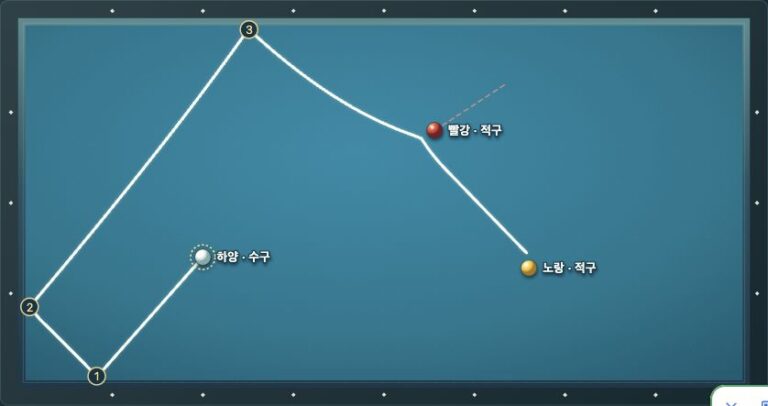
쓰리쿠션 길 안내소
3 Cushion Simulator: 7 Smart Practice Checks
Compare experimental three-cushion routes, save a position and calculate points per inning with 쓰리쿠션 길 안내소. Korean interface; actual table accuracy is unverified.
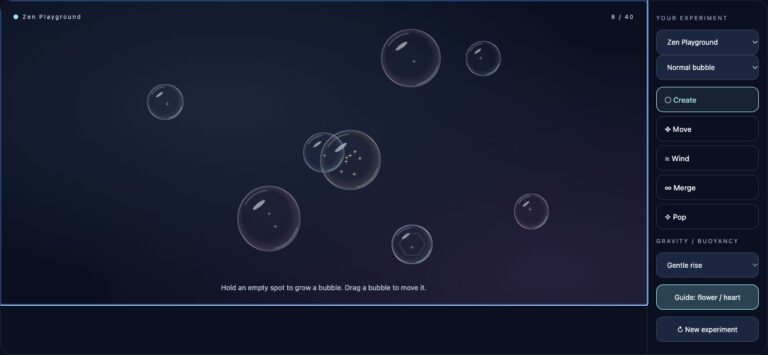
Soap Bubble Lab · The Fragile Universe
Bubble Game: 7 Smart Soap Bubble Lab Checks
Create a tiny bubble universe, explore four modes and keep a picture plus layout DNA. Real merge, daily-limit, Domino, museum and PNG tests explain what Soap Bubble Lab saves and what its fantasy physics cannot prove.

Sushi Alchemy
Sushi Alchemy: 7 Essential Steps for a Better Collection
Play Sushi Alchemy with a clear collection plan. Our actual feeding, fusion, forge and map tests explain material costs, saved progress and mobile limits.