Jazz Brush Canvas is a jazz brush instrument for drawing sweeps and tapping a virtual drum. Record a short gesture loop, add another hand and inspect its intensity timeline. This guide explains how to preserve the idea and distinguish a portrait, brush audio and an editable session.
Verified 12 November 2026. We tested English and Korean controls, recorded our own gestures, overdubbed and undid two taps, checked loop arithmetic and reopened the page. Audible output, downloaded files and session-file import were not verified. The library and original tool share a creator; this is a documented editorial review, not an independent endorsement.
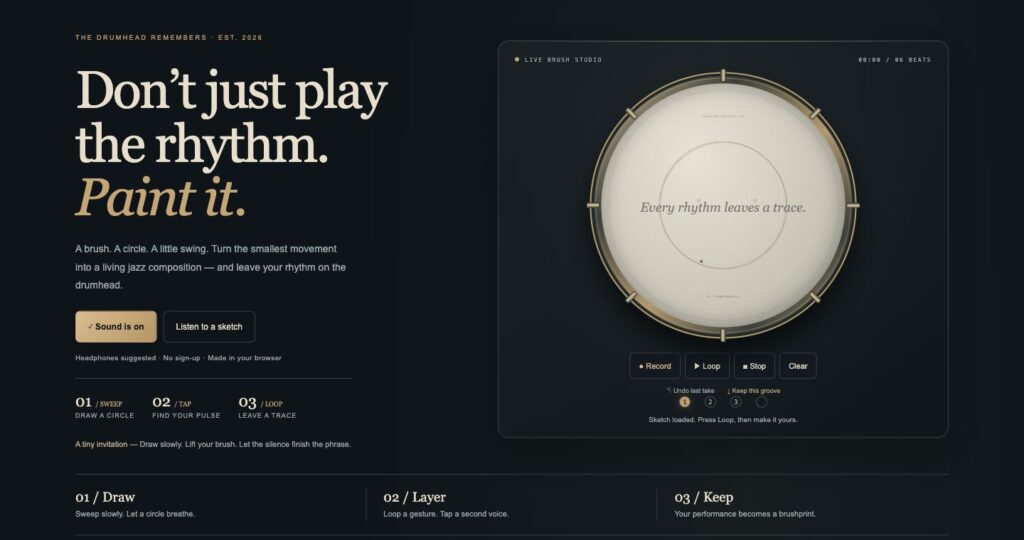
Draw and overdub jazz brush gestures in Jazz Brush Canvas. Tested event recovery, waltz beat counts and browser restoration explain the timeline and the limits of PNG, WAV and JSON preservation.
- Brand
- Jazz Brush Canvas
- Tool languages
- en, ko
- Verified date
- 2026-11-12
In this guide
Key takeaways
Record stores timestamped actions rather than microphone audio. Our jazz brush test began with 16 gesture events; two right-hand keyboard taps increased the count to 18, and Undo restored 16. Those counts describe software events, not sixteen musical notes or a timing score.
Loop duration depends on tempo and meter as well as the selected bar count. Four bars at 40 BPM occupied 24.0 seconds in the initial four-beat setting. Waltz in blue loaded a six-beat, two-bar cycle at 95 BPM and displayed 3.8 seconds. Read the beat counter before comparing lengths.
Treat the latest browser session as a convenience, not a portable backup. Our gesture count, title and timing settings survived a reload, but audio returned off. PNG, WAV and JSON controls were present and activated; no file arrived in the connected browser, so their contents and JSON restoration remain unverified.
What Jazz Brush Canvas actually records
A jazz brush sweep is a continuing gesture across the head; a tap is a short attack. The studio combines a drawable drum surface, a selected left or right hand, recorded loops, illustrative groove sketches, a timeline and a portrait preview. Its main value is connecting movement with a time-based phrase rather than merely drawing a neat circle.
The publisher describes procedural filtered noise for friction and short resonant tones for taps, rather than recorded brush samples. Motion speed and supported pressure affect the model. A mouse instead uses the intensity control. We checked interface behavior, not acoustic realism: a screen does not reproduce wire spread, head texture, grip or the resistance of a physical drum.
Controls include tempo from 40 to 200 BPM, brush intensity from 5 to 100 percent, master volume from 0 to 100 percent, Wire or Nylon material, and two- or four-bar takes. Swing ranges from 50 to 72 percent. Trio, guide and metronome switches add different kinds of support; they should not be treated as interchangeable ways to change the recorded gestures.
This jazz brush workflow suits a learner asking where an accent falls, a teacher explaining why equal-looking paths can have different timing, or a creator keeping a small visual rhythm study. It is less suitable when the requirement is a recorded acoustic performance, detailed technique assessment or a finished multitrack production.
Prepare one gesture question
Choose one question before pressing Record. For example: can a sparse right-hand accent leave the left-hand sweep legible? Name the hand, tempo, bar count, material, intensity and accompaniment state. Make a short baseline take first. A complicated drawing with several simultaneous changes is harder to compare with its next version.
Start at low volume and choose the intended output device. The original site recommends headphones and a user gesture to start audio. Our first drum interaction changed the sound state to on; that did not establish that speakers produced correct audio. In your own session, confirm that the sound button, device output and master volume agree before judging tone.
Keep the drum focus separate from page navigation. Space is a tap when the drum has keyboard focus. If the key scrolls the page instead, focus the instrument again. On compatible touch screens, the publisher assigns a second pointer to the other hand; our responsive test did not include physical multitouch or pressure-sensitive hardware.
7 checks for a repeatable brush loop
1. Establish a baseline before layering
Open the English studio and note the current beat counter. The default empty page showed eight beats for two bars. Set a deliberately slow tempo and a manageable length. In our own jazz brush test, 40 BPM and four bars provided a 16-beat, 24-second recording window, leaving room to check how gestures were stored.
2. Record a sweep and a focused tap
Press Record, drag across the drum and use Space with the surface focused for a tap. We made three short drags and a keyboard tap during a left-hand take. After the interface settled, the microscope showed 16 events, 24.0 seconds and 2 percent contact coverage. This was an intentionally sparse interaction test, not a performed musical exercise.
3. Stop without confusing silence with deletion
Stop ended the active transport and reported that the brushprint remained. Check that the event count and portrait still exist before continuing. Stopping a jazz brush loop and clearing its data are different actions. If your goal is simply a quiet inspection of the timeline, use Stop rather than erasing the material you want to inspect.
4. Add the other hand and verify the count
Select Right · accent, start another recording and add two focused Space taps, then stop. Our settled count became 18 while the original 24-second loop remained. Recording added to the existing take. Keep the first overdub small so that you can tell which change it introduced instead of losing the baseline in a dense second layer.
5. Undo and inspect the restored baseline
Undo last take reported that the previous take was restored; the settled count returned to 16. Allow the visual readouts to finish updating before recording a result. This test confirmed one last-change recovery. It did not establish an unlimited history, recovery after browser-data removal or restoration of every possible control change.
6. Load a sketch as a replacement experiment
Preserve your own work before using the library. Waltz in blue replaced our take with a 154-event sketch, selected two bars at 95 BPM and changed the counter to six beats. The status asked us to press Loop. Loading was not an overdub or a claim that we had performed the pattern ourselves.
7. Give the work a name and choose what to keep
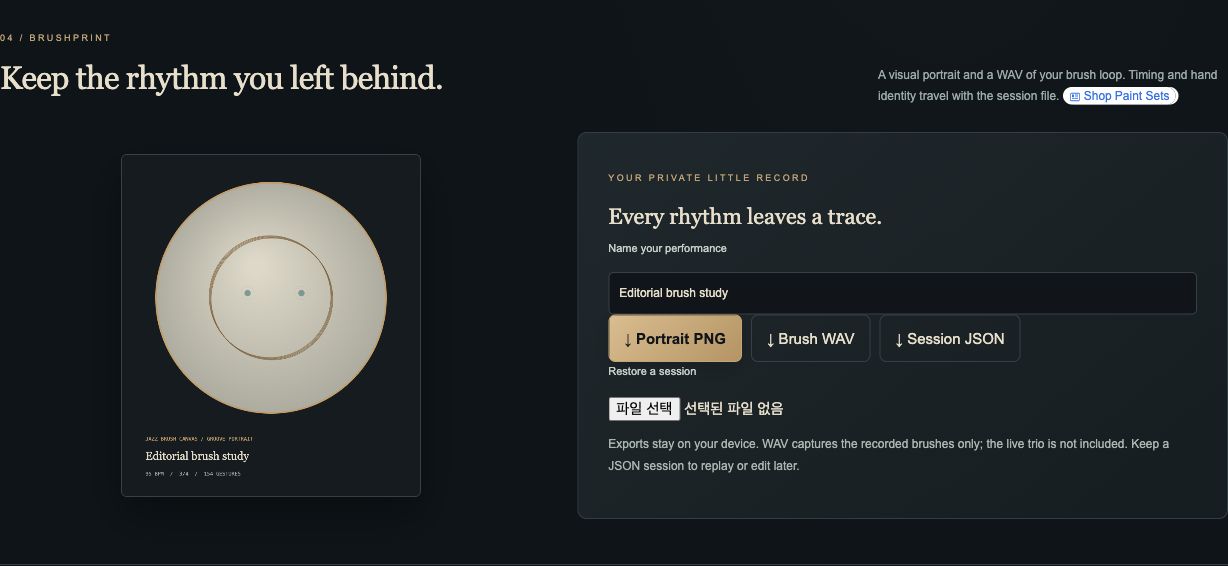
We entered Editorial brush study, inspected the timeline and portrait, and tried the three export controls. For later editing, the intended output is Session JSON; for a visual keepsake, PNG; for brush audio, WAV. Because files did not reach our connected browser, open each downloaded result yourself before relying on it as your jazz brush backup.
Count beats before comparing loop length
Use duration = total beats × 60 / BPM as a separate check of the displayed loop. The bar menu alone is incomplete because Waltz in blue uses three beats per bar. The arithmetic below was calculated outside the page and compared with settled interface values; it does not measure the precision of actual audio scheduling.
| Tested setup | Beat count | Displayed duration |
|---|---|---|
| Initial meter · 40 BPM · 4 bars | 16 | 24.0 s |
| Waltz · 95 BPM · 2 bars | 6 | 3.8 s |
| Waltz · 190 BPM · 2 bars | 6 | 1.9 s |
| Waltz · 190 BPM · 4 bars | 12 | 3.8 s |
The unrounded waltz values are approximately 3.789 and 1.895 seconds. The one-decimal display explains 3.8 and 1.9 without implying a different tempo. Doubling BPM halves the duration at the same beat count. Doubling the selected bars then restores the longer cycle; those are two separate changes, not the same musical decision.
At 190 BPM, expanding the loaded waltz from two to four bars left 154 events but showed 50 percent coverage instead of 100 percent. That is a useful warning against assuming that a longer loop automatically adds more playing. Inspect the new span and its empty space before overdubbing. We did not infer a complete definition of the coverage calculation from this one comparison.
A practical jazz brush exercise is to keep tempo fixed while comparing density, then keep the gesture pattern fixed while changing tempo. Write down which comparison you are making. Otherwise a longer recording window, different meter and slower playback can all look like the same change in a timeline, even though they answer different questions.
Read events and coverage without grading yourself
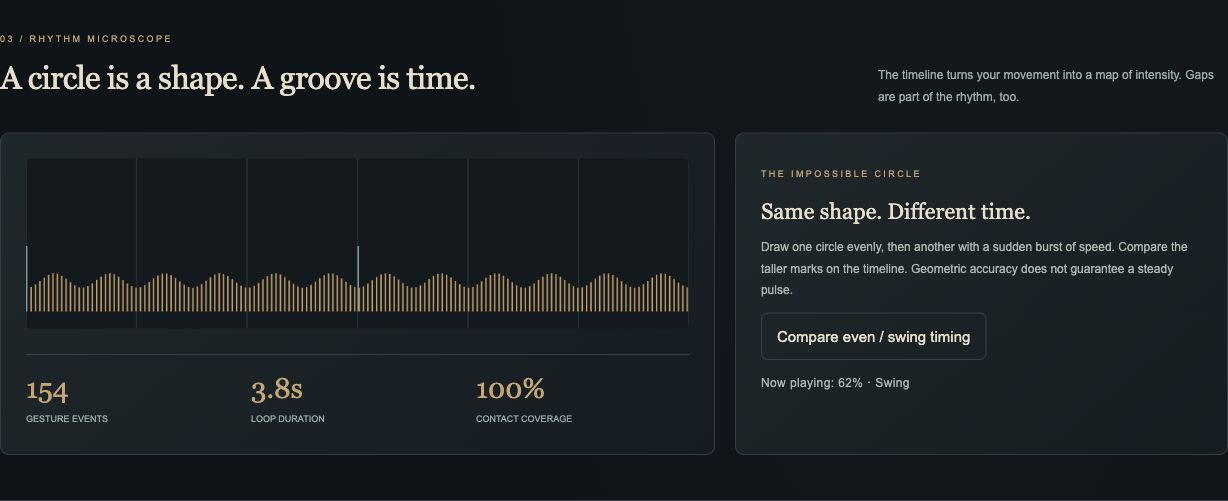
A gesture event is not necessarily a separate note. A continuing drag can produce several recorded actions, while a tap is short. Our three drags and a focused tap produced 16 stored events, so counting visible bars as a score of musical attacks would misread the result. Use event count to track a controlled edit, not to rank playing quality.
The intensity timeline helps locate activity and gaps. Its useful comparison is the placement of an accent or an interruption relative to the cycle. A tall mark does not prove a calibrated physical pressure reading, especially with a mouse and manual intensity. A perfectly circular path also does not prove an even pulse; geometry and timing are different dimensions.
Contact coverage is another description, not an accuracy percentage. The built-in waltz showed 100 percent before the longer-window test, whereas our sparse take showed 2 percent. That does not make the sketch fifty times better. Silence may be exactly the point of a jazz brush phrase. Read the measure in the context of the task and selected duration.
Separate the path, timing and accompaniment
The comparison control displayed Now playing: 62% · Swing after activation. The page explains 50 percent as even subdivision and 62 percent as delaying the second subdivision. We verified that control and its visible feedback, not a measured long-short audio ratio. A listening comparison in your own environment should hold tempo, material and accompaniment steady.
Trio and metronome buttons changed to their active states in our test; Stop returned the transport to its stopped state. The publisher describes a synthesized bass and piano following tempo, with the next bar responding to recent touch intensity. We did not verify that adaptive response by listening or record it as a tested musical improvement.
For a cleaner jazz brush study, first compare the gesture loop alone. Add the metronome if the question is pulse placement, the guide if the question is a visual path, or the trio if the question is interaction with accompaniment. Change one at a time. A fuller backing arrangement can mask the very gap or accent you intended to inspect.
Choose a picture, audio render or editable session
| Output offered | Purpose described by the tool | Check before relying on it |
|---|---|---|
| Portrait PNG | Visual memory of the take | Open the image; check name and legibility |
| Brush WAV | Rendered recorded brushes; excludes live trio | Play the file; check duration and expected voices |
| Session JSON | Timing and hand data for replay or editing | Restore a trusted file and compare the session |
The three outputs solve different preservation problems. A jazz brush portrait is a visual document, not an editable recording. A WAV can preserve a rendered sound without retaining editing controls. JSON is the intended session route. Sending only a picture to someone who expects to continue the loop would lose the kind of information that task needs.
The explicit brush-only WAV boundary matters when the live studio feels like a small ensemble. The publisher states that the trio is excluded. Do not promise a complete backing-track recording from that button. We activated WAV, PNG and JSON controls but received none of their files, so sample format, dimensions, audio content and round-trip session fidelity were not inspected.
Before handing work to another person, keep a small note with tempo, meter, bars, material, hand choices and accompaniment. Use a non-sensitive performance title. Verify the session file in a fresh page before removing the original browser data. This is a recommended preservation workflow; our failed file delivery means we cannot present its import step as a completed test.
What survived a fresh page load
After undoing to 16 events and naming the work, we reloaded the English page. The settled interface restored 16 events, 40 BPM, four bars, 24.0 seconds and Editorial brush study. Audio returned off and the undo button was disabled. Local restoration therefore recovered useful content without automatically resuming playback or preserving our previous undo availability.
A fresh Korean page on the same origin later displayed the current waltz session, tempo and title. That demonstrates continuity in this browser, not synchronization between devices, accounts or every tab. Avoid concurrent editing of the same idea in several language tabs unless you have checked which state is current. We made no claim about conflict resolution.
Local storage is not a cloud library. The source warns that clearing browser data can remove the latest session and that storage may not always be available. Keep an independently verified portable file for work that matters. Also distinguish the publisher’s Clear command, which starts a new take, from clearing the browser’s wider site data.
Sound, privacy and mobile limits
English and Korean interfaces are available at the root and /p/ko.html. A freshly loaded 390 × 844 Korean view had a 390-pixel document width. We started audio, added a focused keyboard tap during an overdub and stopped; the count settled from 154 to 155. This was responsive and keyboard testing, not a physical two-finger touch or pressure test.
No microphone or camera request appeared during our interactions. The publisher says Record stores gestures, runs the instrument locally and uses browser storage when available. That instrument description should not become a blanket anonymous-browsing promise: Blogger and advertising services have separate cookie and technical-data policies. We did not perform a network audit.
Advertising overlays and shopping annotations appeared during investigation. Use the named instrument controls and distinguish them from ad download buttons. We closed or avoided overlays while capturing the actual interface. No sound-quality, Bluetooth latency, background-playback, assistive-technology or all-device compatibility claim follows from these visible control tests.
Related tools for the next musical question
POLYRHYTHM ORBIT is a useful next step when the question is how two pulse streams divide a shared cycle. Jazz Brush Canvas captures a performed path; Orbit exposes an explicit ratio grid. Use the distinction to move from a gesture idea to a counting question. No project transfer between them was verified.
Bubble Wrap Orchestra offers an eight-beat step-pattern approach when you prefer discrete editable positions to a continuous sweep. Recreate a small accent plan there rather than expecting a session import. The different representations make a useful composition comparison, not interchangeable backup formats.
Tea Ripple Piano is relevant when the next idea is a small melodic phrase and replay. Its guide distinguishes a saved take from live layers. That is a useful preservation question after a jazz brush experiment, but audio and session data do not automatically move between the tools.
Frequently asked questions
Does Record capture my microphone?
The publisher describes timestamped gestures, not environmental audio, and no microphone permission appeared in our test. This is separate from the advertising platform’s visit-data handling.
Does recording again replace the first take?
Our two-tap test added to the first take, moving 16 events to 18. Undo restored 16. Loading a library sketch instead replaced the current pattern, so preserve your work before using that route.
Why does two bars show six beats?
Waltz in blue uses a three-beat bar. Its two-bar cycle was six beats and approximately 3.8 seconds at 95 BPM. Read meter and beat count rather than assuming every bar has four beats.
Does the WAV include the trio?
The source explicitly says the WAV contains recorded brushes only. We did not receive a file, so we cannot independently certify the rendered voices or format.
Is the timeline a technique score?
No. Counts, intensity and coverage describe the modeled session. They do not establish grip, posture, acoustic realism or calibrated timing accuracy. A physical drum lesson addresses different feedback.
Keep one deliberate groove
Start with one short sweep, add one deliberate accent and inspect the gap you meant to leave. Compare the jazz brush timeline before and after a small edit. Keep the picture for visual memory and verify the appropriate portable output for later listening or editing. A repeatable question makes the next session more useful than a denser drawing alone.
Verified 12 November 2026. Original interface tests, separate arithmetic, publisher descriptions and unverified audio/file behavior are distinguished above.
A RELEVANT NEXT STEP
Tools with a useful connection
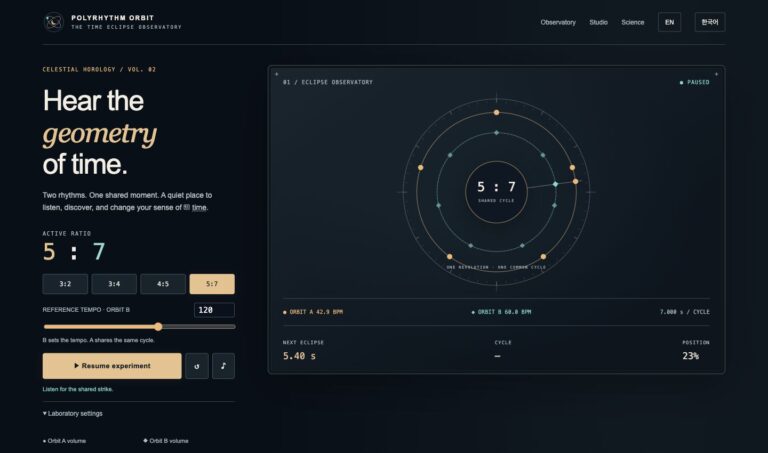
POLYRHYTHM ORBIT
Polyrhythm: 7 Smart Checks for Better Orbit Practice
Explore polyrhythm cycles, onset grids and phase in POLYRHYTHM ORBIT. Checked rates, 6:4 shared positions and fresh-link restoration explain the reference clock and session/export limits.
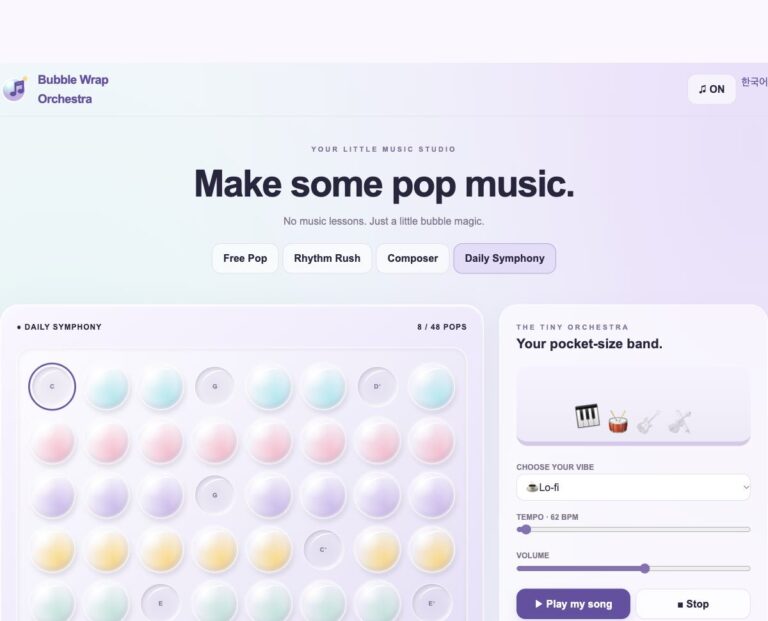
Bubble Wrap Orchestra
Bubble Music Maker: 7 Essential Pattern Checks
Create eight-beat bubble patterns in Bubble Wrap Orchestra. Tested Composer toggles, Lo-fi62 BPM link restoration,100-point Rhythm Rush and daily edits, with clear audio and export limits.
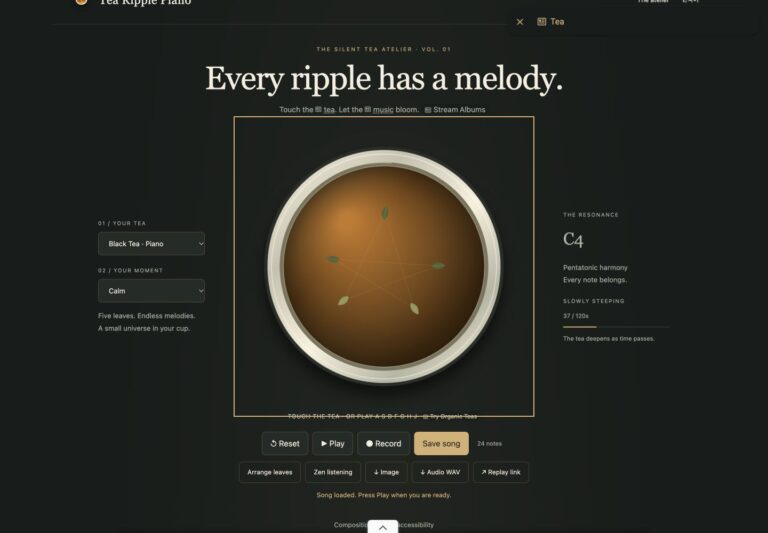
Tea Ripple Piano
Tea Ripple Piano: 7 Smart Recording and Replay Checks
Create short melodies by playing a virtual tea cup. This guide tests recording, local restoration, replay links and live layers, and explains which output preserves your next idea.