SHUTTERPHONIC is a shutter sound education studio with three synthesized studies, conceptual shutter mechanism diagrams and a browser-local audio lab. Explore an unknown study, choose a hypothesis, reveal its teaching model, then inspect built-in or local audio with waveform and A/B controls.
Verified 12 November 2026. We completed the three-study English workflow, checked Korean mobile controls and imported two self-created synthetic WAV fixtures. We verified controls, playback progress and visible results; we did not independently audition the speaker output. This library and tool share a creator, so this is an editorial guide rather than a third-party endorsement.
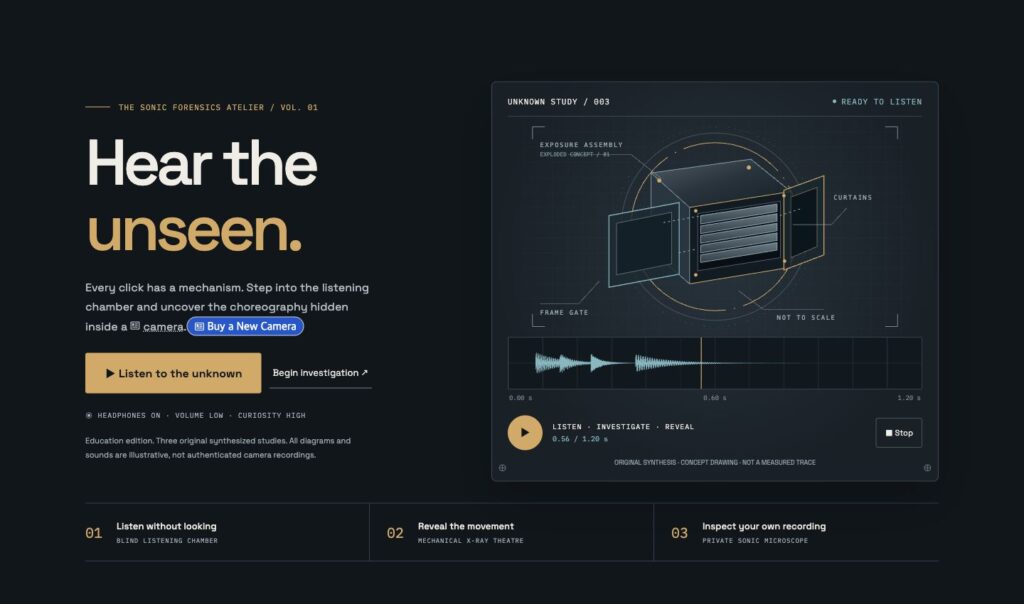
Explore three synthesized shutter studies, conceptual mechanisms and local A/B audio. Tested WAV imports, selection behaviour and export limits explain how to keep evidence and interpretation separate.
- Brand
- SHUTTERPHONIC
- Tool languages
- en, ko
- Verified date
- 2026-11-12
In this guide
Key takeaways
The built-in collection is sound design for learning. Its leaf-shutter, SLR-cycle and electronic-exposure studies are each labelled synthesized. They are not authenticated recordings of named cameras, measured exposure traces or a reference collection for diagnosing a fault.
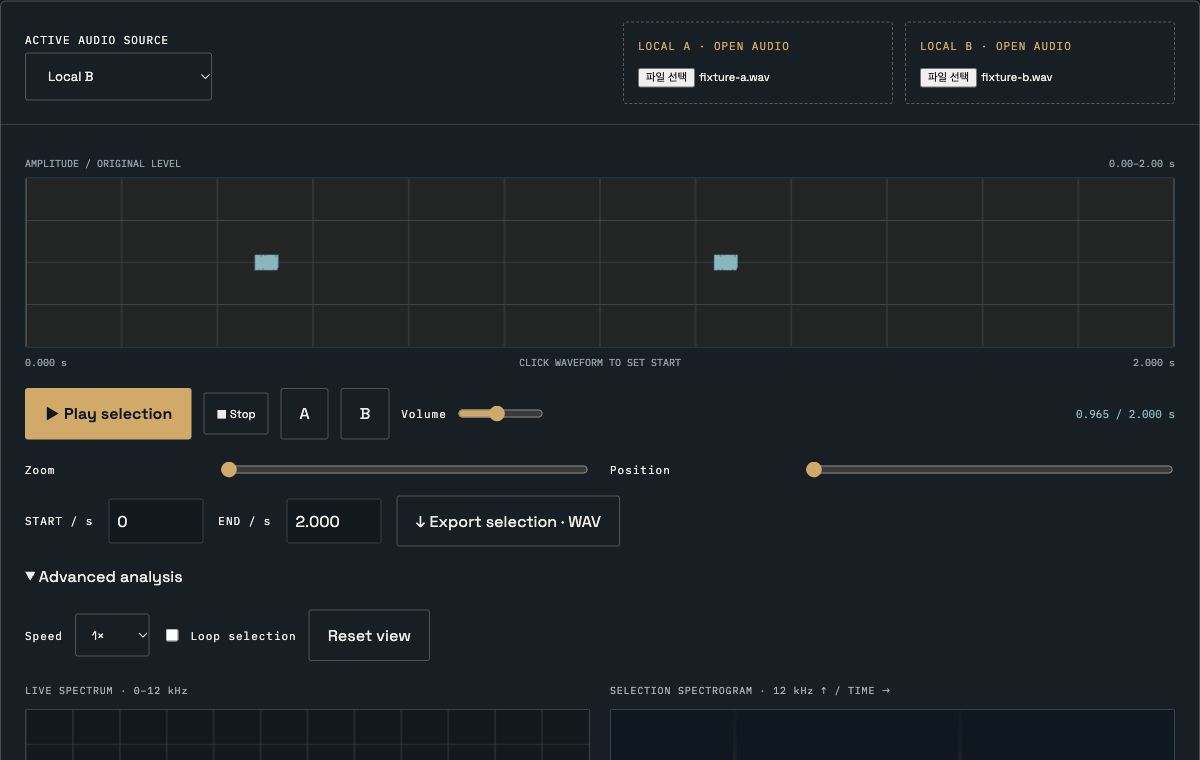
Keep the source, selection and view separate. Our local A and B fixtures decoded as one and two seconds at 48 kHz. Switching A/B reset the selection to the full file and zoom to 1×, while the 0.5× listening speed and loop setting remained selected. Recheck the interval after every source change.
A visible export-success message is not the same as an inspected file. The tool reported a 16-bit PCM WAV export, but our download wait returned no file. Export content, preserved channels and level therefore remain unverified in this review.
What SHUTTERPHONIC does
The site connects three kinds of work. The Blind Listening Chamber asks you to play a shuffled study and select a mechanism. The Mechanical X-Ray Theatre provides a separate illustrated shutter sequence. The Sonic Microscope opens two local files for A/B comparison, selection playback and visual analysis.
That combination is useful when a learner hears a click and immediately wants to assign every peak to a camera part. The tool makes a hypothesis visible, then supplies an explicitly limited interpretation. Its most valuable use is practising the difference between noticing a transient and knowing what caused it.
It is not an automatic camera or shutter identifier. A Local A or Local B recording stays labelled LOCAL / UNVERIFIED after import. Adding a file does not authenticate its camera, add it to a public museum or turn the illustrated sequence into a recording-synchronised reconstruction.
The teaching collection also has Mechanical and Electronic filters and two designed-sound comparison controls. We observed those controls but did not operationally test every filter, audition button or automatic animation path. The direct tests below cover the narrower actions we actually performed.
Prepare evidence before comparing sounds
For an initial session, use a built-in study. No file or microphone permission is required for that workflow. Keep the device volume low before playback. Because we inspected software states rather than independently listening through headphones, this guide makes no subjective claims about the actual timbre or playback quality.
For your own comparison, keep the original audio and a small recording log. Note source provenance, camera and lens if known, shutter mode, exposure setting, drive mode, microphone position and gain. Keep uncertainty in the log: “source supplied by a colleague” is different from “recorded by me under these conditions.”
If your question is whether two releases differ in texture, use consistent recording conditions. If your question is calibrated loudness, this interface does not provide that measurement. Its own advanced panel says A/B is not loudness-calibrated. A taller waveform alone cannot answer which real camera is quieter.
Only open material you are entitled to use, particularly if it includes conversations or other identifying background audio. The publisher describes tab-local processing, but a local analysis workflow does not make every recording appropriate to publish. A private working file and an illustrative screenshot have different audiences.
7 checks for a useful shutter investigation
1. Confirm the language and source label
The English tool is at the root address; Korean has a dedicated /p/korean.html page. Look for SYNTHESIZED on built-in studies and LOCAL / UNVERIFIED on imported audio. Establish this distinction before writing down any interpretation of a shutter sound.
2. Play before choosing a hypothesis
Use the listening-chamber play control, then choose Leaf shutter, SLR mechanical cycle or Electronic exposure. Reveal is initially disabled. After playback and a choice, it becomes available. An optional acoustic-clue menu records a description; it is not a microphone or an automatic sound classifier.
3. Reveal and read the limits
Open the mechanism report. Our matched leaf and electronic choices produced HYPOTHESIS MATCHED. A deliberately incorrect Leaf choice for the SLR study produced A NEW CLUE and explained the SLR teaching model. Read that explanation even when your answer matches; a match is to a designed study, not proof about a real camera.
4. Move through a conceptual mechanism
Select Leaf, Focal-plane / SLR or Electronic in the theatre. Step buttons and a timeline change the illustration. Leaf Open set the timeline to 40 and stage 2/4; switching to the SLR model reset the timeline to 0. These are illustrated states, not measured milliseconds from the audio.
5. Import two short, known files
Open Local A and Local B using the file controls. We used self-created mono 16-bit PCM WAV files at 48 kHz: A was one second with one short tone burst, B two seconds with two bursts. They were synthetic test material, not camera recordings. The decoded lengths and sample rate matched the fixture specifications.
6. Verify selection and listening settings
Set START and END, then check source, zoom, position, speed and loop before playing. We entered 0.300–0.600 seconds on B and observed playback positions within that interval with 0.5× and loop selected. At 20× zoom, the visible window showed 0.00–0.10 seconds, so the selected interval could lie outside the current view.
7. Check the actual handoff result
Export a selection only after rechecking the interval. The advanced description says WAV export uses original source speed and level, while volume and speed affect listening. We did not receive a file to validate that contract. Inspect your received WAV before treating it as a completed analysis artifact.
Our direct browser tests
| Test | Observed result | Interpretation |
|---|---|---|
| Three English studies | Two matches out of three;one deliberate wrong choice | The quiz report and completion path worked;this is not a listening-skill benchmark. |
| Korean at 390 px | Electronic hypothesis opened the matching report | The localised choice/reveal workflow worked on a narrow view. |
| Local audio imports | A 1.000 s;B 2.000 s;both 48000 Hz | The two small WAV fixtures decoded correctly. |
| Selection playback | 0.300–0.600 s;progress 0.415 then 0.581/2.000 s | The selected interval was used by playback controls;audible looping was not independently assessed. |
| Source switching | A/B returned to full-file selection and 1×zoom | Do not assume matching intervals survive source changes. |
| Export control | Success notice;no file returned to the tool | File contents and encoding remain unverified. |
These checks establish interface behaviour for specific small inputs. We did not compare real camera specimens, record a mechanism, measure an exposure, benchmark the audio engine or test every supported codec. The two-out-of-three model result includes an intentional wrong answer to exercise feedback.
Our fixture A used one short 440 Hz burst around 0.2 seconds at a higher digital amplitude; B used two bursts around 0.4 and 1.2 seconds at a lower amplitude. Their purpose was to make durations and visible events distinguishable. The waveform is evidence that the file was displayed, not proof of a calibrated acoustical measurement.
Read the mechanism without inventing a timeline
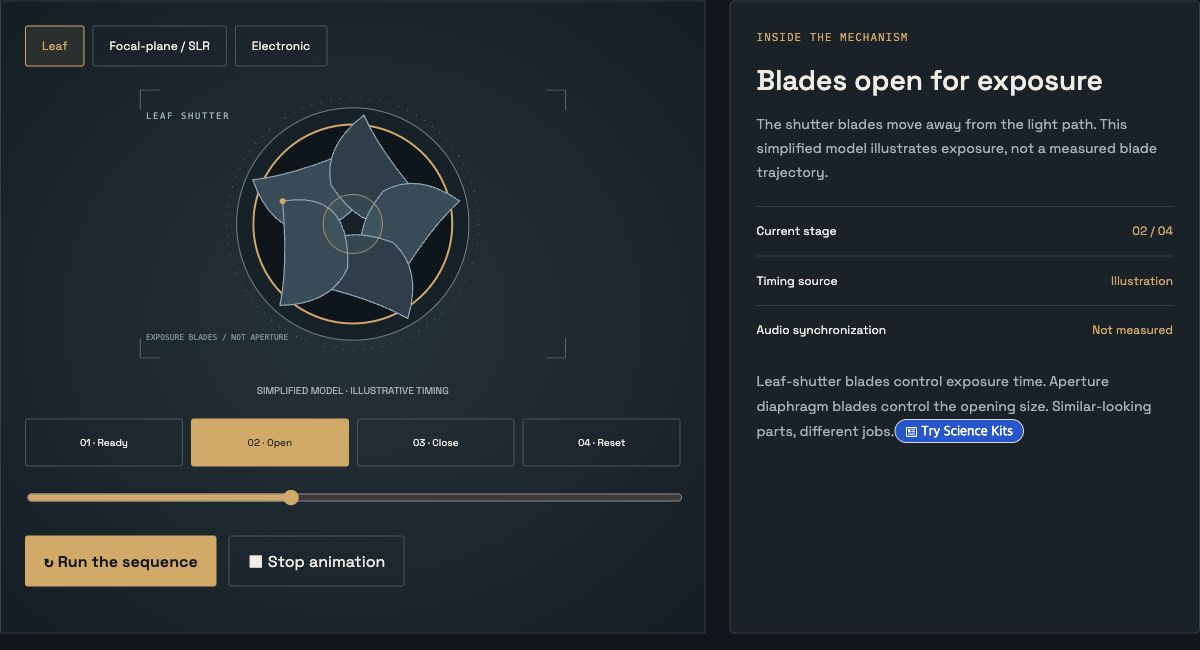
The illustrated leaf blades control exposure time; an aperture diaphragm controls opening size. Those can look superficially similar but have different jobs. Hasselblad’s primary explanation distinguishes lens-based leaf blades from curtains near the film or sensor and separates aperture size from exposure duration.
SHUTTERPHONIC’s focal-plane/SLR drawing includes a separate mirror model. Do not interpret that combination as a universal mechanism inside every camera with a focal-plane shutter. The site presents an SLR-cycle teaching example; it does not infer a mirror from your imported waveform.
The electronic model reached stage 4/4 at the end of its timeline and displayed Sensor ready again. Its deliberately silent study does not establish that every real electronic-exposure camera is entirely silent. Nikon’s Z 7 II/Z 6 II manual explicitly notes that autofocus or aperture adjustment can still be audible during silent photography. That example is model-specific documentation,not a universal sound profile.
The safe comparison is conceptual: what kind of exposure control is illustrated? The unsafe leap is assigning a waveform peak to a particular blade, curtain or mirror without independent timing evidence. A 1.20-second study is the length of its designed audio buffer, not a measured shutter speed or a guarantee that exposure lasts that long.
A/B comparison and selection behaviour
A/B comparison is convenient because two files remain available in the same tab. However, source switching is also a state change. We watched A return to 0–1.000 seconds and B to 0–2.000 seconds. Zoom returned to 1, while 0.5× and Loop remained selected. A difference in what you hear could therefore reflect both source and listening settings.
For a fair informal comparison, choose equivalent events and re-enter appropriate intervals after each source change. “The same numeric interval” is not necessarily the same event if one file has more leading silence. Preserve that offset in your notes rather than moving markers until the pictures look similar and forgetting the adjustment.
Reset view returned the full-file range and zoom 1 in our check. It did not serve as a verified reset of every advanced option. If you need normal listening, explicitly confirm 1× and the loop state. A view-reset button and an all-settings reset should not be treated as interchangeable.
The viewport and selection are separate. At 20× zoom on a two-second source, a 0.10-second window was visible while our numeric selection lay later in the file. A missing visible burst might mean you are viewing the wrong part of the file. Read the window endpoints and position control before concluding that the imported audio is empty.
Waveform, spectrum and playback speed
The waveform gives an amplitude-over-time view. Use it to locate candidate intervals, not to label a camera part automatically. Our two synthetic bursts were useful markers precisely because we already knew their origin. Unknown field recordings do not come with that ground truth.
Advanced analysis exposes a live spectrum and a selection spectrogram. The interface describes a 1024-sample Hann window, at most 300 time slices, the first channel and a relative−80 to 0 dBFS display range. We observed the controls and labels but did not independently verify the signal-processing implementation or its numeric accuracy.
That first-channel description matters for stereo material. A visual analysis may omit information present only in another channel. We tested mono files, so stereo display and exported-channel retention were not verified. If an apparent event matters, inspect your original recording with suitable additional tools rather than assuming the displayed channel represents every channel.
The speed control offers 1×,0.5× and 0.25×. The publisher says slower listening also lowers pitch. We selected 0.5× and observed playback progress, but did not independently assess pitch or speaker output. Slowed playback is an inspection aid,not evidence that a real camera mechanism moved more slowly.
Keep three statements distinct in a review note: the file contains a visible event; you interpret that event as a possible shutter mechanism action; independent evidence confirms that action. SHUTTERPHONIC helps organise the first two activities. It does not supply the third simply by drawing a convincing mechanism beside the audio.
Limits, export and troubleshooting
The published input limits are 25 MB and 120 seconds per file, with WAV,MP 3 and formats the browser can decode. We tested only small WAV files. Maximum-size rejection, overlong files, MP 3 decoding, malformed input and codec differences remain untested. If an import fails, begin with a short supported file and retain the original.
When you see a flat study waveform, check whether Electronic exposure is selected: the built-in electronic study is intentionally silent. For a local file, check the active source and current view before interpreting a flat section. Silence is not a camera-model identifier, and this tool does not diagnose shutter faults.
Export displayed a success message describing 16-bit PCM at original level and speed. Our 10-second download wait received no file. We cannot verify selection duration, header format, channel count, clipping or whether volume/rate changes are excluded from the actual export. A message is evidence of the interface path, not of the received artifact.
Advertisements and injected shopping links appeared during investigation and could cover controls. Use an advertisement’s own close or collapse control before continuing; do not treat its download button as a tool export. The article’s screenshots are captures of the actual interface,not images generated to impersonate a successful analysis.
Privacy and session boundaries
The publisher says selected files are processed in the browser tab without upload or microphone access. We opened our own WAV fixtures through the local file chooser without being asked for microphone permission. We did not inspect network traffic or establish a no-transmission guarantee for the entire hosting page.
Blogger, Google Fonts and advertising services may process connection data or cookies separately. Keep that distinction visible when deciding what material to open. A tab-local editor claim does not mean the page has no third-party requests, nor does it authenticate the privacy of a later screenshot or export you choose to share.
The Korean fresh page opened with no local files and a fresh study sequence. We did not establish cross-tab or cross-device restoration of imported audio. Keep original files and recording notes outside the tab. A stored best model-match count, if present, is a different kind of data from a recoverable audio project.
Related tools for the next task
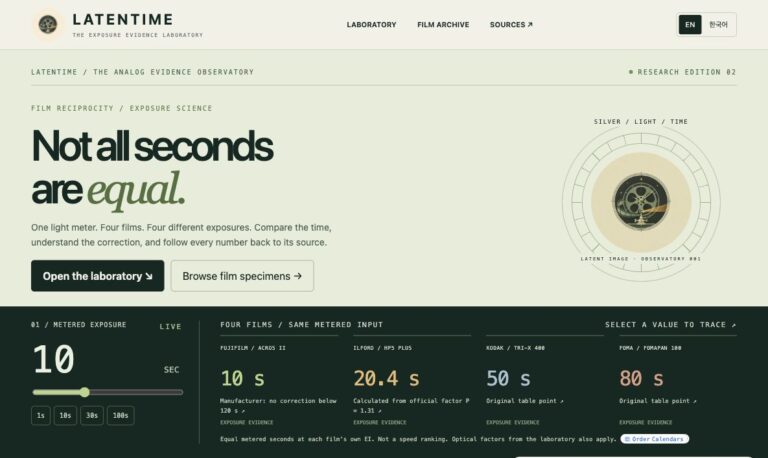
LATENTIME is relevant when the next question concerns a film exposure duration rather than the length of a click. It separates reciprocity corrections and optical factors. Do not substitute the duration of a SHUTTERPHONIC study for the exposure input in a calculation.
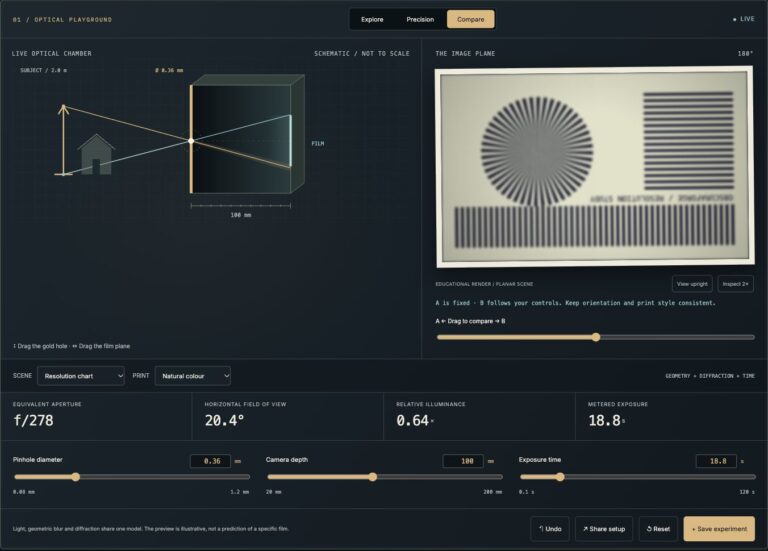
OBSCURAFORGE takes the learning path toward pinhole geometry, exposure and a proposed paper-camera build. It is a different experiment from identifying a mechanism by sound. A simulated blueprint still needs a physical test; no automatic data exchange with this audio lab was verified.
FrameMint Studio can help annotate a screenshot when documenting an A/B setup or a teaching note. Include source labels, intervals and uncertainty in the caption. An annotated picture is a communication aid,not a replacement for the original WAV and its provenance.
Frequently asked questions
Are the built-in shutter sounds real camera recordings?
No. The collection labels three algorithmic studies as synthesized and illustrative. Our test used those studies and our own synthetic WAV fixtures. We did not authenticate any real camera audio.
Can a matching answer identify my camera?
No. A matched hypothesis refers to a teaching model. Imported audio remains unverified, and the site explicitly excludes fault diagnosis or real camera identification from that result.
Why did my selected interval change after pressing A or B?
In our test source switching restored the full source interval and zoom 1, while speed and loop remained selected. Recheck and set the interval for the newly active source before comparing it.
Does slower playback change the exported file?
The interface says listening speed and volume do not affect WAV export. We did not receive an exported file to verify that behaviour. Check the actual received WAV before relying on that distinction.
Was Korean mobile operation checked?
Yes. At 390 px the document stayed within 390 px; a Korean electronic hypothesis revealed its matching report and the lab source selector switched to Study 03. This was browser emulation,not a physical-phone or comprehensive assistive-technology test.
Begin with one clearly labelled study
Begin with a labelled synthesized study, make one hypothesis and read the report’s evidence and limit. Then open short local files if you have a comparison question. Keep source provenance, illustrated movement and measured audio observations separate: that is the habit this shutter sound studio is best placed to support.
Verified 12 November 2026. Direct UI observations, publisher descriptions, manufacturer references and unverified export behaviour are distinguished throughout.
A RELEVANT NEXT STEP
Tools with a useful connection
LATENTIME
Film Exposure: 7 Essential LATENTIME Reciprocity Failure Checks
LATENTIME compares film reciprocity corrections after ND, aperture and bellows factors. Read our source checks, calculated examples, timer and saved-log tests, plus clear estimate and export limits.
OBSCURAFORGE
Pinhole Camera: 7 Essential Checks for Better Builds
Use OBSCURAFORGE to compare pinhole camera geometry, exposure and blur. Seven tested checks explain manual-time limits, saved setups and blueprint preparation.

FrameMint Studio
Screenshot Editor: 7 Smart FrameMint Studio Checks
Frame screenshots, add manual masks and build captioned stories in FrameMint Studio. Real import, order, recovery and size tests explain what to check before sharing.