One Piece Tape is a tape peeling game about pulling a parcel’s tape without tearing it. Drag the coral tab down a short distance and hold, watch tension, then release to rest. Choose a scored challenge, a no-break Zen run or a date-seeded box. The useful first goal is controlled movement, not the fastest possible drag.
Played and checked 12 November 2026. We tested a centered hold and release, a failed sideways pull, keyboard-assisted completion, Zen and the English/Korean daily box. Results below are actual interface observations. The browser already contained a 92-point best and two discoveries before this review; those were not earned in our tests. This library and the source game share a creator.
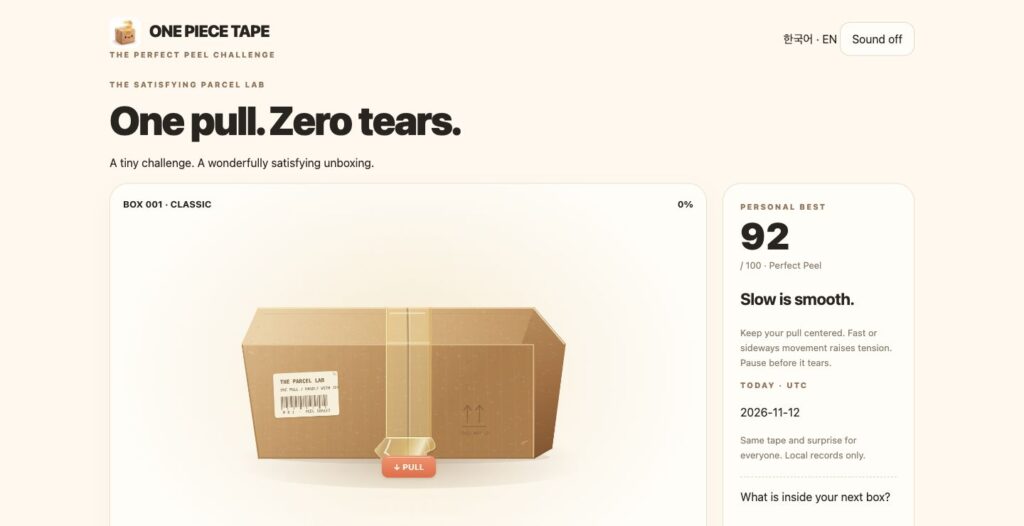
Play One Piece Tape with a centered hold, tension feedback and Perfect, Zen or UTC Daily modes. Actual manual failure and assisted completion tests explain scores, local discoveries, keyboard input and collection consistency limits.
- Brand
- One Piece Tape
- Tool languages
- en, ko
- Verified date
- 2026-11-12
In this guide
Key takeaways
A short downward pull can continue peeling while you hold. Repeatedly making long swipes is not the only control pattern. Our centered Classic pull reached 81%; after release it remained at 81% in a later observation. That makes release-and-regrab a practical way to stop an attempt from escalating.
Assisted completion can display a high number without updating the competitive best. Our mixed manual/Space-assisted run displayed 94/100 and Assisted · no personal best. The pre-existing best stayed 92. Read the qualification beside a result before treating it as a new record or comparing it with an unassisted run.
The game’s tension model is designed for play. The tape styles are difficulty choices, not measured adhesive products. The small surprises and museum are local game discoveries. No sign-in, purchase or installation was needed for the tested flow, and the source states that there is no global leaderboard.
What this tape peeling game does
The official name is One Piece Tape, with The Perfect Peel Challenge used as its subtitle. The page presents an illustrated parcel, a coral pull tab, completion percentage, a tension bar, mode buttons, a tape selector, a new-box control and an assisted-peel control. A side panel displays the personal best, today’s UTC date and the current result. The museum below shows discovered surprises.
Input is primarily a pointer action: grab, move and hold near the center, then release. The source also provides Space-assisted play when the game has focus. Output is an opened parcel or torn tape, a completion or score summary and, for an opened box, a surprise. Result cards expose PNG and Share result controls. We checked the visible results; a received PNG file was not verified.
This is useful when you want a small, self-contained interaction with a clear stopping point. One box gives you an immediate question: can you keep movement stable long enough to finish? A second run can change one control habit. Those are suggested ways to play, not measured improvements in motor skill, stress, attention or wellbeing. We did not conduct any therapeutic or learning-outcome study.
Choose Perfect, Zen or Daily deliberately
| Mode | Useful goal | Important boundary |
|---|---|---|
| Perfect Peel | Try a stable, unassisted completion | Torn tape ends with completion percentage; assistance excludes a competitive best |
| Zen Peel | Explore opening without breakage or score pressure | A Zen completion is not a competitive score |
| Daily Box | Try the date-selected starting challenge | Uses UTC; tape selection is locked, and records remain local |
The five selectable tape styles are Classic, Vintage, Paper, Strong and Hologram. The English menu describes them as balanced, delicate, gentle, sticky and lively. We directly played Classic, deliberately failed Vintage and completed the date-selected Strong. We did not systematically rank every style, measure failure thresholds or establish that one setting is best for every player.
Choose your objective before beginning. If you are learning how holding works, a Zen run separates that question from breakage pressure. If you want to compare attempts, keep the mode and style the same and separate assistance from manual input. If you choose Daily, let the fixed tape stand rather than expecting the style menu to remain editable.
Prepare a clear view and a small goal
Open the intended language and make sure the canvas and its controls are visible. The English root and dedicated English page were available, along with a Korean page. The source began muted. You can inspect movement and result labels without enabling sound; we did not independently listen to the audio or verify a full sound-effects sequence.
For a pointer attempt, locate the coral tab rather than dragging an arbitrary cardboard area. Leave room below it for a modest pull. If the page has scrolled, find the canvas again before starting. For keyboard assistance, focus the game first. Space on another part of a web page can have a different browser action, so confirm that game progress actually begins.
Ads and injected links appeared in our desktop investigation, including installation-themed advertising that could cover lower controls. Those labels are not game instructions or prerequisites. The tested game needed no downloaded application. Keep the real mode, new-box and assisted-peel controls identifiable; if advertising blocks your view, do not interpret that obstruction as a missing game feature.
7 checks for a more controlled peel
1. Read the mode and tape before touching the tab
Start by reading the box label, percentage and selected style. Our initial Classic round was at 0%. Choosing Daily later changed the label to DAILY 2026-11-12 · STRONG and disabled the tape selector. A disabled selector in that mode was expected behavior, not a failure to load all five choices. Mode and style are part of the context for every result.
2. Grab the coral tab near its center
Press on the visible tab at the bottom of the tape. Keep the initial movement modest and approximately vertical. The source explains that fast or sideways movement raises tension. We did not measure a physical pulling force or use the bar as a calibrated instrument; it is feedback from the game’s own model. Watch it together with the unfolding tape.
3. Pull down a short distance, then hold
You do not need to keep dragging farther down the page for the tape to progress. In our Classic check, a short centered downward movement followed by holding reached 81%. That percentage describes this attempt, not a recommended stopping threshold or a promise that a particular distance will always produce the same progress on every screen.
4. Release to rest instead of chasing the last percentage
We released at 81% and observed the same percentage afterward. The instructions allow easing back or releasing, then grabbing the tab again to continue. Use that pause to regain a clear view. Our deliberate large lateral pull on Vintage ended at 2% with SO CLOSE! and Ease back when tension rises. It was a control-failure check, not a material-strength test.
5. Use assistance when that is your intended route
The Assisted peel button and focused-canvas Space provide an alternative to dragging. The source describes Space as a toggle, with another press pausing assistance. We used Space after the 81% manual segment and reached 100%. We did not complete a separate precise pause/resume timing audit of the assisted mode, so do not treat these observations as a keyboard timing benchmark.
6. Read the entire result card
The mixed run displayed Little dinosaur, 94/100, 22.4s and Assisted · no personal best. A Zen-assisted completion displayed Box cat and Zen complete · 15.4s rather than a competitive score. The game’s displayed times are session results, not independent stopwatch measurements. Preserve the mode and assistance label whenever you discuss a number.
7. Check the museum before starting another box
A completion can add a surprise to the local museum. Inspect the result and collection, then use the next/new-box control when ready. Do not clear local records just to begin another attempt. We preserved the pre-existing best and original discoveries. We also observed inconsistent collection snapshots across simultaneously running language tabs, described below; a single active game tab is the safer routine.
Our actual gameplay results
| Test | Visible observation | What it supports |
|---|---|---|
| Initial browser state | Best 92; Rubber duck and Tiny pizza already present | Baseline only, not new achievements |
| Centered Classic hold | Reached 81%; release remained at 81% | Holding progresses; release stopped our attempt |
| Manual then Space assistance | 100%; 94/100; 22.4s; no personal best | Completion and competitive eligibility differ |
| Zen with assistance | 100%; Zen complete · 15.4s; Box cat | Tested score-free completion path |
| Vintage large sideways pull | SO CLOSE! at 2% | A deliberately unstable pull failed |
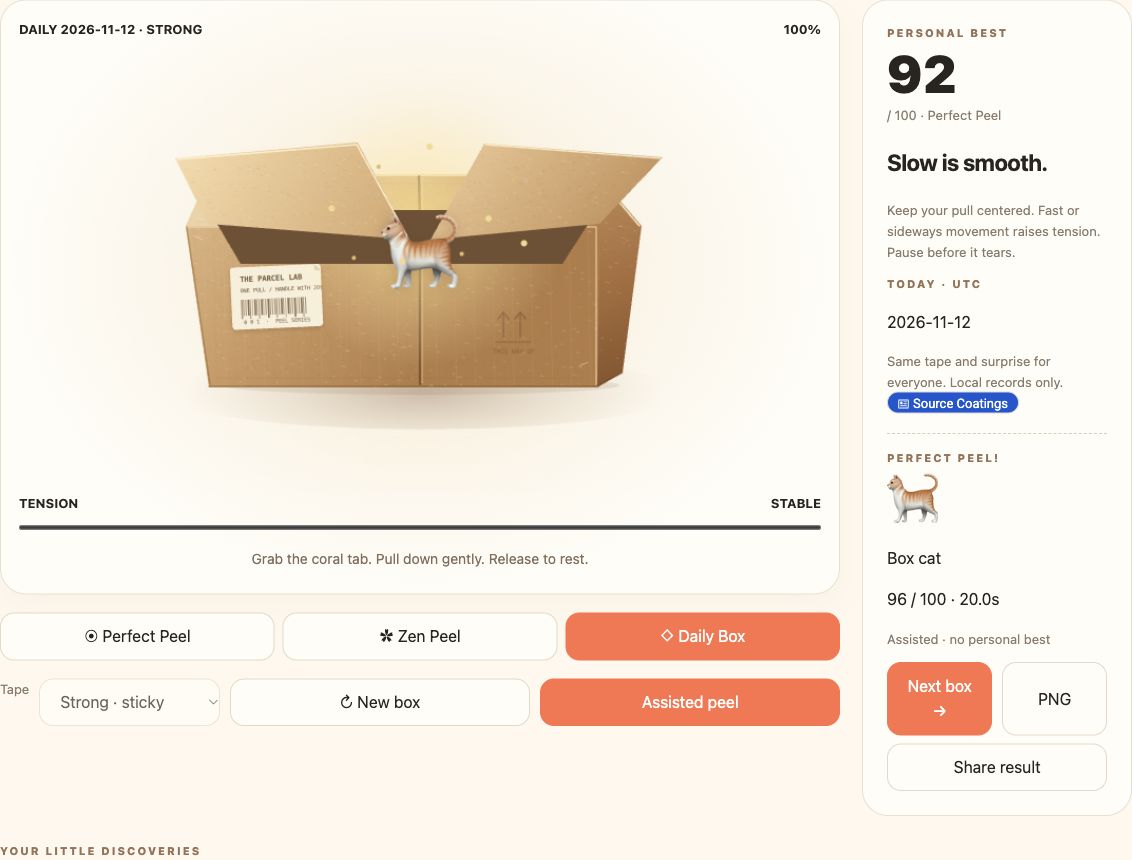
| English and Korean Daily | 2026-11-12 Strong, locked style; Box cat | Same tested date’s conditions and surprise |
| Daily assisted result | 96/100 · 20.0s; no personal best | Displayed daily result, not a new best |
| Reload and language tabs | Best 92 and some discoveries retained; collection discrepancy | Local persistence exists, but cross-tab consistency not established |
| PNG control | Invoked; received image not inspected | Export content and delivery remain unverified |
The two Daily completions showed the same cat surprise and Strong tape on the same UTC date. We did not test a UTC midnight transition, every possible daily seed or a different device. Our manual failure and assisted successes demonstrate reachable game states, not a population-level success rate. No unassisted completed competitive run was achieved in this review.
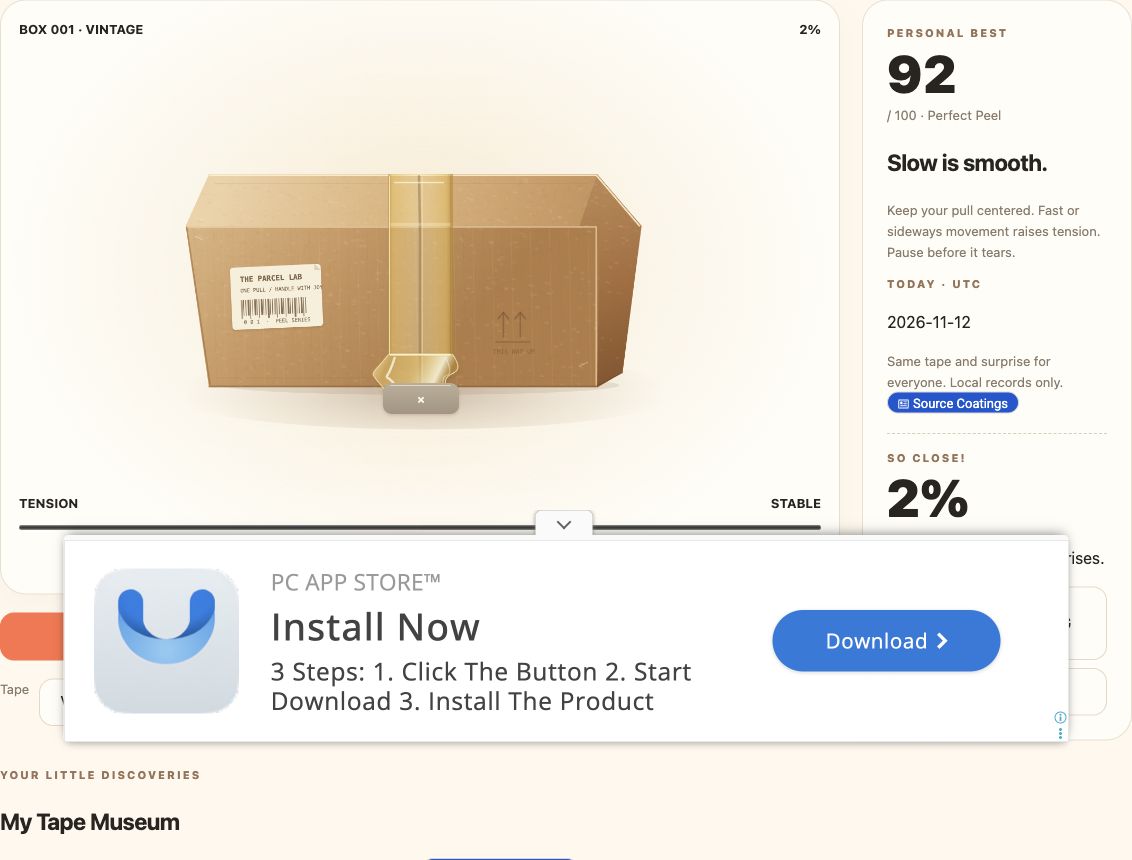
In the failure screenshot, the tension bar is already back at a stable-looking resting state after the attempt ended. Read the result card’s 2% failure label rather than treating a settled bar as proof that the whole attempt was calm. A final screen is a snapshot, and not every indicator is a complete history of the movement that produced it.
Read completion, score and personal best separately
The scoring FAQ gives four components: fully peeling the tape earns 50 points, centered pulling up to 25, calm tension up to 15, and completion within 25 seconds up to 10. These are the publisher’s rules. We observed total result numbers and eligibility labels, but did not independently reconstruct every component or validate the full scoring formula across all styles.
| Number or label | Meaning to read | Common mistake |
|---|---|---|
| 81% or a torn 2% | How much tape was completed in that state | Treating progress percentage as a score out of 100 |
| 94/100 or 96/100 | Displayed completed-run score | Assuming the number must replace personal best |
| Assisted · no personal best | That run is excluded from competitive best | Hiding the qualifier when comparing attempts |
| Zen complete | Completion under the no-score-pressure mode | Ranking a Zen time as a Perfect Peel score |
Our mixed 94-point result makes the distinction visible: 94 was greater than the existing 92, but the best stayed 92 because the run was assisted. The repeated daily 96 also carried the exclusion label. That is enough evidence to explain the qualification without pretending we set a manual record. A result’s context is more informative than the largest number visible on the page.
The time bonus also creates a tradeoff: rushing might help one component while a more abrupt motion threatens completion or calm control. It does not follow that the longest possible hold is optimal either. Start by learning a repeatable stable action, then change one thing on a later comparable run. We offer that as a practice method, not a mathematically proven optimal strategy.
Practice one control change at a time
A useful short exercise is one Zen attempt to learn grab-and-hold, followed by one Perfect attempt using the same style. Decide in advance whether you will use assistance. If a run fails, note whether the first movement was large, lateral or difficult to see. Change one of those factors next time. These proposed exercises were not tested as a training program.
Keep completion, assistance and style in a small note if you want to compare your own attempts. A quick assisted Daily cat and a manually torn Vintage tape answer different questions. Combining them into one average score would hide the change in rules and control path. The museum can remember a surprise, but it should not replace the result details you need for a comparison.
Do not keep an awkward pointer hold simply because the percentage is high. Release and re-establish a clear starting point according to the game’s instructions. On a small screen, the canvas and controls may occupy different vertical positions; make sure you are interacting with the tab rather than scrolling or pressing an advertisement. This review did not test a physical touchscreen’s gesture behavior.
Understand the UTC daily challenge
Daily Box uses the UTC date, not necessarily the date on your wall calendar. In Korea, a new UTC day begins at 09:00 KST. That conversion explains why a shared daily challenge can change during a Korean morning rather than at local midnight. This is a timezone explanation; we did not observe the game crossing that boundary in real time.
On 12 November 2026, both language pages selected Strong and revealed Box cat in assisted runs. This establishes the observed pair for that date only. Tomorrow’s material and surprise should be read from tomorrow’s page. The same starting conditions do not create an online contest: the source explicitly says local records only and no global leaderboard.
Collection, language tabs and local storage
The privacy explanation states that game scores, discoveries and preferences remain in browser storage and are not uploaded by the game. It warns that clearing site data removes them and says storage restrictions do not prevent play. We did not clear existing records, restrict storage or audit network traffic. Treat local game data and the host’s advertising services as separate scopes.
There was a specific limitation in our multi-tab checks. The English session briefly showed a dinosaur discovery after our first assisted completion. A Korean tab that had been opened earlier later completed its own run; its museum lacked that dinosaur. After reloading English, the dinosaur was absent there too, while the initial duck, pizza and the cat remained. We did not audit the internal cause or establish a reliable cross-tab merging mechanism.
Use one active game tab and inspect the museum after a language change or reload. Do not assume two live tabs update or merge every new discovery immediately. The initial best of 92 remained throughout our observed results, but preserving that one number does not certify the whole collection. No cloud synchronization, transferable collection backup or recovery after clearing storage was verified.
Mobile, sound, exports and other limitations
The Korean source loaded at 390 × 844 pixels without page-wide horizontal overflow. Its document width was 390. We invoked the assisted control in that layout, but did not test a real phone, touch-drag precision or every screen size. Advertising could cover controls or interrupt navigation during desktop investigation. The tested gameplay worked without installing anything from those ads.
Sound began off. The source says reduced-motion preferences are respected, but neither audio quality nor reduced-motion behavior was independently verified. The exposed keyboard route is assisted peeling, which changes competitive eligibility; do not describe it as an equivalent manual scoring control. We did not perform a comprehensive accessibility certification or guarantee identical play conditions across input devices.
The PNG button was invoked without a received file that we could inspect. Share result was not used to send anything. A result image, if received, would be a record of that displayed run, not a full museum backup. The game is a playful tension model; it is not a packing-material calculator, an adhesive comparison test or a source of real unboxing instructions.
Related tools for a different kind of play
For making a scene rather than opening one parcel, see Soap Bubble Lab’s bubble game guide. It offers composition, merging and chain-reaction play with separate image and layout-preservation concepts. Its fantasy physics are also distinct from a measured material simulation. Choose it when your next goal is arranging an open-ended scene.
For an eight-beat pattern with explicit note choices, see Bubble Wrap Orchestra. Its composer and rhythm modes turn repeated presses into a small musical pattern. That is a different constraint from holding a single tab. Read the guide’s audio and export verification limits rather than assuming a visual game test confirms speaker output.
For an aiming puzzle with separate position and angle feedback, try the Perfect Staple guide. It replaces a continuous tape hold with aligning illustrated sheets and committing a virtual staple. Read its score breakdown when you want to investigate one precise adjustment, while keeping the game separate from real office-hardware performance.
Tape peeling game FAQ
Why does progress continue when I stop moving the pointer?
The instructions describe pulling down a short distance and holding to peel continuously. Our centered hold progressed to 81%. Releasing stopped that attempt at the observed percentage. You do not need an endless downward swipe to keep peeling.
Why did a 94-point completion leave the best at 92?
Our result was assisted and explicitly excluded from personal best. The 92 already existed before our tests. Completion, displayed score and eligibility are separate pieces of information, so read the full card.
Can I choose a different tape in Daily Box?
The selector was disabled with Strong selected on our tested UTC date in both languages. Use a non-Daily mode when you want to explore the five style choices instead of the date-selected conditions.
Is this a real tape simulator or a proven relaxation treatment?
The source says the tension model is designed for play. We tested interface behavior, not physical adhesives, stress reduction or clinical outcomes. Use it as a small browser game without extending its result beyond that scope.
Open one box with a clear goal
Choose a mode, identify the coral tab and try a short centered hold. Release when you need a rest, use assistance deliberately and read its result qualification. Keep one active game tab if collection progress matters. The clearest first success is understanding what your next movement changes, whether or not that run opens the box.
Sources: One Piece Tape English game, instructions and FAQ; Korean interface. Gameplay observations and real screenshots: 12 November 2026. Displayed elapsed times are game results, not independent benchmarks. Unverified exports, audio, motion preferences and collection consistency are disclosed above.
A RELEVANT NEXT STEP
Tools with a useful connection
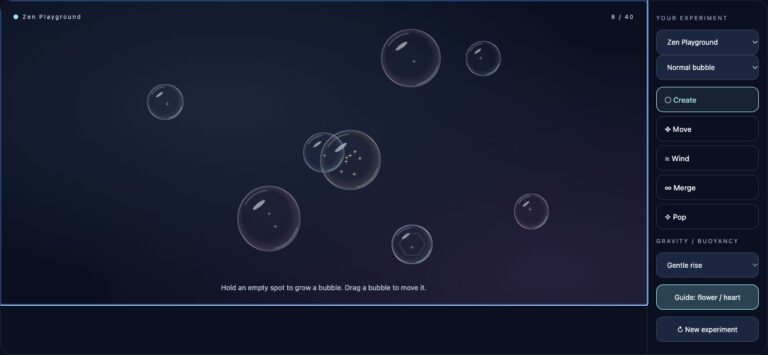
Soap Bubble Lab · The Fragile Universe
Bubble Game: 7 Smart Soap Bubble Lab Checks
Create a tiny bubble universe, explore four modes and keep a picture plus layout DNA. Real merge, daily-limit, Domino, museum and PNG tests explain what Soap Bubble Lab saves and what its fantasy physics cannot prove.
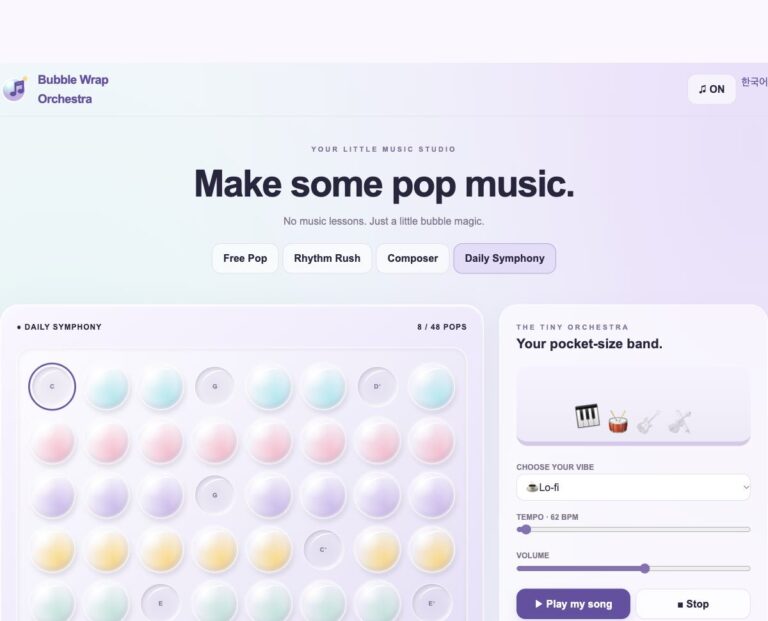
Bubble Wrap Orchestra
Bubble Music Maker: 7 Essential Pattern Checks
Create eight-beat bubble patterns in Bubble Wrap Orchestra. Tested Composer toggles, Lo-fi62 BPM link restoration,100-point Rhythm Rush and daily edits, with clear audio and export limits.
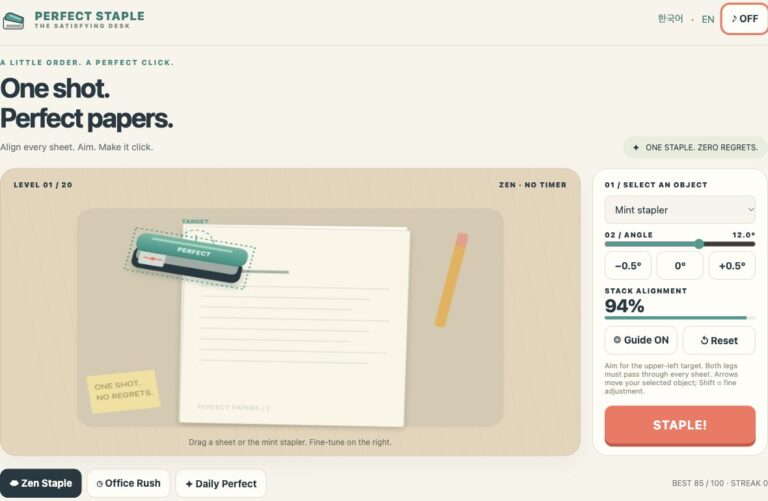
Perfect Staple
Stapler Game: 7 Essential Perfect Staple Checks
Play Perfect Staple with a clear plan: compare position, angle, penetration and fold scores. Our actual 32→42→85 trials explain the controls, daily practice, timer and local-record limits.