Plan perches, bowls and routes in a measured cage sketch. Compare a layout change and record observations without mistaking the model for a safety assessment.
- Brand
- Bird Perch Planner
- Tool languages
- en, ko
- Verified date
- 2026-11-05
Bird cage planner tools are most useful when they turn a vague rearrangement into a measured question. Bird Perch Planner lets you sketch perches, bowls and routes before moving equipment. Here is how to use its actual controls, interpret our layout test and keep physical care decisions outside the diagram.
Table of Contents
Key takeaways
- Plan a change before making it. Bird Perch Planner places perches, bowls and enrichment in a schematic cage, with coordinate editing and three views.
- A cleaner model is not a safety certificate. The overlap indicator checks modeled geometry. It cannot assess every contamination source, material or clearance.
- Routes are your proposed sequence. Flight, Hop and Climb are labels, not predictions of what an individual bird can do.
- Observation counts need an observer. The diary records manual visits. An animation does not become evidence of real bird behavior.
1. Decide what a bird cage planner can help you solve
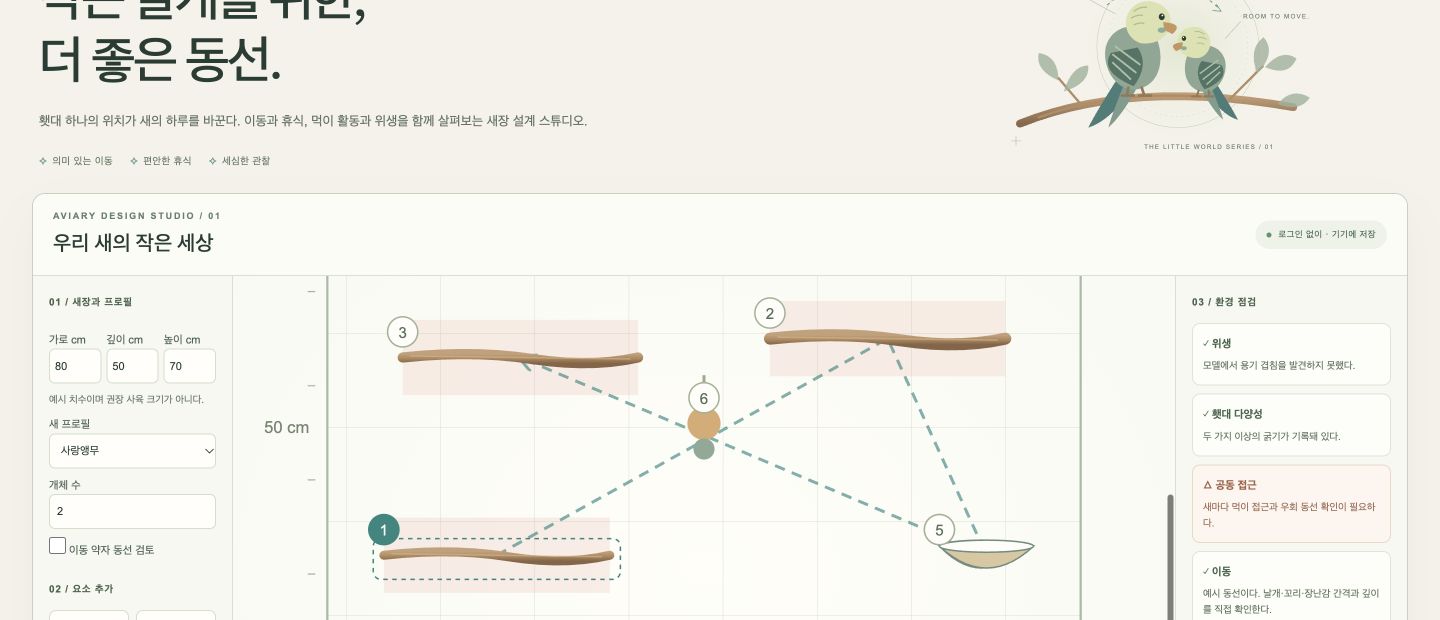
Bird Perch Planner, branded The Aviary Atelier, is a browser-based layout workbench. Its useful job is to make a proposed arrangement visible before you move equipment. You can sketch where resting places, food, water and toys sit, compare a change and keep a short observation note. The tested interface required no account.
Consider a familiar problem: the front of a cage looks pleasantly uncluttered, yet a water bowl sits beneath a perch when viewed from above. A single photograph or front-facing drawing can hide that relationship. A bird cage planner lets you inspect the same arrangement from the front, top and side. It makes a question easier to see; it does not answer every question about housing.
This guide is for organizing an existing layout or discussing a proposed change with a knowledgeable carer or avian veterinarian. It is not a cage-size calculator, a species-specific stocking guide or an assessment of an animal’s health. The default 80 × 50 × 70 cm enclosure is explicitly an illustration, not a housing recommendation. Selecting a species profile does not establish that those dimensions suit that species.
| Question | What the tool contributes | What still needs checking |
|---|---|---|
| Is a bowl beneath a perch? | A modeled overlap warning and several views | Actual mounting, contamination and daily cleaning |
| Where would a route pass? | A sequence connecting selected objects | Wings, tail, depth, obstacles and individual mobility |
| Which position gets used? | Manual counts and a note | A consistent observation method and real behavior |
| Is this enclosure suitable? | A drawing of entered dimensions | Species, individual needs, exercise and professional advice |
2. Measure a baseline before editing
Start with the inside of the enclosure, not its outside packaging dimensions. Note usable width, depth and height, then identify each existing object. Door access, fixings and protrusions may reduce the space you can use. Keep those constraints in a separate note because a clean rectangle on screen cannot describe every physical obstruction.
The precise editor uses X from the left, Y from the front and Z from the floor. Coordinates and length use centimetres; perch diameter uses millimetres. That difference is easy to miss when transcribing measurements. A number entered in the wrong unit can create a plausible-looking drawing that represents the wrong object.
- Name the object before changing it. The selected-object list distinguishes numbered perches, water, food and toys.
- Record the original coordinates and dimensions so a change can be explained later.
- Use Before snapshot before experimenting; then inspect the resulting before/after comparison.
- Keep a written note of physical constraints the drawing omits, including door swing and attachment position.
- Confirm an edited value remains after selecting another object or changing views. In our session, simply filling a numeric field did not always commit the intended change.
Do not fill every blank area just because an add button is available. A layout is useful when it preserves access and lets you ask specific questions. “Can both birds reach food without using one contested perch?” is more useful than “Does the picture look full?” The shared-access reminder raises that kind of question without claiming to observe competition.
3. Use the bird cage planner in seven steps
- Enter the measured enclosure. Replace illustrative width, depth and height. Select the available bird profile and bird count without treating them as an automatic suitability check.
- Recreate the current objects. The interface offers Perch, Food, Water, Toy, Swing and Ladder. Select a numbered item to edit it precisely.
- Check the coordinates and units. Use X, Y and Z alongside length, diameter and the available material label. A material name is not a certification that a particular item is safe.
- Switch Front, Top and Side. Look for relationships hidden by a single projection. Return to the selected object to confirm the values that actually persisted.
- Read the inspector. Review hygiene, perch variety, shared access and movement notes. A check mark has a narrow meaning within the model.
- Compare one deliberate change. Capture a baseline, move one object and press Compare again. Read both the drawing and the summary rather than relying on appearance alone.
- Save and observe separately. Save the plan, then make any real-world decision using the actual enclosure and individual bird’s needs. Record genuine observations only after they occur.
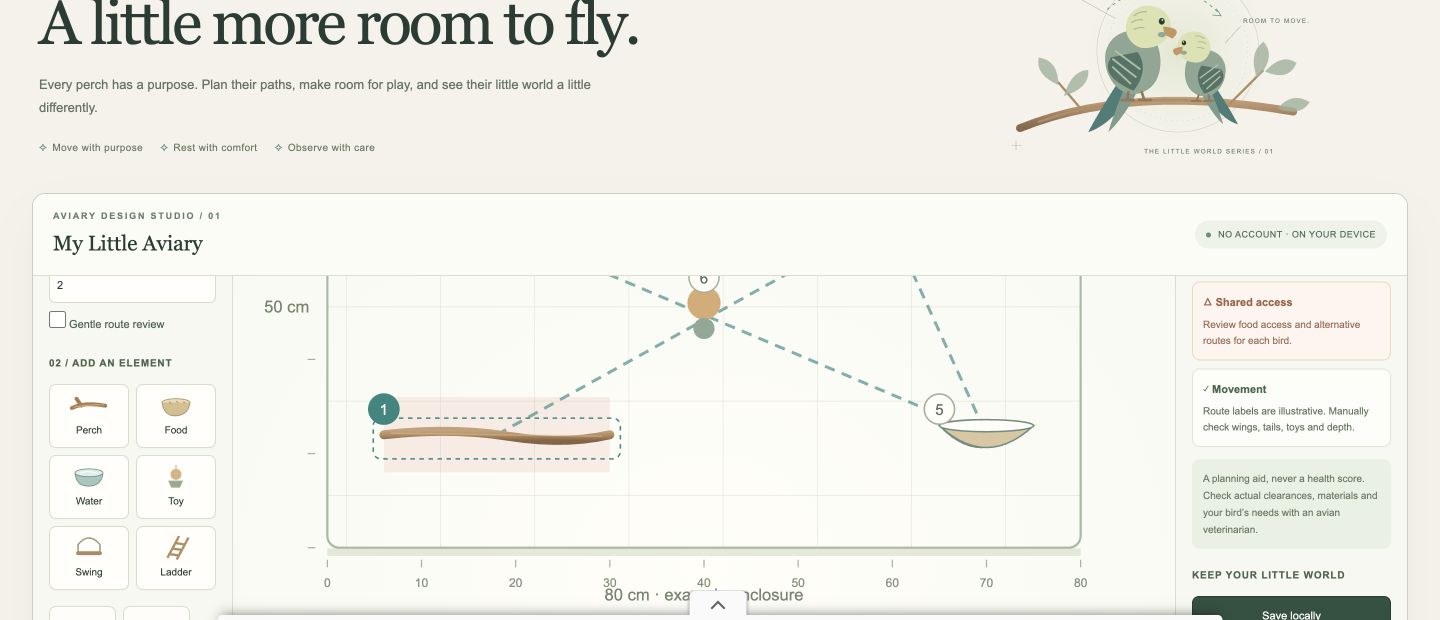
Coordinate editing is a useful alternative when dragging is awkward. It also makes a proposed change explainable: “move water object 4 along X” is clearer than “put it somewhere over there.” The benefit is traceability, not guaranteed precision in the physical installation. Recheck the mounted object rather than assuming its real position matches the entered point.
4. What our bird cage planner test actually showed
We tested the bird cage planner in Chrome on 5 November 2026 using synthetic layout edits. No live bird was observed, no enclosure was physically rearranged and no welfare improvement was measured. The following results establish interface behavior in that session.
| Action | Observed result | Interpretation |
|---|---|---|
| Inspect Water object 4 | X15, Y12, Z15 cm; initial bowl-overlap count 1 | A baseline in the example model |
| Move that water object along X | Final coordinates X65, Y12, Z15; inspector reported no modeled bowl overlap | The modeled relationship changed; actual contamination was not measured |
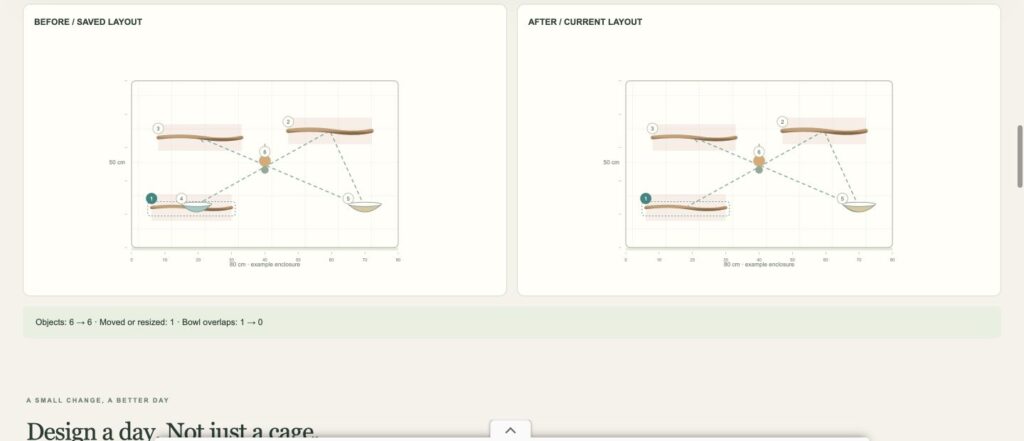
| Press Compare | Objects 6 → 6; moved or resized 1; bowl overlaps 1 → 0 | One-object comparison worked after refreshing the comparison |
| Use Undo then Redo during coordinate editing | Y changed to 13 then returned to 12 | History controls reversed and reapplied that numeric edit |
| Enter route 1,4,2 and choose Hop | The controls displayed that order and label; replay status identified an illustrative route | The sequence is user-defined, not a validated movement ability |
| Record one manual visit and save a synthetic note | Perch 1 showed one recorded visit; other counters remained zero | A manual recording test, not an observed preference |
| Open the Korean interface | Localized controls appeared; the note and count were visible while the current layout differed | Do not assume a live, complete cross-language project synchronization |
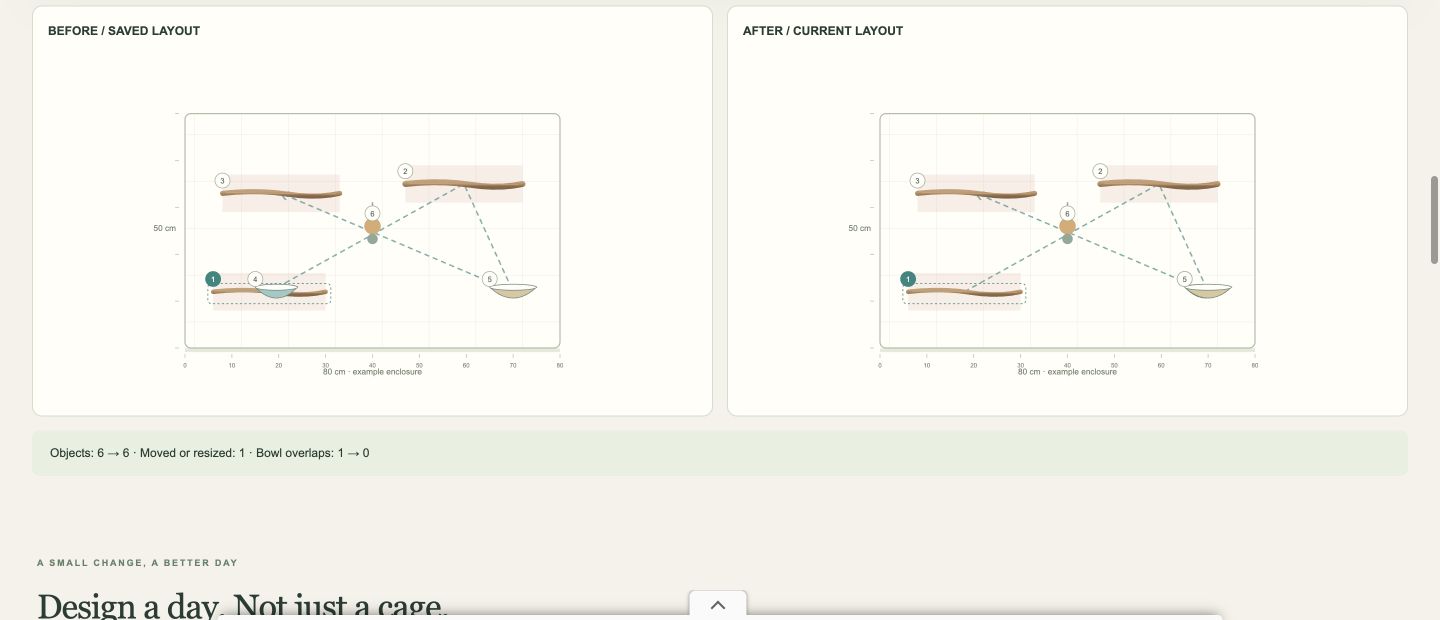
The comparison did not automatically explain every intermediate edit. Pressing Compare again refreshed the displayed summary. Likewise, a value visible immediately after typing was not sufficient proof that the model had retained it. We confirmed the final water coordinates and the updated inspector together. For your own work, make verification a separate step after input.
The tempting conclusion would be “the new arrangement is safe.” The supported conclusion is much smaller: this particular model no longer flagged that bowl overlap. A bowl might still be contaminated by another source, a mount might obstruct movement, or a bird might avoid it. Those are different questions requiring direct inspection and observation.
5. Use routes and the diary without inventing behavior
Open Edit the daily route to enter comma-separated object numbers. The Movement label offers Flight, Hop and Climb. A day in the cage replays an illustrative route. These controls help communicate an intended sequence, such as resting place to water to another perch. They do not calculate whether a bird can complete it, how often it will travel or how it will respond to a new item.
For a practical planning exercise, write down two possible routes before moving anything. Ask where each starts, which resources it reaches and what alternative remains if one perch is unavailable. Then check the real enclosure from the bird’s scale. A line between object centres does not include wing or tail clearance, a moving toy or the shape of a fastening.
The Perch Diary uses + Visit on the selected object and a separate observation note. Choose an observation rule before counting. For example, record arrivals during one clearly defined observation period and describe that period in the note. Do not compare an afternoon of continuous observation with occasional glances on another day as if the counts were directly equivalent.
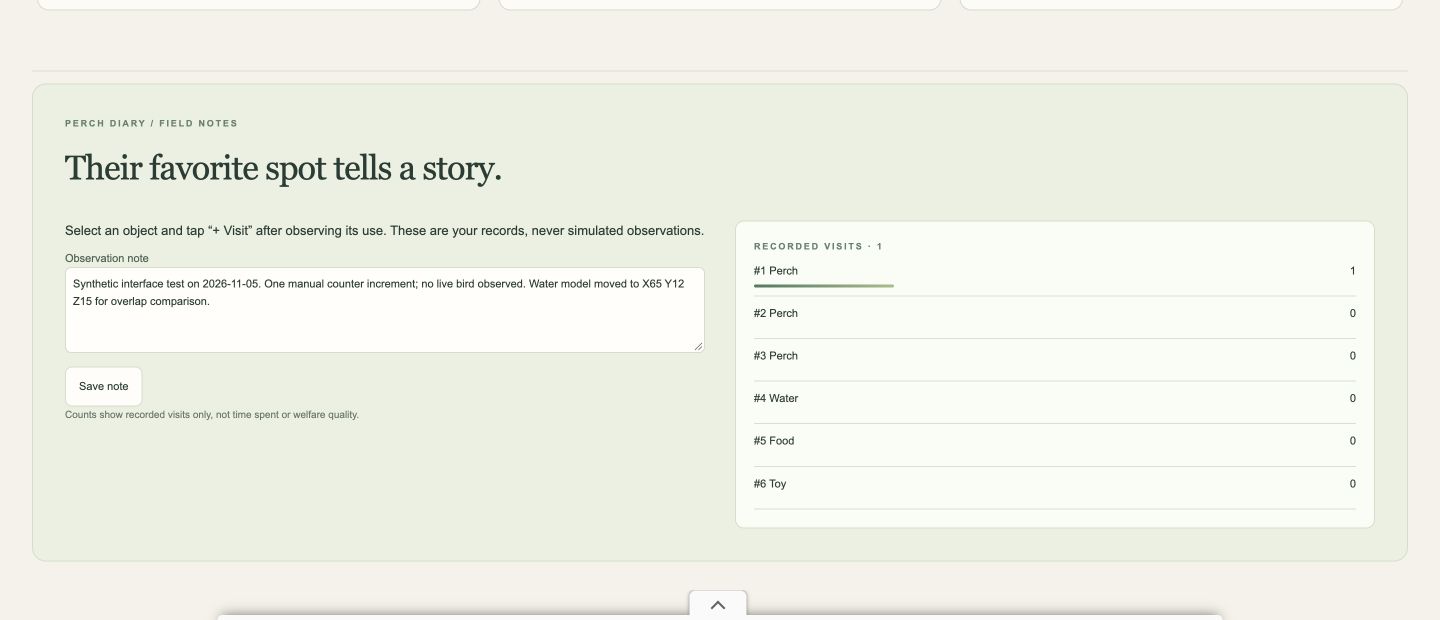
Counts are not time spent, comfort, health or a popularity score. A frequently visited object might simply be on the route to another destination. A rarely recorded visit may reflect an observation gap. Add context rather than interpreting a larger number as a better outcome. If a change raises concerns about the animal, a diary is a record to discuss, not a substitute for appropriate care.
6. Bird cage planner storage and privacy
The workspace offers Save locally, JSON, SVG, PNG, PDF / Print and an import control. These formats have different jobs: JSON is presented as the portable project backup; SVG and PNG represent a drawing; PDF follows the browser’s print workflow. We inspected these controls but did not independently validate exported file contents, a JSON round-trip or a printed PDF.
Our note save produced the on-device saved status. Opening the Korean page on the same origin showed the synthetic note and manual visit count. However, the currently displayed layout differed, so this review does not promise seamless synchronization between open tabs or language pages. Save before switching, reopen the relevant view and confirm the object values before continuing.
- Keep a portable copy of an important plan and verify that the file can actually be reopened before relying on it.
- Record which browser profile and device hold a local project; another device is not automatically the same workspace.
- Browser-data deletion can remove local storage. A saved status is not a promise of permanent backup.
- Avoid personal details in diary notes, especially on a shared computer.
- Treat a screenshot as a record of one view, not a complete editable project.
The source says the planner runs in the browser, requires no account and stores plans locally. Those are the site’s disclosures, not the result of a full source-code or network audit by this review. Blogger and Google advertising services may separately process cookies and usage information. “Local plan” must not be read as “the entire page makes no external requests.”
7. Keep physical care decisions outside the diagram
The most useful limitation to remember is that this is geometry on a screen. It does not inspect bar spacing, coatings, sharp edges, attachment strength, cleanliness, room conditions or an individual bird’s abilities. A profile name and a green check cannot establish that a material or installation is appropriate.
The official RSPCA bird-housing guidance emphasizes usable movement space and keeping bowls away from contamination beneath perches. It supports checking the real environment beyond a front-facing picture. For an individual bird’s housing and mobility needs, consult an avian veterinarian; the organization’s guidance is not an endorsement of this planner.
Compared with paper, the bird cage planner adds selectable objects, repeatable coordinates and a compact comparison. Compared with a photograph, it separates depth and height into useful views. Neither advantage removes the need to inspect the real enclosure. Use the drawing to prepare a better question and document a proposed change, then verify what the drawing cannot represent.
Frequently asked questions
Does this calculate the right cage size?
No. The example dimensions are explicitly not a housing recommendation. A species selector does not establish that an enclosure meets the needs of an individual bird.
Does zero bowl overlap mean zero contamination risk?
No. It means the model did not flag the relationship it checks. Actual contamination, cleaning, placement and other sources still require attention.
Does route replay add real visits?
The diary is for manual observations. Our one recorded visit was a synthetic button test. Do not describe an animation or our test count as live animal behavior.
Can I work in Korean?
Yes. We opened the Korean interface and inspected its localized controls. Save and check the plan after switching; we did not verify full cross-language project synchronization.
Are JSON, images and PDF interchangeable?
No. The interface presents JSON as project backup, images as drawing exports and PDF through printing. Exported bytes and import recovery were not independently tested in this review.
Your next useful step
There was no closely related published bird-care tool article in this library at the time of review. We do not insert unrelated recommendations simply to add clicks. Read our editorial standards for how we separate verified controls from untested claims. Start with one measured layout and one question about a proposed change.
Verified: 5 November 2026, South Korea. Tests covered browser controls, numeric edits, comparison, route settings and manual diary recording. Physical housing outcomes, exported files and a complete privacy audit were not tested. This library and the original tool belong to the same creator; this is not presented as an independent third-party endorsement.
A RELEVANT NEXT STEP
Tools with a useful connection
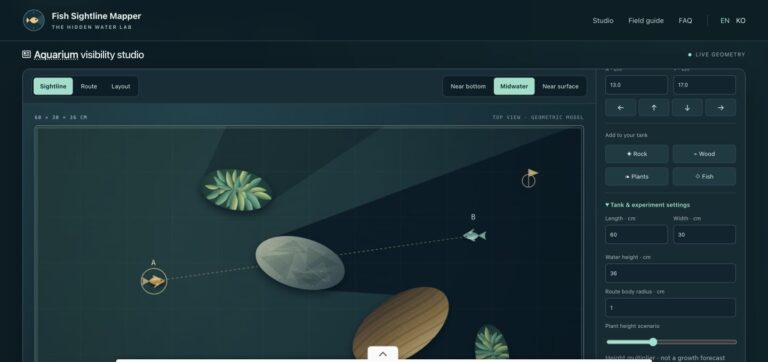
Fish Sightline Mapper
Fish Sightline Mapper: 7 Essential Aquarium Layout Checks
Compare aquarium sightlines with Fish Sightline Mapper. Our measured-input tests cover a 26.9% to 38.8% one-move experiment, depth and body-clearance changes, shared layouts and the model’s animal-care limits.
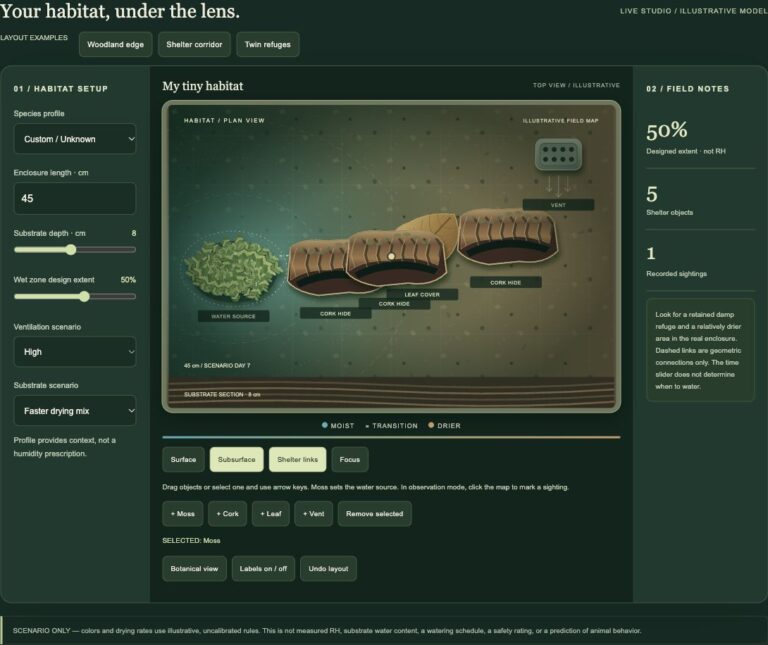
Microclimate Atlas — Isopod Moisture Gradient Planner
Isopod Layout Planner: 7 Essential Checks for Better Notes
Plan a virtual isopod habitat, compare illustrative drying scenarios and keep observation notes. Our tests separate design percentages from measured humidity and verify local reload behavior.
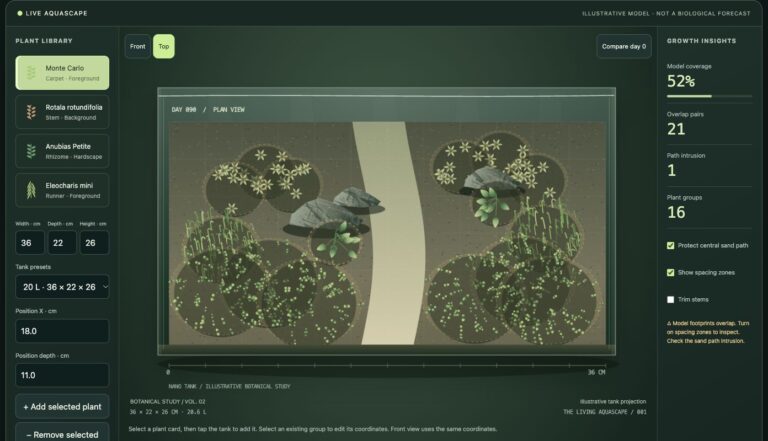
NANO TANK Plant Spacing Lab
Aquascape Planner: 7 Essential Checks for Better Spacing
Compare plant spacing, model coverage and a central sand path in NANO TANK. Actual tests explain geometric growth, grid estimates, local saves and mobile editing.