Sushi Alchemy turns a plate of sushi into a fantasy collection: feed a golden hen, discover treasures, combine two objects into a moving artwork and press materials into landscape tiles. This hands-on guide explains what to do first, which ingredients disappear and how to avoid confusing a permanent discovery with a usable item.
Verified 9 November 2026 in desktop Chrome and a 390-pixel mobile viewport. Screenshots below are actual game captures. We continued an existing browser save; the results are a short test, not a fresh-start completion run.
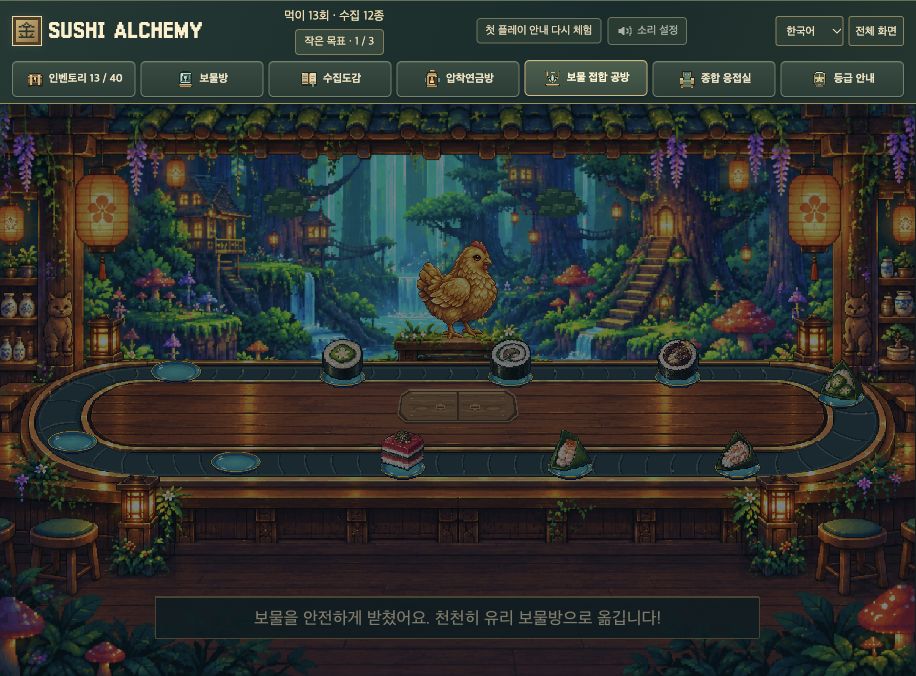
Play Sushi Alchemy with a clear collection plan. Our actual feeding, fusion, forge and map tests explain material costs, saved progress and mobile limits.
- Brand
- Sushi Alchemy
- Tool languages
- en, ko
- Verified date
- 2026-11-09
Table of Contents
Key takeaways
- This is a fantasy collection and decorating game, with English and Korean interfaces. It is useful for a small creative break rather than preparing real sushi.
- Feeding, inventory, the discovery museum, fusion and tile crafting form different systems. A discovered object can remain in the museum after its physical copy is consumed.
- The forge needed two matching shells plus a treasure in our test. Sushi was an optional booster; closing the doors and pressing the bellows five times completed the process.
- Keep one browser tab active for play. We observed saved progress after reloading, but did not verify cloud synchronization or a portable save backup.
What Sushi Alchemy does
Sushi Alchemy presents a forest sushi house around a golden hen. Clicking a sushi dish begins an animated feeding sequence. An egg leads to a collectible treasure, and the surrounding rooms give those objects a second purpose. The treasury displays discoveries; the inventory holds spendable copies; the forge creates scenery; the fusion workshop creates a small animated work from two treasures.
The original address opens a WordPress page containing the game in an embedded frame. The actual game interface took over the visible play area in our session. Its two language options were 한국어 and English. The game instructions describe a three-peck feeding sequence and a three-minute replenishment after the sushi is exhausted. We verified a feeding result, but did not empty every plate and time that complete replenishment cycle.
When this collection game is useful
Choose this game when you want to make a few visible choices without setting up a project. A useful short-session objective is one new discovery, one fusion or one map placement. Each objective gives you a stopping point, while the collection can grow across visits in the same browser. The illustrated setting also suits a visual inspiration break when you want to think about color, arrangement and fictional objects.
The practical problem is deciding what to do with a growing collection. Simply collecting everything can hide the difference between keeping an object, recording its discovery and spending it to make something else. Treat those as three decisions. First look at the story or artwork, then check the number of stored copies, and only then choose a crafting route. That makes a small inventory easier to understand.
There is no need to upload a food photograph or enter personal information for the interactions we tested. Prepare a modern browser, a few uninterrupted minutes for loading and animations, and a clear choice about which stored treasure you are willing to use. If you have played before, take a note of your counters before experimenting. The initial loading screen briefly showed zero values before the existing save appeared, so do not assume that a loading placeholder means your progress has disappeared.
The collection and crafting systems
| System | What it is for | Decision to make |
|---|---|---|
| Sushi house | Feed a dish to the golden hen and watch the egg sequence | Wait for the result before clicking another room |
| Inventory | Store usable treasures, sushi, shells and creations in separate spaces | Check the relevant container rather than one headline counter |
| Collection museum | Keep discovery memories and inspect exhibit options | Use this to review discoveries after crafting |
| Fusion Workshop | Use two stored treasures to create an animated work | Check both selected ingredients and their counts |
| Alchemy Forge | Turn shells and a treasure into a landscape tile | Choose matching shells and decide whether to add optional sushi |
| Landscape map | Arrange tiles in a 7 × 7 world | Select a tile, then click a destination cell |
The museum also exposed My shelf, Customer Request and Today’s walk sections in the English interface. Some exhibition halls were disabled in the saved state we inspected. These controls indicate additional progression, but this review does not claim that we completed every request, unlocked every hall or obtained every object. The navigation is broader than the small set of outcomes tested here.
How to play Sushi Alchemy in 7 steps
1. Open the game and choose a language
Visit the original Sushi Alchemy address and choose English or 한국어 on the start screen. Read How to Play, then press Play. Allow the preparation screen to finish. In our first load, the header appeared before the game was ready, and the button changed to Entering the forest. Repeated clicks during that phase did not constitute a playable result.
2. Record your starting counters
Look at the feeding and discovery totals and inspect the inventory if you are returning. Our saved baseline was 12 feeds and 11 discovered types. This matters because a final total of 13 feeds does not mean this review performed thirteen feeds. It means one feed was added to an existing collection. A screenshot of the baseline makes later comparisons less ambiguous.
3. Click a dish and let the sequence finish
Select sushi on the counter. The feeding count changed first; the discovery result arrived after the egg and collection animations. We received a grade 4 roe-themed folding screen, shown in Korean as 명란의 그림 병풍. Do not navigate rapidly while the hen is eating. Several room clicks made during the animation did not immediately open those rooms.
4. Separate stored copies from discoveries
Open Inventory and choose the appropriate container. The treasure container displayed a capacity of 20 slots and warned that hatching needed a slot for sushi and a slot for treasure. Its contents are different from the lifetime discovery count. The museum describes memories as remaining even when an item is used as material. Check both views before deciding whether something has been lost.
5. Try fusion with two chosen treasures
Open Fusion Workshop. Select the first and second treasure from the two lists, check the quantities, and read the consumption notice. Press the fusion button once and wait for the completed artwork. Two copies are needed if both selections name the same treasure. The interface explicitly disabled the action when only one copy of the remaining treasure was available.
6. Craft one landscape tile
In Alchemy Forge, choose a shell type for which two matching copies are available. Choose a treasure imprint; leave the sushi booster at the option for no booster if you want to test the basic route. Insert the treasure and the two shells, wait for their insertion animations, close the three doors, then press the bellows until the counter reaches 5 / 5. Read the resulting panel name before leaving.
7. Place the tile and check the map count
Use the map-room button, select the new tile and click an empty cell. The map has 49 positions in seven rows and seven columns. Our placement increased occupied cells from 3 to 4 while connections stayed at 1. That difference is useful: filling a cell and connecting neighboring features are separate outcomes. Use the rotate control when arrangement needs adjustment.
Our actual gameplay test
The following results were observed on 9 November 2026. They are examples of system behavior, not guaranteed recipes or a probability study. The same save contained earlier objects, shells and map tiles. We did not reset that save, and a second tab briefly displayed an older inventory state. We closed that tab before continuing; concurrent-tab conflict handling was not tested.
| Action | Observed before → after | What it establishes |
|---|---|---|
| One feeding | 12 → 13 feeds; 11 → 12 discoveries | A new grade 4 folding-screen treasure was registered |
| Fusion | Screen + conger coral crown → grade 4 Lens Night Observer artwork | Two stored treasures were spent; artwork appeared |
| Forge without sushi booster | 20 → 18 shells; stored-item counter 11 → 10 | Two matching grade 4 bonito shells and Blue Element Crystal produced an Alhambra panel |
| Map placement | 3 → 4 occupied cells out of 49; connections remained 1 | The new tile was placed without adding a connection |
| Reload and English interface | 13 feeds, 12 discoveries and inventory 10 remained visible | Progress persisted in this browser during the test |
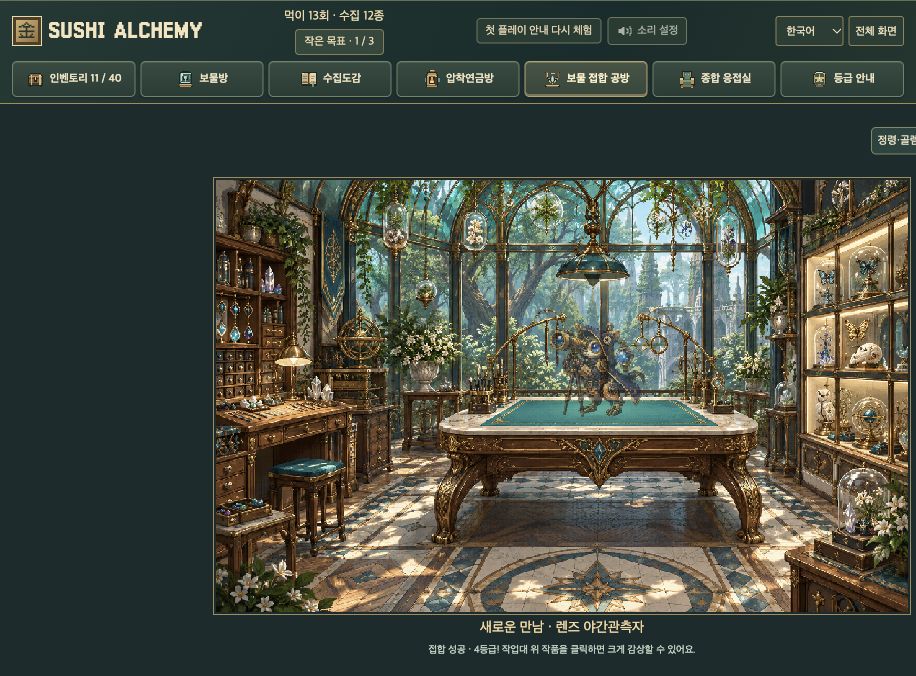
The strongest lesson from the test is that resources move between systems. A treasure first appeared as a discovery, then its usable copy could be spent in fusion. A different treasure became an imprint in the forge. The map gained an architectural panel while the inventory counter fell. Reading only the top counter would miss that progression and could make a successful craft look like a loss.
Plan materials before crafting
Before crafting, decide which destination you want: an animated artwork or a landscape tile. Fusion asks for two treasures. The forge asks for two matching shells and a treasure, with sushi as an optional material in the tested interface. A single remaining treasure cannot fund both routes at once. Review what you would like to display before committing scarce copies.
In our fusion test, the selected screen and coral crown disappeared from the available lists after use. Only Blue Element Crystal remained. Both selection lists then pointed to that one remaining item, but the action correctly showed one copy short for a same-item pair. The disabled button was a resource constraint rather than a broken control. Read the quantity message before trying to fix an apparently unresponsive workshop.
Shell grade and shell identity are not interchangeable. The forge grouped shells by grade and also listed specific egg-shell names. Its requirement was two matching shells or powder, not merely two arbitrary objects with a similar rarity. Our chosen pair was the grade 4 bonito leaf-pattern egg shell. The interface reported two available copies before insertion and two fewer shells after completion.
The forge can have transitional states: material insertion, door closing and compression each temporarily disabled controls. Wait for the explanatory line to change. Clicking every visible control during an animation makes it harder to tell whether a missing action is a prerequisite, an animation lock or a genuine problem. Follow one stage at a time and use the on-screen counts as the record.
Build a readable landscape map
Treat the 7 × 7 map as a small composition. Start with one focal tile and leave surrounding cells available until you know what should connect to it. The interface describes coastlines, mountains and roads meeting at neighboring edges. Our count comparison shows that a tile can occupy a position without increasing connections, so inspect the visual edges as well as the occupancy total.
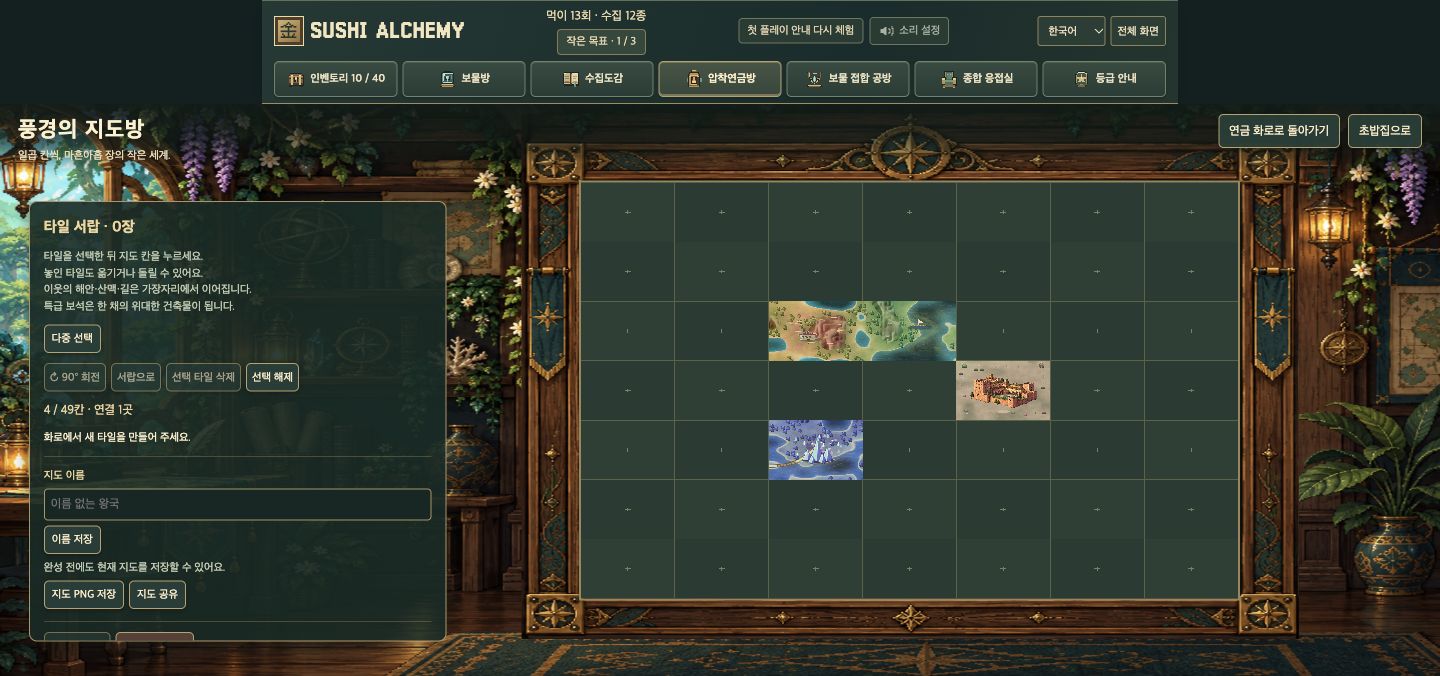
The map room exposed rotation, return-to-drawer, deselection, a map-name field, PNG saving and sharing controls. We verified selection and placement, not the integrity of an exported PNG or the destination of a share action. Do not treat this page as evidence of a portable game-save export. A picture of a map and a restorable collection file are different deliverables.
Advanced collection tips
- Set a session goal before feeding: one discovery, one work or one placement. Stop after the result becomes visible rather than chasing every room at once.
- Inspect the discovery museum before spending an unfamiliar treasure. The visual memory can remain, while the usable copy is consumed.
- Keep rare-looking objects until you have compared both crafting screens. The displayed 100% fusion completion message does not promise one specific artwork or grade.
- Avoid playing the same save in multiple tabs. We saw different snapshots of state between tabs and did not verify a conflict-resolution mechanism.
- Use a wider screen for detailed layout work. The mobile menu remained accessible, but the illustrated counter and its targets were much smaller.
Limitations, mobile use and privacy
Sushi Alchemy worked in our desktop Chrome session and in an emulated 390-pixel-wide viewport. The mobile menu wrapped into rows. The scene was scaled down with substantial empty space around it, making precise dish selection less comfortable than on desktop. This was viewport testing, not a physical-phone performance, battery or touch-accessibility assessment.
Loading was noticeably slower than opening the guide. The initial zero counters were replaced by the saved collection after preparation finished. Allow loading to settle before troubleshooting progress. We did not measure a reliable loading duration, verify offline play, test all browsers or complete the three-minute refill timer. The start guide’s timer is an instruction, not our measured result.
Reloading retained progress in the same browser. That observation supports local-session continuity, not a claim that saves follow an account across devices. We did not verify cloud backup, a full save export or recovery after deleting browser data. Avoid clearing site data casually if you care about the collection, and do not assume a map image would restore inventory.
No personal upload was needed for the tested play. However, the surrounding WordPress page loaded advertising frames, including Google advertising. We did not audit all network traffic or the game’s storage implementation. Claims such as “nothing leaves your device,” “no tracking” or “fully offline” would go beyond the evidence. Treat this as an online game with observed saved progress.
The scene includes fantasy sushi, eggs, treasures and grade labels. Those are game elements rather than cooking, nutrition, fish identification or food-safety guidance. Our grade 4 and special-panel results should not be used to infer a complete loot table or the chance of a future reward. Only a small sequence was tested.
Related creative tools
If the attraction is arranging a small fictional world, try Cactus Spine Studio for a separate creative session with generated cactus forms and visual variations. Sushi Alchemy centers on collecting and spending in-game objects; the cactus tool offers a different route to decorative artwork. There is no verified import or shared save between them. Use the link as an alternative activity, not an export pipeline.
Frequently asked questions
Is Sushi Alchemy a sushi recipe tool?
No. The verified activity is a fantasy collection game. Sushi feeds a golden hen and leads to fictional eggs, treasures, artworks and landscape tiles. Use a dedicated cooking source for real preparation.
Can I play in English or Korean?
Yes. We changed the game language to English and inspected Korean controls as well. The surrounding WordPress navigation can remain Korean even when the embedded game is English.
Why did my treasure disappear after fusion?
The workshop warns that both input treasures are consumed. Their discovery memories are described as remaining in the museum. Compare the inventory’s usable copies with the museum’s discovery record; they serve different purposes.
Why is the forge button disabled?
Check for two matching shells, a treasure imprint, completed insertion and closed doors. Some controls also remain locked during animation. Sushi was optional in our successful basic craft. Read the current prerequisite message before changing materials.
Does progress survive reloading?
Our 13 feeds, 12 discoveries and inventory count of 10 remained after reload in the same browser. Cross-device synchronization, recovery after clearing site data and a full save backup were not verified.
Will the same ingredients give my exact result?
This review does not establish that. We observed one grade 4 fusion artwork and one special Alhambra panel. The interface said fusion completion was 100% while the result grade could vary. A single outcome cannot establish deterministic recipes or reward probabilities.
Start a small collection
Begin with one dish and watch the result all the way through. Then decide whether to keep its usable treasure, combine it into an artwork or reserve it for a landscape tile. That small sequence is enough to understand the collection loop without treating every menu as a task to finish immediately.
A RELEVANT NEXT STEP
Tools with a useful connection
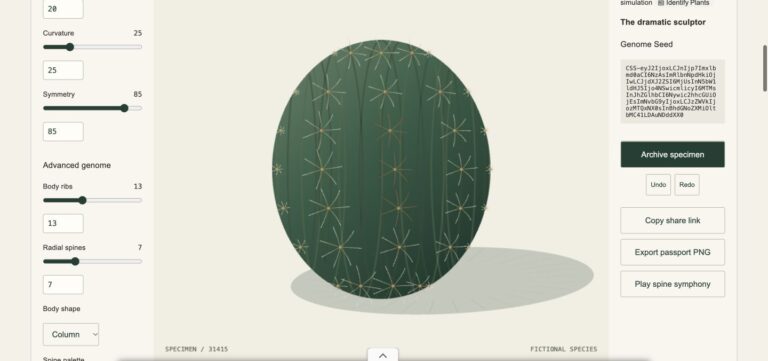
Cactus Spine Studio
Cactus Generator: 7 Creative Steps for Beautiful Forms
Create fictional cactus artwork with spine, body and painting controls. Compare descendants and restore a shareable recipe, with real tests and clear botanical limits.
Soap Bubble Lab · The Fragile Universe
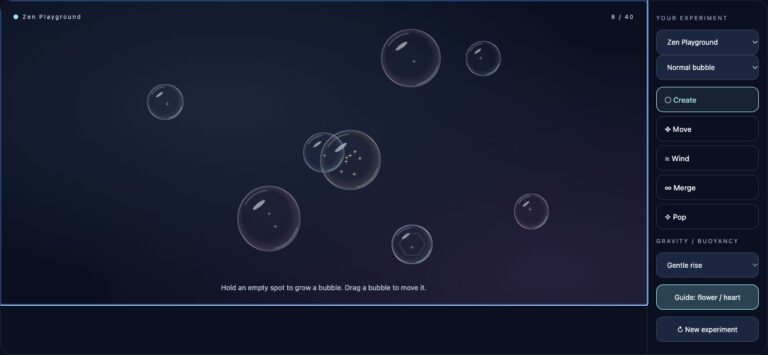
Bubble Game: 7 Smart Soap Bubble Lab Checks
Create a tiny bubble universe, explore four modes and keep a picture plus layout DNA. Real merge, daily-limit, Domino, museum and PNG tests explain what Soap Bubble Lab saves and what its fantasy physics cannot prove.
Magnet Marble Maze: The Polarity Paradox
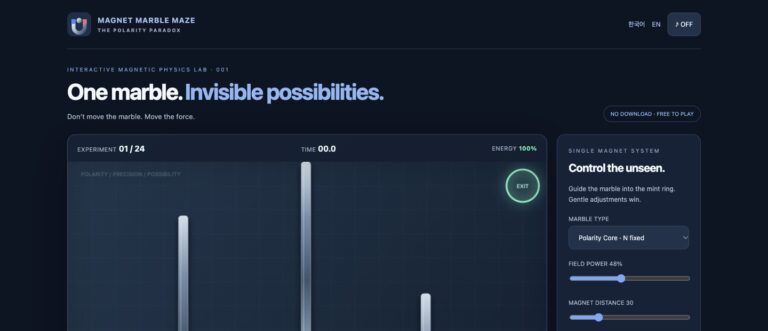
Magnet Marble Maze: 7 Smart Checks for Better Control
Move a magnet to guide a marble through a 2D puzzle. Our guide tests polarity, pulse, rewind, Maker completion and sharing, while separating game outputs from real magnetic measurements.